faucet-stream wires 38 source and 30 sink connectors together with a single
faucet binary that runs pipelines declaratively from a YAML/JSON file — no Rust
code required. Or skip the binary and embed the same engine in your own service
through the typed Source / Sink traits.
Native streaming with bounded memory, connection pooling, multi-row inserts, bulk APIs, and parallel I/O — performance is the reason the library exists.
Config-driven or embeddable
Run faucet run pipeline.yaml, or call Pipeline::new(&source, &sink).run().await? from Rust. Same engine either way.
A runtime, not just connectors
Incremental + resumable replication, change-data-capture, exactly-once delivery, dead-letter queues, retries, quality checks, and built-in metrics + tracing — with zero per-connector code.
Pay only for what you use
Every connector is a Cargo feature. Build a slim binary with just the source and sink you need.
Runnable examples: the cli/examples/
directory ships a config for nearly every connector pair, and
examples/
has a docker-compose stack so they run locally.
Every faucet-cli release ships prebuilt binaries for macOS (Apple Silicon +
Intel) and Linux (x86_64 + aarch64), so you don’t need a Rust toolchain to try
it.
Homebrew (macOS / Linux):
brew install faucet-hq/faucet-stream/faucet-cli
(The formula is named after the faucet-cli package; it installs the faucet
binary.)
Shell installer (macOS / Linux):
curl -LsSf https://github.com/faucet-hq/faucet-stream/releases/latest/download/faucet-cli-installer.sh | sh
Direct download: grab the archive for your platform from the latest
faucet-cli GitHub Release
(e.g. faucet-cli-aarch64-apple-darwin.tar.xz), verify it against the
published .sha256 checksum, and put faucet on your PATH.
The prebuilt binary includes the CLI default feature set (every first-party
connector, transforms, quality checks, contracts, masking, compression) plus
serve (with the embedded web console), schedule, lineage, and templates
(the pipeline template registry — note that a registry surviving a restart also
needs a serve-history-* backend). Not included — build from source for these:
transform-sql (embedded DuckDB), otel, triggers, catalog, and the
serve-history-* backends.
macOS Gatekeeper: the binaries are not currently notarized. If macOS
blocks the downloaded binary, clear the quarantine attribute:
xattr -d com.apple.quarantine $(which faucet). Homebrew installs are not
affected.
Every connector and runtime capability is a Cargo feature, so you can build exactly the
binary you need. Connector features are named source-<name> and sink-<name>.
Bare minimum — the smallest useful binary (REST in, JSON Lines out):
To embed pipelines in your own Rust program, depend on the umbrella crate and
enable the connectors you need:
[dependencies]
# Default features include the REST source only.
faucet-stream = "1.0"

# Or enable specific connectors:
faucet-stream = { version = "1.0", features = ["source-rest", "sink-postgres", "sink-s3"] }

# Or everything:
faucet-stream = { version = "1.0", features = ["full"] }
Feature groups: source (all sources), sink (all sinks), state (all
state-store backends), full (everything), and compression (gzip/zstd on the
file-shaped connectors you’ve enabled).
You can also depend on individual connector crates directly
(faucet-source-rest, faucet-sink-bigquery, …) — each depends only on
faucet-core.
faucet run auto-discovers a faucet.yaml / faucet.yml / faucet.json in the
current directory (and a sibling .env), so you can also name the file
faucet.yaml and just run faucet run.
Config-exposed transforms include flatten, rename_keys, keys_case,
select, cast, redact, and more — see the
record transforms recipe for the full list.
The repo ships a single script — scripts/try-local.sh —
that builds the faucet CLI, generates a throwaway demo workspace, exercises a
broad slice of the toolkit against file-only connectors (no Docker, no cloud,
no databases), and then leaves the web console
running so you can browse the results visually.
It’s the fastest way to see pipelines, transforms, data-quality, masking,
lineage, the Data Movement Catalog, and dead-letter-queue replay working
end-to-end on your machine.
The default build is light and pure-Rust — it needs only:
rustup with the toolchain pinned in rust-toolchain.toml (the script
resolves it automatically, even if a Homebrew rustc is on your PATH).
A C toolchain for a couple of transitive crates — on macOS that’s the Xcode
Command Line Tools (xcode-select --install); on Linux, build-essential.
sqlite3 and curl are used by a few steps if present (both ship on macOS and
most Linux distros); missing ones are skipped gracefully.
The optional --full build additionally compiles Kafka, gRPC, the cloud
connectors, and the DuckDB SQL transform from source, which requires CMake
and takes ~15–30 minutes. The light default builds in a few minutes.
# From the repo root — builds the light feature set, runs the battery,
# then starts the web console and leaves it up (Ctrl+C to stop).
./scripts/try-local.sh
Useful flags:
Flag
Effect
(none)
Light build → run battery → keep the web console running
--full
Build every feature (Kafka, gRPC, cloud, DuckDB SQL); needs CMake
--release
Optimised build (slower to compile, faster to run)
--no-serve
Run the battery and exit — no console (for CI / a quick check)
--serve-only
Skip the build + battery; just (re)launch the populated console
--clean
Wipe the demo workspace (faucet-local-demo/) first
Observability: SLA monitoring, file-based OpenLineage emission, the Data
Movement Catalog.
Ops: offline faucet test, dlq inspect / replay, and the serve
HTTP control plane.
Templates: a parameterized config registered into the template registry,
then walked through the release lifecycle — --launch, promote up the
channels, launch from a channel, rollback, deprecate — plus a run
triggered by id + --param.
With --full, the embedded DuckDB SQL transform step is included too.
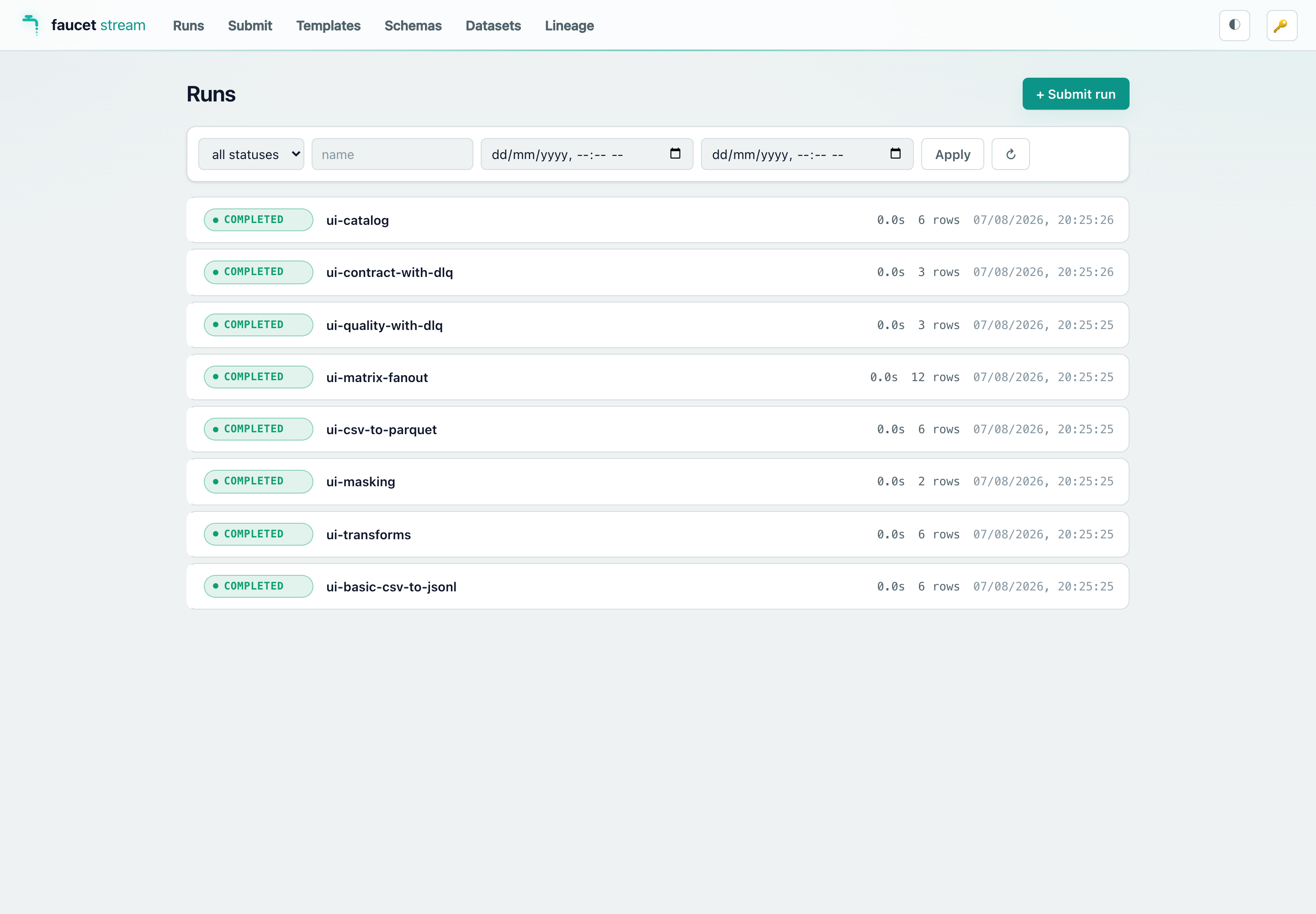
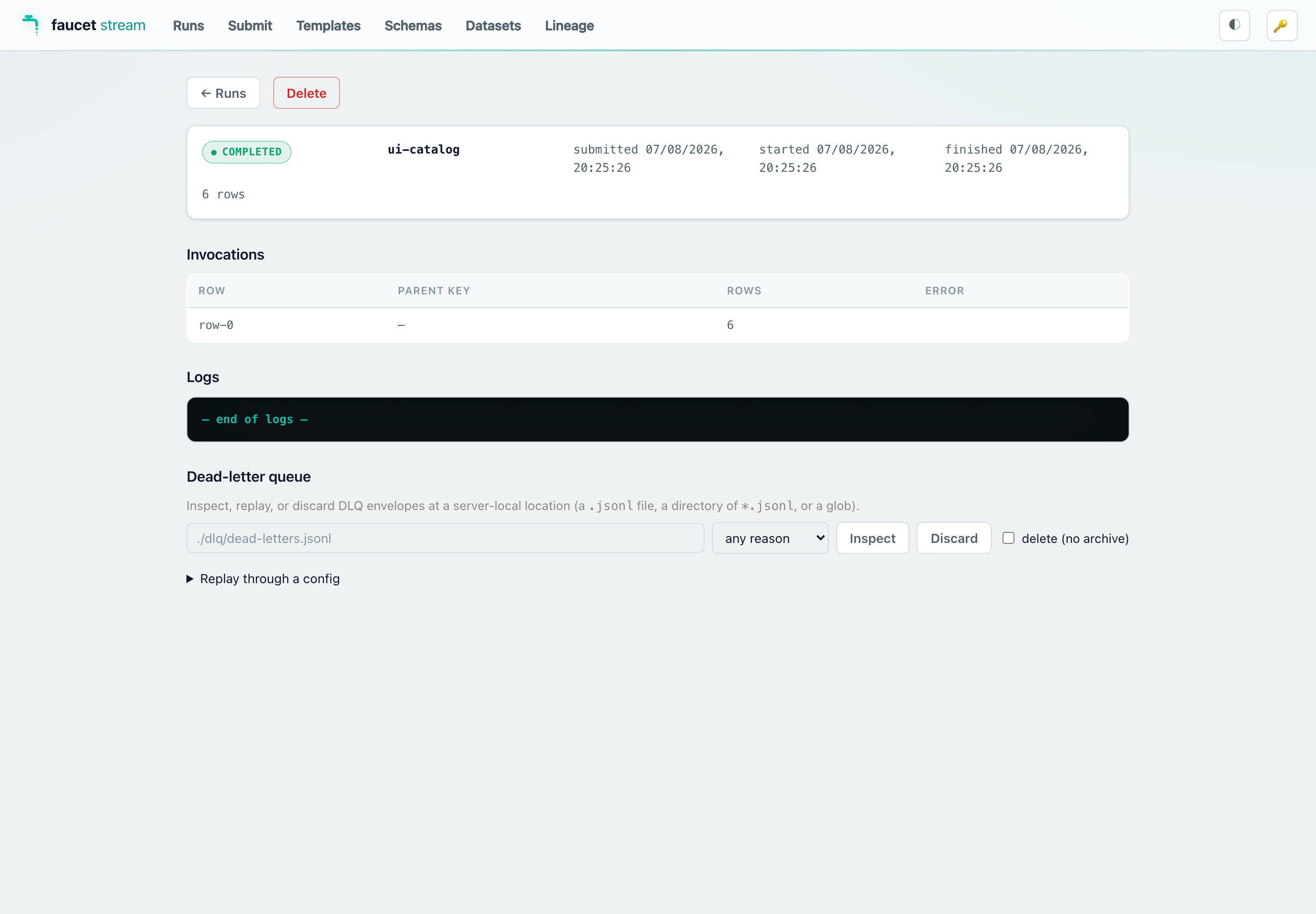
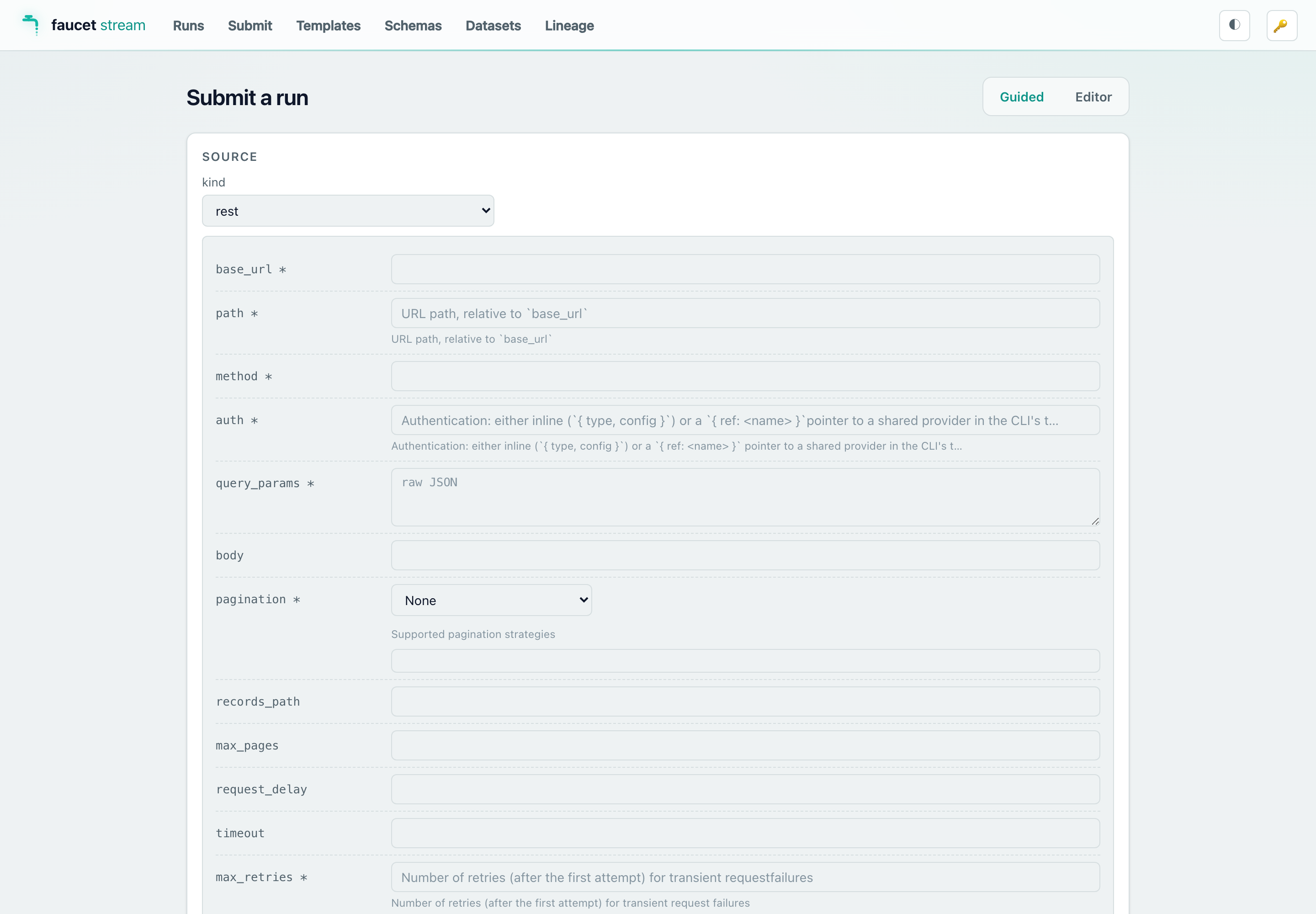
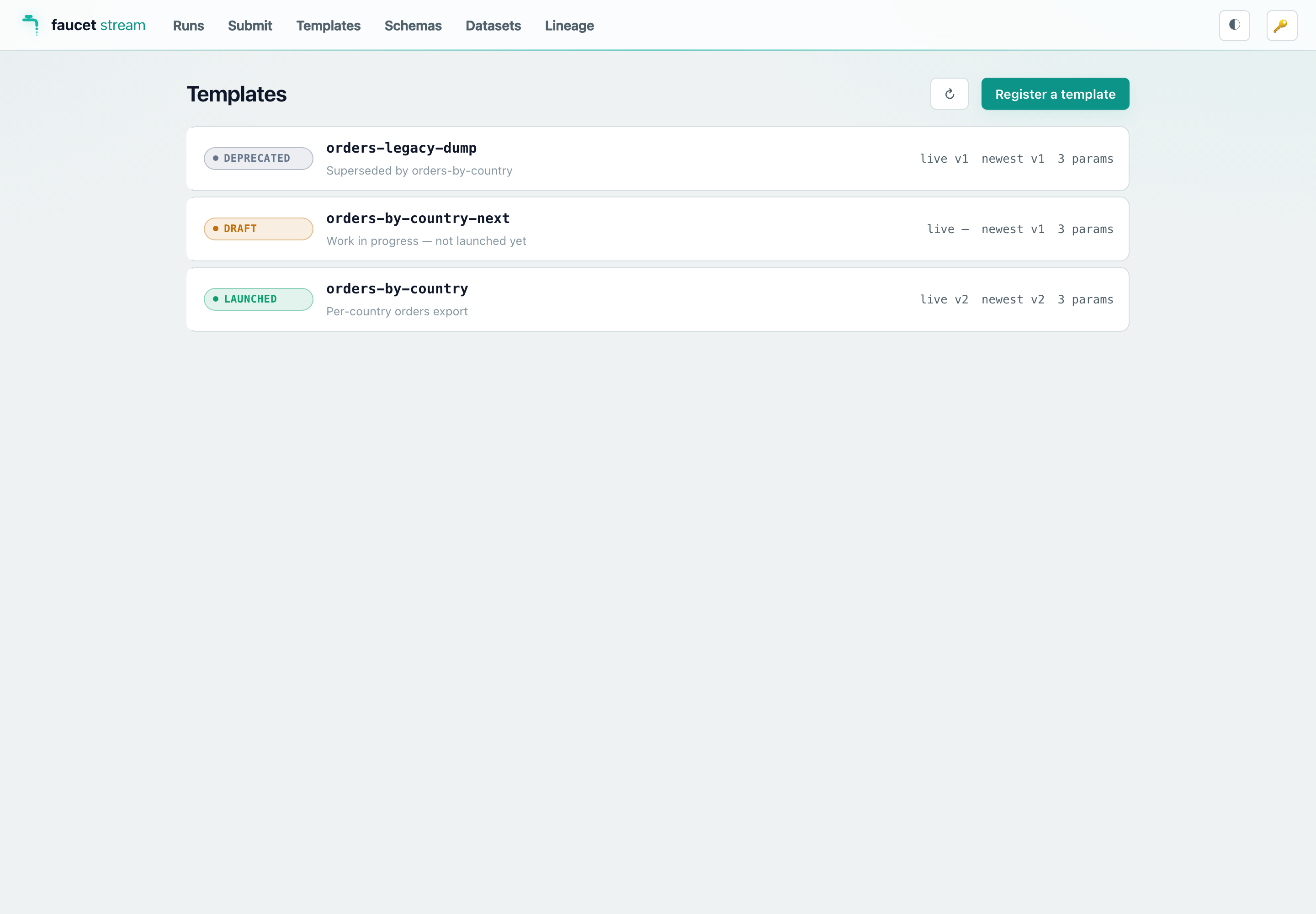
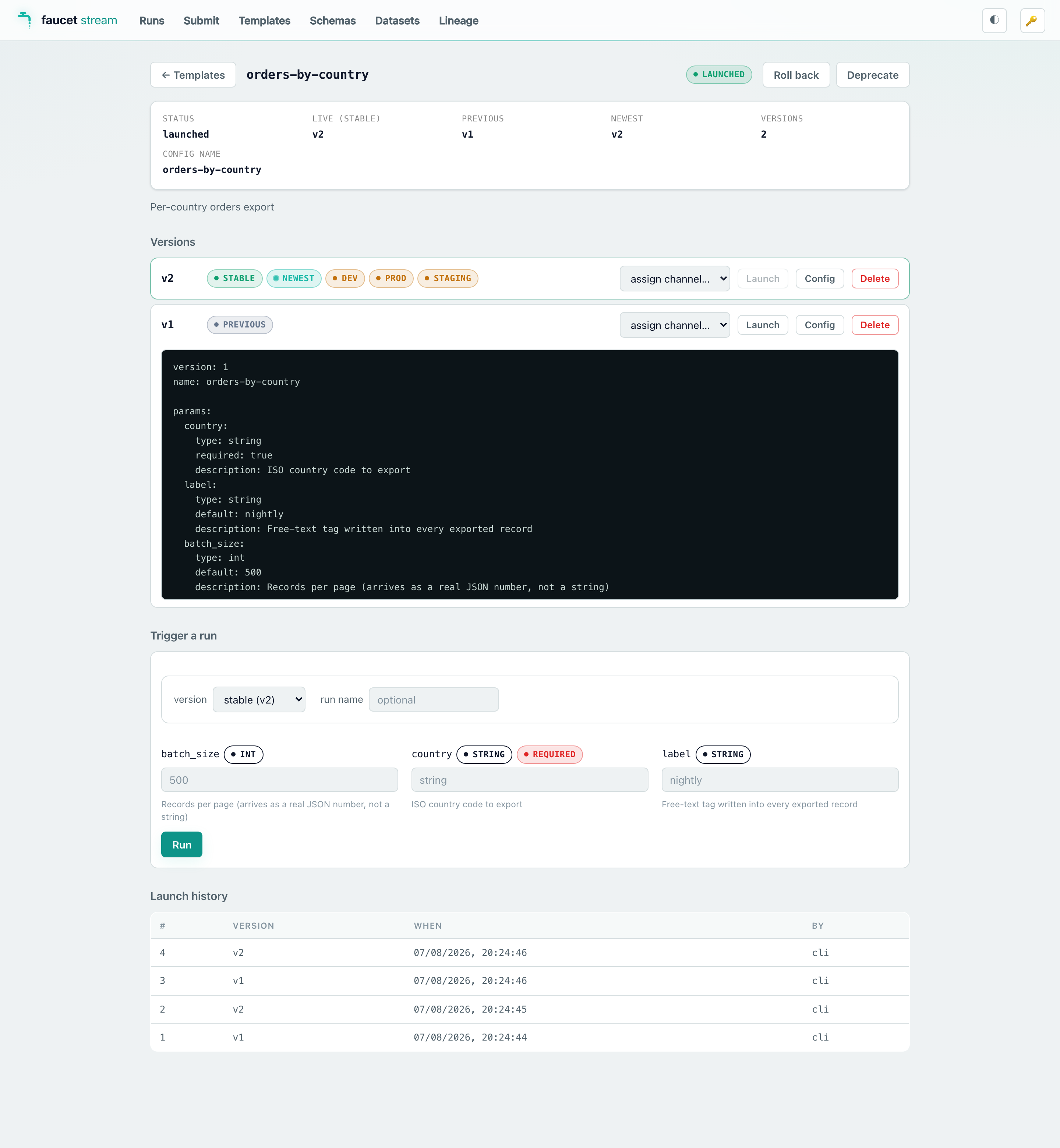
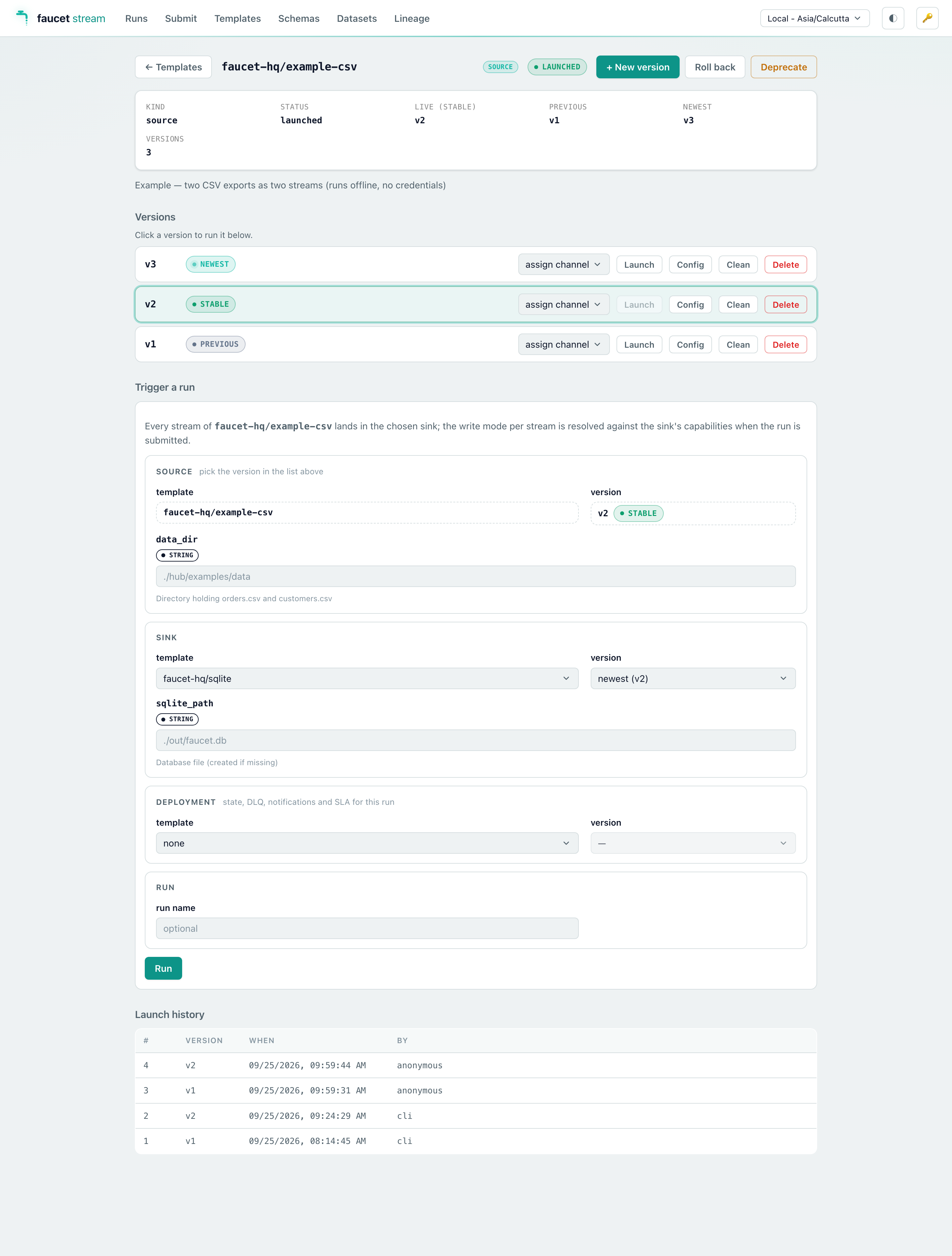
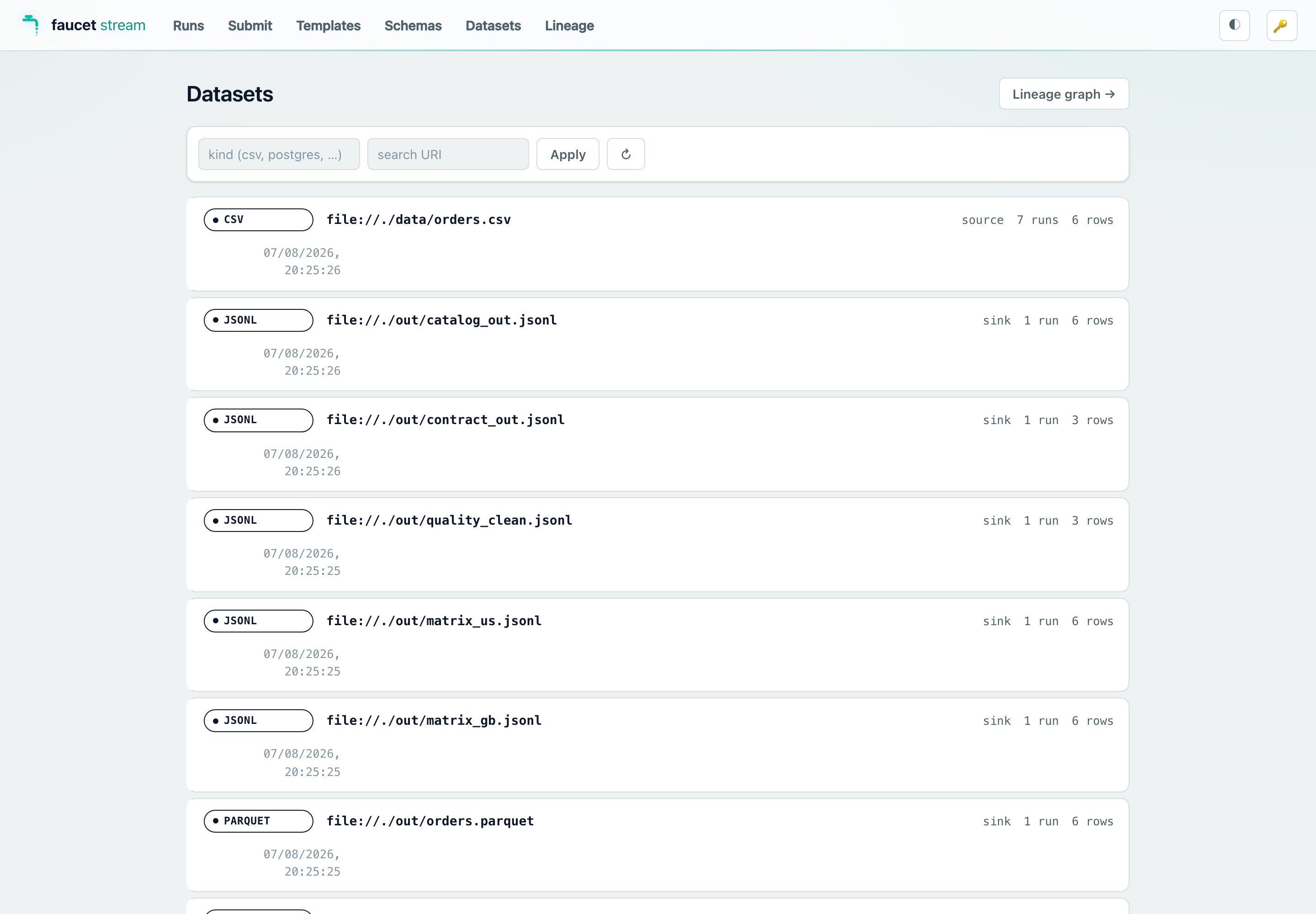
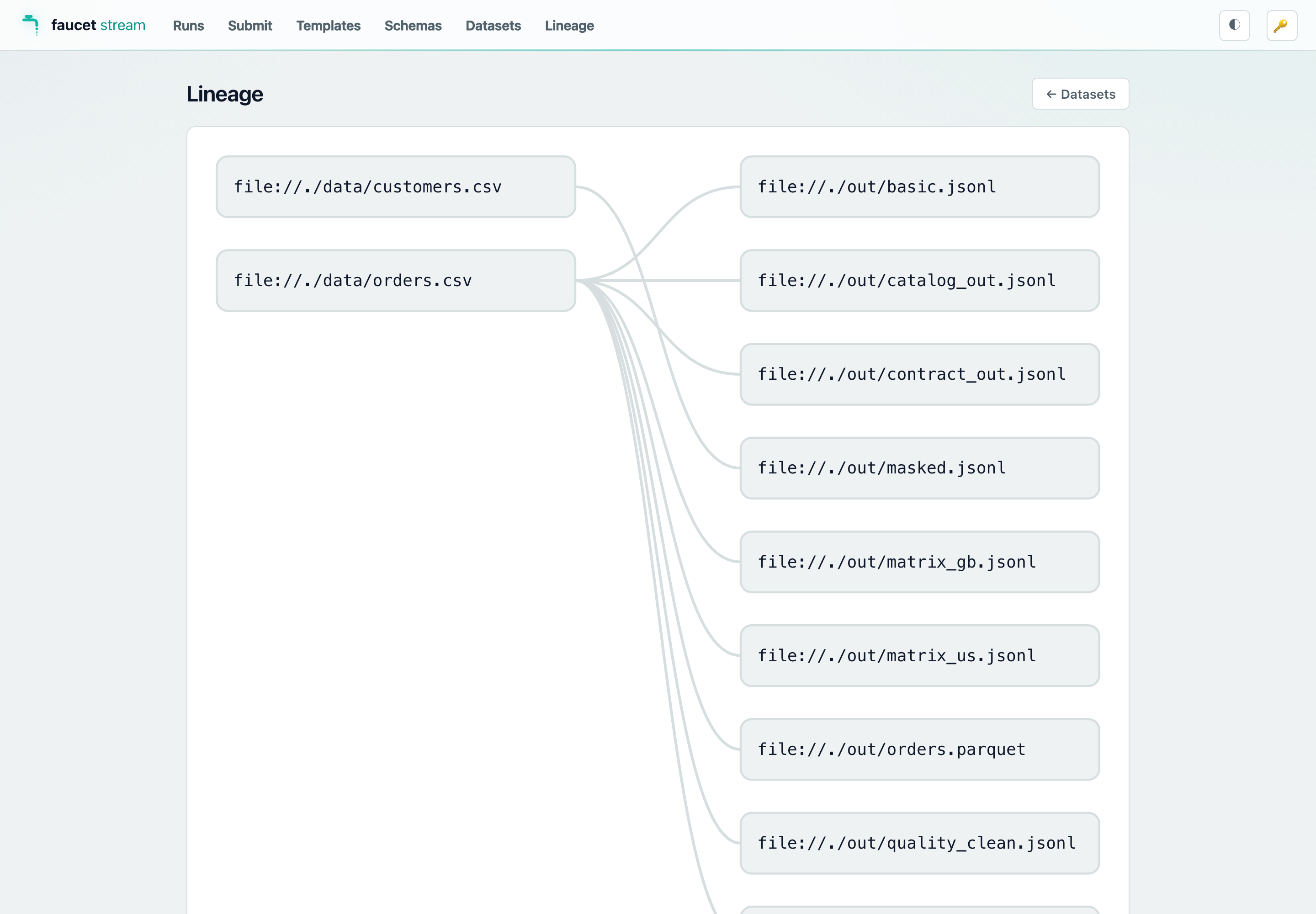
When the battery finishes, the script submits a handful of demo runs through
the HTTP API and then keeps the server up, so the console arrives already
populated — you can open it and immediately browse Runs, Datasets,
Lineage, Templates (with a versions page you can launch and roll back
from), and the per-run dead-letter-queue panel. See
Web console for a screenshot tour.
The run-history database (faucet-local-demo/faucet-meta.db) is not wiped
between invocations, so run history accumulates over time. Use --clean to
reset the whole workspace.
The faucet-local-demo/ workspace is disposable — delete it any time with
rm -rf faucet-local-demo. It is git-ignored.
A source fetches records from an external system (a REST API, a database, a
Kafka topic, an object store, …) and yields them as JSON values. Sources stream
in batches via stream_pages, so memory stays bounded no matter how much data
flows through.
A sink writes records to an external system. Sinks accept batches and most
expose a batch_size knob that controls the natural unit of work (a multi-row
INSERT, a _bulk body, an insertAll request, and so on).
An optional transform reshapes each record between source and sink. The
config-exposed transforms include flatten, rename_keys, keys_case,
select, cast, and redact (see the
record transforms recipe for the full list);
additional custom transforms are available from Rust.
The pipeline connects a source to a sink. It drives the source’s
stream_pages, applies transforms, and writes each page to the sink as it
arrives — then flushes and records progress. Memory is bounded at one
batch_size page on both sides regardless of total volume.
let result = Pipeline::new(&source, &sink).run().await?;
For incremental and resumable runs, a state store persists a bookmark after
each page the sink confirms. On the next run the source resumes from that
bookmark. Built-in backends are memory and file (in faucet-core); redis
and postgres backends live in their own crates.
This is what makes change-data-capture safe: the PostgreSQL CDC source only tells
Postgres it can recycle write-ahead log up to a bookmark that has actually been
persisted.
A pipeline can attach a DLQ sink. When a sink reports per-row failures, the
failing rows are wrapped in a fixed-shape envelope and routed to the DLQ before
the page’s bookmark advances — so a few bad records don’t abort the whole run.
The on_batch_error policy (propagate vs dlq_all) decides what happens when
a sink can’t report per-row results.
A single config can fan out into many invocations with a matrix: block — either
independent rows or a parent/child DAG where a child runs once per record
produced by its parent. See the matrix DAG tutorial.
Every source, sink, transform, and state operation is automatically wrapped to
emit tracing spans and metrics counters/histograms — no per-connector code.
See Observability.
Two ways to understand how faucet-stream works. Pick the one that fits you — the
switch remembers your choice as you browse.
🎓 Beginner’s guide builds the whole system up as a story, one idea at a time.
🏛 Architect reference is the condensed, subsystem-by-subsystem view for people who already have the mental model.
The buttons above switch this page in place on the published documentation
site. If you’re reading the raw Markdown on GitHub (which doesn’t run the
site’s scripts), both sections simply appear one after the other below.
faucet-stream moves data from one place to another.
Picture a kitchen faucet: water comes from a pipe (the source), flows
through the tap, and out into the sink. faucet-stream is the tap — you say
where the data comes from and where it goes, and it moves the data reliably,
without losing or scrambling it.
Source → faucet pipeline → Sink
Everything else — pages, bookmarks, retries, exactly-once — exists to keep that
one sentence true even when things go wrong. We’ll add those ideas one at a
time.
A Source knows how to read records from somewhere (a database, an API, a file, a queue).
A Sink knows how to write them somewhere else.
A connector is just a Source or Sink for one system (faucet-source-postgres,
faucet-sink-bigquery, …). They all speak the same two-role language, which is
why any source can feed any sink.
Records are just JSON. A database row, an API response, a file line — they all
become plain JSON objects flowing through the pipe. At its simplest, a Source is
one function (“give me your records”) and a Sink is one function (“here are
records, write them”). That’s a working connector; everything else is optional.
Connect a Source to a Sink and you have a pipeline: read everything, write
everything.
source.fetch → sink.write → done
For a one-time copy, this is all you need. Two real-world problems push us
further: you don’t want to re-copy everything every run (Chapter 3), and your
data might be too big for memory (Chapter 4).
To avoid re-reading everything each run, the Source leaves itself a note —
a bookmark — saying “I got up to here” (a timestamp, a log position, an
offset). Next run it resumes from that note instead of the beginning.
Here’s the single most important rule in the whole project, and it’s just common
sense:
The bookmark is saved only after the data is safely written.
If we saved “got to row 1000” first and then crashed before writing those rows,
they’d be lost forever. So the order is always write → make sure it’s really
saved → then save the bookmark. Crash in between, and the worst case is redoing
a little work (safe) — never skipping data (catastrophic). Keep this rule in your
pocket; every advanced feature respects it.
Reading a billion rows into memory won’t work. So instead of “all the data,” the
Source produces a stream of pages — chunks of, say, 1,000 records at a time —
and the pipeline handles one page at a time:
Only one page is ever in memory, so a thousand rows or a billion, memory stays
flat. The bookmark rides along on the pages, and it’s still saved after the
page is safely written — Chapter 3’s rule, now per-page.
You now understand the spine: a source streams pages, the pipeline writes each
page and checkpoints safely, so you can resume after a crash. Everything below is
optional — a toolbox you pull from the day you hit the problem a tool solves.
Find your situation, then follow the tool to its how-to. The family almost every
real pipeline reaches for — shaping the data — comes first.
When several of the data-guarding tools are on, each page runs them in a fixed,
safe order — mask first (so PII can’t leak), then validate (so bad data never
lands), then write, then save the bookmark last:
faucet-core is a lean library: it knows how to move one source to one sink and
checkpoint safely. All orchestration (matrix DAGs, scheduling, the HTTP control
plane, clustering) is CLI-layer code built on top. The full reference lives in the
repository under docs/architecture/; this is the condensed view.
expand is where a config becomes runnable and where the load-time gates run
(exactly-once, write-mode × sink, quarantine-requires-DLQ) — an impossible
topology fails faucet validate before any record moves. Deep dive:
execution model.
A page’s bookmark is persisted only after the sink has durably written and
flushed that page. Write → flush → checkpoint, in all three paths.
The state store is therefore never ahead of the sink, so recovery can only ever
replay attempted work — never skip it. Deep dive:
design invariants,
recovery.
A non-idempotent write_batch is retried only when the sink advertises
idempotence — otherwise a lost response could silently duplicate every row. Deep
dive:
retries,
resilience.
This tutorial pulls records from a paginated REST API and streams them into a
BigQuery table, then converts it to an incremental pipeline that only fetches
new rows on each run.
Secrets come from the environment via ${env:VAR} — keep credentials out of the
config file. Put them in a sibling .env or export them before running.
export API_USER=… API_PASS=…
faucet run rest_to_bigquery.yaml
The records_path is a JSONPath that selects the array of records inside each
response body; pagination walks pages until an empty page or max_pages. See
the pagination cookbook for the other styles.
Now each run records the maximum updated_at it saw; the next run resumes from
that bookmark. Swap the file state store for redis or postgres for shared,
durable state across machines — see state.
Tip: run faucet schema source rest and faucet schema sink bigquery to
see every available config field with its type and default.
Change data capture (CDC) streams every INSERT/UPDATE/DELETE from a
PostgreSQL table by reading its write-ahead log via logical replication — no
polling, no updated_at column required.
The CDC source advances Postgres’s confirmed_flush_lsn (the point up to which
Postgres may recycle WAL) only from a durable bookmark — i.e. after the
pipeline has persisted the position. It never confirms WAL for changes that
haven’t been written to the sink. That means a crash mid-run cannot lose data:
on restart the source resumes from the last persisted bookmark. The tradeoff is
that WAL is retained until the next run advances the bookmark, so don’t point a
CDC slot at a table and then never run it.
The state key is postgres-cdc:<slot>. Use a durable backend (redis /
postgres) in production so the bookmark survives the loss of the local disk.
slot_type: temporary drops the slot when the connection closes — good for
experiments. permanent (the default) keeps it, which retains WAL until you
drop it.
Free an abandoned slot’s WAL with PostgresCdcSource::drop_slot() (library)
or by dropping the replication slot in Postgres.
tls: disable | require | verify_ca | verify_full configures the replication
connection (default disable = plaintext; use verify_full over untrusted
networks).
A single config can drive many pipeline invocations. The matrix: block lists
rows that are each deep-merged onto the base pipeline:. Rows can be independent
(fan-out) or form a parent/child DAG where a child runs once per record the
parent produced.
A row with depends_on: [row_id, …] starts only after every listed row’s
invocations finish successfully. Unlike parent:, no records are handed off —
it is pure run ordering, typically with the downstream row’s source reading
what the upstream row’s sink wrote:
A failed or skipped dependency skips the dependent row (and its own children
and dependents). Unknown ids, self-dependencies, and cycles through any mix of
parent: / depends_on: edges are rejected by faucet validate. parent:
and depends_on: compose on the same row.
A row is deep-merged onto the base pipeline: scalars replace, objects merge
recursively, and arrays replace wholesale. That single rule defines all override
behavior.
For many heterogeneous rows, define reusable source/sink templates under
pipeline.sources / pipeline.sinks and a top-level vars: block, then select
them per row with ref:. See cli/README.md
for the full grammar.
execution.on_error: continue lets sibling subtrees finish when one fails (the
failed subtree is skipped); stop aborts pending and in-flight work on the first
failure. stop cancels in-flight tasks at their next await, which can leave
partial sink state — acceptable for idempotent sinks, something to know for
others.
The faucet CLI is a thin wrapper over the same library you can use directly.
Embedding gives you typed configs, compile-time connector selection, and the
ability to build a Source or Sink from your own code.
[dependencies]
faucet-stream = { version = "1.0", features = ["source-rest", "sink-bigquery"] }
tokio = { version = "1", features = ["macros", "rt-multi-thread"] }
use faucet_stream::source::rest::{RestStream, RestStreamConfig, Auth, PaginationStyle};
use faucet_stream::sink::bigquery::{BigQuerySink, BigQuerySinkConfig};
use faucet_stream::Pipeline;

#[tokio::main]
async fn main() -> Result<(), Box<dyn std::error::Error>> {
    let source = RestStream::new(RestStreamConfig {
        base_url: "https://api.example.com".into(),
        path: "/v1/events".into(),
        auth: Auth::Bearer { token: std::env::var("API_TOKEN")? },
        ..Default::default()
    })?;

    let sink = BigQuerySink::new(/* BigQuerySinkConfig { .. } */).await?;

    let result = Pipeline::new(&source, &sink).run().await?;
    println!("moved {} records", result.records_written);
    Ok(())
}
Exact field names and constructors are documented per crate on
docs.rs (rendered with all features, so every
connector’s API is visible). Treat the snippet above as the shape, not the
literal field list.
faucet_stream::TransformingSource is the library entry point for attaching
transforms to any source. It wraps a Box<dyn Source> with a flat list of
RecordTransforms applied to every record emitted via fetch_* and
stream_pages.
use faucet_stream::{
    KeyCaseMode, Labels, RecordTransform, Source, TransformingSource,
};

let inner: Box<dyn Source> = Box::new(my_source);
let source = TransformingSource::new(
    inner,
    vec![
        RecordTransform::Flatten { separator: "__".into() },
        RecordTransform::KeysCase { mode: KeyCaseMode::Snake },
        RecordTransform::custom(|mut record| {
            if let serde_json::Value::Object(ref mut map) = record {
                map.insert("_ingested_at".into(), serde_json::json!("2026-05-28T00:00:00Z"));
            }
            record
        }),
    ],
    Labels::for_named("my-source"),
)?;
// `source` is now a `Source` that streams the inner source's pages with
// transforms applied per page — memory stays bounded by `batch_size` even on
// large result sets.
Transforms compile eagerly inside new() — an invalid regex in RenameKeys
surfaces immediately as FaucetError::Transform, not at first record.
Labels::for_named(name) is the convenient constructor for library callers
(the CLI uses its own Labels carrying the pipeline / row / run-id triple).
The wrapper emits faucet_transform_records_in_total /
faucet_transform_records_out_total (use the out/in ratio for filter drop
rate or explode fan-out), faucet_transform_duration_seconds, and
faucet_transform_errors_total per page through the standard observability
stack.
For configuration-driven users (the faucet binary), transforms are declared
in YAML — see the transforms cookbook for the
three-layer model and per-layer opt-out.
Wire a state store for resumable runs, and use the streaming entry point when you
want to control batching explicitly:
use std::sync::Arc;
use faucet_stream::{Pipeline, FileStateStore};

let state = Arc::new(FileStateStore::new("./state")?);
let result = Pipeline::new(&source, &sink)
    .with_state_store(state)
    .run()
    .await?;
The pipeline reads the bookmark before fetching and persists a new one only after
the sink confirms each page — so a crash never loses unwritten data.
Pipeline::run (and run_stream) always drives the source through
Source::stream_pages and writes each StreamPage as it arrives, so the sink
side is bounded at O(batch_size) regardless of which source you use. What differs is
the source side:
Sources that override stream_pages (databases, CDC, object stores in
JSONL/raw-text mode, Parquet, Kafka, …) read incrementally from their primitive —
peak memory stays at O(batch_size) end to end.
Sources that use the default stream_pages implement only fetch_with_context;
the default buffers the whole result via fetch_all and then chunks it — correct, but
peak memory is the full result set on the source side.
When you implement a custom Source, override stream_pages if your backend can page
natively; otherwise implement just fetch_with_context and inherit the buffered
default. The per-connector breakdown is in the
connector catalog.
A pipeline’s transforms: list is a sequence of pure Fn(Value) -> Value
steps run on every record between source and sink. Each transform is a
small, declarative reshape — pick the ones you need, list them in the
order you want them to run, and the CLI wires them up for you.
This page is a tour of the standard transforms exposed in YAML. All of
them are listed in faucet list and dispatchable as type: values.
The field-targeting transforms (select, drop, set, rename_field,
cast, redact, value_case) act on top-level fields only —
dotted paths into nested objects are intentionally out of scope. If you
need to reach a nested field, run flatten first, then operate on the
flattened key.
Missing fields are silently skipped. None of the field-selection
transforms introduce a null for a name that wasn’t already on the
record.
faucet run cli/examples/rest_to_stdout_transforms.yaml | jq .
The order matters: flatten runs first so that select can reference
address__city; rename_field runs after select so it only has to
rename keys that survived; cast runs before set so the stamped
_source field is left untouched.
Transforms can be declared at three layers in a config. The executor
resolves them per matrix row by concatenating contributions in
lifecycle order — pipeline first, then source template, then row:
Each layer that introduces transforms (source template, matrix row) carries
a sibling boolean field inherit_transforms, default true. Set to false,
it drops every layer declared above it.
source.inherit_transforms
row.inherit_transforms
Final list
true (default)
true (default)
T_pipeline ++ T_source ++ T_row
false
true
T_source ++ T_row
true
false
T_row
false
false
T_row
Use this for debug rows that need raw records, or for a source whose natural
shape is already canonical and shouldn’t be touched by global policy:
The tokeniser splits each key on whitespace, _, -, dropped
punctuation, and lower→upper transitions (so "firstName" and
"first_name" and "first-name" all tokenise the same), then re-joins
in the requested style:
Input
snake
camel
pascal
kebab
screaming_snake
dot
"First Name"
first_name
firstName
FirstName
first-name
FIRST_NAME
first.name
"last-name"
last_name
lastName
LastName
last-name
LAST_NAME
last.name
"camelCase"
camel_case
camelCase
CamelCase
camel-case
CAMEL_CASE
camel.case
"ID"
id
id
Id
id
ID
id
dot (dot.case) is handy for backends that expect dotted field names
(some search / metrics systems). It tokenises identically to the other
modes — only the join separator differs.
Two distinct keys that re-case to the same name error rather than
silently overwriting (same collision rule as flatten and
spell_symbols). An all-symbol key ("!@#") tokenises to nothing and
is kept as-is to avoid producing a blank key.
Multi-char uppercase runs are left as one token: "XMLParser" →
["XMLParser"] → xmlparser (snake). If you need them split, normalise
with rename_keys first.
User entries in extra are merged on top of the defaults (an override
with the same key wins). Replacements are sorted longest-first, so
"<=" beats "<" when both are present.
Each replacement is surrounded by separator (default " ") so a
chained keys_case cleanly picks up the word boundary:
Listed fields are kept; everything else is dropped.
- type: drop
  config:
    fields: [password, ssn]
Listed fields are removed; everything else is kept. Use select when
the schema is fixed and you want to defend against the source adding
new fields you don’t want; use drop for targeted PII / secret
removal.
Any JSON value is accepted (string, number, bool, null, array, object).
Existing fields with the same name are overwritten — set is the
intentional “I want this value” transform.
Both transforms rename keys, but they’re aimed at different jobs:
rename_keys
rename_field
Single regex substitution applied to every key, recursively (including keys inside nested objects and arrays).
Exact-name match on top-level keys only.
Best for systematic patterns: ^_sdc_ → "", ([a-z])([A-Z]) → $1_$2.
Best for a handful of explicit renames: address__city → city.
rename_field errors if a target name already exists on the record
(same collision rule as flatten and keys_case) — to avoid silently
overwriting a real value.
Target types: int (i64), float (f64), bool, string, timestamp
(RFC 3339). bool from a string accepts true|false|1|0|yes|no
case-insensitively. timestamp parses RFC 3339 / ISO 8601 and
normalises the output (so +00:00 becomes Z). Casting a float to
int only succeeds for a whole number within i64 range — a fractional
value (e.g. 3.9) or one beyond ±9.2e18 is treated as uncastable (governed
by on_error) rather than being silently truncated or saturated.
Failure behaviour is controlled by on_error:
on_error
What happens on an uncastable value
error(default)
The transform errors with FaucetError::Transform. The pipeline either aborts or routes the record to the DLQ, depending on your DLQ config.
null
The value is replaced with null. Use when the schema must hold and a downstream nullable column is acceptable.
skip
The value is left as-is (original type). Use when downstream code already handles mixed types.
Missing fields are always a no-op — cast will never insert a null for
a field that wasn’t already on the record.
Casting epoch seconds / millis to a timestamp is out of scope for the
initial release; file a follow-up issue if you need it.
mask is any JSON value (default "***" if omitted). Missing fields
are skipped — redact will not add "***" to a record that didn’t
have the field.
For a policy-driven layer that detects PII by value (whatever the column is
called), reaches into nested paths, hashes/tokenizes for joinable pseudonyms,
and scopes rules per destination sink, see
PII detection & masking.
- type: hash
  config:
    fields: [email, user_id]   # one or more fields
    algorithm: sha256          # sha256 (default) | blake3
    encoding: hex              # hex (default) | base64
    salt: "${env:HASH_SALT}"   # optional; prepended before hashing
    into: null                 # optional target key (single field only); null = in place
Unlike redact (which destroys the value), hash produces a stable,
join-able token: the same input always maps to the same digest, so
downstream joins still work while the raw PII never reaches a sink.
String values are hashed over their raw UTF-8 bytes; every other JSON
value is hashed over its canonical serialization. Missing fields are
skipped. into is only valid with exactly one field (a config error
otherwise); with multiple fields each is replaced in place. Needs the
transform-hash feature.
This is pseudonymization, not a secret — an unsalted digest is
recomputable by anyone. For keyed, policy-driven hashing see
PII detection & masking.
Expands a stringified-JSON column into a real nested value the rest of
the pipeline (and the sink) can see — pairs naturally with flatten
(parse, then flatten). Values that are already objects/arrays (or any
non-string) pass through unchanged (idempotent); missing fields are
skipped. Parse failures follow on_error: keep leaves the string,
null replaces it with null, error aborts (or routes to the DLQ). A
1→1 transform can’t drop a record, so there is no skip_record — chain
a filter if you need to drop rows whose JSON failed. Needs the
transform-json-parse feature.
- type: coalesce
  config:
    field: status
    # exactly one of:
    default: "unknown"            # a literal JSON value, OR
    from: [status, state]         # first non-null among these keys wins
    treat_empty_string_as_null: false
Fills a missing or null field — the “set only if absent” primitive
that set (which always overwrites) can’t express. Exactly one of
default / from must be set (a config error otherwise). A present,
non-null target is left unchanged (idempotent). With
treat_empty_string_as_null: true, an empty string counts as null for
both the target and the from keys. If every from key is null/absent
and no default is given, the target is left as-is. Needs the
transform-coalesce feature.
- type: value_case
  config:
    fields: [email, username]
    mode: lower   # | upper | trim | title | capitalize
Only string field values are touched; non-string values (numbers, bools,
nulls, nested objects) pass through unchanged.
title upper-cases the first letter of each whitespace-delimited
word and lower-cases the rest ("new york" → "New York");
punctuation and underscores do not start a new word.
capitalize upper-cases only the first character of the whole string
and lower-cases the rest ("hELLO wORLD" → "Hello world").
Both use char::to_uppercase semantics (no locale-aware casing).
split turns a delimited string into an array; join is its inverse.
Both are no-ops on the wrong type (split on a non-string, join on a
non-array) or a missing field. With trim, split whitespace-trims each
element but keeps empty segments. join renders non-string elements
via their JSON scalar form (strings raw, null as empty, everything else
as compact JSON). An empty delimiter on split yields a single-element
array holding the whole string (rather than splitting between every
char). When into is set the result is written there, else in place.
Needs the transform-split-join feature.
The inverse of json_parse: each named field whose value is an object or
array is replaced in place with its compact JSON-string form — the
standard step for landing nested data as a flat STRING column (e.g. when
matching a warehouse table that stores nested structures as text). Scalar
(already-flat) values and absent fields are left unchanged (idempotent).
Needs the transform-json-encode feature.
# Wide form: monthly columns → one row per month.
- type: unpivot
  config:
    id_fields: [account_id]        # copied onto every output row
    key_name: month                # column name → this field
    value_name: amount             # cell value → this field
    # columns: [jan, feb, mar]     # optional; default = all non-id fields
    drop_nulls: true               # skip null cells

# Map form: expand an object field's entries into rows.
- type: unpivot
  config:
    id_fields: [report_id]
    from: cells                    # the object field to expand
    key_name: column
    value_name: value
unpivot reshapes each record into N rows — one per selected column
(wide form) or per entry of the from object (map form) — carrying
id_fields onto each. Output rows contain only id_fields plus the
key/value pair. When the reshape yields nothing (missing from, or no
columns) the original record is passed through unchanged unless
drop_if_empty: true — records are never silently dropped. This replaces
the SQL you’d otherwise write for gross-to-net / period-report / timeseries
data. Needs the transform-unpivot feature.
lookup joins each record against a small in-memory reference set by key
(compared by scalar-string form, so 42 matches "42") and writes the
add columns onto the record — a code→label enrichment without a SQL
transform. It is 1→1 (never drops rows): on a miss it writes the added
columns as null (null), leaves the record untouched (keep), or fails
the batch (error). The reference is resolved once at config-load. Needs
the transform-lookup feature.
- type: tree_flatten
  config:
    root: "Rows.Row"            # path to the top-level node array (omit → the record itself)
    children: "Rows.Row"        # a node's child-array (the recursion key)
    leaf: has_no_children       # has_no_children (default) | has_field:<name>
    columns:
      from: "ColData"           # a leaf's cell array …
      header: "Columns.Column"  # … paired positionally with these header defs …
      header_label: "ColTitle"  # … reading each header's label from this field
      value: "value"            # the cell field to read (ColData[i].value)
    ancestors:
      field: "Header.ColData[0].value"  # each group node's label
      as: [section, subsection]         # column names per depth (extra → ancestor_N)
    path_as: group_path         # optional: the joined path, e.g. "Income > Sales"
    drop_empty: true            # skip leaves whose cells are all empty
    # emit_group_rows: false    # also emit subtotal (group) rows
    # max_depth: 64             # stack-overflow backstop
Financial-report APIs (QuickBooks, Xero, ZohoBooks, Rillet, Sage/Intacct)
return a self-referential nested-Rows matrix — a tree of section →
subsection → line. tree_flatten walks it depth-first, carries the section
labels down, and emits one flat row per leaf, naming the value columns from
the report’s header row and the group columns from ancestors.as. It is the
one reshape that otherwise forced these connectors onto the embedded-DuckDB SQL
transform; tree_flatten keeps them inbuilt. Uneven branch depth leaves the
missing ancestor levels null; a header/cell length mismatch zips to the shorter;
a malformed/cyclic tree is truncated at max_depth (logged) rather than
overflowing the stack. It also flattens any generic children tree (org charts,
category trees, BOM explosions). Column-lineage is opaque (structure-changing).
Needs the transform-tree-flatten feature.
- type: cross_join
  config:
    arrays: [jobs, compensation, employment]  # ≥2 sibling array fields to cross
    prefix: false        # prefix produced columns with the array name (jobs_title)
    keep_parent: true    # carry the record's non-array scalars onto every row
    on_empty: skip       # skip (CROSS JOIN) | one_row (LEFT JOIN … ON true)
    drop_arrays: true    # remove the source array fields after expansion
    max_product: 10000   # fail loudly if a record's product exceeds this
Expands one record into the cartesian product of two or more of its sibling
array fields, emitting one flat row per combination — e.g. a HCM record’s
jobs[] × compensation[] × employment[]. Object elements spread their fields
into the row (prefix: true name-prefixes them to avoid collisions); scalar
elements land under the array’s name. This is a different shape from explode
(one array → N rows) and unpivot (wide → long), and the last per-record
reshape that otherwise forced a connector (e.g. ukg_pro) onto the DuckDB SQL
transform. An empty crossed array yields zero rows (skip) or a null-filled row
(one_row); a record whose product would exceed max_product fails the run
rather than risking OOM. Column-lineage is opaque (structure-changing). Needs the
transform-cross-join feature.
Dotted-path field selection on the field-list transforms (select,
drop, cast, redact, value_case, rename_field) — they still
operate on bare top-level keys. Run flatten first if you need nested
access. filter and explode are the exceptions and support the
JSONPath subset documented in their sections.
A general expression / scripting transform (jq, CEL, …) —
separate, larger discussion.
path: — JSONPath subset: bare key (status), dot path ($.user.status), or bracketed string key ($['order-id']). Bare keys are auto-prefixed with $.. Keys that literally contain . require the $-rooted bracket form ("$['foo.bar']").
value: — required for eq / ne / in / not_in. For in / not_in, must be an array. Forbidden for exists.
Type semantics: strict JSON equality. "5" eq 5 is false. Chain cast upstream to coerce.
ne and not_inkeep records with a missing path (the predicate is satisfied by absence). All other operators drop missing-path records.
prefix: — prepended to each element field when the element is an object. Defaults to the last segment of path (so path: items ⇒ prefix: items). Empty string opts out of prefixing (pure LATERAL FLATTEN).
separator: — between prefix and element field key. Default "_".
on_missing: — what to do when the path doesn’t yield a non-empty array. passthrough (default — record flows through unchanged), drop (SQL UNNEST semantics), or error.
Merge rule (object elements): the array node at path is removed from its parent container and each element field is added as a sibling, prefixed.
Input
Stage
Output
{id: 1, items: [{sku: A, qty: 2}]}
explode { path: items }
{id: 1, items_sku: A, items_qty: 2}
{id: 1, items: [{sku: A}, {sku: B}]}
explode { path: items, prefix: item }
{id: 1, item_sku: A}, {id: 1, item_sku: B}
{id: 1, items: [{sku: A}], prefix: ""}
explode { path: items, prefix: "" }
{id: 1, sku: A}
{id: 1, tags: ["rust", "etl"]}
explode { path: tags }
{id: 1, tags: rust}, {id: 1, tags: etl}
{id: 1, user: {name: A, items: [{x: 1}]}}
explode { path: $.user.items }
{id: 1, user: {name: A, items_x: 1}}
Collisions (a prefixed element key would overwrite a sibling) fail loudly with FaucetError::Transform("explode produced duplicate key 'X'") — mirroring flatten / keys_case.
Carry parent fields down (carry). When the exploded array is nested and the child rows need a parent key to stay joinable, carry copies named fields from the parent record onto every child ({ dest_field: "source.dot.path" }):
Analytics / report APIs (e.g. Shopify ShopifyQL tableData) return results positionally: a list of column descriptors plus a list of value-arrays. zip_columns zips each row against the column names.
{columns: [{name: day}, {name: sessions}], rows: [["2026-01-01", 12]]} → {day: "2026-01-01", sessions: 12}. A row whose width differs from the column count fails loudly rather than misaligning fields. Gated on the transform-zip-columns feature (in transforms / full).
The recommended order is explode → transform → filter: each child of the explode gets transforms applied uniformly, and the final filter acts on cleaned shape. Two legitimate deviations:
filter before explode: drop soft-deleted parents before exploding, saving the work of expanding children of dead rows.
filter both sides: drop dead parents, explode, then drop archived children.
The CDC sources (postgres-cdc, mysql-cdc, mongodb-cdc) emit change-event
envelopes — a wrapper carrying an operation code and the row’s before/after
images — not the bare rows themselves. cdc_unwrap flattens that envelope into a
single row plus an __op marker, so a downstream
upsert sink can mirror the change without understanding CDC at all.
It’s the standard first transform in a CDC → mirror pipeline:
transforms:
  - type: cdc_unwrap
For each change event it:
drops DDL / truncate events (op ∈ drop_ops) — they have no row to mirror;
for a delete (op ∈ delete_ops), emits the pre-image (before), falling
back to key_field (MongoDB carries the key in document_key when there is no
before); rows with no usable key are dropped with a tracing::warn!;
for an insert / update, emits the post-image (after); events with no row
image are dropped with a warning;
stamps every emitted row with a marker_field (__op) set to the normalized
value "d" (delete) or "u" (upsert) — not the raw op code. A
downstream sink’s delete_marker should therefore match "d".
It is a 1→0|1 stage (every input row becomes zero or one output row) and runs in
declaration order like any other transform.
The defaults span all three CDC vocabularies seen in the wild — insert /
update / delete / truncate, c / u / d / ddl, and c / u / r /
d / ddl — so a bare - type: cdc_unwrap works for postgres-cdc, mysql-cdc,
and mongodb-cdc without per-source tuning.
cdc_unwrap is a built-in transform gated on the transform-cdc-unwrap feature
(included in the full build). It is opaque for column-lineage analysis (it
reshapes the whole envelope), so faucet emits no column-lineage edges for it.
Run embedded DuckDB SQL over each pipeline page. Each page’s records are exposed as
the relation batch; the query result replaces the page. Column name becomes JSON
key; NULL becomes JSON null; STRUCT/LIST/MAP become nested JSON.
Requires the transform-sql Cargo feature (CLI + umbrella; not in defaults; in full).
The sql transform embeds DuckDB in-process — no external database, no network
round-trip. Every time a page of records arrives from the source, faucet registers
that page as a temporary Arrow-backed relation named batch and executes your
query. The result set is the new page forwarded to the next transform or to the sink.
Config shape:
transforms:
  - type: sql
    config:
      query: "SELECT id, upper(name) AS name FROM batch WHERE active"
All standard DuckDB SQL is available: filtering, projection, type casting,
aggregation, window functions, regexp_replace, json_extract, date/time
arithmetic, and JOIN to reference relations (see below).
This is the most important thing to know about the SQL transform.
The query runs once per page, not once across the whole stream. GROUP BY,
COUNT(*), window functions, and any other aggregation operate within a single
page only.
With the default batch_size of 1000, a GROUP BY across 10,000 records runs on
10 separate pages of 1000 rows each — giving 10 sets of partial results rather than
one global result.
# WRONG for global aggregation — GROUP BY sees only one page at a time.
transforms:
  - type: sql
    config:
      query: "SELECT country, COUNT(*) AS n FROM batch GROUP BY country"
To aggregate globally, set batch_size: 0 on the source. This is the sentinel
value meaning “no batching” — the source emits the entire result set as a single
page, so the SQL transform sees all rows at once.
pipeline:
  source:
    type: csv
    config:
      path: data/orders.csv
      batch_size: 0          # ← load everything as one page
  transforms:
    - type: sql
      config:
        query: "SELECT country, COUNT(*) AS n FROM batch GROUP BY country"
batch_size: 0 is supported by every source. It is appropriate when the full
dataset fits in memory and you need global semantics.
When an aggregating query receives a second page without batch_size: 0, faucet
logs a one-time warning to help you catch the footgun:
WARN faucet::transform::sql: sql transform with aggregation received multiple pages;
aggregation is per-page — set batch_size: 0 for global aggregation
transforms:
  - type: sql
    config:
      query: |
        SELECT b.id, c.country
        FROM batch b
        LEFT JOIN countries c ON b.code = c.code
      relations:
        - name: countries
          source:
            type: csv
            path: data/countries.csv
            has_header: true   # default true
Reference relations are loaded once at compile time (the moment faucet validate
or faucet run reads the config) and remain resident for the run. Missing files
are caught at load time — not mid-run.
When true, faucet stats the file’s mtime before each page and rebuilds the
relation if it changed. Useful for reference files that are updated while the
pipeline is running (e.g. a nightly price list). Default false. Ignored for
values.
faucet validate runs the SQL transform’s compile step: DuckDB parse/bind-checks
the query and reports syntax errors with line and column number before any data is
touched. Reference-relation files that do not exist are also caught here.
Example error output:
error: sql transform: invalid query: Parser Error: syntax error at or near "SELEKT"
  --> line 1, col 1
Runtime errors (e.g. type mismatches that only appear with real data) abort the
run and are reported as FaucetError::Transform.
# cli/examples/data/countries.csv
code,country
US,United States
IN,India
DE,Germany
Config:
version: 1
name: csv_to_jsonl_sql

pipeline:
  source:
    type: csv
    config:
      path: cli/examples/data/orders.csv
      has_headers: true
      batch_size: 0          # whole file as one page → global GROUP BY

  transforms:
    - type: sql
      config:
        query: |
          SELECT c.country,
                 COUNT(*)                     AS order_count,
                 SUM(CAST(o.amount AS DOUBLE)) AS total_amount
          FROM   batch o
          LEFT JOIN countries c ON o.country_code = c.code
          GROUP BY c.country
          ORDER BY c.country
        relations:
          - name: countries
            source:
              type: csv
              path: cli/examples/data/countries.csv
              has_header: true

  sink:
    type: jsonl
    config:
      path: /tmp/faucet_sql_demo.jsonl
Run it:
faucet validate cli/examples/csv_to_jsonl_sql.yaml
faucet run     cli/examples/csv_to_jsonl_sql.yaml
Built-in rename_field / drop / select / cast — lighter, no DuckDB overhead
PII redaction
Built-in redact
Re-case keys
Built-in keys_case
Complex reshape, JOIN, computed columns
sql
Global aggregation / GROUP BY
sql with batch_size: 0
Window functions
sql with batch_size: 0 if global; sql as-is if per-page windowing is what you want
Live-updating lookup join
sql with reload_on_change: true on the reference relation
Use the built-in transforms for simple field-level operations — they are
always-on, have no external dependencies, and carry zero extra compile weight.
Reach for sql when you need expressive SQL semantics: multi-table joins,
aggregation, window functions, or any computation the built-ins cannot express.
The wasm transform runs a user-provided, precompiled WebAssembly module
once per record. It is the escape hatch for arbitrary per-record logic in a YAML
pipeline: write the transform in any language that compiles to core wasm — Rust,
TinyGo, AssemblyScript, Zig, C/C++ — compile it to a .wasm file, and point the
transform at it. faucet stays a single-binary deploy; you never fork it.
Needs the transform-wasm feature: cargo install faucet-cli --features transform-wasm
(included in full). It is not in the default build.
Language-agnostic. Ship logic your team already knows — a JS/TS-to-wasm
redactor, a Go currency converter, a Rust schema normalizer — without waiting
on a built-in transform.
Sandboxed. Modules run under wasmtime with a hard memory cap and a
deterministic fuel (CPU) budget. A buggy or hostile module cannot crash
the pipeline, exhaust the host, read the filesystem, or reach the network.
Hot-reloadable. With reload_on_change, editing the .wasm re-compiles
and swaps it in at the next page boundary.
#![allow(unused)]
fn main() {
use serde_json::Value;
use std::alloc::{alloc as sys_alloc, dealloc, Layout};
use std::slice;

static mut LAST_ERROR: (usize, usize) = (0, 0);

#[no_mangle]
pub extern "C" fn alloc(len: usize) -> *mut u8 {
    if len == 0 { return 1 as *mut u8; }
    unsafe { sys_alloc(Layout::from_size_align_unchecked(len, 1)) }
}

#[no_mangle]
pub unsafe extern "C" fn free(ptr: *mut u8, len: usize) {
    if len != 0 && !ptr.is_null() { dealloc(ptr, Layout::from_size_align_unchecked(len, 1)); }
}

#[no_mangle]
pub unsafe extern "C" fn transform(ptr: *const u8, len: usize) -> u64 {
    let mut v: Value = match serde_json::from_slice(slice::from_raw_parts(ptr, len)) {
        Ok(v) => v,
        Err(_) => return u64::MAX, // (set LAST_ERROR for a message)
    };
    if let Some(obj) = v.as_object_mut() {
        obj.insert("wasm_processed".into(), Value::Bool(true));
    }
    let out = serde_json::to_vec(&v).unwrap();
    let out_ptr = alloc(out.len());
    std::ptr::copy_nonoverlapping(out.as_ptr(), out_ptr, out.len());
    ((out_ptr as u64) << 32) | (out.len() as u64)
}
}
Build with cargo build --release --target wasm32-unknown-unknown. The full
reference module (with error messages and error_ptr/error_len) is at
examples/wasm-transforms/rust/, alongside TinyGo and AssemblyScript ports.
A module failure — a trap, fuel or memory exhaustion, an ABI violation, an
error return, or non-JSON output — is routed by on_error:
fail (default) aborts the run with a Transform error, matching every other
transform’s fail-fast behaviour.
skip drops the record and logs a warning + increments
faucet_wasm_invocations_total{outcome="error"}.
passthrough emits the record unchanged (and warns).
To quarantine bad records to a dead-letter queue instead of dropping them,
pre-filter the stream, or handle the failure inside the module and emit a
tagged record your downstream can route.
The module is compiled once and reused across the row’s pages; each page
gets a fresh instance, so linear memory is bounded per page and the module is
stateless across pages (do not rely on cross-record/cross-page state).
Export free so per-page memory stays flat over large pages.
First compile of a non-trivial module costs tens to hundreds of milliseconds;
it is amortised over the whole run. faucet_wasm_compile_duration_seconds
makes hot-reload cost visible.
A wasm stage is Value-shaped, so — like every non-columnar stage
(filter, explode, cdc_unwrap, sql) — it drops the pipeline off the
Arrow columnar fast path onto the JSON Value path. This is expected.
The default pipeline moves records from one source to one sink. Topology
mode generalizes that to an explicit graph of typed nodes, so a single run
can:
fan-out (tee) — fetch a source once and route the same records to several
sinks (no refetch, no divergence);
fan-in (merge) — concatenate several sources into one sink;
join — enrich one stream with fields looked up from another by key.
Declare pipeline.nodes (a map of node id → node) and pipeline.edges
(producer → consumer connections). Topology mode is mutually exclusive with
matrix:.
Nodes run concurrently, connected by bounded channels: the slowest sink paces
its producer (backpressure). The tee clones each page to every downstream
edge.
A join node hash-joins two upstreams. The build (right) side is buffered
into an in-memory index keyed by build.key; then the probe (left) side is
streamed and each record enriched with the projected fields of its match. The
join’s two incoming edges carry as: labels that match build.edge /
probe.edge.
  nodes:
    fetch_customers: { kind: source, ref: customers }
    fetch_orders:    { kind: source, ref: orders }
    enrich:
      kind: join
      mode: left                 # `inner` drops non-matches; `left` keeps them
      build: { edge: customers_in, key: id }
      probe: { edge: orders_in,    key: customer_id }
      project:
        - { from: tier, as: customer_tier }
      on_missing: null           # left-mode fill when there is no match
      on_duplicate: first        # or `cartesian` (one output row per build match)
      on_collision: overwrite    # or `skip` / `error`
      key_normalize: preserve    # or `stringify` so "42" matches 42
      max_build_records: 10000000
    write: { kind: sink, ref: warehouse }
  edges:
    - { from: fetch_customers, to: enrich, as: customers_in }
    - { from: fetch_orders,    to: enrich, as: orders_in }
    - { from: enrich,          to: write }
The build side is fully materialized before probing begins, so pair a large
dimension table with a fast local source (SQLite / Parquet) rather than a slow
remote API, and keep max_build_records as a guardrail.
Each terminal sink owns a bookmark under {name}::{node_id}. On restart the
source resumes from a stored position only when both hold:
the graph has exactly one source node, and
every sink’s stored bookmark is identical.
Otherwise the source replays in full and logs why. That is deliberately
conservative. A sink’s bookmark records the position of whichever source fed its
pages, and nothing in the graph records which one that was — so in a multi-source
graph one source’s position would be applied to another. And bookmarks are
compared for equality, never ordered: a resume position is frequently structured
(a CDC LSN map, a Kafka offset map), and ordering those falls back to comparing
serialized text, which is unrelated to replication progress — an ordered “minimum”
can sit ahead of the true minimum and skip the lagging sink’s records.
Replaying costs duplicates; skipping loses data. So when a graph is resumed
routinely, make the sinks idempotent (write_mode: upsert with a key) or turn
on exactly-once delivery, which replaces both rules
above with a real ordering.
delivery: exactly_once works in topology mode. Each sink node keeps its own
commit watermark, so a restart resumes from the lowest committed sequence
across the sinks — the one that is furthest behind — and every sink that is
already ahead of that point skips the pages it has committed. Unlike the
at-least-once rules above this is a genuine total order (the sequence is a
monotonic counter the pipeline assigns, not an opaque bookmark), so no sink is
ever resumed past its own progress and no sink re-writes a page it already has.
Five requirements are checked at config-load time, so faucet validate catches
a violation before anything runs:
exactly one source node — with several, one source’s position would be
applied to another;
that source must support replay from a bookmark (postgres-cdc, mysql-cdc,
mongodb-cdc, kafka);
every sink node must support idempotent writes (postgres, mysql,
mssql, sqlite, snowflake, bigquery, redis, mongodb, kafka,
spanner, iceberg) — one non-idempotent sink is enough to lose the
guarantee for the whole graph;
a durable state: block (not memory);
no dlq: block — a quarantined row is by definition not committed with the
page, so the two cannot both hold.
The error message names which side is the limiting one, and suggests the
keyed-upsert alternative when the sink supports it:
execution.on_error: stop aborts the whole topology on the first failure —
signalling the other nodes so they stop at a page boundary and flush (a
buffered Parquet/S3 sink commits rather than orphaning its upload), then aborting
anything still running after a grace window. continue lets healthy branches
finish and reports the failures at the end.
Each node runs as its own task, so a synchronous stage (the DuckDB sql
transform, a wasm transform) does not stall the rest of the graph.
Topology runs emit the standard sink/transform/state metrics plus
faucet_tee_records_total, faucet_merge_records_total, and the
faucet_join_* family (build_records, probe_records, matches, misses,
duplicates, build_nulls, project_misses, build_duration_seconds),
labelled pipeline + node.
Every top-level governance and reporting block applies, each scoped to the node
where it makes sense:
Block
How it applies to a graph
masking: / contract: / quality: / schema:
per sink node, on the records that reach it — masking’s applies_to matches the sink’s template name or kind, exactly as in matrix mode
resilience:
per sink node (retry / circuit breaker / poison-pill on its writes)
sla:
per sink node, with its own history under {name}::{node_id} — so a slow branch of a tee is reported on its own, not averaged away
notify:
per sink node: run_success / run_failure / sla_breach, with the node id in the event
lineage:
one OpenLineage job per sink node, named {pipeline}.{node_id}. Its inputs are every source that reaches that sink, so a merge emits a job with several inputs. Column lineage is emitted only for a single-input sink — with several inputs the per-column derivation is not knowable from the graph alone, and it is left out rather than guessed
catalog:
one dataset per source and per sink, plus one edge per (source, sink) pair that the graph actually connects; a merge sink’s per-edge volume is the contributing source’s own record count
A sink whose branch produced no records still reports — an empty branch is a
result, not a missing one.
The REST source walks multi-page responses automatically. Set pagination.type
to one of the styles below. max_pages is a hard cap across all of them, and
every style has a loop/termination guard so a misbehaving API can’t loop forever.
Style
Stops when
None
after the first page
Cursor
the next-token JSONPath is null/absent (or repeats)
CursorInBody
the next-token JSONPath is null/absent (or repeats) — for POST-search APIs that take the cursor in the request body
PageNumber
a page returns zero records (or an identical body repeats)
Offset
the offset reaches total (via total_path) or a short page arrives
OffsetInBody
a short page arrives — offset/limit are written into the JSON request body (POST-query APIs)
RecordFieldCursor
a short page arrives — keyset paging by the running max/min of a record field
LinkHeader
there’s no rel="next" in the Link response header
NextLinkInBody
the next-page URL in the body is absent, null, or empty
An HTTP 204 No Content (or any 2xx with an empty body) is treated as an
empty page under every style, so a feed that ends with a 204 after its last
data page (e.g. ADP’s $top/$skip paging) stops cleanly instead of erroring.
pagination:
  type: Cursor
  next_token_path: $.meta.next_cursor  # JSONPath to the next-page token
  param_name: starting_after           # query param to send it back as
For endpoints that page a POST search body — the next cursor comes back in
the response and must be written back into the request JSON body (e.g. HubSpot
CRM POST …/objects/{obj}/search):
source:
  type: rest
  config:
    method: POST
    body: { limit: 100, sorts: ["hs_lastmodifieddate"] }   # base search body
    records_path: $.results[*]
    pagination:
      type: CursorInBody
      next_token_path: $.paging.next.after   # JSONPath to the next cursor
      body_cursor_field: after               # body field to inject it into
The first request sends body unchanged; each later request adds
body[body_cursor_field] = <cursor>. Pagination stops when the cursor is
null/absent or repeats.
For POST endpoints that take offset/limit in the JSON request body (not the query string). The offset advances by each page’s record count and paging stops on a short page.
Page by the running max (or min) of a record field — the pattern APIs like Xero’s journals use (offset = max(JournalNumber) of the last page). Stops on a short page.
pagination:
  type: RecordFieldCursor
  field: JournalNumber
  into: query                          # or `body`
  param: offset
  agg: max                             # or `min`
  page_size: 100
  stop_when_short: true
persist_cursor: true on a Cursor / CursorInBody stream saves the terminal cursor as the run’s bookmark (via a state: store) and seeds it into the next run’s first request — so an envelope-cursor feed (e.g. Plaid /transactions/sync) resumes incrementally instead of re-pulling from the start.
records_multi emits several response arrays in one pass (one pagination advance), each stamped with a configurable op_field — pair with a sink write_mode: upsert + delete_marker to route added/modified→upsert and removed→delete from a single sync response.
record_ancestors lifts fields from an enclosing array-element ancestor onto records unwrapped from a nested records_path (e.g. keep a Stripe event’s envelope id on each unwrapped object).
For non-standard token endpoints, token_endpoint lets you describe the request
and point at the access-token and expiry fields in the response. See
faucet schema source rest for the full field list.
Two knobs cover the less-standard flows:
encoding: form sends the token request as
application/x-www-form-urlencoded (OAuth endpoints that expect a resource=
param need this; the default is json).
apply_as: { header, template } puts the fetched token in an arbitrary
header instead of Authorization: Bearer — e.g. a session cookie. template
is the header value with {token} substituted.
Some providers (Microsoft Graph, Rippling) rotate the refresh_token on every
refresh — the old one is invalidated. In-memory rotation works for a single
run, but the next scheduled run would present the now-stale seed and get a 401.
Set persist.path on an oauth2_refresh provider to durably store the rotated
token (a file-backed state store) so later runs pick up where the last one left
off:
auth:
  graph:
    type: oauth2_refresh
    config:
      token_url: "https://login.microsoftonline.com/${param.tenant}/oauth2/v2.0/token"
      client_id: "${secret:graph_client_id}"
      client_secret: "${secret:graph_client_secret}"
      refresh_token: "${secret:graph_seed_refresh_token}"   # seed; used only until the first rotation
      persist:
        path: "./state/auth"      # rotated refresh_token survives across runs
Some enterprise/gov APIs (e.g. ADP) require the client to present a certificate
(mutual TLS). The rest, xml, and graphql sources accept a tls: block
that attaches a client identity to every request — data requests and any
inline token-endpoint request (they share one HTTP client). Build the CLI with
the mtls feature (cargo install faucet-cli --features mtls); without it a
tls: block is a load-time error rather than being silently ignored.
Supply either the PEM pair or the PKCS#12 file, not both. Key material is
never written to logs or error messages.
Shared providers: mTLS lives on the source’s client, so it covers inline
auth (the token request goes through the same client). A token minted by a
shared auth: { ref } provider uses that provider’s own client and does not
present the source’s certificate — use inline auth for mTLS endpoints.
Some APIs (e.g. NetSuite Token-Based Auth) authenticate by signing each
request rather than issuing a bearer token. The oauth1 provider signs every
request’s method + URL + query per RFC 5849. It’s a catalog provider used via
auth: { ref }, and requires the oauth1 build feature
(cargo install faucet-cli --features oauth1):
Some APIs make auth a small program: log in, capture a session token from the
response, place it in a query param (not a header), and follow a base-URL the
server hands back. The flow provider (a catalog provider, always available)
runs a login/pre-flight chain, captures values by JSONPath, applies credential
placements (header / query / cookie / body), can HMAC-sign each request, and
overrides the base-URL per session:
${captured} values from earlier steps are substituted into later steps and into
apply; a signer entry is { sign: { alg: hmac_sha256, key, template, encoding: hex|base64, into: { header, format: "${sig}" } } } (with ${ts} / ${nonce}
available in the template). The rest and xml sources honor header / query /
cookie placement and the dynamic base-URL.
Captured value into a raw body (${name}, #567). A captured value can also
be substituted directly into a raw request body (or a config header/URL) via
${<capture_name>} — what an XML/SOAP gateway needs, since no placement can reach
inside a raw body. The xml source captures a sessionid at login and every data
request carries it:
When several connectors authenticate against the same system — e.g. four
matrix rows reading four endpoints of one API, or four Snowflake tables — define
the credential once in the top-level auth: catalog and reference it with
auth: { ref: <name> }. faucet builds a single provider and shares it across
every row, so there is one token fetch and one refresh cycle
(single-flight) instead of each row racing to refresh a single-active / rotating
token:
Provider type: values (catalog only): static, oauth2 (client-credentials),
oauth2_refresh (with rotation), token_endpoint. A connector’s auth: is
either an inline definition or a { ref } — never both. See
cli/examples/shared_auth_rest.yaml for a full four-row example.
Shared providers are supported by the bearer/header-based connectors (rest,
graphql, xml, grpc, websocket, http sink, elasticsearch, snowflake-OAuth).
Library use: build one faucet_auth provider, wrap it in an Arc, and pass
it to each source/sink with .with_auth_provider(provider.clone()).
${env:VAR} and ${file:PATH} are resolved at config-load time, so secrets
never need to appear in the file. A sibling .env is loaded automatically (use
--no-env-file to disable, or --env-file PATH to point elsewhere).
faucet discover connects to a config’s source, enumerates the datasets
living behind it — tables in a database schema, MongoDB collections,
Elasticsearch indices, object-store prefixes — and emits a ready-to-run config
with one matrix row per dataset. “Replicate this database” becomes one
command instead of dozens of hand-written rows.
faucet discover conn.yaml -o pipeline.yaml
faucet validate pipeline.yaml     # the generated config always validates
faucet run pipeline.yaml
The generated document is your input config with the matrix: block replaced —
connection settings, sink, state, auth catalog and everything else pass through
untouched, and secrets are echoed as their raw references (${env:…},
${vault:…}), never as resolved values:
# …your conn.yaml content…

# Generated by `faucet discover` — one row per discovered dataset (2).
matrix:
  # public.orders (table, ~1204 rows)
  #   columns: id integer, note string?, total number
  - id: public_orders
    source:
      config:
        query: SELECT * FROM "public"."orders"
  # sales.leads (table, ~87 rows)
  #   columns: id integer, active boolean?
  - id: sales_leads
    source:
      config:
        query: SELECT * FROM "sales"."leads"
Each row deep-merges a per-dataset config patch over the connection config;
introspected column schemas and row estimates appear as comments (? marks a
nullable column).
The rest source discovers only when an odata: or discovery: block is set.
discovery: is a config-driven recipe — no vendor code path: list
enumerates dataset names from a listing endpoint (JSONPath items/name, an
optional keep_if predicate, and exclude_name_suffixes), or objects
supplies them directly (a YAML list or a comma-separated run param);
describe optionally fetches each dataset’s fields; emit templates what
each dataset becomes, using ${name} / ${name_snake} / ${name_lower} /
${field_names} in the source config patch and the sink table_id. A
bulk-query API that needs an explicit column list (no SELECT *) is exactly
describe + ${field_names} in the emitted query. Setting fan_out: true
(same key on odata:) applies the recipe at run time — faucet run /
serve turn the discovered datasets into one matrix row each before
expansion. Pass --sink <template> to faucet discover so each dataset
routes to its own table. Any other source kind fails with a typed error
naming the supported set. Library users can call Source::discover()
directly — it returns the same DatasetDescriptor list.
Airtable’s REST API is a plain bearer-authenticated, offset-token-paginated
JSON API, so faucet’s generic rest source covers
it end-to-end — no dedicated connector crate is required (issue
#414).
Pagination stops automatically when the response omits offset. Each record is
{ id, createdTime, fields: {…} }; the flatten transform collapses fields
into dotted top-level keys (fields.Name, …).
For pipelines that run repeatedly, you usually want to fetch only what’s new.
That requires two things: an incremental replication method on the source and
a state store to persist the bookmark between runs.
Attach a state: block so the bookmark survives between runs:
state:
  type: file          # built into faucet-core
  config:
    path: ./state
Available backends:
Backend
Crate
Use when
memory
faucet-core
tests, one-shot runs (not persistent)
file
faucet-core
single host; one JSON file per key, atomic writes
redis
faucet-state-redis
shared/ephemeral state across hosts
postgres
faucet-state-postgres
shared, durable, transactional state
# Redis
state:
  type: redis
  config:
    url: redis://localhost:6379
    namespace: faucet

# Postgres
state:
  type: postgres
  config:
    url: postgres://user:pass@localhost/faucet
    table: faucet_state     # optional, default `faucet_state`
    ensure_table: true      # optional, run CREATE TABLE IF NOT EXISTS on startup
    max_connections: 10     # optional, default 5 — pool size for the state store
max_connections sizes the Postgres state-store connection pool (default 5).
Raise it when many concurrent matrix rows share one state store; lower it
against a connection-limited managed Postgres. A value of 0 is rejected at
config-load time.
Bookmarks can embed source positions and key values. On a shared or
compliance-scoped host, seal the file backend’s bookmark files with
AES-256-GCM (requires a build with the encryption feature — included in
--features full):
Key handling — the 32-byte AES key is derived as SHA-256 of the key
string. That is a derivation, not a stretching KDF: use high-entropy
material from a secrets manager, not a human password. The state: block
is covered by the secrets pass, so ${vault:…} / ${aws-sm:…} keys work
and are redacted from faucet’s logs.
Rotation — move the old key into previous_keys and set the new key:
old files stay readable and every write re-seals with the new key.
Backward compatible — plaintext bookmarks written before encryption was
enabled remain readable and are sealed on their next write.
Failure behavior — a wrong/rotated-away key or a tampered file is a
typed error, never a silent “no bookmark” (which would trigger a full
re-sync); an encrypted file read by a store with no encryption block
errors with instructions rather than parsing garbage. The atomic
temp-file + fsync + rename write path is unchanged.
For the Redis / Postgres backends, rely on the backend’s own at-rest
encryption. To seal a file-backed DLQ the same way, see
Dead-letter queues.
The pipeline reads the bookmark before fetching, and persists a new one only
after the sink confirms the page. Most sources emit a bookmark on the final
page; CDC-style sources emit one per committed transaction and get
per-transaction durability automatically. Either way, a crash can never advance
the bookmark past data that wasn’t written — the next run re-fetches from the
last confirmed point.
Each invocation has a state key so concurrent matrix rows don’t collide:
{name}::{row_id} for roots and {name}::{row_id}::{parent_record_key} for DAG
children. The CDC source uses postgres-cdc:<slot>.
What the guarantee is — and is not. faucet provides effectively-once
delivery: each record is observably applied exactly once. This is
idempotent at-least-once — it is not distributed-consensus
exactly-once (there is no cross-system two-phase commit or consensus
protocol). The config key is spelled delivery: exactly_once for the mode,
but the honest description of the resulting guarantee is effectively-once.
Two mechanisms can provide it, and faucet validate reports which one a
pipeline actually gets (delivery=effectively-once (atomic watermark) /
(keyed upsert) on each row line):
Atomic watermark — the sink commits each page’s records and a
monotonic commit token in one transaction (SQL sinks, Iceberg, BigQuery,
Kafka, Snowflake, Redis, MongoDB), paired with a source that resumes
positionally from a per-page bookmark (CDC, Kafka).
Keyed upsert — the sink is configured with write_mode: upsert (or
delete) and a key, so re-applying a record converges on the same keyed
row instead of duplicating. Works with any source.
Failure-mode boundary (atomic watermark). The atomicity is
per-sink-transaction: the records and the commit token commit together or not
at all. The committed token also embeds the page’s resume bookmark, so if
the process crashes after the sink transaction commits but before the
state store persists, the next run recovers the exact stream position from
the sink’s watermark and re-anchors the source there — nothing is
re-written and nothing is skipped, even for sources (like Kafka) whose page
boundaries differ on replay. Pre-existing watermarks written before
bookmarks were embedded fall back to count-based skip-on-resume.
By default (delivery: at_least_once) the pipeline persists the bookmark
after the sink confirms the write. A crash in the small window between
“sink durably wrote the page” and “state store persisted the bookmark” causes the
page to be re-delivered on the next run. For most workloads, duplicates in the
destination can be handled by upsert logic or deduplication downstream.
For CDC pipelines landing into SQL databases or Iceberg, faucet can close that
window entirely.
When delivery: exactly_once, the pipeline issues a monotonic commit token for
every bookmark-carrying page. Instead of a plain write_batch, it calls
write_batch_idempotent(records, scope, token). The sink commits both the
records and the token atomically inside its own transaction:
SQL sinks (postgres, mysql, mssql, sqlite) — an in-transaction UPSERT
into a _faucet_commit_token(scope TEXT, token TEXT) watermark table.
Iceberg sink — the token is written as snapshot summary properties
faucet.commit-scope and faucet.commit-token on the committed snapshot.
BigQuery sink — the rows and the token are written in one BigQuery
multi-statement transaction (a typed INSERT … SELECT FROM UNNEST(JSON_QUERY_ARRAY(@payload)) plus a MERGE into the
_faucet_commit_token watermark table in the target dataset), so both land
atomically.
Kafka sink — a transactional producer writes each page’s records plus a
commit-token record into a compacted side-topic (default
__faucet_commit_token, auto-created with cleanup.policy=compact) inside one
Kafka transaction, so the data and the watermark commit atomically. The
transactional.id is auto-derived from the pipeline scope. Downstream
consumers should read the destination with isolation.level=read_committed.
Snowflake sink — one multi-statement SQL API request
(BEGIN; INSERT …; MERGE INTO _faucet_commit_token …; COMMIT;) commits the
page and the watermark in a single Snowflake transaction.
Redis sink — one MULTI/EXEC transaction appends the page’s commands
plus a SET _faucet_commit_token:<scope> <token>.
Cloud Spanner sink — one read-write transaction buffers the page’s
mutations plus an InsertOrUpdate on the faucet_commit_token table (no
leading underscore — Spanner identifiers must start with a letter), so
data and watermark commit atomically (the client retries ABORTED commits
automatically).
MongoDB sink — one multi-document transaction (replica set required)
commits the page plus a {_id: scope, token} watermark document in the
_faucet_commit_token collection.
On the next run, the pipeline reads the sink’s last_committed_token for the
current scope. The token embeds the committed page’s bookmark: when the
sink is ahead of the state store (the crash window), the pipeline re-anchors
the source at that exact position and continues — no page is re-written and no
record is skipped. For tokens written before bookmarks were embedded, the
count-based path applies: a page whose token is ≤ the stored token is already
durably committed, so the pipeline skips the write and advances the state
store. Zero duplicates result from a crash at any point in the sequence.
The source must emit a complete resume position (bookmark) on every page, over an immutable log, so resuming from a bookmark continues the record stream at exactly that position. Query-based sources (REST, SQL query, etc.) can return different data on replay — the pipeline would silently skip records it never wrote.
The sink must be able to commit data and a watermark token atomically in a single transaction or snapshot. Sinks without transaction support cannot provide this guarantee (they can still reach effectively-once via keyed upsert, below). The MongoDB sink requires a replica set (or sharded cluster) — multi-document transactions are unavailable on a standalone server.
Keyed upsert relaxes the source restriction entirely: any source feeding an
upsert-capable sink (postgres, sqlite, mysql, mssql, mongodb,
elasticsearch, bigquery, spanner) configured with write_mode: upsert + key is
accepted under delivery: exactly_once and reported as
effectively-once (keyed upsert). There is no watermark in this mode — the
idempotence comes from the sink converging on the keyed row.
A durable state store is required: delivery: exactly_once rejects
state: { type: memory } at config-load. The commit-token watermark must survive
a restart for the resume-and-skip logic to work — an in-memory store loses it on
process exit, so a crash would silently re-deliver an already-committed page. Use
file, redis, or postgres (see State stores).
A DLQ (dlq: block) is incompatible with exactly_once in this version.
delivery: exactly_once means “require at least effectively-once”: the config
is accepted when either mechanism is achievable and rejected otherwise. The
atomic-watermark requirements (positional-replay source, idempotent sink, a
durable state store — not memory — and no DLQ) are validated when the
config is loaded — faucet validate reports a clear config error naming the
limiting side (and suggests the keyed-upsert alternative when the sink supports
it) before any run starts. There is no runtime fallback.
The faucet_pipeline_pages_skipped_total{pipeline,row} counter increments
each time the pipeline skips a page on resume because the sink already
committed it. A non-zero value on the first run after a crash is expected; a
persistently non-zero value on steady-state runs may indicate a state-store
or sink connectivity issue worth investigating.
By default every sink appends — each record becomes a new row. That is the
right behaviour for event logs and immutable history, but it is wrong for a
mirror: a destination table that should stay an exact, up-to-date replica of a
source table, where an updated source row updates the mirror in place and a
deleted source row disappears from the mirror.
Upsert-capable sinks add two more write modes — upsert and delete — keyed by
a configurable key, so faucet can keep a destination in sync with a changing
source instead of only ever growing it.
Each upsert-capable sink config carries three flattened fields (they appear at
the top level of the sink’s config, alongside table_name etc.):
Field
Default
Purpose
write_mode
append
append, upsert, or delete
key
[]
Key columns. Required and non-empty for upsert/delete; ignored for append
delete_marker
(none)
upsert only — { field: <name>, values: [<str>, …] }; rows whose field matches one of values become deletes instead of upserts
append — insert every record (the default; today’s behaviour).
upsert — insert-or-update by key. If delete_marker is set, rows whose
marker field matches are routed to deletes instead; the marker field is
stripped from the upserted row before writing.
delete — delete by key for every record in the batch.
Eight sinks support upsert/delete; every other sink is append-only.
Sink
Requires
Native primitive
postgres
column_mapping: auto_map + UNIQUE/PK on key (created for you)
INSERT … ON CONFLICT … DO UPDATE
sqlite
column_mapping: auto_map + UNIQUE/PK on key (created for you)
INSERT … ON CONFLICT … DO UPDATE
mysql
column_mapping: auto_map + a PRIMARY/UNIQUE index whose columns exactly matchkey (created for you)
INSERT … ON DUPLICATE KEY UPDATE
mssql
column_mapping: auto_columns + UNIQUE/PK on key (created for you)
MERGE
mongodb
— (schemaless)
replace_one(upsert) / delete_one, key → match filter
elasticsearch
— (schemaless)
_bulkindex / delete, key → _id
bigquery
a defined table schema + key columns
in-place MERGE … USING UNNEST(@payload) (no staging table)
spanner
key must equal the table’s primary-key columns
InsertOrUpdate / Delete mutations (mutations always address the PK)
The SQL sinks require column-mapping mode — column_mapping: auto_map
(postgres/mysql/sqlite) or auto_columns (mssql). The single-JSONB-column blob
mode cannot upsert because there is no per-column conflict target. They also require a
UNIQUE or PRIMARY KEY constraint on the key columns — that constraint is
what the database’s ON CONFLICT / ON DUPLICATE KEY / MERGE matches against;
without it the upsert silently degrades to plain inserts. faucet does not create
the constraint for you; create it on the destination table first.
“Created for you”: when the table does not exist and create_table: true
(the default), the SQL sinks create it with PRIMARY KEY (<key…>) on the key
columns, so the very first run upserts correctly. On MySQL and SQL Server, text
key columns are created as VARCHAR(191) / NVARCHAR(450), because neither can
index an unbounded text type. A table you created yourself must carry that
constraint already; the sink checks, and does not alter your table.
MySQL validates the index match at startup. MySQL’s ON DUPLICATE KEY UPDATE resolves against whichever unique index a row collides with — not the
columns you name in key. So a key that doesn’t correspond to a real
PRIMARY/UNIQUE index would silently upsert on the wrong index. The MySQL sink
therefore checks at construction that the configured keyexactly matches
(order-insensitively) the columns of some PRIMARY or UNIQUE index on the target
table, and fails fast with a typed error if it does not — catching the
mismatch before any data is written rather than corrupting rows.
The schemaless sinks (MongoDB, Elasticsearch) have no such requirement: the
key columns are joined into a document filter / _id, so the same record both
inserts and replaces.
Not yet supported: Iceberg is append-only today — Iceberg upsert is blocked
on equality-delete writer support in iceberg-rust (#225).
A single batch may contain several changes to the same key (common with CDC — an
insert and three updates of one row in one transaction). faucet deduplicates by
key within the batch, last-write-wins: only the final action for each key is
applied. If the last action is a delete, the row is deleted; if it is an upsert,
the row is upserted — regardless of what came before it in the batch. This keeps
the write minimal and the result deterministic.
upsert/delete need a key value for every row. A record that is not a JSON
object, is missing a key column, or has a null value in a key column cannot
be keyed:
With a DLQ configured, the offending rows are routed to the dead-letter
queue per-row (the rest of the batch still writes).
Without a DLQ, the whole batch fails with a typed error so the bad data is
never silently dropped.
The most common use of upsert is mirroring a database table via change-data
capture. CDC sources emit change-event envelopes ({op, before, after, …}),
not bare rows, so a cdc_unwrap
transform sits between the source and the sink: it flattens the envelope into a
single row and stamps an __op marker ("u" for insert/update, "d" for
delete). The sink’s delete_marker then routes the "d" rows to deletes.
A keyed upsert is an effectively-once mechanism in its own right: any
source feeding an upsert-capable sink with write_mode: upsert + key is
accepted under delivery: exactly_once
and reported by faucet validate as effectively-once (keyed upsert) — the
replayed records converge on the same keyed rows instead of duplicating. No
state store or watermark is required for this mechanism (state is still
recommended so re-runs are incremental).
The atomic-watermark mechanism additionally composes with upsert on the
four SQL sinks (postgres, mysql, mssql, sqlite), BigQuery, and
MongoDB (replica set required): the sink commits the upserted/deleted rows
and the monotonic commit token in a single transaction, so a crash-and-resume
never re-applies or skips a batch — the mirror stays exactly consistent with
the source even across restarts. Its requirements, checked at config-load time:
a positional-replay source (postgres-cdc / mysql-cdc / mongodb-cdc / kafka),
an idempotent sink (postgres / mysql / mssql / sqlite / bigquery / mongodb),
a durablestate: block (not memory), and
nodlq: block (incompatible with the atomic-watermark path in this version —
a missing/null-key row therefore fails the batch rather than being routed aside).
For BigQuery, the whole page is merged as one jobs.query request (~10 MB limit);
keep the CDC source’s batch_size modest (the default 1 000 rows is fine for most
schemas; lower it for very wide rows that approach the limit).
Elasticsearch supports upsert but not the atomic watermark (_bulk cannot
commit a watermark atomically) — an upsert mirror into Elasticsearch reaches
effectively-once via the keyed-upsert mechanism instead.
An upsert mirror keeps rows fresh and additive, but on its own it can never
remove a record that was deleted upstream. An incremental source returns “what
changed since X”; a deleted record simply stops appearing, so there is nothing to
act on. The destination looks healthy, the run reports success, and stale rows
accumulate forever.
If your source emits deletions — a CDC stream, or a soft-delete field — use
delete_marker and stop here. Scoped cleanup is for the
common case where it does not: a REST API with an updated-since filter and no
tombstones.
Some fetches are complete for a scope. Fetching one contact’s associations
returns every association that contact currently has. That is a claim only the
source can make — a sink sees a page of records and cannot tell a complete
set from page 1 of 3.
Declare the claim on the source and opt the sink in:
After the run writes every page, faucet deletes the rows matching
contact_id = <that contact> whose association_id it did not write. Other
contacts are untouched.
Deleting is an explicit opt-in.on_missing defaults to ignore, so adding
a claim documents the scope without ever deleting anything; only
on_missing: delete acts on it. An empty scope is rejected at load time —
unbounded, it would match every row in the destination.
complete_for.scope is written in destination terms, because the DELETE runs
against destination columns. If a transform renames contactId → contact_id
between source and sink, the scope uses contact_id. Values may carry
${parent.*} / ${now.*} tokens and are resolved per invocation, exactly like
the connector config around them.
A contact whose associations were all removed produces a fetch returning
zero records. An upsert alone writes nothing and every stale row survives.
Cleanup still fires and empties the scope, because the claim comes from the
parent record rather than from the records observed.
Cleanup deletes data, so it only runs when the written set is trustworthy:
Situation
Behaviour
Run failed
Skipped — the run never wrote the authoritative set
Run cancelled
Skipped — a partial read would delete rows that never arrived
--dry-run / --limit
Skipped — the sink is a counter or a dropper, so the written set is synthetic
Sharded run
Skipped — a shard reads a fraction, so the difference is other shards’ rows
Written rows exceed the key ceiling
Run fails, deleting nothing
A record was quarantined by a quality / contract / drift policy
Rejected at load time — a quarantined record never reaches the sink, so cleanup could not tell it from a deleted one
That last one is deliberate. Above the ceiling the written-key set is incomplete,
so a delete would remove rows the run wrote — but skipping quietly would leave
the stale rows this feature exists to remove. Neither is safe to do silently, so
the run fails and you narrow the scope.
Rows routed to the DLQ or quarantined by a quality/contract check count as
written. They are real source records — the source claimed them present — so
they are never deleted even though they did not reach the destination.
All eight upsert-capable sinks: postgres, mysql, mssql, sqlite,
mongodb, elasticsearch, bigquery, spanner. The SQL sinks require
column-mapping mode (auto_map / auto_columns) — a single JSON payload column
has no columns to predicate on.
on_missing: delete requires write_mode: upsert and a non-empty key, and is
incompatible with delivery: exactly_once (the scoped delete happens outside the commit-token
transaction, so it cannot be replayed idempotently).
write_mode: overwrite replaces the entire destination with the current
run’s records — a truncate-and-load / full refresh. Use it for reference and
dimension tables, or any source you re-fetch in full each run and where a plain
upsert would leave behind rows that were deleted at the source.
pipeline:
  source:
    type: csv
    config: { path: ./data/contacts.csv }
  sink:
    type: sqlite
    config:
      database_url: "sqlite://./out/warehouse.db"
      table_name: contacts
      column_mapping: auto_map   # overwrite replaces real columns, not a JSON blob
      write_mode: overwrite      # no `key` needed — it is a whole-table replace
Safety — the old data survives a failed run. Overwrite never truncates the
destination up front. The run’s writes are staged into a temporary target and
only swapped into place after the run finishes successfully and
uncancelled. If the run fails or is cancelled part-way, the staging target is
discarded and the previous destination is left exactly as it was. There is no
window where the table is empty because a load died halfway.
A first run creates the target. With create_table: true (the default) a
destination that does not exist yet is created by the first run: the staging
table is built from the first page’s inferred columns, and the commit renames it
into place. Until that commit the target does not exist, and a failed first run
leaves no table behind. From the second run on, overwrite replaces the
destination’s rows, not its definition — so indexes, partitioning, or column
types you add after the first run survive every refresh. With
create_table: false, a missing target is an error.
one transaction: TRUNCATE + INSERT … SELECT from a LIKE staging clone + DROP
sqlite
one transaction: DELETE + INSERT … SELECT from a SELECT … WHERE 0 clone + DROP
mysql
CREATE TABLE staging LIKE target, then an atomic RENAME TABLE swap (MySQL auto-commits DDL, so a transaction can’t span it)
mssql
one transaction: DELETE + INSERT (explicit non-IDENTITY column list) from a SELECT … INTO … WHERE 1=0 clone + DROP
mongodb
load a {collection}__faucet_ovw staging collection, then atomic renameCollection(dropTarget: true) (needs the rename privilege; unsupported on sharded collections)
bigquery
bucket-free — load a LIKE temp table via the query API, then BEGIN TRANSACTION; TRUNCATE; INSERT … SELECT; COMMIT (preserves the target’s partitioning/clustering); no GCS staging bucket required
elasticsearch
index into a fresh physical index {index}-faucet-ovw-… (mappings copied from the current target), then an atomic POST /_aliases swap repoints the read alias and the old index is dropped
Elasticsearch requires index to be an alias (not a concrete index): the
overwrite swaps the alias atomically, so a reader never sees a half-replaced
dataset. Point index at an alias (or a not-yet-existing name — the first run
creates the alias); a concrete index of that name is rejected at begin.
delivery: exactly_once — a full replace has no per-page watermark to resume from.
schema.on_drift: evolve — the staging target is a pre-run clone, so evolving the live target mid-run would leave the staged data a column short at swap time.
Scoped cleanup (complete_for) — cleanup requires write_mode: upsert; a full overwrite already removes source-deleted rows wholesale.
Replace only the destination rows in a scope (a date window) instead of the
whole table — the declarative equivalent of “delete a rolling window, then
re-insert” (period-report loads: QuickBooks / Xero / Zoho Books). Add a scope:
block alongside write_mode: overwrite:
sink:
  type: bigquery            # or postgres
  config:
    write_mode: overwrite
    scope:
      window: { column: posting_date, from: "${now.month_start}", to: "${now.month_end}" }
At commit, the same begin→stage→swap machinery runs, but the swap is a single
transaction of DELETE FROM target WHERE <scope>; INSERT INTO target SELECT * FROM staging; — only the in-window rows are replaced; everything outside the
window is preserved. The window is half-open [from, to).
Supported sinks (v1):postgres, bigquery (SCOPED_OVERWRITE_SINK_KINDS).
The other overwrite sinks still support full overwrite; scoped overwrite on
them (and key-set scopes) is a follow-up. scope requires write_mode: overwrite and inherits the overwrite incompatibilities above.
A CDC pipeline keeps a destination in
sync with a source from the moment it starts streaming — but it knows nothing
about the rows that already existed before it connected. To get a complete
mirror you have to back-fill the existing rows first, then stream changes. Doing
that by hand is fiddly: start CDC too late and you miss changes that happened
during the back-fill (a gap); start it too early and the back-fill replays
rows the stream already delivered (duplicates).
faucet mirror (formerly faucet replicate, still accepted) does the coordination for you. It bulk-snapshots the table
and then hands off to CDC from a position captured before the snapshot — so the
result is a true mirror with no gap and no duplicate rows when paired with
write_mode: upsert.
Capture the CDC position P first. Before reading a single row,
faucet mirror asks the CDC source for its current replication position —
the WAL LSN (postgres), binlog file+pos (mysql), or change-stream resume token
(mongodb) — and ensures any server-side resource needed to resume from it
(e.g. the postgres replication slot) exists, so the log from P onward is
retained.
Bulk-snapshot the table. A plain query source (SELECT * FROM …) reads
the current state, which is at-or-after P.
Stream CDC from P. Every change committed after P is replayed over the
snapshot baseline.
Why this leaves no gap and no duplicate under write_mode: upsert:
No gap — every change with position > P is in the CDC stream. A row whose
last change was at or before P is read by the snapshot at its current
(unchanged-since-P) value; a row changed after P is delivered by CDC.
No duplicate — a change in the overlap window (between P and the moment
the snapshot reads that row) appears in both the snapshot and the CDC stream,
but upsert is last-write-wins by key, so re-applying it is idempotent.
Inserts and updates upsert; a delete of an already-absent row is a no-op. The
destination converges to the source’s current state.
This is the standard Debezium-style “snapshot then stream” model. The snapshot
does not need a consistent (repeatable-read) transaction — correctness rests
only on capturing P before the snapshot starts, plus upsert idempotency.
Append mode can produce boundary duplicates. With write_mode: append,
rows that fall in the overlap window are written twice (once by the snapshot,
once by CDC). upsert is the recommended — and expected — pairing. If you run
the mirror with an append sink, faucet mirror warns at validation
time; see no primary key below.
The main pipelineis the CDC pipeline (its source is a CDC connector, its
sink the destination). A top-level mirror: block adds the one-time
snapshot source. Both source specs point at the same upstream database — the
query connector for the bulk read, the -cdc connector for the stream — and they
share the destination sink and the pipeline-level transforms.
The CDC source emits change-event envelopes ({op, before, after, …}), so a
cdc_unwrap
transform flattens them into rows and stamps an __op marker that the sink’s
delete_marker routes to deletes. The snapshot source instead produces flat
table rows directly (no envelope), so faucet mirror automatically strips
cdc_unwrap from the snapshot phase — running it there would drop every
snapshot row (no after/op image). Any other pipeline-level transforms are
kept for both phases, so write your snapshot query to yield rows in the
destination’s shape (the same shape cdc_unwrap produces for the CDC phase).
The destination table needs a UNIQUE/PRIMARY KEY on the key columns before
the first run (the same requirement as any upsert sink):
CREATE TABLE IF NOT EXISTS orders_mirror (id int4 PRIMARY KEY, ...);
Validate it offline (no database connection required):
faucet mirror runs two phases in order: the bulk snapshot, then the
CDC handoff. faucet run ignores the mirror: block entirely (exactly
as it ignores schedule:), so use faucet mirror for a mirror config.
The continuous flag (default true) controls what happens after the snapshot
completes:
continuous: true — keep streaming CDC indefinitely as a long-running
foreground process. Stop it with Ctrl-C or SIGTERM; the in-flight page flushes
at the next page boundary before the process exits. A transient CDC-phase
failure (a dropped connection, a slow upstream, a momentary network blip) no
longer crash-exits the process: faucet logs the error, backs off (the delay
grows on repeated failures, capped, and resets after a successful cycle), and
resumes the CDC stream from the persisted bookmark. The long-running mirror
rides out brief outages on its own.
continuous: false — drain CDC once (until the source’s idle timeout) and
exit. Handy for tests, batch back-fills, or a one-shot container invocation.
faucet mirror records its phase in a durable marker, so an interrupted run
picks up where it left off:
Crash during the snapshot — the next run redoes the whole snapshot. This
is safe because the snapshot is idempotent under write_mode: upsert (re-reading
and re-upserting the same rows converges to the same state). The captured CDC
position P is preserved across the redo, so no changes are lost.
Crash during CDC — the next run resumes CDC from the persisted bookmark (the
CDC source’s own per-transaction position, which started at P). No snapshot
redo, no gap.
Under continuous: true, a transient CDC-phase error does not even require a
restart: the process logs it, backs off, and resumes from the persisted bookmark
in place (see continuous above). A one-shot run
(continuous: false) instead surfaces the error and exits non-zero, so a batch
back-fill or CI invocation still fails loudly on a real problem.
On a fresh run the marker is absent, so faucet mirror captures P, seeds
the CDC bookmark, and starts the snapshot. On any later run the marker tells it
whether to redo the snapshot or go straight to CDC.
The snapshot↔CDC handoff and the resume logic both depend on the state: store:
it holds the captured position, the phase marker, and the advancing CDC bookmark.
faucet mirror therefore requires a durable backend — file, redis, or
postgres — and rejects memory at validation time (a memory store is
per-process and would lose the marker on restart, breaking resume). See the
state cookbook for the backend table.
The main pipeline source must be one of the capture-capable CDC connectors —
postgres-cdc, mysql-cdc, or mongodb-cdc — and the snapshot source must be a
non-CDC bulk reader (e.g. postgres / mysql / mongodb running a query).
Both are checked at config-load time. The sink should use write_mode: upsert
for a true mirror; an append sink validates with a warning (see above).
For postgres-cdc, position capture requires a permanent replication slot
(slot_type: permanent, the default). A temporary slot is dropped when the
short-lived capture connection closes, so it cannot retain WAL across the
snapshot — faucet mirror rejects a temporary slot with a typed error.
The captured position is only useful while the source still has the log from P
onward. A permanent postgres slot pins WAL until it is consumed, but MySQL binlog
and MongoDB oplog retention are time-bounded:
If the snapshot takes longer than the source’s binlog/oplog retention window,
the captured position may be purged before CDC starts, and the CDC source will
error that its start position is unavailable.
Keep your retention window comfortably larger than the expected snapshot
duration, and decommission an unused postgres pipeline by dropping its slot so
it stops pinning WAL (PostgresCdcSource::drop_slot()).
upsert needs a key, and the destination needs a UNIQUE/PK on it. A record
that is missing or has a null key column cannot be keyed:
without a DLQ the batch fails; with one the offending rows are routed aside. If
the source table has no natural key you cannot mirror it with upsert — either
supply a synthetic key the snapshot and CDC both produce, or accept
append-mode semantics (and the boundary duplicates that come with them).
faucet mirror composes with delivery: exactly_once
on the CDC phase: set delivery: exactly_once at the top level and pair it with
one of the four idempotent SQL sinks (postgres, mysql, mssql, sqlite) in
upsert mode. The snapshot phase always runs at-least-once (the query source is
not effectively-once-capable), but that is harmless — re-running the snapshot is
idempotent under upsert. The standard effectively-once hard requirements still apply
to the CDC pipeline (CDC source, idempotent SQL sink, a state: block, and no
dlq: block).
faucet backfill replays a bounded historical window of a pipeline — “reload
June for this table” — as one command instead of a hand-written throwaway
script. The range is chunked into independent window units, each unit
re-runs the pipeline scoped to its window, progress is recorded durably so an
interrupted backfill resumes, and the forward sync’s bookmark is never
touched.
# Replay June 2026, one day at a time, at most 4 windows in flight
faucet backfill pipeline.yaml --from 2026-06-01 --to 2026-07-01 --window 1d --concurrency 4

# Preview the plan without running anything (the range above plans 30 units)
faucet backfill pipeline.yaml --from 2026-06-01 --to 2026-07-01 --window 1d --dry-run

# Continue an interrupted backfill: done units are skipped, failed + pending re-run
faucet backfill pipeline.yaml --from 2026-06-01 --to 2026-07-01 --window 1d --resume
Each unit substitutes ${backfill.*} tokens in the source and sink configs
before running, and sets the run’s ${now.*} clock to the unit’s window start.
Your source must reference at least one scoping token — otherwise every window
would replay identical data, and the plan is rejected with a typed error
(faucet validate enforces the same whenever a backfill: block is present).
Token
Renders as
${backfill.start} / ${backfill.end}
Window bounds, RFC3339 (half-open: start inclusive, end exclusive)
${backfill.start_date} / ${backfill.end_date}
YYYY-MM-DD in the backfill timezone
${backfill.start_unix} / ${backfill.end_unix}
Epoch seconds
${backfill.unit}
The unit id (20260601T000000Z) — handy for per-window output paths
version: 1
name: orders
pipeline:
  source:
    type: sqlite
    config:
      database_url: sqlite:./app.db
      query: >-
        SELECT id, day, amount FROM events
        WHERE day >= '${backfill.start_date}' AND day < '${backfill.end_date}'
  sink:
    type: sqlite
    config:
      database_url: sqlite:./mirror.db
      table_name: events_out
      column_mapping: auto_map
      write_mode: upsert      # replays converge instead of duplicating
      key: [id]
  state:
    type: file
    config: { path: ./.faucet-state }

backfill:          # defaults for `faucet backfill` (flags override)
  window: 1d
  concurrency: 4
  timezone: UTC
Because the ${now.*} clock is set per unit, dated object-store prefixes are
the partition pattern: a source reading prefix: raw/dt=${now.date}/ backfills
one partition per one-day window with no extra configuration. (faucet run
rejects a config whose source still holds a ${backfill.*} token, pointing you
back at faucet backfill.)
--window takes 45s, 30m, 6h, 1d, or 1w; omitted (and no
backfill.window default) the whole range runs as a single unit. Windows are
contiguous half-open slices of [from, to) — the last one truncates at --to.
Date boundaries like --from 2026-06-01 are midnight in --timezone (IANA
name; default UTC). Units never gap or overlap. A plan above 1,000 units warns;
above 10,000 it is rejected (use a larger window).
1d/1w are calendar steps; 24h/168h are elapsed time. The two are
identical except across a DST transition, where they deliberately differ:
window
across US spring-forward (2026-03-08)
1d
every unit starts at local midnight; 03-08 is 23 elapsed hours
24h
units drift — 03-09 onward start at 01:00 local
Use 1d for date-partitioned backfills, so ${backfill.start_date} always
names exactly the local day its window covers. Use 24h when you want a fixed
amount of elapsed time regardless of the calendar. A fall-back (repeated) hour
resolves to the earliest instant, matching how --from/--to dates resolve.
Changing between 1d and 24h changes the unit boundaries, so it also changes
the progress-marker hash — an in-flight backfill will not resume across that
switch. Absolute windows keep the hash they had before calendar stepping
existed, so upgrades do not disturb a running backfill.
A durable marker at {name}::__backfill__::{range-hash} in the pipeline’s
state: store records each unit’s terminal outcome. Re-running the same range:
without a flag → an error telling you the marker exists (N done, M failed) —
pass --resume or --restart;
--resume → done units are skipped; failed and pending units re-run;
--restart → the marker is discarded and everything re-runs.
Interruption is safe: Ctrl-C / SIGTERM cancels cooperatively (in-flight units
flush at their next page boundary), interrupted units are not marked done, and
the exit code equals the failed-unit count. Without a state: block the marker
is in-memory only (a warning tells you --resume won’t survive a restart).
Backfill forces at-least-once delivery per unit. Replaying an overlapping
window into an append-only sink duplicates rows — the command warns loudly.
The recommended shape is write_mode: upsert with a key (see
upsert / mirror tables), which makes any replay converge. To be
extra careful, redirect the backfill at a staging sink first:
--from-bookmark seeds the backfill’s scoped state key (the source’s own
incremental logic reads forward from it; requires a state: block);
--to-bookmark drops records whose --bookmark-field orders after the bound
before they reach transforms or the sink. Values parse as JSON first (numbers,
quoted strings), falling back to a bare string. Bookmark mode always runs as a
single unit. The live {name}::{row} bookmark is untouched either way — every
unit runs under {name}::backfill::{unit}.
POST /v1/backfill plans the same window units server-side and submits one
tracked run per unit — each with the full run lifecycle (history record, SSE
logs, cancel, timeout_secs, cluster pull-balancing):
Unit runs are named {name}-backfill-{unit} and labelled
backfill=<range-hash> + backfill_unit=<unit>; the pipeline name is
rewritten per unit so state keys stay namespaced, and delivery is forced to
at-least-once. Deterministic idempotency keys (backfill:{hash}:{unit}) make
re-POSTing the same body replay-safe: already-submitted units replay,
unsubmitted ones proceed — the API-level resume (a full queue marks the
remainder not_submitted; just re-POST). A config carrying shard: { count }
makes each unit a sharded run tracked via shard progress, so a single wide
window scales horizontally under serve --cluster. Bookmark-range backfills
are CLI-only. Requires the RunWrite permission (operator); audited as
backfill.submit. Full shapes: HTTP API.
A source that accepts a range filter — ?id_from=&id_to=, a SQL WHERE, an
offset/limit pair, a dated object prefix — is trivially parallelizable. Serial
pagination leaves most of the available bandwidth unused.
partition: splits the range into chunks and runs each as an independent
invocation:
execution:
  max_concurrent: 8          # chunks share this budget with every other row

partition:
  kind: integer
  from: 0
  to: 1000000
  chunk_size: 10000
  bounds: inclusive          # required — see below

pipeline:
  source:
    type: rest
    config:
      path: "/records?id_from=${partition.start}&id_to=${partition.end}"
  sink:
    type: jsonl
    config:
      path: "./out/records-${partition.id}.jsonl"
It has to match how your source reads the upper bound:
half-open chunks against an inclusive source → record 10000 is fetched
twice, once per adjacent chunk.
inclusive chunks against an exclusive source → record 9999 is never
fetched.
Neither raises an error, and both scale with the chunk count. A guessed default
would be a coin flip on silent data loss, so you state which your source is.
partition: { kind: timestamp, from: 2026-01-01, to: 2026-08-01, chunk_size: 1d, timezone: UTC }
The same DST-correct windowing faucet backfill uses — 1d is a
calendar day, so it differs from 24h across a transition, deliberately.
Windows are always half-open.
The parallel form of what serial offset pagination already does. Tokens:
${partition.offset}, ${partition.limit}, index, id.
A count is not a maximum id.total chunks by position; to chunks by
key. They are on different kinds precisely so the two cannot be mixed up: a
count equals the largest id only when ids are dense and 1-based, so chunking an
id range from a count stops early the moment ids are sparse — deletions,
sharded id allocation, non-sequential keys — and every record above it is never
fetched.
to_unbounded defaults on when the bound is discovered. A probed maximum is
stale the instant it returns, so the final chunk drops its upper bound and reads
whatever arrived since. Set it explicitly to false for a range you know is
closed.
A probe that returns no rows, null, or a non-numeric value is an error, not
a zero — MAX(id) over an empty table returns NULL, and treating that as 0
would plan one degenerate chunk and read nothing.
faucet validate is offline, so it reports that a row discovers its bound at run
time rather than pretending to have planned the chunks.
A partitioned row cannot be referenced by another row’s parent: or
depends_on:. It expands into one node per chunk, so there is no single node to
attach to — this is rejected at load time rather than silently dropping the
edge.
A partition: block whose source references no ${partition.*} token is
rejected: every chunk would run the identical query.
The chunk count is capped (10,000). A tiny chunk_size over a huge range is a
config error, not a workload.
They compose conceptually but are separate tools: shard: spreads one huge table
across workers, partition: widens a single run, and backfill replays history.
partition: and backfill share the same windowing code, so their time
boundaries are identical by construction.
A dead-letter queue (DLQ) keeps a pipeline running when a handful of records
fail to write, instead of aborting the whole run. Failing rows are wrapped in a
fixed-shape envelope and routed to a separate DLQ sink before the page’s bookmark
advances.
Sinks whose underlying API reports per-row results — BigQuery insertAll,
Elasticsearch _bulk — can tell exactly which records failed. The DLQ captures
just those, while the good rows commit normally.
payload — the record as it entered the write path: after the transform
chain and after masking, since those passes run before the sink. This is what a
replay re-feeds, and it is why a replay does not re-run them (see
Replaying).
reason — which stage quarantined the row: quality, contract,
schema_drift, or partial / dlq_all for a sink-side row failure. This is
the value the --reason filter matches.
error.kind / error.message — the typed failure and its message.
record_index — the row’s position within its original page.
For a sink that can only succeed or fail a whole batch (no per-row detail):
propagate — a batch failure aborts the run (the default, fail-fast behavior).
dlq_all — route every row in the failed batch to the DLQ and keep going.
Sinks that do report per-row results (BigQuery, Elasticsearch, and the HTTP
sink in Individual mode) override the partial-write path so only the genuinely
failed rows are dead-lettered — the already-delivered rows are not duplicated
into the DLQ.
A DLQ keeps a run going through occasional bad rows, but a flood of failures
usually means something is broken upstream. Two optional budgets turn the DLQ
into a circuit breaker:
  dlq:
    sink: { type: jsonl, config: { path: ./dead-letters.jsonl } }
    max_failures_per_page: 50    # abort if a single page dead-letters > 50 rows
    max_failures_total: 500      # abort once the run has dead-lettered > 500 rows
When a budget trips, the run aborts — but only after the page that crossed the
threshold is fully committed: its surviving rows are written to the main sink,
its failed rows are routed to the DLQ, and (if the page carried one) the bookmark
advances. So the committed survivors are not re-delivered when you fix the
upstream problem and re-run, and the failed rows are preserved in the DLQ for
replay rather than dropped. The run still stops, so you get alerted.
faucet dlq inspect reads a DLQ location back and groups it by reason and error
kind, with a sample — so you can see why rows failed before deciding what to do:
$ faucet dlq inspect ./dlq/contract_breaches.jsonl
DLQ inspect: ./dlq/contract_breaches.jsonl
  files read: 1   envelopes: 42   malformed: 0   non-envelope: 0
  by reason:
    contract       42
  by error kind:
    ContractViolation    42
  sample (5 of 42):
    [contract/ContractViolation] status: value not in enum
      {"order_id":"A-17","status":"backordered"}
The location may be a single .jsonl file, a directory of *.jsonl files, or a
glob. Blank, malformed, and non-envelope lines are counted (malformed /
non-envelope) but never abort the read. Add --reason contract to restrict the
breakdown, --limit N to size the sample, or --json for a machine-readable
summary.
Once you’ve fixed the root cause — a transform, a contract, the destination
schema — faucet dlq replay re-feeds the quarantined payloads through a
pipeline config (quality → contract → sink):
$ faucet dlq replay orders.yaml --from ./dlq/contract_breaches.jsonl --dry-run
DLQ replay (dry-run): 42 candidate record(s) from ./dlq/contract_breaches.jsonl
would be re-fed; 42 would reach the sink. Failures would go to
./dlq/contract_breaches.replay-failed.jsonl.

$ faucet dlq replay orders.yaml --from ./dlq/contract_breaches.jsonl
DLQ replay: 42 candidate record(s) re-fed; 42 written to the sink. …
A replay skips the transform chain and the masking pass, because the payload
already went through both before it was captured, and neither is idempotent:
re-running the hash transform or masking’s hash/tokenize action would
produce H(H(x)) — breaking the joinability masking exists to guarantee — a
set stage would re-stamp ${now.*} with the replay time, and cast /
json_parse / split would re-run against already-converted values. The quality
and contract passes are re-applied: they are pure checks over the record, so
re-checking is idempotent, and a replay is exactly when you want them enforced.
Rows that fail again on replay are quarantined to a fresh DLQ — a
replay-failed.jsonl sibling of the source by default (override with
--failed-dlq) — never back to the source, so a replay can’t loop. --dry-run
reports what would be replayed without writing; --reason replays only matching
envelopes; --row picks a specific root when the config has several.
Make replay idempotent. A replay is a fresh run — if some of a page
originally landed before the failure, replaying can duplicate it on an
append-only sink. Use write_mode: upsert on the target so a
replayed row overwrites rather than duplicates.
By default discarded envelopes are moved to a <file>.archived.jsonl sibling;
--delete removes them outright. --reason and --before (an RFC3339 timestamp
or a relative age like 7d / 24h / 30m) select what to discard — everything
else, including non-envelope lines, is left untouched.
DLQ envelopes carry failed records verbatim — on a shared or
compliance-scoped host that can be a plaintext-at-rest gap. When the DLQ sink
is jsonl, seal every envelope line with AES-256-GCM (requires a build with
the encryption feature — included in --features full):
Each record line is encrypted individually and written base64-encoded, so the
file stays line-oriented and append-safe. encryption is mutually exclusive
with the jsonl sink’s compression (per-line sealed records cannot form a
valid gzip/zstd stream).
The faucet dlq verbs handle sealed files transparently:
inspect / discard — pass --encryption-key <KEY> (repeat the flag to
also try rotated keys). Without a key, sealed lines are counted and reported
as encrypted — never mistaken for malformed lines, never mangled.
replay — picks the key up automatically from the config’s own
dlq: jsonl encryption block; --encryption-key overrides.
discard keeps and archives lines verbatim (still sealed) — filtering
decrypts only in memory; nothing is ever re-written in plaintext.
The same encryption block also seals file state-store bookmarks — see
State & resumability.
A pipeline can report green while its destination quietly diverges from the
source: a missed change event, a hand edit downstream, a retried page that
landed twice, a partial load that left a table half-old. Row counts
(reconcile:) cannot see a row that exists
on both sides with different values, or a missing key balanced by an extra
one. faucet verify proves a destination matches its source by content,
reports exactly which keys differ, and — opt-in — repairs only those keys
through the pipeline’s own write path.
faucet verify pipeline.yaml                      # exit code = number of differing keys
faucet verify pipeline.yaml --json               # the full report, machine-readable
faucet verify pipeline.yaml --repair             # re-sync missing / changed keys
faucet verify pipeline.yaml --repair --allow-delete   # also delete destination-only rows
faucet verify pipeline.yaml --row orders         # one root row of a matrix config
Verification is keyed: rows are matched on the sink’s key (write_mode: upsert) or an explicit verify.key. A keyless table is refused — there is no
stable identity to bisect on.
The source side is passed through the row’s transforms and masking first,
so what is compared is what the pipeline would have written. A deterministic
mask (hash, tokenize, redact, partial) therefore matches on both sides
instead of being reported as a difference. Columns are compared after
normalisation (verify.normalize: float tolerance, timestamps as UTC
microseconds, numeric strings); the _faucet_* metadata columns a run stamps
are excluded by default (verify.exclude).
The destination is read back through a faucet source: the SQL sinks
(postgres, sqlite, mysql in column mode) describe their own read-back;
any other sink needs verify.destination: { type: <source>, config: {…} }.
With a single integer key on two range-readable SQL sources (postgres,
mysql, sqlite, mssql) the verifier never reads the whole table:
Plan the key space into verify.ranges contiguous ranges (the same
PK-range planner the cluster sharding uses).
Digest each range — count(*), an order-independent fold of a per-row
hash, and the key bounds. When both backends report the same digest
algorithm (Postgres ↔ Postgres, MySQL ↔ MySQL) the digest is computed
inside the database and a matching range ships no rows at all;
otherwise both sides are streamed and hashed client-side.
Bisect the ranges that disagree until a range holds at most
verify.leaf_rows rows.
Diff the leaf rows per key → missing_in_dest, extra_in_dest,
changed (with the differing columns), duplicate.
Any other key shape, or a source that cannot read a key range (a file, an
API), compares the whole dataset in one keyed pass. verify.max_rows_scanned
caps how much either side may read; a capped report is marked truncated.
verify [orders]: DIFFERENT — sqlite:///app.db#orders vs sqlite:///mirror.db#orders (key id, range mode, 21 range(s) compared, 3 differing)
  digests: client-side   rows fetched: 2,048 source / 2,047 destination
  3 differing key(s): 1 missing in destination, 1 extra in destination, 1 changed, 0 duplicated
    {"id":2} → changed: amount
    {"id":3} → missing in destination
    {"id":9} → extra in destination
--repair re-reads the differing keys from the source and writes them through
the row’s own sink with write_mode: upsert, so quality and contract checks —
and the DLQ — still apply. Rows that exist only in the destination are left
alone unless --allow-delete (a delete is not undoable). --dry-run plans
the repair without writing. The sink must support keyed writes (see the
capability matrix). A second faucet verify
after a repair reports zero differences.
verify:
  key: [id]                 # default: the sink's upsert key
  exclude: ["_faucet_*"]    # default
  ranges: 16                # first-pass ranges
  leaf_rows: 1000           # bisect down to this many rows
  max_differences: 1000     # report cap (the count keeps going)
  normalize:
    float_tolerance: 0.0
    timestamps: true
    numeric_strings: false
  after_run: true           # verify after every successful root run
  fail_on_difference: true  # …and fail the run on a mismatch
  repair: false             # …or re-sync the differences first
  allow_delete: false
  # destination: { type: postgres, config: { connection_url: …, query: "SELECT * FROM t" } }
With the block present, faucet run / schedule / serve verify the
destination after every successful root invocation (after_run). A mismatch
fails the run — the same posture as reconcile: — unless
fail_on_difference: false, in which case it is logged, counted, and the run
stays green. repair: true heals the drift inside the run before deciding.
The command’s flags (--repair, --allow-delete, --max-differences)
override the block for that invocation; without a block, faucet verify uses
the defaults above.
POST /v1/verify with {config, row?, repair?, allow_delete?, dry_run?}
returns the same report (RunWrite, operator+; audited as verify). A
mismatch is a result, not an error: the 200 body carries the differences.
A load that should not have happened — a bad deploy, a wrong parameter, a
corrupt upstream extract — is usually cleaned up under pressure with
hand-written SQL. faucet rollback undoes exactly what one run wrote, and
rewinds the row’s bookmark so the next run re-reads it.
faucet run      pipeline.yaml                 # prints each row's run id
faucet rollback pipeline.yaml --list           # the undoable runs
faucet rollback pipeline.yaml --run <id> --dry-run
faucet rollback pipeline.yaml --run <id>
faucet rollback pipeline.yaml --run <id> --force   # restore keys a later run changed too
rollback:
  journal: true         # before-images for upsert / delete runs (default true)
  keep_previous: true   # keep the table an overwrite replaces (default true)
  retain: 10            # undoable runs kept per row (default 10)
With the block present, every real root run of a rollback-capable sink
(postgres, sqlite, mysql in column mode):
stamps the run-id column (_faucet_run_id; metadata_columns gains
run_id automatically if you did not list it);
journals the before-image of every key an upsert or delete touches, in
the same transaction as the write (_faucet_run_journal), so the
journal can never disagree with the data;
keeps the replaced table of an overwrite as <table>__faucet_prev;
writes a pre-run marker into the row’s state store: the bookmark and the
exactly-once watermark before the run.
The block needs a durable state: (file / redis / postgres — the
marker lives there) and is refused at load time for a sink that cannot undo
its writes or when metadata_columns is disabled. Only the last retain runs
per row stay undoable; older journals and markers are dropped as new runs
complete.
DELETE … WHERE _faucet_run_id = <run> — only this run’s rows go
upsert / delete
keys the run created are deleted; keys it changed or deleted get their journaled before-image written back
overwrite
the kept <table>__faucet_prev is swapped back in (one transaction, or one atomic RENAME on MySQL)
Then, and only if the destination was undone, the row’s bookmark is reset
to its pre-run value (or cleared) and, for an exactly-once row, the sink’s
commit token is rewound — so the next run re-reads exactly the window that
was undone instead of skipping it. The run’s journal rows and marker are then
dropped.
Undo is per dataset and all-or-nothing per dataset: a matrix run that
wrote several tables is undone one row at a time (--row), each in one
transaction where the backend allows it.
A key that a later run changed since (its _faucet_run_id no longer matches)
is a conflict: restoring it would clobber newer data. Without --force
the whole dataset is left untouched and the command exits with the conflict
count:
rollback BLOCKED: run 019… on row 'orders' (sqlite sqlite:///mirror.db#orders, upsert mode)
  delete 3 key(s) the run created, restore 12 before-image(s)
  2 key(s) were changed by a later run
  note: 2 key(s) were changed by a later run; pass --force to restore them anyway
For an overwrite the check is whole-table: if the target no longer holds this
run’s rows, a later overwrite replaced them, and the kept copy is that run’s
input — not yours.
POST /v1/runs/{id}/rollback undoes one invocation of a run submitted to
faucet serve ({invocation_id?, row?, config?, dry_run, force} — the
config is taken from the stored run when the server keeps it, otherwise pass
it). Admin-only (Rollback permission), audited as run.rollback. The web
console’s run detail page shows each invocation’s run id and a Roll back…
panel with the same dry-run / force controls.
Rollback covers the SQL sinks in column mode. A JSON/JSONB-column sink,
files, queues and warehouses are not undoable (the block is refused at load
time for them).
Rows a run quarantined into the DLQ are not touched.
Fan-out child rows are stamped but not journaled; undo applies to root rows.
The top-level resilience: block gives a pipeline one declarative place to say
how it should behave under transient and persistent failure. It is fully
opt-in: with no resilience: block a pipeline behaves exactly as before — no
sink-write retry, and source connectors keep their built-in retry defaults.
resilience:
  retry:
    max_attempts: 5            # total tries including the first (1 = no retry)
    backoff: exponential       # none | fixed | exponential
    base_ms: 200
    max_ms: 30000              # per-sleep cap, before jitter
    jitter: true
  retry_on: [http_5xx, rate_limited, connection, timeout]
  circuit_breaker:
    consecutive_failures: 5
    cooldown_secs: 60
  poison:
    max_row_attempts: 3
    action: dlq                # dlq | drop | fail
A runnable example lives at cli/examples/rest_to_jsonl_resilient.yaml.
Sink side (the pipeline loop):flush, state-store put, and the
effectively-once write_batch_idempotent path are wrapped with retry + the circuit
breaker. A plain write_batch / write_batch_partial is retried only when the
sink supports idempotent writes (the effectively-once protocol) — see the caveat
below.
Plain write_batch retry is gated on sink idempotency. A non-idempotent
sink’s write_batch is not pipeline-retried: a write that failed because
the response was lost (the rows actually landed) would, on retry, duplicate
every row. Only sinks that support idempotent writes (postgres, mysql,
mssql, sqlite, iceberg, bigquery, kafka) have their batch writes
retried by the policy. The effectively-once write_batch_idempotent path is always
retried (the commit token makes a replay safe), as are flush and state_put
for every sink. A transient failure on a non-idempotent sink still surfaces —
handle it with effectively-once delivery, an upsert write mode, or downstream
deduplication.
Source side (the connector): the retry policy is injected into the
connectors that retry their own requests (rest, xml, graphql), replacing
their ad-hoc retry settings with one shared configuration.
The pipeline cannot retry a source page-poll itself — once a streaming
source yields an error mid-stream, the page cannot be replayed by re-polling.
Source-side retry therefore lives inside the connector, governed by the same
retry policy.
The set of transient error classes that are retried. Anything not in the set
(and anything that doesn’t classify as transient — auth errors, config errors,
JSON parse errors, 4xx other than 429) fails fast and is never retried.
Class
Matches
http_5xx
HTTP 5xx server errors
rate_limited
HTTP 429 / rate-limit signals
connection
connection-level failures (DNS, refused, reset)
timeout
request timeouts
Default (omit retry_on) = all four. An empty list is rejected at config load.
Counts consecutive fully-failed pages (a page whose write ultimately failed
after retries). A page with any success resets the counter. When the count
reaches consecutive_failures, the run fails fast with a CircuitOpen
error rather than continuing.
This only changes behavior on the DLQ / poison path — without a DLQ the first
exhausted-retry write already aborts the run. Its real job is to stop a wedged
destination from silently draining the entire source into the dead-letter queue.
cooldown_secs is advisory for the orchestration layer: when a
faucet schedule run fails with CircuitOpen, the
scheduler waits at least cooldown_secs before the next tick. A one-shot
faucet run simply exits non-zero; faucet serve records the run as failed
(no automatic re-run).
The cooldown only delays the scheduler’s next cron-tick re-entry. An overlap
run that is already queued (overlap: queue) starts immediately when the
active run finishes — it is not delayed by the cooldown.
Per-row handling for the DLQ path. When write_batch_partial reports individual
row failures, the still-failing, retriable rows are re-submitted up to
max_row_attempts times before the terminal action is applied:
action
Effect
dlq
Route the row to the DLQ (the default). Requires a dlq: block — validated at config load.
The rest source predates this unified policy and has its own max_retries /
retry_backoff config fields. When you leave both at their defaults
(max_retries: 3, retry_backoff: 1s), the pipeline resilience.retry policy
governs the REST source. If you set either field explicitly, the per-connector
value wins — an explicit setting is never silently overridden by a pipeline-wide
default. (Because REST keeps its own 429/Retry-After-aware runner, only the
policy’s max_attempts and base apply to REST; retry_on/max/jitter are
honored on the xml/graphql sources and on every sink-side write.)
op is one of sink_write, flush, state_put. Source-connector retries are
observable through the connector’s existing faucet_source_errors_total and
tracing output rather than these metrics.
Every file and object-store connector — S3, GCS, Azure Blob and
SFTP, source and sink — reads and writes the same set of formats, with the
same option names:
format
Source
Sink
Notes
json_lines(default)
✅
✅
One JSON value per line. The only format that streams a record at a time on both sides.
json_array
✅
✅
One JSON array per object.
csv
✅
✅
Delimited text. Values are strings on read; columns are the union of every record’s keys on write.
xml
✅
✅
Compact element→object mapping. Requires a declared record element.
xlsx
✅
✅
An Excel worksheet. Carries types. Whole-workbook in memory.
parquet
✅
✅
Columnar, handled by each connector’s own Arrow path — see Arrow.
raw_text
✅
—
One record per object, carrying the whole body. Source-only.
Before this, what you could read depended on which store the file was in, and
what you could write was a strict subset of what you could read — the gap filled
by pre- and post-processing outside the pipeline.
Format composes with compression: pick the format, pick the
codec, independently.
Each format pulls only its own parser and writer, so a build that reads CSV does
not link an Excel reader:
cargo install faucet-cli --features file-formats             # all three
cargo install faucet-cli --features file-format-csv          # just CSV
# Library (umbrella) — activates the formats on whichever file connectors
# you've enabled; it does not pull connectors by itself.
faucet-stream = { version = "1.0", features = ["source-s3", "sink-s3", "file-formats"] }
json_lines, json_array, raw_text and parquet need no format feature.
full includes file-formats.
source:
  type: s3
  config:
    bucket: exports
    prefix: daily/
    file_format: csv
    compression: auto              # .gz / .zst resolved per object
    csv:
      delimiter: ","               # one byte; "\t" for tabs
      has_headers: true            # false → fields are column_0, column_1, …
source:
  type: sftp
  config:
    host: files.example.com
    path: /exports
    glob: "*.xlsx"
    format: xlsx
    excel:
      sheet: "Q3"                  # name, or an index as a string; default: first
      header_row: 0                # 0-based
source:
  type: gcs
  config:
    bucket: feeds
    file_format: xml
    xml:
      record_element: order        # the repeated element that delimits a record
json_lines / json_array are lossless: any JSON value round-trips.
xlsx carries numbers and booleans as themselves. A spreadsheet stores
every number as a double, so an integral value reads back as an integer.
csv and xml are text formats. Every value comes back a string; a
number written as 42 reads back as "42". Use a
cast transform if downstream needs the type.
Nested structure has no cell in a spreadsheet or a CSV, so an object or
array is re-serialized as JSON text rather than dropped — lossy in shape, but
never in content, and json_parse recovers it.
A record that gains a field mid-page widens the file. Columns are the
union of every record’s keys in the group, so a late field is written for
every row rather than silently lost.
These are asserted by crates/conformance/tests/format_fidelity.rs against
the shared fidelity corpus, so they stay true as the layer changes:
Value
json_*
csv
xml
xlsx
Integer past 2^53
exact
exact digits, as text
exact digits, as text
exact digits, as text — no double represents it, so writing it as a number would silently round it
null
null
empty field (reads back "")
empty element
empty cell
""
""
""
""
reads back null — a spreadsheet cannot tell an empty cell from an empty string
-0.0
-0.0
"-0.0"
"-0.0"
0 — no signed zero in a cell
Leading/trailing spaces
kept
kept
trimmed — XML text nodes are whitespace-normalised on read
[] (empty array)
[]
"[]"
field absent — a list is repeated elements, so an empty one is no element at all
The two in bold worth planning around: XML trims padding, so quote-and-pad
alignment does not survive a round trip; and xlsx returns a big integer as a
string, which is visible and correctable, unlike a rounded number.
Only json_lines can be built a record at a time. Every other format has a
header, a document element, a container index, or a pair of brackets, so its
records are buffered and encoded together:
On the sink side the records accumulate to the same max_records_per_file
/ max_bytes_per_file caps that size a JSON Lines object, then the whole
group is encoded and written as one object. Object sizing therefore means the
same thing whatever the format — but peak memory is one group, not one record.
On the source side csv, xml and xlsx objects are read whole and
decoded before their records are chunked into pages, the same way
json_array already was.
xlsx is the strictest case: a workbook is a zip container whose directory sits
at the end, so it cannot be decoded incrementally in either direction. Size
batch_size / max_records_per_file for the memory you have.
XML has no canonical record boundary, so one is declared:
xml:
  record_element: order            # read: select these; write: wrap each record
  root_element: orders             # write only: the document element
On read, every <order> element in the document becomes a record, at any depth.
When no element of that name exists, the document root’s children are used
instead — right for the common <rows><row/>…</rows> shape without forcing
every config to spell it out. A root with several differently-named children is
an error naming xml.record_element, rather than a guess.
Attributes become @name, text becomes #text (or the value directly when an
element holds only text), and namespaces are stripped to their local name.
On write, a field name that is not a legal XML element name (a space, a slash, a
leading digit) has the offending characters replaced with _ — the document
stays well-formed rather than the write failing on a field you cannot rename.
parquet is columnar and self-describing, and each connector reads and writes
it through its own Arrow path so a parquet → parquet chain never materializes
serde_json::Value. Routing it through the record encoder would work and would
silently cost that fast path, so the shared helper refuses it.
The file-shaped connectors can read and write gzip / zstd transparently. Enable
the compression feature, then set a compression: field on the connector.
The compression aggregate feature forwards to whichever of the supported
connectors you’ve already opted into; it doesn’t pull in connectors by itself.
full includes compression.
File sinks finalize the encoder on flush(); later writes reopen in append
mode, producing a multi-member compressed file that gzip/zstd decoders read
back transparently.
S3 and GCS sinks do not set a Content-Encoding header — consumers must
decompress explicitly.
Parquet, Kafka, HTTP, stdout, and the database sinks are intentionally out of
scope: Parquet has internal columnar compression and the others have native
protocol-level options.
Add a quality: block under pipeline: to assert invariants on every page of
records as they flow through the pipeline. The quality pass runs after
transforms and before the sink write:
Per-record checks partition the page into survivors and quarantined rows
(first-failure-wins per record).
Per-batch checks run over the survivors.
Quarantined rows are routed to the DLQ sink; survivors flow to the main sink.
The page bookmark advances only after the sink confirms — an abort never
commits partial progress.
Quality checks require the quality Cargo feature (included in full and in
faucet-cli’s default build). The json_schema check additionally requires
quality-jsonschema.
Quality checks are ad-hoc rules. For a first-class, versioned promise
about the dataset’s whole output shape — enforced at runtime and exportable
as JSON Schema / an OpenLineage facet — see
Data contracts.
The following config fetches users from a REST API, normalises keys to snake_case,
and enforces several quality invariants before writing survivors to PostgreSQL.
Quarantined rows land in a local JSONL file.
Evaluated in declared order; first failure wins for a given record.
on_failure may be quarantine (route the row to the DLQ) or abort (raise
FaucetError::QualityFailure and stop the run immediately).
Check
Key fields
Passes when
Missing field
not_null
field, treat_missing_as_null (default true)
value present and non-null
fail (pass iff treat_missing_as_null: false)
not_empty
field
value is a non-empty string after trimming whitespace
fail
regex_match
field, pattern
value is a string matching pattern
fail
value_in_set
field, values: [...]
value is in the allowed set (exact JSON equality)
fail
not_in_set
field, values: [...]
value is NOT in the forbidden set
pass (trivially not in set)
compare
field, op, value
ordering or equality holds (see below)
fail
type_is
field, expected
JSON type of the value matches expected
fail
string_length
field, min?, max?
char count in [min, max] (at least one bound required)
fail
json_schema
schema
whole record validates against a JSON Schema document
(whole-record check)
compare operators:gt, gte, lt, lte require both the field value and
the configured value to be JSON numbers; integer operands compare exactly (no
f64 rounding above 2^53). eq and ne compare two numbers by numeric
value (so 1 and 1.0 are equal, and large 64-bit integers compare exactly),
and all other types by exact structural equality — there is no cross-type
coercion, so a string "5" never equals a number 5.
json_schema requires the quality-jsonschema Cargo feature. It is the most
expressive check; its cost scales with schema complexity — for very large or deeply
nested schemas on hot paths, prefer the granular checks above and benchmark your
case.
Evaluated per page over the survivors (records that passed all per-record
checks). Aggregate checks (row_count, null_rate, distinct_count) are not
row-attributable, so they offer quarantine_batch (route all survivors to the DLQ,
write nothing this page) or abort. unique is row-attributable and accepts
quarantine (route the duplicate rows) or abort.
Check
Key fields
Passes when
row_count
min?, max? (at least one required)
survivor count in [min, max]
null_rate
field, max (0.0–1.0)
null-or-missing rate ≤ max; zero survivors → 0.0 → pass
unique
fields: [...] (composite key)
every survivor’s composite key is unique within the page
Any check that uses quarantine or quarantine_batch requires a dlq: block.
Omitting it fails validation with an error explaining that a dlq: block is
required (faucet validate catches this before the run starts; the core
guards it again at run start).
These are available alongside the standard faucet_source_*, faucet_sink_*, and
faucet_transform_* metrics. See Observability
for the full metrics reference.
A data contract is a declarative, versioned promise about a pipeline’s
output: which fields exist, their types, whether they may be null, which
values are allowed, and what patterns/bounds they must satisfy. Producers and
consumers agree on the contract; faucet enforces it at runtime.
Contracts complement the other governance layers:
Quality checks validate records against ad-hoc rules
(per-record and per-batch). A contract is a stronger, first-class, versioned
promise about the dataset’s whole shape.
Schema drift decides how the destination table
evolves when the shape changes. A contract decides what is allowed to
change at all.
Top-level field name. Contracts describe the output’s top-level shape; a nested object is typed as one object column (matching the schema-drift convention).
type
—
string, integer (a JSON number with no fractional part), number (any JSON number), boolean, object, array.
required
true
The field must be present in every record. An absent optional field skips all other checks.
nullable
false
An explicit JSON null is allowed (and skips the value checks).
enum
—
Allowed values (exact JSON equality). Values must match the declared type; use nullable for null (null inside enum is rejected).
Contract-level: version (required), description, owner, on_breach,
and allow_extra_fields (when false, an undeclared top-level key is a
breach).
Per record, the first breach wins — fields are checked in declared order
(presence → null → type → enum → pattern → range → length), then the
extra-field check. Each breach carries a stable rule label: missing,
null, type, enum, pattern, range, length, extra_field,
not_object.
The pass runs per page after transforms and quality checks and before
the sink write (and before the schema-drift pass):
fail (default) — the run aborts with a typed
ContractViolation error on the first breach. Nothing from the breaching
page is written: a contract must never commit breaching data.
quarantine — breaching records are routed to the
DLQ wrapped in the standard envelope (error.kind: "ContractViolation", the message names the field, rule, and contract
version); conforming records are written. Requires a dlq: block —
validated at config-load time. DLQ failure budgets
(max_failures_per_page / max_failures_total) count contract breaches
alongside quality quarantines and sink-side row failures.
warn — breaches are logged (once per run) and counted in metrics, but
every record is written unchanged. Use this to trial a contract against
live traffic before turning on enforcement.
A malformed contract — empty version, duplicate/empty field names, an invalid
regex, an empty or type-mismatched enum, constraints on the wrong type,
min > max — is rejected at config-load time (faucet validate catches it),
never mid-run.
Effectively-once:fail and warn compose with delivery: exactly_once;
quarantine does not (effectively-once forbids a DLQ).
--export emits a machine-readable artifact for downstream consumers:
Format
Output
--export contract
The canonical contract document as JSON.
--export json-schema
A standalone JSON Schema (draft 2020-12): required from the required fields, additionalProperties from allow_extra_fields, nullable widening type to [..., "null"], and the contract version as x-faucet-contract-version.
--export openlineage
An OpenLineage SchemaDatasetFacet document — the same facet shape faucet-lineage emits, so OpenLineage consumers can ingest the contract as a schema promise.
faucet schema contract prints the JSON Schema of the contract: block
itself (for editor autocompletion / config linting).
The version string travels into every breach error, DLQ envelope, and
export, so consumers can pin the exact promise they built against.
Recommendation: treat it like semver — bump the major version for
breaking changes (removing a field, narrowing a type, tightening a
constraint) and the minor version for additive ones (a new optional
field). Enforcement is always against the version in the running config; a
central contract registry is out of scope for v1.
use faucet_core::{CompiledContract, ContractSpec, Pipeline};
use std::sync::Arc;

let spec: ContractSpec = serde_yaml::from_str(yaml)?;   // or serde_json
let compiled = Arc::new(CompiledContract::compile(&spec)?);

let result = Pipeline::new(&source, &sink)
    .with_contract(compiled)        // requires the `contract` feature
    .run()
    .await?;
Exports are plain functions: faucet_core::contract::to_json_schema(&spec)
and to_openlineage_facet(&spec, producer).
A masking policy classifies sensitive fields — by field-name pattern, by a
value detector (email / credit card / SSN / phone / IPv4), or by an explicit
field list — and rewrites them in place before the data leaves the pipeline.
It is the built-in defence against personally identifiable information (PII)
reaching a destination it should not.
Masking complements the other governance layers:
The redact transform nulls or masks a named,
top-level field you already know about. Masking is a stronger,
policy-driven layer: it can detect PII by value (whatever the column is
called), reach into nested paths, hash/tokenize for joinable pseudonyms, and
scope rules per destination sink.
Data-quality checks and contractsvalidate
records; masking rewrites them. The masking pass runs first, so those
checks see masked values.
The masking pass runs first — before the quality, contract, and
schema-drift passes and before every sink write, the DLQ, and
lineage sampling. This is the headline guarantee: PII never reaches any sink
(including the DLQ) or an OpenLineage facet unmasked. Because masking runs
ahead of quality and contract enforcement, those passes evaluate the masked
values, not the raw ones.
Masking is value-only and key-preserving: matching fields are rewritten in
place. It never fails a run and never quarantines — so, unlike quarantining
quality/contract policies, masking does not require a dlq: block.
The masking: block is pipeline-level (a sibling of source / sink /
transforms inside pipeline:). This is the runnable example
cli/examples/csv_to_jsonl_with_masking.yaml:
version: 1
name: customers_csv_with_masking

pipeline:
  source:
    type: csv
    config:
      path: ./customers.csv

  masking:
    description: Mask customer PII before it lands anywhere.
    key: change-me-pull-from-a-secrets-manager
    rules:
      # Redact anything that looks like an email address, whatever the column.
      - name: emails
        match:
          value_detector: email
        action:
          type: redact

      # Hash the SSN (keyed, deterministic → still joinable).
      - name: ssn
        match:
          field_pattern: '(?i)^ssn$|social'
        action:
          type: hash

      # Show only the last 4 digits of any card number.
      - name: cards
        match:
          value_detector: credit_card
        action:
          type: partial
          keep_last: 4

      # Tokenize the user id with a stable prefix.
      - name: user-id
        match:
          fields: [user_id]
        action:
          type: tokenize
          prefix: usr_

  sink:
    type: jsonl
    config:
      path: ./customers_masked.jsonl
rules is required and non-empty. Rules are evaluated in declared order and
the first matching rule wins for a given field — so put your most specific
rules first.
A match block must set at least one of the three criteria; a field
matches the rule if any configured criterion matches:
Criterion
Matches
field_pattern
A regex over the field’s dot-path (e.g. user.email, contacts.0.phone). Case-sensitive unless the pattern opts in with (?i). Cheap and precise when you know your field names.
value_detector
A built-in detector run over each string value — catches PII whatever the column is called.
fields
Explicit dot-paths masked unconditionally — the tagging / escape hatch. A name-based match on a container (e.g. fields: [address]) masks the whole subtree.
Nested paths. Rules match dot-paths like user.email or
contacts.0.email. A field_pattern or fields entry that names a container
(an object or array) rewrites the entire subtree — see the
fields: [address] case in masking_tests.yaml, which redacts the whole
address object.
Replace the value wholesale with a fixed mask. Irreversible, not joinable.
mask — any JSON value; default "***". Set mask: null to null the field (e.g. for a nullable DB column).
hash
Replace with a hex digest — HMAC-SHA256 when a key is set, plain SHA-256 otherwise. Deterministic → joinable; irreversible.
—
tokenize
Replace with a short opaque token derived from the keyed digest. Deterministic → joinable.
prefix — optional literal prepended to every token (e.g. usr_); when set it must be non-empty.
partial
Reveal only the last keep_last characters, masking the rest. Preserves format/length for readability (e.g. ****1234).
keep_last — trailing chars kept (default 4); if keep_last >= len the whole value is masked, so a short value never leaks whole. mask_char — masking character (default *).
All detectors are conservative — fully anchored full-string regexes — so
false positives stay rare. This matters because masking silently rewrites
data: a false positive is a data-quality bug, not just noise.
value_detector
Matches
email
An RFC-5322-ish email address.
credit_card
A 13–19 digit card number (spaces/dashes allowed) that passes the Luhn checksum.
ssn
A US SSN NNN-NN-NNNN, excluding never-issued ranges (000/666/9xx area, 00 group, 0000 serial).
hash and tokenize are deterministic — equal input always produces equal
output. Two pipelines that share the same key therefore produce the same
pseudonym for the same value, so masked columns stay joinable across datasets.
This is exactly the property the keyed hash is deterministic case in
masking_tests.yaml asserts: two records with uid: "u1" collapse to the same
hash.
The key field controls the strength of hash / tokenize:
Keyed (key set) — HMAC-SHA256. Irreversible without the key, so it is a
proper pseudonymization boundary while staying deterministic.
Unkeyed (key absent) — plain SHA-256. Still deterministic, but not
secret: anyone can recompute the digest from the raw value. Use it for
stable IDs where secrecy is not the goal, not for protecting PII.
Because the masking pass runs after secret resolution, pull the key from a
secrets manager in production rather than hard-coding it:
  masking:
    key: ${vault:secret/faucet#masking_key}   # or ${aws-sm:...}, ${gcp-sm:...}, ${azure-kv:...}
    rules:
      ...
applies_to scopes a rule to specific sinks — matched by the sink template
name (declared under pipeline.sinks:) or by the connector kind (e.g.
bigquery). An empty or absent applies_to applies the rule to every sink.
This lets the same source be fully masked to one destination and only partially
masked to another:
pipeline:
  sinks:
    warehouse: { type: bigquery, config: { ... } }   # analytics — hashed IDs kept joinable
    lake:      { type: s3,       config: { ... } }    # cold storage — everything redacted

  masking:
    key: ${vault:secret/faucet#masking_key}
    rules:
      # Redact emails everywhere.
      - match: { value_detector: email }
        action: { type: redact }
      # Keep a joinable hashed user id only in the warehouse.
      - match: { fields: [user_id] }
        action: { type: hash }
        applies_to: [warehouse]      # template name — or "bigquery" for the kind
faucet masking [config] validates the masking: block and prints, per
destination sink, which rules apply — the fast way to confirm your
applies_to scoping is right. It is offline-safe (no secrets are fetched):
Because masking is a pure per-page rewrite, you can assert its behavior with
fixture records and no source or sink — see
cli/examples/tests/masking_tests.yaml:
$ faucet test cli/examples/tests/masking_tests.yaml
Fixture records stream through the real masking → transform → quality →
contract path with an in-memory sink. Offline there is no destination sink, so
every rule applies regardless of its applies_to scoping. The example spec
covers value detectors (email + Luhn-valid card), keyed-hash determinism, and
name-pattern + explicit-field + nested-path masking. See the
Testing pipelines cookbook page for the spec grammar.
faucet_masking_fields_total{pipeline,row,rule,action,detector} — one
increment per masked field. rule is the rule’s name (or the generated
rule_<n>), action is redact / hash / tokenize / partial, and
detector is the detector name for a value-based match or empty for a
name-based match.
use faucet_core::masking::{CompiledMasking, MaskingSpec};
use faucet_core::Pipeline;
use std::sync::Arc;

let spec: MaskingSpec = serde_yaml::from_str(yaml)?;   // or serde_json
let compiled = Arc::new(CompiledMasking::compile(&spec)?);   // requires the `masking` feature

// or scope to one destination sink by its template name / connector kind:
let scoped = CompiledMasking::compile_for_sink(&spec, &["warehouse", "bigquery"])?;
The masking Cargo feature is in the CLI default build (and the umbrella
masking feature and full).
Source schemas change. A team adds a column to a table, an API starts returning
a new field, an integer becomes a bigint. In a naive ELT pipeline those
changes break the destination write — a new field has no column to land in, a
widened type overflows — and the pipeline either errors out or silently drops
data. faucet’s schema: block turns that into one declarative policy: detect
when an incoming page’s shape diverges from the sink’s live destination schema
and apply a single, uniform action across every sink.
schema: is a pipeline-level block (a sibling of source, sink,
transforms, and state). It is fully opt-in — with no block, sinks keep their
existing per-connector behaviour.
Whether a lossless type widening (e.g. integer → number, or gaining nullability) counts as evolvable rather than incompatible. Only consulted by evolve.
on_incompatible
fail
evolve only — what to do with a residue that cannot be auto-applied (a narrowing / incompatible type swap): fail aborts, quarantine routes the offending rows to the DLQ.
relax_nullability_on_missing
false
evolve only — whether a NOT NULL destination column that is merely absent from a page may have its NOT NULL constraint dropped. Default false: a transiently-omitted column is not evidence the column is optional, so the constraint is left untouched. Set true only when you deliberately want column omission to relax nullability. Nullability relaxation driven by an observed null value (a widening) is unaffected by this flag.
On each page, faucet infers the page’s top-level shape and diffs it against the
sink’s live destination schema (read once per run, refreshed after an
evolve). The diff is top-level only: a nested object counts as one column,
so a change inside a nested object is invisible. Each top-level column is
bucketed as an addition (in the page, not in the destination), a widening
(an existing column whose type widened losslessly), an incompatible change (a
narrowing or unrelated type swap), or a droppable-required column (a NOT NULL
destination column the page never provides).
Detect, emit a metric and a one-shot log line, and write the page unchanged.
The safest default — nothing about the destination or the data changes; you just
get visibility that drift is happening.
Drop every field that is not present in the destination schema, then write the
trimmed records. Use this when the destination is the source of truth and new
upstream fields should simply be discarded.
Raise a SchemaDrift error and abort the run the moment drift is detected. Use
this when any divergence is a real incident that a human must look at before more
data flows.
Route the records that exhibit the drift to the dead-letter
queue and write the rest of the page normally. Requires a dlq:
block. Quarantined rows carry a schema_drift reason in their DLQ envelope.
Apply additive/widening DDL to the destination — ADD COLUMN for additions,
type widening for widenings — then write the page through. Any incompatible
residue is handled by on_incompatible. This is the mode that keeps a mirror in
lockstep with a changing source without manual ALTER TABLEs.
A NOT NULL column missing from a page does not relax by default. A column
the page simply doesn’t carry (a droppable-required column) is not treated
as evidence that the column became optional — a partial/transient page omits it
just as readily as a real schema change, and auto-dropping the constraint would
silently and irreversibly weaken the destination. With the default
relax_nullability_on_missing: false, an omitted required column is left
untouched (a page that genuinely lacks a required value then fails loudly at
write time). Set relax_nullability_on_missing: true only when you deliberately
want omission to relax the constraint. Relaxation driven by an observed null
value in a present column (a widening) still happens regardless of this flag.
Iceberg adds new columns via iceberg-rust 0.10.0’s update_schema
action (issue #255). It is additive-only: update_schema exposes
add_column but no in-place type promotion or nullability relaxation, so a
drift that needs a widening (base-type change) or nullability relaxation is
rejected with a typed error rather than silently ignored.
Schemaless sinks report no destination schema, so anyschema: policy is
inert against them (a one-shot log notes this). on_drift: evolve against
a schemaless sink is rejected at config-load (there is nothing to evolve).
SQLite — widening and NOT NULL relaxation are no-ops because SQLite is
dynamically typed; only ADD COLUMN does real work.
MySQL / MSSQL — relaxing a NOT NULL column re-emits the column at its
(lossless) widened base type to drop the constraint.
Elasticsearch — can only add fields. Changing the type of an existing
field is impossible in Elasticsearch mappings, so an existing-field type change
is always treated as incompatible (routed by on_incompatible).
Cloud Spanner — adds columns and relaxes NOT NULL (by re-emitting the
column without the constraint), but Spanner cannot change a column’s base
type (e.g. INT64→FLOAT64), so a base-type widening fails with guidance to set
allow_type_widening: false (classifying it incompatible instead). DDL runs
as a bounded long-running operation via the admin API.
quarantine requires a dlq: block (on_drift: quarantine, or evolve
with on_incompatible: quarantine). Validated at config-load.
quarantine is incompatible with delivery: exactly_once — effectively-once
forbids a DLQ, so a quarantine policy cannot run alongside it.
evolve / ignore / fail / warn compose with everything — including
delivery: exactly_once and
write_mode: upsert. Under evolve + effectively-once the additive
DDL runs first, then the records and the commit token land in one transaction.
The shipped example
cli/examples/postgres_cdc_to_postgres_evolve.yaml
mirrors a Postgres table via CDC and evolves the destination as the source
schema changes — effectively-once, upsert, drift-aware:
ALTER TABLE users ADD COLUMN email text; on the source, then INSERT a row with
email set — faucet adds email to users_mirror on the next fetch cycle and
writes the row. Validate it offline (no database connection required):
Every detected drift increments
faucet_schema_drift_total{pipeline,row,connector,mode,kind}, where mode is
the on_drift policy (warn / ignore / quarantine / fail / evolve) and
kind is the drift bucket (added / widened / narrowed / dropped). Alert
on it (or just chart it) to see drift before it surprises you — even under
warn, where nothing else changes.
Real deployments rarely run a single pipeline file. The same connection,
sink target, and transform chain are reused across dev / staging / prod, and
across many similar pipelines. Config composition lets you factor those
shared pieces out of each file and recombine them at load time — without
copy-pasting or templating engines.
Three mechanisms, all resolved when the file is read (before any ${...}
interpolation runs):
Mechanism
What it does
extends:
Inherit one or more base config files; the child deep-merges on top.
profiles:
Declare named overlays in the file; select one at run time with --profile NAME / FAUCET_PROFILE.
!include path
Substitute a YAML fragment at any node (YAML only).
base.yaml holds everything common to every environment — the source
connection and a neutral default sink — plus a profiles: block of
per-environment overlays that each visibly override it:
# cli/examples/compose/base.yaml
version: 1
name: composed-pipeline
pipeline:
  source:
    type: csv
    config:
      path: ./data/input.csv
  sink:
    type: jsonl
    config:
      path: ./out/output.jsonl   # neutral default — overridden per-env by the profiles below

# Named overlays selected at run time via --profile / FAUCET_PROFILE.
# Each profile points the sink at an environment-specific file.
profiles:
  dev:
    pipeline:
      sink:
        config:
          path: ./out/dev.jsonl
  prod:
    pipeline:
      sink:
        config:
          path: ./out/prod.jsonl
Run it against an environment by selecting a profile:
faucet run cli/examples/compose/app.yaml --profile prod
The composed pipeline reads ./data/input.csv (from the base), applies the
flatten → keys_case chain (from the include), and writes
./out/prod.jsonl (from the prod profile overlay). Without --profile,
the sink falls back to the neutral base default (./out/output.jsonl);
--profile dev redirects it to ./out/dev.jsonl.
extends: names one or more base files. Relative paths resolve against the
directory of the file that declares them. The child document deep-merges on
top of the base (child keys win on collision).
# Single base
extends: ./base.yaml

# A list of bases — merged left-to-right, so later bases override earlier ones,
# and the child document overrides them all.
extends:
  - ./connection.yaml
  - ./sink-defaults.yaml
Bases may themselves extends: other files; the chain is followed to its root
(a depth cap and cycle detection guard against runaway or circular includes).
A top-level profiles: block maps a name to a partial config that is
deep-merged over the composed document when that profile is selected.
Nothing is applied unless a profile is chosen:
faucet run app.yaml --profile prod          # explicit flag
FAUCET_PROFILE=prod faucet run app.yaml      # via environment
The flag overrides the environment variable.--profile prod with
FAUCET_PROFILE=dev set selects prod. Selecting a name that isn’t declared
is a clear load-time error (unknown profile '<name>').
profiles: and extends: compose freely: a base can declare the profiles and
the child can select one at run time, as in the worked example above.
!include path (a YAML tag) replaces the node it tags with the parsed contents
of another YAML file. The fragment can be any YAML value — a sequence (as in
transforms.yaml), a mapping, or a scalar — and is substituted structurally
before the document is interpreted:
pipeline:
  transforms: !include ./transforms.yaml   # a sequence fragment
  source: !include ./source.yaml           # a mapping fragment
!include is YAML-only — it is a YAML tag, so it has no equivalent in JSON
configs. Paths resolve against the including file’s directory, like extends:.
Everything is merged with the same deep-merge rule used by matrix rows:
objects merge recursively, arrays replace wholesale, scalars replace. The
layers, from lowest to highest priority (last wins):
extends: bases are the foundation (a list merges left-to-right).
The child document (the file you ran) overrides its bases.
The selected profile overlays the composed document.
At expand time, each matrix row deep-merges on top — so a row can still
override a profile-supplied value.
Composition resolves before all ${...} interpolation. The full load order
is:
Composition — extends / !include are stitched, then the selected
profile is overlaid; extends: / profiles: metadata keys are stripped.
Interpolation — ${env:…} / ${file:…} / ${secret:…}, then
${vars.X} and ${sources.X} / ${sinks.X}.
Secrets-manager directives — ${vault:…} etc. (the final load-time
stage).
Expand — matrix rows are deep-merged per invocation.
This ordering means a profile can supply a value that a later
${env:…}/${vars.X} reference is then resolved within, and that a base file
can carry ${...} tokens resolved only after the merge.
faucet validate --show-composed prints the fully composed config — bases
merged, the selected profile applied, fragments substituted, and the
extends: / profiles: metadata stripped — before${...} interpolation.
It’s the fastest way to confirm a multi-file setup resolves to what you expect:
Composition is file-loads-only.extends, profiles, and !include are
resolved only when faucet reads a config from disk (run, validate,
preview, doctor, schedule). They are not honored for configs submitted
to faucet serve over HTTP — a submitted body is parsed as a single,
self-contained document with no filesystem access. This keeps a multi-tenant or
internet-exposed serve process from being coerced into reading arbitrary local
files via a crafted extends: / !include path. Compose your config locally and
submit the result (validate --show-composed gives you exactly that document).
Most fleets run the same pipeline shape over and over with a handful of values
that change: a tenant id, a date window, a target table, a source URL. Copying the
config once per tenant means N files to keep in sync; re-sending the whole config
on every trigger means re-validating it every time and hoping the caller got the
shape right.
faucet splits that into two pieces:
params: — a config declares its typed, trigger-time surface. Available
everywhere, no build feature needed.
the template registry — register a parameterized config once, then
trigger runs by {id, params}. Needs the templates build feature.
values: turns a param into an enumerable axis. Without it a typo’d value —
region: ue — binds happily and surfaces as a 404 halfway through a run; with it
the bind fails up front and names the three it will accept:
param 'region': 'ue' is not one of the allowed values: apac, eu, us
Being enumerable is the other half: a
test suite can sweep every declared value
without being told what they are, so the sweep stays correct as the set grows.
When ${param.NAME} is a scalar’s entire text, the declared type survives:
page_size above arrives at the connector as the JSON number 500, not "500".
Embedded in a longer string (.../events?since=${param.since}) it is stringified,
like every other interpolation namespace.
Values are accepted in either wire shape, so a CLI --param page_size=500 and an
HTTP {"page_size": 500} behave identically — and --param page_size=abc is
rejected up front, naming the param.
faucet run tenant-sync.yaml --param tenant_id=acme --param since=2026-01-01 \
  --param api_token="$TOKEN"

# Validate in CI without inventing values: required params bind to type-shaped
# placeholders, so the config's structure is still fully checked.
faucet validate tenant-sync.yaml

# Or check one concrete invocation end to end (strict binding).
faucet validate tenant-sync.yaml --param tenant_id=acme --param api_token=x
--param-env NAME=VALUE overrides an environment variable for that run’s
${env:VAR} resolution only; bare --param-env TOKEN takes the value from your
own environment, so a secret never appears in the process arguments. The process
environment itself is never modified — which is what makes this safe inside a
concurrent server.
faucet run tenant-sync.yaml --param tenant_id=acme --param-env API_HOST=eu.example.com
The registry stores four kinds of document, told apart by a kind: line:
kind:
What it is
How it runs
source-template
One system: its connector, shared transforms, and streams with per-stream write preferences (Template Hub)
Composed with a registered sink-template: faucet template run <source> --sink <sink> / POST …/runs {"sink": …}
sink-template
One destination and how a stream is addressed (per_stream)
Never on its own — named as the sink of a source template’s run
deployment
The operational blocks of a composed run — state, dlq, notifications, sla, … (Deployment overlays)
Never on its own — named as the overlay of a source template’s run
pipeline
A complete config with params:
Alone, as below
A source or sink template is registered under its own name (the hub id), is
validated as a hub template, and goes through the publishability lint — a
literal credential or a private hostname is refused, because a shared registry
is a shared place. A template’s kind is fixed for its id: a later register
under the same id with a different kind is refused. A document without kind:
is still accepted as a pipeline but prints a deprecation notice — add
kind: pipeline to a complete config.
faucet template register hub/source-templates/acme/billing.yaml --launch    # id = acme/billing
faucet template register hub/sink-templates/faucet-hq/bigquery.yaml --launch  # id = faucet-hq/bigquery
faucet template list --kind sink-template
faucet template run acme/billing --sink faucet-hq/bigquery \
  --param api_token="$ACME_TOKEN" --param bq_project=my-project --param bq_sa_key="$BQ_SA_KEY"
# → composes the two, prints the per-stream plan (bills: overwrite, transactions: upsert[id], …), runs
faucet template register ops/prod.yaml --launch                               # kind: deployment
faucet template run acme/billing --sink faucet-hq/bigquery --overlay prod …   # + state / DLQ / SLA
The rest of this page uses a complete pipeline template; everything about
versions, channels, launching, and triggering applies to all three kinds.
faucet template register tenant-sync.yaml --store sqlite:./faucet-templates.db
# registered template 'tenant-sync' version 1
#
# params:
#   api_token            string  required  [secret]
#   page_size            int     default 500
#   since                string  default "1970-01-01"
#   tenant_id            string  required  — Tenant whose events to sync

faucet template list  --store sqlite:./faucet-templates.db
faucet template show  tenant-sync --store sqlite:./faucet-templates.db
faucet template run   tenant-sync --store sqlite:./faucet-templates.db \
  --param tenant_id=acme --param api_token="$TOKEN"
faucet template delete tenant-sync --store sqlite:./faucet-templates.db --version 1
--store accepts sqlite:<path>, a postgres://… URL, or memory
(process-lifetime only, for a smoke test) — the same grammar as catalog.url and
faucet serve --history, and it can be set once via FAUCET_TEMPLATE_STORE. SQL
stores need the matching serve-history-sqlite / serve-history-postgres build
feature.
faucet template run materializes the template and then runs it through the
identical path as faucet run — observability, lineage, notifications, the
catalog, SLA evaluation and row selection all behave the same.
Every register appends a new numeric version, auto-incrementing from 1 — and
that is all it does. Registering never moves existing callers. A nightly
build, a feature branch, a half-tested experiment: they all land as a new version
while everyone who did not pin one keeps running exactly what they ran yesterday.
Making a version live is a separate, deliberate step: launch.
faucet template register tenant-sync.yaml          # v4 exists; nobody is affected
faucet template launch   tenant-sync               # v4 is live — this moves callers
That split is the whole point. A deploy can register freely; promoting a build to
“what production runs” stays a decision somebody makes on purpose.
A template is in exactly one of three states, and the state is derived from
what has actually happened, so it can never disagree with the registry:
Status
Meaning
draft
Registered but never launched — the work-in-progress state. An unpinned run is refused (there is no blessed version); explicit selectors still work, so a draft is fully testable.
launched
A version has been launched. Unpinned runs resolve to it.
deprecated
Explicitly retired. Unpinned runs still work — retiring must not hard-break callers — but every trigger warns and listings mark it. delete is the hard stop.
faucet template register tenant-sync.yaml --launch   # skip the draft stage
faucet template deprecate tenant-sync --reason "superseded by tenant-sync-v2"
faucet template deprecate tenant-sync --undo         # revive it
still runs when pinned (--version 5), or when stable or a channel
points at it, and every such trigger carries a deprecated warning
("v5 is deprecated: drops the invoices stream");
is skipped by newest, which resolves to the highest version that is
not retired (when every version is retired, newest says so instead);
cannot be launched. Revive it first, or launch another version.
Deprecating the live version does not move stable; roll back separately.
Deleting a version clears its marker. Over HTTP it is
POST /v1/templates/{id}/versions/{version}/deprecate with
{"reason":"…"} or {"undo":true}, and GET /v1/templates/{id} lists
deprecated_versions. A sync
from a Template Hub catalog retires a version here when the catalog deprecates
the body it holds.
On top of the numbers sit named channels: pointers at one numeric version.
Three are derived — computed from the launch log, never assigned:
Derived channel
Resolves to
stable
The launched version. The default when no version is given. Moves only via launch.
previous
The version launched before the current one — the rollback target. Unset until a second launch.
newest
The highest version number, launched or not. The build tip.
The rest are assignable — you point them wherever you like with promote:
Assignable channel
Meaning
dev
Day-to-day development
test
QA / integration testing
staging
Staging
pre-prod
Pre-production / release-candidate soak
canary
Partial-traffic canary ahead of prod
prod
Production
The set is closed on purpose: an open-ended tag namespace becomes a second,
unreviewable naming system in which a typo (prd) silently creates a channel
nobody watches. An unknown name is rejected with the valid list. Names are
forgiving about spelling — pre-prod, pre_prod, PreProd, and preprod are
one channel — and if you need a free-form label, put it in the run’s labels,
not in the registry.
There is no latest. It reads as both “the newest build” and “the current
stable release”, and those are exactly the two things this model keeps apart. Ask
for it and faucet says so rather than guessing:
`latest` is not a version channel here because it is ambiguous. Did you mean
`stable` (the launched version — also the default when no version is given), or
`newest` (the highest version number, launched or not)?
faucet template run tenant-sync --param tenant_id=acme            # stable
faucet template run tenant-sync --version prod    --param …       # whatever prod names
faucet template run tenant-sync --version newest  --param …       # the build tip
faucet template run tenant-sync --version 2       --param …       # pinned
Asking for an unset channel is an error phrased for that channel, because the
fix differs: stable needs a launch, previous needs a second launch, an
environment channel needs a promote. Silently falling back would run the wrong
code.
# Register v5 and point `dev` at it in one step.
faucet template register tenant-sync.yaml --tag dev

# Walk it up the channels — each promote copies another channel's current target.
faucet template promote tenant-sync --tag test     --version dev
faucet template promote tenant-sync --tag pre-prod --version test
faucet template promote tenant-sync --tag prod     --version pre-prod
# → template 'tenant-sync': prod → v5

# Bless whatever soaked in pre-prod as the new stable.
faucet template launch tenant-sync --version pre-prod
# → template 'tenant-sync': launched v5 (was v4; previous → v4)
launch defaults to newest, since launching what you just registered is the
common case. Re-launching the already-live version is a no-op — which is what
keeps previous a real rollback target rather than a copy of the current version.
A promote from a channel resolves to a concrete version at that moment, so a
pointer never silently follows future registrations. Derived channels cannot be
assigned: faucet template promote … --tag stable is rejected and tells you to
use launch.
faucet template rollback tenant-sync
# → template 'tenant-sync': rolled back to v4 (was v5; previous → v5)
Rollback re-launches previous, and it is an ordinary launch under the hood — so
the launch log keeps the full audit trail and previous becomes the version you
just rolled off (roll back twice and you are where you started).
faucet template list shows one row per id — its status, what is live, and the
build tip:
ID                          STATUS       LIVE    NEWEST   PARAMS  DESCRIPTION
orders-export               launched     v2      v2            4  Nightly export of an orders table.
faucet template show reports one version in the context of the whole release
state — every version with the channels pointing at it, and who launched what:
template  orders-export   [launched]
name      orders-export
about     Nightly export of an orders table.
created   2026-08-07T14:34:05Z
showing   v2  (live)

versions:
  v2    live, newest, dev, staging
  v1    previous

launch history (newest first):
  v2    2026-08-07T14:34:05Z
  v1    2026-08-07T14:34:05Z
A description describes the template, so it carries forward: re-registering
without --description keeps the previous one rather than blanking the listing.
GET /v1/templates/{id} returns the same picture as JSON, so a client can pin,
promote, launch, or roll back without a second call:
{
  "id": "tenant-sync", "version": 2,      // the version returned
  "status": "launched",                   // draft | launched | deprecated
  "versions": [3, 2, 1],                  // everything stored, newest first
  "stable": 2,                            // the launched version (unpinned runs)
  "previous": 1,                          // the rollback target
  "newest": 3,                            // the build tip
  "is_stable": true,                      // the returned version is the live one
  "tags": { "dev": 3, "prod": 1 },        // assignable channels only
  "launches": [ { "seq": 2, "version": 2, "launched_at": "…", "launched_by": "ci" } ],
  "body": "version: 1\nname: tenant-sync\n…"
}
Pass ?version=newest to open a draft template — it has no stable version yet.
A suite whose template: is a source template names the sink it should be
tested against: sink: (a registered id, or a path when template: is a path)
and optionally sink_select:. Every case then materializes the composed
pipeline — the same document a trigger builds — and auto: cases sweep the
merged parameter surface, so a sink param the source never declared is still
covered. overlay: (and overlay_select:) adds a deployment overlay to that
composition — a registered id, or a path in a file-based suite — and its params
join the surface too.
The web console (serve-ui) has a Templates view built around exactly this:
a list showing each template’s status, live version, and build tip, and a
per-template versions page with one row per version, the channels currently
pointing at it, an assign-channel dropdown, and Launch / Config / Deprecate /
Delete (a retired row shows a deprecated pill and cannot be launched) —
plus Roll back, Deprecate for the whole template, and a typed trigger form
generated from the template’s params:. The controls follow the signed-in
role: a viewer sees no buttons that change anything, an operator can run
templates but not manage them.
version accepts a channel name ("prod"), a numeric string ("2"), or a bare
number (2), so a query string, a JSON body, and an MCP tool argument all mean
the same thing. 0, latest, and unknown names are rejected rather than silently
falling back.
Deleting: --version <N|channel> removes one version;
faucet template delete <id> with no --version removes the template entirely.
Channels pointing at a deleted version — and its launch-log entries — are dropped
with it, so no pointer outlives its target. Runs already produced are untouched.
The 20 most recent versions of each id are kept, so a template re-registered on
every deploy keeps a useful rollback window without growing without bound.
Practical pattern. Let deploys register --tag dev freely — nothing moves.
Walk a version up the channels (dev → test → pre-prod → prod) as it earns
trust. Bless it with launch when it should become what unpinned callers get, and
keep rollback one command away. Point scheduled jobs at a channel
(--version prod) when they must be pinned to a specific promotion train, and
leave everything else unpinned so launch is your single release lever.
A template fans out across a parameter space, and a change to one version can
silently break one corner of it — a param that no longer interpolates, a value
that yields an invalid config, a required param whose failure stopped being
clean. faucet template test turns that sweep into a red/green artifact:
faucet template test suite.yaml                                    # template: is a path
faucet template test suite.yaml --store sqlite:./faucet-templates.db --select prod
version: 1
# A registered id, or — as here — a path, so a template can be tested *before*
# it is ever registered, which is when these failures are cheapest to fix.
template: ./tenant-sync.yaml

suite:
  # Derived from the template's own `params:`, so these stay correct as the
  # template gains params instead of going stale like a hand-written list.
  auto:
    enum_coverage: true      # one case per declared value of every `values:` param
    required_omitted: true   # one per required param, omitted, expecting a named failure
    defaults_baseline: true  # the all-defaults combination

  cases:
    - name: eu-small-pages
      params: { tenant_id: acme, api_token: t0ken, region: eu, page_size: 50 }

    # `error:` implies the case must fail *and* that the message mentions the
    # substring — a real assertion rather than "it failed somehow", which would
    # also pass on an unrelated break.
    - name: rejects-an-undeclared-region
      params: { tenant_id: acme, api_token: t0ken, region: antarctica }
      expect: { error: region }

  combine:
    params:
      region: [us, eu, apac]
      page_size: [1, 500]
    exclude:
      - { region: apac, page_size: 1 }   # a genuinely-invalid pairing
    pairwise: false                      # all-pairs instead of the full product

  # Optional second tier: fixture records through the real pipeline, using
  # `faucet test`'s matchers.
  behavioral:
    - name: shapes-a-record
      params: { tenant_id: acme, api_token: t0ken }
      input: [{ "Id": "1", "Name": "Acme" }]
      expect: { records_written: 1 }
template ./tenant-sync.yaml
  ok   [explicit] eu-small-pages
  ok   [explicit] rejects-an-undeclared-region
  ok   [combine] page_size=1,region=us
  …
  ok   [auto] auto:missing-api_token
  ok   [auto] auto:missing-tenant_id

13 case(s): 13 passed, 0 failed
Two tiers, both offline. The default validation tier materializes the
template for a combination exactly as a real trigger would, then expands it and
compiles each row’s transform chain (in topology mode it validates the graph
instead — skipping that would let a broken graph pass). No network, no data, no
sink, which is what makes it cheap enough to run on every change. The
behavioural tier feeds fixture records through the real pipeline via the
faucet test harness, reusing its matchers rather than
reimplementing them.
Case origins. Every case is labelled explicit, combine, auto, or
behavioral in the report, because a red case nobody wrote is otherwise a
mystery. Required params a combine: sweep does not name are filled
automatically, so generated cases test the axes you listed and nothing else.
Guard rails.
A cartesian product explodes quietly, so generation stops at 512 cases with
an error rather than a truncation — a report covering a third of the space
would read green.
Set pairwise: true to reduce to an all-pairs set: most param-interaction
bugs involve two params, so this keeps the coverage that matters while turning
a multiplicative count into roughly the product of the two largest lists.
An exclude: entry naming no swept param is rejected — it can never match, and
it silently widens the tested space rather than narrowing it.
An empty suite is rejected. A suite with no cases reports green, which is worse
than no suite.
Duplicate case names are rejected (they make --filter ambiguous).
--filter '<pattern>' runs a subset (* wildcards; a bare name is an exact
match, so --filter auto does not match auto:defaults). --json emits the
machine-readable report. The exit code is the failed-case count, mirroring
faucet test, so CI gates on it without parsing output. faucet schema template-test prints the suite schema.
# A source template names its sink; params are the union of both halves.
curl -sX POST localhost:8080/v1/templates/acme%2Fbilling/runs \
  -H "Authorization: Bearer $TOKEN" \
  -d '{"sink":"faucet-hq/bigquery","sink_version":"stable","params":{"api_token":"…","bq_project":"my-project"}}'
# → 202 {…,"template_id":"acme/billing","template_version":1,"sink_template":"faucet-hq/bigquery",
#        "sink_template_version":1,"streams":[{"stream":"bills","chosen":"overwrite",…},…]}
curl -s "localhost:8080/v1/templates?kind=source-template" -H "Authorization: Bearer $TOKEN"
A trigger is submitted through the same path as POST /v1/runs, so idempotency
keys, doctor_first, queue limits, cluster dispatch, metrics, and the audit log
all behave identically. The run is labelled template and template_version
(and sink_template / sink_template_version for a composed run), so
GET /v1/runs?… and your dashboards can group by provenance.
With --mcp, an agent gets list_templates / get_template read-only, plus
register_template / run_template behind --mcp-allow-mutations and the
caller’s RunWrite scope:
Without a store the template tools are not advertised at all, so an agent never
sees a tool it cannot use. run_template takes the same sink / sink_version
pair as the HTTP trigger for a source template (and overlay / overlay_version
for a deployment overlay), and its dry_run output carries the per-stream
write-mode plan and what the overlay set.
The config body is stored verbatim. ${env:…} / ${vault:…} / ${secret:…}
stay unresolved tokens and are resolved at trigger time, on the instance that
runs the pipeline — the same privilege surface as any normally-submitted config.
That is the recommended way to get a credential into a template: reference it from
the body, don’t pass it as a param.
A caller-supplied secret: true param value is never persisted. It lives only for
the duration of one trigger: bound into the materialized config, registered for
redaction, and echoed back as "***".
One consequence is worth stating plainly: a clustered server persists the
materialized config so a peer can execute the run, which would put a secret param
value in the shared history database. A clustered trigger of a template declaring
secret: true params is therefore refused with a 422 explaining the two safe
alternatives (reference the secret from the body, or trigger on a non-clustered
server). Non-clustered servers store no config body and are unaffected.
(requires the templates-sync build feature; S3 / GCS / Azure Blob origins
additionally need templates-sync-object-store)
The registry is where templates run from; a repo or bucket is where they are
authored — reviewed in a pull request, or dropped in a partner’s bucket. A
sync file names those origins, and faucet serve --templates-sync pulls
them into the registry: on start, on demand, and on a per-origin interval.
Over HTTP the same two verbs are POST /v1/templates/sync ({origin?, dry_run?})
and POST /v1/templates/{id}/publish ({origin, version?}), both
TemplateAdmin (admin) and audited as template.sync / template.publish; the console’s
Templates page grows a Sync from origins panel when the server has any.
Layout at an origin. The template id is the file stem, with the origin’s
prefix prepended: templates/nightly.yaml under prefix: platform- registers
as platform-nightly. Only *.yaml / *.yml / *.json files directly in the
directory are read; a GitHub origin may name several directories with
paths: [source-templates, sink-templates] instead of one path (a Template
Hub catalog — stems must be unique across them, and publish writes to the
first). An optional sidecar <stem>.faucet.yaml beside the template
carries release intent, kept out of the config body so the body stays runnable
with faucet run:
# nightly.faucet.yaml
description: Nightly account sync
launch: true          # make this version `stable` on pull (honoured under `launch: follow`)
tags: [staging]       # assignable channels to point at the pulled version
What a pull does — and never does.
Upstream state
Registry action
New file
register a version (launched only if the policy says so)
Body changed (comments/whitespace ignored — the canonical body is hashed)
register the next version
Body unchanged
nothing — re-pulling is free and never inflates the version counter
Unchanged, but stable lags the policy (always, or a sidecar flipped launch)
launch the existing version
File removed
prune: keep → reported as orphaned; prune: deprecate → deprecated
Removed file returns
under prune: deprecate the deprecation is lifted (the origin owns that marker)
Bad id / unparseable body / bad sidecar tag
skipped and reported — one broken file never blocks the origin
A pull only appends: nothing is overwritten and nothing is deleted (a delete
would cascade to the launch log and silently repoint stable). Under the default
launch: ignore a pull moves nobody — exactly like a manual register;
follow lets the sidecar decide; always is GitOps mode, where merging upstream
is the release. Every register is attributed (created_by: sync:<origin>, or the
principal who called the HTTP endpoint).
One owner per template. Each origin owns the id namespace named by its
prefix; two origins with overlapping prefixes (including an empty prefix beside
any other) are refused when the file loads, so “who wins” never has to be decided
at runtime, and an origin never touches ids outside its prefix.
Publish is manual.faucet template publish <id> --origin X [--version stable]
writes one registered version back as <id minus prefix>.<yaml|json> — a
deliberate operator step (audited), never automatic, so the registry can never
overwrite a reviewed file on its own. The next pull sees the identical body and
plans unchanged.
Credentials. GitHub uses the contents API — no git binary; a private repo
needs only a token (use ${env:…} / ${secret:…}; the value is registered for
log redaction). Object-store origins use the SDK default chain (AWS_*,
Application Default Credentials, AZURE_*), like the trigger watchers. A
transport failure on the initial pull is logged and counted, not fatal — the
server comes up on the registry it has; an invalid sync file is fatal.
Structure safety. Params are substituted per JSON/YAML scalar, before the
typed parse — a value containing :, a newline, or - stays the single scalar
it replaced and can never inject a key or an array element. SQL-bound and
JSON-safe substitution paths downstream are untouched, so the existing
SQL/JSON-injection guarantees hold for param-derived text too.
No re-interpolation of caller input. Env/file/secret directives resolve
before params bind, so a supplied value is never itself scanned for
directives. A supplied value containing ${ is rejected outright: params are
data, not directives.
Typos fail loudly. An undeclared --param, an undeclared ${param.x}
reference, a missing required param, or a type mismatch is an error naming the
param — never a silent no-op.
Nothing leaks by accident.${param.*} binding happens pre-parse on every
load path, and a token that somehow survived to matrix expansion is rejected
there as a backstop rather than reaching a connector as literal text.
A pipeline config bundles two very different kinds of knowledge: how to
read a system — auth, pagination, incremental cursors, which endpoints
become which tables, how records are shaped — and where to put the
result. The first is hard-won and reusable; the second is a handful of
credentials. Bundling them means a netsuite-to-bigquery template is useless
to a Snowflake or Postgres user.
The Template Hub splits them:
a source-template owns the source side: one connector, its shared
transforms, and a list of streams (tables), each declaring the write
semantics it needs;
a sink-template owns the destination: one connector and how a stream
is addressed (per_stream).
Any source × any sink composes into an ordinary pipeline at run time:
faucet run --source acme/billing --sink faucet-hq/bigquery \
  --param api_token="$ACME_TOKEN" --param bq_project=my-project --param bq_sa_key="$BQ_SA_KEY"

faucet run --source acme/billing --sink faucet-hq/jsonl     # the same source, validated locally first
faucet run --source acme/billing --sink faucet-hq/postgres  # real upsert/overwrite semantics
The engine repository ships the layout and tooling under
hub/: sink templates
for BigQuery, PostgreSQL, SQLite, and JSON Lines, plus two example source
templates (example-csv runs offline; example-rest-api is a skeleton to copy).
Real source templates live in the public hub,
faucet-hq/template-hub — the
default --hub, browsable at faucet-hq.github.io/hub —
so the engine repo does not become a vendor directory. The generated
source × sink matrix renders whatever
catalog the docs are built from, with a copy-paste command per pairing.
Short name (^[a-z0-9][a-z0-9_-]*$, equal to the file stem). With owner, the hub id is owner/name; the id is the composed pipeline’s name: — so per-stream state keys are {id}::{stream} and bookmarks survive swapping the sink.
owner
Publisher namespace — the GitHub user or org login the file lives under (source-templates/<owner>/). faucet-hq for the hub’s official templates.
params, auth
Same grammar as a pipeline’s params: / auth: blocks. Merged with the sink template’s at compose time; a name declared by both with different specs is an error.
source
The connector every stream reads through. Shared transforms go in the top-level transforms, not here.
sources
Additional named connectors for streams that read a second endpoint family (a reports API beside the entity API). A stream picks one with source.ref.
transforms
The pipeline layer — runs before any sink, so every destination receives the same record shape (keys_case, json_encode for nested fields, cast, …).
contract
Optional data contract, passed through as pipeline.contract.
streams[]
One table each: name, source.config override, per-stream transforms (the matrix-row layer), primary_keys, write, and optionally parent / parent_key (per-record fan-out) and inherit_transforms: false.
write is a single mode or an ordered preference list: overwrite for a
full refresh, upsert (needs primary_keys, which become the sink’s key),
append, delete. Default append.
per_stream is the addressing rule: every key is copied into the sink config
of each stream’s row with ${stream} (the stream name) and ${source} (the
source template’s name) substituted — table_id: "${stream}" for a
warehouse, path: "${param.out_dir}/${source}/${stream}.jsonl" for files.
write_mode and key are never written in a sink template: the composer
injects them per stream.
A JSON Lines file rewritten on every run is a full refresh, even though the
jsonl connector only knows append. A sink template can say so:
sink:
  type: jsonl
  config: { append: false }
per_stream:
  path: "${param.out_dir}/${source}/${stream}.jsonl"
write_mode_aliases:
  overwrite: append              # a stream that wants overwrite runs as append here
The composer records the substitution (overwrite→append in faucet hub check) and validates it against the connector registry: the target mode must
be one the connector supports, an alias for a natively supported mode is
refused as redundant, and keyed modes (upsert, delete) cannot be aliased —
only a sink that dedups by key can honour them.
For each stream the composer walks its write list and picks the first
mode the sink supports — natively (from the connector registry’s write-mode
capabilities) or through an alias. A stream with no viable mode fails the
pairing with a per-stream message naming both sides:
source-template 'acme/billing' cannot compose with sink-template 'plain' — 2 stream(s) have no viable write mode:
  - bills: needs overwrite|upsert; sink 'jsonl' supports only append
  - transactions: needs upsert|append; …
Everything after composition is the existing run path — params binding,
secret resolution, expand (with its write-mode × sink gate), the executor —
so a composed pipeline inherits every guarantee a hand-written one has.
faucet hub matrix renders the whole catalog: --format table for the
terminal, markdown for the docs page, json for hub/index.json.
A composed run still needs the blocks that belong to neither template: a
state store for incremental bookmarks, a DLQ, notifications, an SLA. A source
template is published for everyone, so it cannot name your state store; a
sink template describes a destination, not an operations policy. Those blocks
live in a third document, a kind: deployment overlay, applied last:
An overlay may set only operational blocks — state, dlq,
notifications (alias notify), sla, resilience, execution,
delivery, schedule — and per-stream sla / dlq / delivery under
streams:. Anything that would change which connectors run or what the streams
produce (pipeline, matrix, source, sink, transforms) is refused with a
message saying so, so the shape of a run is always fixed by its two templates.
state and dlq land under pipeline., the rest at the top level, and an
overlay’s value replaces whatever the composition carried. Its params: merge
with the templates’ (a name declared on both sides must be declared
identically). The run keeps the source’s name, so its state keys are the
same with or without an overlay, and across sink swaps.
faucet validate and faucet hub check --overlay print what the overlay set
(pipeline.state, notifications, matrix.invoices.sla, …). Two warnings are
worth knowing:
a source with incremental streams composed with nostate: re-reads
everything each run, and the plan says so, naming the overlay as the fix;
an overlay whose state store is memory loses those bookmarks when the
process exits.
An overlay passed as --overlay is a file, or an id under <hub>/deployments/.
In the template registry it is a registered template like any
other (faucet template register ops/prod.yaml), picked per trigger:
faucet template run acme/billing --sink bigquery --overlay prod, HTTP
{"sink": "bigquery", "overlay": "prod"} (or an inline mapping), MCP
run_template {overlay}, a suite’s overlay:, or the console’s deployment
selector. faucet hub lint checks an overlay for literal credentials — a
password in a connection URL included — since the values it holds are usually
secrets.
faucet hub list [--hub DIR] [--json]
faucet hub check --source X --sink Y [--overlay O] [--json] # per-stream write modes; exit≠0 if incompatible
faucet hub compose --source X --sink Y [--overlay O] [--out FILE|--json]
faucet hub matrix [--format table|markdown|json] [--out FILE]
faucet hub lint [--hub DIR] [FILE…] # publishability lint
faucet run --source X --sink Y [--overlay O] [--param k=v] … # compose + run
faucet validate --source X --sink Y [--overlay O] [--show-composed] # compose + validate offline
faucet schema source-template | sink-template | deployment
--source / --sink take a path or a hub id, resolved as
<hub>/source-templates/<id>.yaml and <hub>/sink-templates/<id>.yaml. The
hub is --hub, else $FAUCET_HUB, else ./hub when that directory exists,
else the public hub (next section).
faucet hub list # fetches github:faucet-hq/template-hub (cached)
faucet run --source acme/billing --sink faucet-hq/bigquery --param api_token="$T" …
A remote hub is any GitHub repository laid out like hub/:
--hub github:owner/repo[@ref][/path] or a https://github.com/…[/tree/ref/path]
URL. The CLI resolves the ref to a commit with one API request, downloads the
catalog into ~/.cache/faucet/hub/<repo>/<ref>/<commit>/ the first time, and
reuses the snapshot until the ref moves. Offline, the last snapshot is used
with a warning (FAUCET_HUB_OFFLINE=1 skips the network altogether); it never
falls back to an empty catalog. GITHUB_TOKEN (or FAUCET_GITHUB_TOKEN) is
sent when set — needed for a private catalog, and it lifts the anonymous API
rate limit.
Keep internal source templates in your own repository and still use the
maintained sink templates, without copying them:
faucet run --source acme/netsuite --source-hub github:acme/private-hub \
--sink faucet-hq/postgres --param …
# The sink resolves in the default public hub; only the source is private.
Each side takes its own hub (--source-hub, --sink-hub, --overlay-hub), or
repeat --hub to search several hubs in order: a bare id resolves in the first
hub that has it, and an id found nowhere names every hub searched. One locator
can also name its hub inline, github:acme/private-hub:acme/netsuite. When the
two repositories belong to different owners, give each its own token with
FAUCET_GITHUB_TOKEN_<OWNER> (for acme-corp/…, FAUCET_GITHUB_TOKEN_ACME_CORP);
it takes precedence over the global token for that owner’s repositories.
faucet hub compose writes a header recording where each side came from:
# source: acme/netsuite from github:acme/private-hub@main
# sink: faucet-hq/postgres from github:faucet-hq/template-hub@main
A hundred teams will want their own NetSuite template, so a template’s hub id
is owner/name — the owner being the publisher’s GitHub user or org login
— and the catalog is laid out to match: source-templates/acme/netsuite.yaml
carries owner: acme and is addressed as acme/netsuite. The hub’s own,
maintained templates are simply the faucet-hq namespace
(source-templates/faucet-hq/…, owner: faucet-hq) — owned by the faucet-hq
org exactly like any other namespace, and marked official. A bare name is
shorthand for it: --source netsuite means faucet-hq/netsuite; when there is
none, the CLI lists the community variants instead of guessing.
The full id names the composed pipeline, so state keys are
acme/netsuite::invoices and two publishers’ templates never collide in a
shared state store or registry (/ is a legal state-key character; the file
store encodes it). In per_stream addressing ${source} stays the short
name — a table cannot contain / — and ${owner} is available for paths
("${param.out_dir}/${owner}/${source}/${stream}.jsonl").
Ownership is enforced by the catalog’s CI: the first pull request into a
namespace adds <owner>/OWNERS with the author’s numeric GitHub id, and every
later change must come from a listed id — faucet-hq/ included, whose
OWNERS lists the hub’s maintainers. Nothing lives at the top level.
Every merged change to a template’s meaning is its next numeric version —
computed from git history by the catalog, never written by the author.
A sidecar beside the template decides what is stable: launch: false
publishes a version as a preview without moving stable; stable: 3 pins
it. The catalog records all of this in its index.json, and the CLI honours
it:
faucet run --source acme/netsuite --sink faucet-hq/bigquery … # stable (the default)
faucet run --source acme/netsuite@newest --sink faucet-hq/bigquery … # the tip
faucet run --source acme/netsuite@3 --sink faucet-hq/bigquery … # pinned — always the same body
A version whose body is not the snapshot’s is fetched from the catalog at that
commit and cached, so a pinned run composes the same document every time. A
local directory hub has no history: selectors are an error there.
A version cannot be edited: @3 must always mean the same bytes, or a pinned
pipeline changes under its owner. There are three supported moves instead:
Fix forward. Commit the fix; it becomes the next version.
Roll back. Re-commit an older body. It becomes a new version with the old
content, and the sidecar points stable at it.
Retire. Deprecate the bad version in the sidecar, with a reason that
names the replacement:
# source-templates/acme/netsuite.faucet.yaml
stable: 4
deprecated:
2: "drops the invoices stream; use v3+"
1: "superseded"
A deprecated version stays resolvable, so nothing already pinned to it breaks.
It is dropped from everything that chooses a version for you:
@newest resolves to the highest version that is not deprecated.
An explicit pin still runs, and prints
warning: acme/netsuite v2 is deprecated: drops the invoices stream; use v3+ — stable is v4.
The hub website hides deprecated versions behind Show deprecated versions.
A server mirroring the hub never registers a body the catalog marks deprecated.
The catalog’s CI refuses a sidecar that deprecates the stable version, or a
version that does not exist, so the default selector always lands on a live
version. Un-deprecating is deleting the entry.
When several namespaces publish a template for the same system, the catalog
records facts that help you choose, in index.json under each entry’s trust:
Signal
What it is
stars
upvotes (↑) on the template’s discussion in the catalog (Discussions → Templates). GitHub allows one upvote per account.
updated / stable_since
when the newest version landed, and when the stable one did
open_issues
open catalog issues labelled template:<id>
compatible_sinks
how many sink templates the source composes with in full
publisher
how many templates the namespace publishes, and its GitHub account age
Stars measure popularity, not correctness, so they are one signal among
these. They are never used to pick a template for you. The CLI shows the
signals and orders by them:
faucet hub list --sort stars # most starred first; ★ and last-updated columns
faucet hub list --sort updated # most recently changed first
faucet run --source netsuite --sink faucet-hq/bigquery
# error: no hub template 'netsuite' at the top level or under faucet-hq/, but 2 published one:
# octo/netsuite (★ 37 · updated 2026-09-12), acme/netsuite (★ 9 · updated 2026-09-22)
# — pick one with `--source <owner>/netsuite`
Variants are ranked official first, then by stars, then by recency. The
hub page shows the same signals on every
card and sorts by them. To star a template, upvote its discussion; to report a
problem, open an issue with its template:<id> label.
faucet serve pulls the catalog into its template registry with a sync file
(hosting templates),
so the console’s Templates view lists every hub template with a kind pill, a
source template’s page offers every registered sink in its trigger form, and
the Compatibility grid (GET /v1/templates/matrix) shows which pairings
work:
paths reads both catalog directories as one origin. A hub’s source and sink
names share the registry’s id namespace, so a stem may appear in only one of
them.
The pull reads the catalog’s index.json too. When a template’s newest body is
a version the publisher deprecated, the sync skips it (the report names the
reason) instead of registering a retired version. Catalog sidecar keys
(stable, deprecated) are accepted by the sync; they describe catalog
versions, which the registry numbers separately.
Registering a template in the public hub is a pull request to the catalog
repository — the lint is the review bar, and CI composes every pairing. The
website’s Publish button opens a pre-filled new-file form; or copy the
closest existing file and follow
CONTRIBUTING.
Your own organisation’s templates can live in a private repository with the
same layout: point --hub github:org/catalog (with GITHUB_TOKEN) or a sync
origin at it.
The template registry stores source and sink templates as
first-class kinds — there is no need to compose first. Register each file
(its id is its hub id: acme/billing, faucet-hq/bigquery), then run any pairing by id; the server composes at
trigger time, so a new sink template is immediately usable with every
registered source template:
Over HTTP the trigger is POST /v1/templates/acme%2Fbilling/runs with
{"sink": "faucet-hq/bigquery", "params": {…}}; the console’s template page offers the
registered sink templates in a dropdown. Registration runs the same
publishability lint as faucet hub lint, so a literal credential never lands in
a shared registry. A sync origin (hosting templates)
may hold hub templates too — a repository laid out like hub/ syncs straight
into the registry.
A composed config is also just a config: faucet hub compose … --out f.yaml to
inspect it, hand-edit it, or commit it as a complete kind: pipeline template.
faucet hub lint enforces what a public template must satisfy, and the
repository’s catalog test runs it plus a full composition of every pairing:
credentials are ${param.NAME} (secret: true) or ${env:…} /
${secret:…} — never a literal value; a param whose name looks like a
credential must be marked secret, and a secret param has no default;
no private infrastructure or placeholder text (.internal, managed-DB
hostnames, REPLACE_ME);
a description; name equal to the file stem; unique stream names; every
${param.*} reference declared.
faucet can pull secret values directly from HashiCorp Vault, AWS Secrets Manager,
GCP Secret Manager, and Azure Key Vault — using ${scheme:reference} directives
right inside your config file. Resolution happens at config-load time: values are
fetched concurrently, de-duplicated, substituted into the config tree, and
never written to disk or logs.
These directives join the existing load-time set: ${env:VAR}, ${file:PATH},
and ${secret:VAR} (alias for ${env:}).
Auth: the standard aws-config default credential chain — environment
variables (AWS_ACCESS_KEY_ID / AWS_SECRET_ACCESS_KEY / AWS_SESSION_TOKEN),
~/.aws/credentials profile, EC2/ECS instance credentials, web identity token,
or IAM role attached to the compute environment. No manual config needed beyond
what the AWS SDK picks up automatically.
The #field selector works the same as for Vault: it parses the secret as JSON
and extracts one key.
Use versions/latest to always fetch the current active version.
Auth: Application Default Credentials — run gcloud auth application-default login
for local development, or rely on the service account attached to GCE/Cloud Run
in production. No extra environment variables needed.
Omit the version segment to fetch the current (enabled) version.
Auth: the azure_identity default chain — AZURE_TENANT_ID /
AZURE_CLIENT_ID / AZURE_CLIENT_SECRET environment variables (service
principal), managed identity (when running in Azure), or az login (developer
tools). These are tried in that order; the first that succeeds is used.
Both Vault and AWS Secrets Manager support storing multiple values as a JSON
object inside one secret. The #field selector lets you extract a single key:
Each reference is fetched and de-duplicated — the same (scheme, path) pair is
fetched exactly once even if it appears in multiple config fields.
If the field is absent, faucet surfaces a clear error listing the available keys.
If the secret body isn’t valid JSON when #field is used, faucet errors rather
than returning raw bytes.
With resolution (real preflight):faucet validate resolves all secrets
as part of config validation and prints one line per reference to confirm
which secrets were reached (never the values):
Offline (no network / credentials):faucet validate --no-secrets validates
grammar and structure only, skipping all secret fetches. Use this in CI steps
that don’t have credentials, or in local development before you have vault access:
faucet validate --no-secrets pipeline.yaml
Grammar reference:faucet schema secrets prints the full directive syntax
and auth requirements for all four schemes in machine-readable JSON:
Secret directives resolve as the final load-time stage, after ${env:} /
${file:} / ${vars.X} / ${sources.X} are all settled. This means you can
use env vars to compose a secret path:
Substitution order: ${env:APP_ENV} resolves first (during the raw text pass);
the resulting path secret/data/prod/api#token is then fetched from Vault.
faucet scrubs every resolved secret value from its own tracing / log / error
output. Every byte written through the CLI’s tracing subscriber passes through a
RedactingWriter that replaces any registered secret value with ***. Errors
that contain deserialized config fields go through the same scrubber before they
reach stderr.
Every resolution path registers its result for redaction — the secrets-manager
directives (${vault:…}, ${aws-sm:…}, …) and the load-time
${env:…} / ${secret:…} / ${file:…} forms. A credential supplied via the
common ${env:TOKEN} form is therefore scrubbed exactly like a ${vault:…} one
(values shorter than 4 characters are not registered). The faucet serve bearer
auth token (--auth-token / FAUCET_SERVE_AUTH_TOKEN) is registered the same way.
The scrubber withholds a short trailing window between writes, so a secret split
across two separate log writes is still masked. Independently, faucet_core::Credential
and the built-in auth providers hand-write their Debug to print secrets as ***,
so a {:?} of a credential or shared provider never reveals the token.
This boundary covers faucet’s own output only. A third-party connector that
debug-logs its own deserialized config fields — or any library that logs a
reqwest::Request, a database row, or a JSON object — operates outside this
boundary. In particular:
Do not enable RUST_LOG=debug or FAUCET_LOG=debug when running a
pipeline whose connector configs hold resolved secrets. The connector libraries
may log intermediate objects that contain the resolved value before faucet’s
scrubber can see it.
Prometheus metric labels and span attributes set by connectors are also outside
this boundary.
The scrubber does not redact values shorter than 4 characters.
Secret directives are resolved everywhere config interpolation runs:
connector configs, transforms, state, dlq, matrix rows, the
replication.snapshot.source config, the top-level auth:
shared-provider catalog, and the top-level vars: block.
Putting a secret in the shared auth: catalog is often the cleanest option — a
single bearer token resolved once and shared across every matrix row that
references it via auth: { ref } (one token cache, single-flight refresh):
# A secret in the shared catalog, resolved once and shared by reference.
auth:
api:
type: static
config:
token: "${vault:secret/data/app#token}"
pipeline:
sources:
orders: { type: rest, config: { base_url: https://api.example.com/orders, auth: { ref: api } } }
refunds: { type: rest, config: { base_url: https://api.example.com/refunds, auth: { ref: api } } }
sink: { type: jsonl, config: { path: ./out.jsonl } }
A secret in the vars: block works the same way and can be reused through
${vars.X}:
The shared auth: catalog is a first-class config location in every respect:
its provider specs can also reference ${vars.X} and ${sources.X.PATH}, not
just secret directives.
Inline auth: blocks on individual connectors resolve secrets too — use the
shared catalog when several connectors share one credential, and inline auth
when a credential belongs to a single connector.
Adaptive batch sizing lets faucet automatically tune how many records it sends to
the sink in each write, instead of using a fixed batch_size. The built-in
AIMD controller (Additive Increase / Multiplicative Decrease) starts at the
source page size, grows the batch additively when writes are clean and fast, and
shrinks it multiplicatively when errors appear or write latency rises above a
target.
Useful when the optimal write batch size changes over time or varies by data
shape:
Spiky data volumes — smaller batches during large-row bursts; bigger ones
for narrow rows.
Sink rate limits / quotas — back off automatically when the API starts
returning errors or timing out.
Latency-sensitive pipelines — keep each write inside a target window
(e.g. target_latency_ms: 1000) rather than guessing a fixed size.
Adaptive batch sizing is pure write-side tuning: the source page size is
unchanged, and the controller simply reslices each page into sub-batches of the
current effective size.
All fields are optional except enabled. Unset fields take the defaults shown
below.
Field
Type
Default
Description
enabled
bool
false
Master switch. Set to true to activate the controller.
controller
string
"aimd"
Algorithm. Only "aimd" is supported in v1.
min
integer
100
Lower bound on effective batch size. Must be ≥ 1.
max
integer
50000
Upper bound. Must be ≤ 1,000,000. Values above the source page size are inert (see Caveats).
increase_step
integer
250
Rows added per clean, fast batch (additive growth). Must be ≥ 1 and ≤ 1,000,000.
decrease_factor
float
0.5
Multiplicative shrink factor on error or high latency. Must be in (0, 1).
cooldown_batches
integer
5
Batches to skip after a shrink before allowing growth again.
target_latency_ms
integer | null
null
Optional target write latency (ms). null means react to errors only.
latency_window
integer
10
Rolling window size (batches) for the p50 latency estimate. Must be ≥ 1.
error_threshold
float
0.01
Per-batch error rate (0.0–1.0) above which the controller shrinks.
respect_source_max
bool
true
Cap effective batch size at the source page size. Must be true; false is rejected (cross-page buffering would break the O(batch_size) memory guarantee).
log_every
integer
50
Emit a tracing::info summary every N adjustments (0 = never).
The controller follows a strict priority order for each sub-batch observation:
Error shrink (always fires, even during cooldown) — if the per-batch error
rate exceeds error_threshold, the current size is multiplied by
decrease_factor (floor-rounded, clamped to min), and cooldown_batches
is armed.
Cooldown gate — if cooldown is active, decrement the counter and skip
growth. A new error during cooldown fires rule 1 again and re-arms the counter.
Latency target (when target_latency_ms is set) — evaluate the rolling
p50 latency:
p50 > 1.2 × target_latency_ms → shrink.
p50 < 0.5 × target_latency_ms → grow.
Otherwise, stay (dead-band prevents oscillation).
Success growth — add increase_step to the current size (clamped to
max).
The controller initialises to the first source page length, clamped into
[min, max]. If the first page is smaller than min, the effective size starts
at min.
The error signal comes from per-row outcomes reported via the DLQ path
(Sink::write_batch_partial). If no dlq: block is present, the controller
sees zero errors regardless of the sink response — only target_latency_ms
can drive shrinks. Add a dlq: block with on_batch_error: dlq_all if you
want the controller to react to sink-side write errors.
In v1 the controller reslices pages it already received from the source — it
cannot buffer records across pages. The effective upper bound is therefore
min(max, source_page_size). If you set max: 50000 but the source emits
pages of 1 000 records, the controller will never write more than 1 000 rows
per call.
To allow bigger write batches, raise the source’s batch_size (e.g.
batch_size: 20000 on the postgres source config). Setting max higher than
the source page size is harmless but inert.
respect_source_max: false to cross page boundaries is rejected at config
load: cross-page buffering would have to hold records across source pages, which
breaks the pipeline’s O(batch_size) memory guarantee. Raise the source
batch_size instead.
jsonl, csv, and stdout write one record at a time regardless of
batch_size. Adaptive sizing is active but harmless for these sinks — the
controller adjusts its internal state normally, but the actual write granularity
is unchanged. A one-time tracing::info message notes this when the pipeline
starts.
faucet’s defaults are already tuned for sustained bulk movement (pooled
clients, multi-row writes, bounded-memory streaming). When you need more,
work through these levers in order — the first two are faucet config, the
rest are destination-side decisions faucet deliberately never makes for you.
Benchmarked context for what these levers buy is in
BENCHMARKS.md
(Scenario C is the sink-bound case this page mostly talks about).
Every source and sink exposes batch_size (default 1000, 0 = “no
batching”: the whole result set / upstream page as one unit).
Sink-bound moves rarely improve past ~1000–5000 rows per write. For
the Postgres sink, throughput is flat from 500→5000 rows per INSERT and
degrades once rows × columns approaches the 65 535 bind-parameter cap
(the sink auto-splits to stay under it, but the sweet spot is ~1000).
Match source and sink sizes so pages aren’t re-chunked twice; setting
only the source’s batch_size and leaving the sink at 0 forwards each
page verbatim.
COPY skips per-statement parse/bind/plan overhead and is typically 5–10×
faster than multi-row INSERT at the destination. Semantics are unchanged
(same rows, same types, same durability); restrictions:
append-only — rejected with write_mode: upsert|delete at config load;
all-or-nothing per batch (one bad row fails the whole COPY; the DLQ
on_batch_error policy applies);
delivery: exactly_once always stays on the INSERT transaction path so
the watermark commits atomically with the page.
These make bulk loads dramatically faster but change durability or
consistency guarantees, so faucet never flips them silently. Set them on
the destination yourself when the trade-off fits:
Knob
Win
Cost
CREATE UNLOGGED TABLE … (Postgres)
Skips WAL entirely — the fastest ingest path
Table is truncated on crash recovery and not replicated. Use for staging tables you can re-load.
SET synchronous_commit = off (session/role/database)
Commits return before WAL reaches disk
A crash can lose the last few transactions (never corrupts). Good default for re-runnable batch loads.
Drop/disable indexes + constraints before the load, rebuild after
Index maintenance often dominates bulk-insert cost
A window where constraints aren’t enforced; rebuild time at the end.
Load into a staging table, then INSERT … SELECT / partition-swap
Source sharding (Mode B) — shardable sources (postgres, mysql,
mssql, sqlite via shard: { key }; s3/gcs/parquet by hash;
kafka by consumer group) split one dataset across workers under
faucet serve --cluster. See Running a cluster.
Matrix fan-out — independent tables/endpoints parallelize with matrix
rows and execution.max_concurrent.
Database sinks bound their pools (max_connections, default 5) on
purpose; raise it explicitly if the destination has headroom.
faucet test runs fixture-based, fully-offline tests for your pipeline
logic. A spec file declares sample input records, the pipeline under test, and
the expected outcome; the runner streams the fixtures through the real
transform → quality → contract path with an in-memory source, sink, and DLQ —
no database, API, broker, or credentials required. That makes pipeline logic
CI-testable: assert “this config + these records produce exactly this output”
on every pull request.
faucet test tests/orders_tests.yaml # one spec file
faucet test tests/*.yaml # shell glob — any number of specs
faucet test tests/*.yaml --json # machine-readable report
faucet test tests/*.yaml --filter orders # run only matching case names
The exit code is the number of failed cases (0 = all passed), so CI gates on
it directly.
version: 1
tests:
- name: null order ids quarantined # unique per spec file
config: ../pipeline.yaml # pipeline config to test (relative to the spec)
input: # fixture records (inline…)
- { OrderId: 1, Amount: 9.5 }
- { OrderId: null, Amount: 3.0 }
expect:
records: [ { order_id: 1, amount: 9.5 } ] # what the sink must receive
dlq: [ { order_id: null, amount: 3.0 } ] # what quarantine must route
Each case needs name, input, expect, and exactly one of:
config: — a pipeline config file path (resolved relative to the spec
file). The case runs that config’s transform chain, quality: checks, and
contract: against the fixtures. The configured source and sink are never
built or contacted — fixtures replace the source and an in-memory capture
replaces the sink (a dlq: block’s sink is likewise replaced by an
in-memory capture, and quarantine works in tests even without one).
pipeline: — the same logic inline, for testing a transform chain or
contract in isolation:
- name: flatten then stamp
pipeline:
transforms:
- type: flatten
config: { separator: "_" }
- type: set
config: { values: { day: "${now.date}" } }
quality: { … } # optional, same shape as pipeline.quality
contract: { … } # optional, same shape as pipeline.contract
clock: 2026-02-01T00:00:00Z
input: [ { user: { name: Ada } } ]
expect:
records: [ { user_name: Ada, day: "2026-02-01" } ]
What to test — a config file or inline logic (exactly one).
row
Matrix row id to test when config expands to several invocations. The error lists available ids when omitted ambiguously. Row-level transform overrides apply, exactly as in faucet run.
input
Inline record array, or a path (relative to the spec) to a .jsonl / .ndjson (one record per line), .json, .yaml / .yml (top-level array) fixture file.
page_size
Chunk fixtures into pages of N records. Default 0 = one page (like batch_size: 0). Set it to exercise per-page semantics — batch quality checks and aggregating SQL transforms operate per page.
clock
Fixed ${now.*} clock for the case (RFC 3339 or YYYY-MM-DD). Overrides --clock; default is process start. Pin it whenever the pipeline stamps ${now.*} so the case is deterministic.
All fields are optional, at least one is required; every set field is asserted:
Field
Asserts
records
The sink received exactly these records, in order.
dlq
These record payloads were routed to the DLQ (quality / contract quarantine), in order. Envelope metadata (timestamp, error message) is not compared — only the quarantined payload.
records_written
Count-only alternative to records.
dlq_count
Count-only alternative to dlq.
error
The run must fail and the error message must contain this substring — for quality abort and contract on_breach: fail paths. Without it, a failing run fails the case.
unordered: true
Compare records / dlq as multisets instead of ordered lists.
match: subset
Each expected record only names the fields it cares about; extra actual fields are allowed (recursively). Default match: exact also flags unexpected fields. Arrays always compare element-wise with equal length.
faucet test executes the genuine faucet-core pipeline loop per page, so
what a test observes is what production does for the same records:
Runs: the full transform chain (including layered pipeline + source
template + matrix-row transforms, resolved exactly as faucet run does),
quality: record + batch checks with real quarantine/abort routing,
contract: enforcement with real quarantine/fail semantics, and DLQ
envelope routing (unwrapped to payloads for matching).
Replaced: the source (fixtures), the sink, and the DLQ sink (in-memory
captures). state: bookmarks and delivery: guarantees don’t apply — every
case is a fresh, single run.
Inert: the schema: (drift) block — there is no destination schema
offline; a warning notes this when the config declares one.
Offline config loading: referenced configs load without contacting
secrets managers (${vault:…}-style directives stay unresolved — safe,
because the source/sink configs holding them are never used). Pass
--resolve-secrets for the rare secret inside a transform / quality /
contract block. ${env:VAR} / ${file:…} interpolation and --profile
overlays work as usual.
Note: ${now.*} tokens resolve in source/sink configs (untested here) and in
inline test transforms; a config file’s transform chain cannot contain
them (faucet run rejects that too).
A runnable pipeline + spec pair ships in
cli/examples/tests/
— quality quarantine, contract breach, fixture files, subset/unordered
matching, and an inline case with a pinned clock:
faucet test cli/examples/tests/pipeline_tests.yaml
faucet schema test prints the spec file’s JSON Schema for editor validation.
The most damaging pipeline failures are silent: a source quietly starts
returning nothing, or a pipeline stops advancing, and nobody notices until a
dashboard is empty. The top-level sla: block turns faucet’s raw run telemetry
into a declared contract — evaluated automatically after every root invocation
by faucet run, schedule, serve, and replicate.
It is fully opt-in and it never fails a run: a violation emits a
Prometheus counter and a structured warning, and shows up in faucet doctor —
the run itself completes exactly as it would have without the block.
version: 1
name: orders
pipeline:
source: { type: postgres, config: { connection_url: "${env:PG_URL}", query: "SELECT * FROM orders" } }
sink: { type: jsonl, config: { path: ./orders.jsonl } }
state: { type: file, config: { path: ./state } }
sla:
max_staleness_secs: 7200 # alert when no successful run within 2 hours
min_rows_per_run: 1 # a successful run writing 0 rows is a violation
volume_anomaly:
method: zscore # zscore | iqr
min_history: 5 # don't alert until 5 successful runs of history
A runnable example lives at cli/examples/csv_to_jsonl_with_sla.yaml.
a run fails and the last successful run is older than the threshold (also probed read-only by faucet doctor)
yes
min_rows_per_run
a run succeeds but writes fewer records than the floor
no
volume_anomaly
a run succeeds but its volume is anomalous against the rolling baseline of recent successful runs
yes
The three compose freely — declare any subset. An sla: block that declares
none of them is rejected at config load, as is a stateful check without a
state: block (faucet validate catches both).
After every successful root invocation the executor folds the run’s record
count and timestamp into a small history object stored next to the
pipeline’s bookmarks in the configured state store, under
{name}::{row}::__sla__. The history keeps the last window (default 20)
successful-run volumes; failed, cancelled, --dry-run, and --limit runs
never touch it, so synthetic or partial volumes cannot poison the baseline.
volume_anomaly compares each new successful run against that baseline
before folding it in:
zscore (default) — anomalous when |volume − mean| / std exceeds
sensitivity (default 3.0). A constant baseline (std = 0) flags any
deviation.
iqr — anomalous when the volume falls outside the Tukey fences
[Q1 − k·IQR, Q3 + k·IQR] with k = sensitivity (default 1.5). More
robust than z-score when the baseline itself contains outliers.
Both are two-sided: a silent drop to zero and a 10× spike both fire. Detection
stays quiet until min_history (default 5) successful runs have accumulated,
and the anomalous volume still joins the rolling window afterwards — a genuine
regime change (e.g. a backfill doubling daily volume) stops alerting once the
window adapts, rather than firing forever.
Staleness is measured against the last successful run: when a run fails, the
executor checks how long ago the pipeline last succeeded and fires the
staleness violation once that exceeds max_staleness_secs. Under
faucet schedule this means every failing tick past the threshold re-alerts,
which is exactly what you want a pager rule keyed on.
Root invocations only. Matrix children fan out per parent record, so
their volumes are not a stable series to baseline (same scoping as
faucet doctor probes). Each matrix row gets its own independent
history and baseline.
state: required for staleness/volume — the history rides whatever
durability your bookmarks have. memory works within a long-running
schedule/serve process but resets on restart (faucet warns at load
time); use file/redis/postgres for one-shot runs.
serve cluster shard runs are exempt — a shard’s volume is a fraction
of the row’s and shard counts change between runs. Whole-run serve
executions evaluate normally.
--dry-run / --limit skip evaluation entirely.
The block is pipeline-level in v1 (no per-matrix-row override, like
resilience:).
The top-level notifications: block fans pipeline lifecycle and health
events out to Slack, PagerDuty, or a generic signed webhook — so a failure,
SLA breach, or tripped circuit breaker reaches your team without you having to
stand up Prometheus + Alertmanager first.
It is fully opt-in and requires the notify build feature
(cargo install faucet-cli --features notify, or --features full). With no
block, nothing changes.
Delivery never fails a run. Each event is delivered with a short bounded
retry; a channel outage is logged, counted
(faucet_notifications_dropped_total), and swallowed — the pipeline is never
blocked or failed by a notification. This is the same log-and-continue
contract as lineage and SLA monitoring.
a post-run SLA check was violated (staleness / min_rows / volume)
warning
circuit_open
the resilience circuit breaker tripped
critical
contract_abort
a data-contract breach aborted the run (on_breach: fail)
error
dlq_threshold
a run routed rows to the DLQ at/over the rule’s threshold
warning
scheduler_stuck
faucet schedule is exiting on consecutive failures
critical
Events fire from every runtime — faucet run, faucet schedule,
faucet serve, and faucet mirror — because the emit sites live in the
shared executor (plus the scheduler’s scheduler_stuck signal). They are
scoped to real, whole-pipeline root runs: --dry-run, --limit, sharded,
and cancelled runs do not notify.
Each entry in the list is one rule: which events (on:), an optional severity
floor, an optional coalesce window, and one delivery channel:. The channel
uses the project-wide adjacently-tagged { type, config } shape — the same
shape as connector auth:.
Uses the Events API v2. A failure-class event opens an incident; the next
run_success on the same pipeline/row automatically sends a matching
resolve (correlated by dedup key), so incidents self-close.
channel:
type: pagerduty
config:
routing_key: "${env:PAGERDUTY_ROUTING_KEY}"
source: "orders-pipeline" # optional; defaults to the pipeline name
Posts a stable JSON envelope. If hmac_secret is set, the body is signed with
HMAC-SHA256 and the lowercase-hex digest is sent in signature_header
(default X-Faucet-Signature) so the receiver can verify authenticity.
channel:
type: webhook
config:
url: "https://ops.example.com/hooks/faucet"
method: POST # default POST
headers: { X-Env: prod } # optional extra headers
hmac_secret: "${env:FAUCET_WEBHOOK_SECRET}"
signature_header: "X-Faucet-Signature" # default
extra_fields: # optional static body fields
tenant: "${vars.tenant}"
environment: prod
Correlates to the submitted run. Under faucet serve this is exactly the id returned by POST /v1/runs, so a completion callback can be matched to the submission.
invocation_id
This matrix row’s own id. One submitted run emits one notification per row, all sharing run_id and differing here.
started_at, finished_at
RFC 3339 UTC.
duration_secs
Monotonic elapsed seconds — never negative, even across a clock step.
Every key is always present; identity and timing fields are null for events
with no owning invocation (e.g. scheduler_stuck, emitted by the scheduler loop
itself). Receivers can therefore rely on a stable key set.
extra_fields merges static values into the top level of that body — useful for
tagging a callback with a tenant or an external job id. Values go through the
normal interpolation pass. A key that collides with any field above is
rejected by faucet validate rather than silently dropped, so a typo can
never spoof the event a receiver keys off.
Using this as a job-status callback? run_id is the correlation key. Two
overlapping runs of one pipeline — a schedule with overlap: queue, a
cluster with several workers, or a backfill fanning out per window — produce
notifications identical in pipeline and row, so keying off those will
mis-attribute status.
Supply channel credentials via ${env:...} / ${file:...} / ${secret:...},
which are resolved over the raw config at load time and registered for log
redaction — never inline a webhook URL or routing key. (These universal
directives work anywhere in the config; cloud secrets-manager schemes like
${vault:...} are resolved for the connector-config surfaces documented under
Secrets-manager interpolation.)
This block is a self-contained notifier — it needs no external monitoring
stack. It is complementary to shipping Prometheus alert rules against faucet’s
metrics: use notifications for immediate, per-run incident routing, and
Prometheus/Alertmanager for threshold- and duration-based alerting across your
fleet.
faucet-stream can emit OpenLineageRunEvents for every pipeline run —
START, RUNNING, COMPLETE, ABORT, and FAIL — carrying job identity, input/output dataset URIs,
inferred dataset schemas, and column-level lineage derived from the transform chain.
Events are emitted asynchronously after each lifecycle transition and never fail a run: if the
transport is unreachable or returns an error, faucet logs a warning, increments the
faucet_lineage_dropped_total counter, and continues. The pipeline result is unaffected.
OpenLineage is a vendor-neutral open standard for data lineage metadata.
It defines a common event format (JSON) that tools like
Marquez, Apache Atlas, and
OpenMetadata consume to build data-lineage graphs.
faucet-stream emits the OpenLineage spec version 2.0.2 (RunEvent schema).
Job-name template. ${name} and ${row_id} are resolved per matrix row at run time; ${now.*} tokens are also supported.
parent_job
ParentJob
null
Optional parent-job linkage for orchestration tools (Airflow, Dagster).
include_schema_facet
bool
false
Emit dataset schema facets (inferred from a sample of records). Input schema from the pre-transform sample; output schema always inferred from the transformed sample.
include_column_lineage
bool
false
Emit column-level lineage facets where the transform chain is deterministically mappable (see Column lineage).
include_source_code_facet
bool
false
Emit the resolved config body as a sourceCode job facet. Off by default — the resolved config may contain secrets; enabling this field logs a one-time warning.
emit_on
EmitOn
start+complete+fail+abort
Which lifecycle events to emit (see below).
sample_records
integer
100
Maximum records sampled to infer schemas and column lineage.
heartbeat_interval
integer (seconds)
30
RUNNING heartbeat interval; only relevant when emit_on.running: true.
When include_column_lineage: true, faucet derives per-field upstream→downstream mappings from
the declared transform chain. If the chain contains any transform that cannot be statically
analyzed, no column-lineage facet is emitted (never fabricated).
COMPLETE after the sink flushes, with schema facets for both input (postgres://localhost/app?query=…)
and output (bigquery://my-gcp-project.warehouse.orders).
Column-lineage facet: contact_email ← customer_email (rename_field), id ← id, created_at ← created_at (identity via select).
faucet validate checks the lineage: block at parse time — bad transport config, unreachable
file paths, and schema errors all surface as config errors before any run starts.
faucet doctor probes the configured transport for reachability:
HTTP — issues a HEAD request to the configured URL.
File — verifies the parent directory exists or can be created.
Kafka — reports the brokers as configured (not probed; requires a live broker).
faucet ships ready-made Grafana dashboards and Prometheus alert rules
built on the metrics every pipeline emits automatically — production
observability without hand-building panels. The artifacts live in the repo
under observability/
and are kept honest by a CI lint that fails whenever they reference a metric
name that no longer exists in the code.
cli/tests/observability_artifacts.rs extracts every faucet_* name the
dashboards and alerts reference (histogram _bucket/_sum/_count suffixes
normalized) and asserts each exists in the source tree. Renaming a metric
without updating the artifacts fails the required Test job. Panels group
only by the low-cardinality labels (pipeline, row, connector) — never
add record keys or run ids.
The Data Movement Catalog is faucet’s first-party, persistent record of
everything your pipelines touch. Where a run’s logs and metrics describe one
run, the catalog accumulates across runs:
Datasets — every source and sink a pipeline has read or written, keyed
by a canonical, credential-redacted dataset URI.
Schema timelines — the observed record schema of each dataset, stored as
a deduplicated timeline: a new version is appended only when the schema
actually changes, together with a computed diff (added / widened /
incompatible / removed columns).
Volume & freshness — per-run record counts and the last-success
timestamp for each dataset.
Lineage edges — which dataset feeds which, with per-edge column lineage
whenever the transform chain is expressible (the same derivation the
OpenLineage emitter uses).
Provenance — every catalog row is linked to the run that produced it
(the serve run id under faucet serve, the invocation run id otherwise).
After a few weeks of runs the catalog answers the operational questions that
otherwise require spelunking logs: what’s the schema history of this table?,
what feeds it?, when did this pipeline last land data, and how much?
Recording is observational only: a catalog write never fails or slows a
run — a broken store logs a warning and the pipeline continues.
Requires a build with the catalog Cargo feature (included in
--features full), plus serve-history-sqlite / serve-history-postgres
for persistent stores.
url accepts sqlite:<path>, a postgres://… URL, or memory
(process-lifetime only — for tests). Every successful root invocation then
folds its observations into the store: dry runs, --limit runs, shard
executions, and cancelled runs are excluded so partial or synthetic volumes
never pollute the history.
faucet serve needs no config block: every run is recorded into the server’s
--history backend automatically, attributed to its serve run id. Use a
persistent history for a persistent catalog:
The run-record retention window does not purge the catalog — the
accumulated history is the point. Only per-dataset volume points are capped
(newest 500 kept).
show accepts a unique prefix of the dataset id. Every subcommand takes
--json for machine-readable output. faucet schema catalog prints the
catalog: block’s JSON Schema.
show renders the schema timeline with diff markers:
schema timeline (2 versions):
v1 2026-07-01T02:00:04Z 2 column(s) run 0197e6…
v2 2026-07-06T02:00:03Z 3 column(s) run 0197f1… [+email]
The embedded web console adds a Datasets browser
(filterable list → per-dataset detail with the schema timeline and volume
bars) and a Lineage graph view (layered SVG; click a node for its detail).
The catalog key is the connector’s dataset URI after two normalizations:
Credentials are redacted (postgres://user:***@host/db/table).
${now.*}-derived path segments are folded back to their tokens — a
sink writing ./out/dt=${now.date}/part.jsonl catalogues as one dataset
(…/dt=${now.date}/part.jsonl), not one per day.
Matrix rows that resolve to the same URI converge on one dataset with one
provenance trail per run.
Schemas are inferred from a bounded sample of the records actually read
(source side, pre-transform) and written (sink side, post-transform) — the
same samplers the lineage emitter uses, capped by sample_records. The
timeline dedupes by a content hash, so re-running an unchanged pipeline never
grows it; a real change appends one version whose diff is computed with the
same engine as schema-drift handling.
OpenLineage emissionexports run events to an external
backend (Marquez, DataHub, …); the catalog is the first-party store faucet
keeps for itself. They compose — the catalog’s per-edge column lineage matches
the OpenLineage column-lineage facet, and both can be active at once.
faucet-stream ships 38 sources and 30 sinks. Each is a Cargo feature
(source-<name> / sink-<name>) and an independently published crate. Full API
docs are on docs.rs.
Run faucet list to see what’s compiled into your binary, and
faucet schema source <name> / faucet schema sink <name> for a connector’s
exact config fields. Not sure which to pick? See
Choosing a connector.
Legend: ✓ supported · ✗ not applicable. Tier: T1 = passes the faucet-conformance battery in CI; T2 = not yet wired into the battery.
Two “tier” signals, distinct on purpose. The Tier column below (T1/T2/T3)
tracks whether a connector is wired into the reusable faucet-conformance test
battery in CI. Separately, faucet conformance computes a
maturity tier — 🟢 Stable / 🟡 Experimental / 🟠 Beta / ⚪ Draft — from each
connector’s config schema and advertised capabilities; that tier shows in
faucet list and cli/connectors/registry.json. See
Connector conformance & tiers.
subject subscription or JetStream durable consumer; idle/max-messages termination
RabbitMQ
T2
source-rabbitmq
✓
✗
✗
✗
✗
AMQP 0.9.1 queue consumer (lapin), optional declare + bind; a page is acked (basic.ack multiple) only after the sink flushes it — at-least-once; idle/max-messages termination
SFTP
T2
source-sftp
✓
✗
✗
✗
✗
list/glob a remote dir over SSH; JSONL, JSON array, raw text, plus CSV / XML / Excel via file formats
AWS S3
T1 ✅
source-s3
✓⁵
✗
✗
✓
✓
object reader: JSONL, JSON array, raw text, Parquet, plus CSV / XML / Excel via file formats
Google Cloud Storage
T2
source-gcs
✓⁵
✗
✗
✓
✓
object reader: JSONL, JSON array, raw text, Parquet, plus CSV / XML / Excel via file formats
Azure Blob / ADLS Gen2
T1 ✅
source-azure-blob
✓⁵
✗
✗
✓
✗
object reader (object_store): JSONL, JSON array, raw text, plus CSV / XML / Excel via file formats
MongoDB
T1 ✅
source-mongodb
✓
✗
✗
✗
✓
find() with filter/projection/sort
MongoDB CDC
T1 ✅
source-mongodb-cdc
✓
✓
✓
✗
✗
Change Streams, resumeToken bookmarks; max_staged_records buffer cap
Redis
T1 ✅
source-redis
✓
✗
✗
✗
✗
streams, lists, key patterns
Webhook
T2
source-webhook
✗⁶
✗
✗
✗
✗
temporary HTTP server collecting POSTs
WebSocket
T1 ✅
source-websocket
✓
✗
✗
✗
✗
live push feed; subscribe frames, reconnect, ping keepalive
CSV
T1 ✅
source-csv
✓
✗
✗
✓
✗
CSV files as JSON; strict field count by default (flexible: true to tolerate ragged rows)
PostgreSQL wire; SQL query, rows as JSON; incremental replication
ClickHouse
T1 ✅
source-clickhouse
✓
✓
✗
✗
✗
HTTP interface, FORMAT JSONEachRow streaming; incremental replication
BigQuery
T1 ✅ᵐ
source-bigquery
✓
✗
✗
✗
✓
jobs.query + pageToken pagination
Snowflake
T1 ✅ᵐ
source-snowflake
✓
✗
✗
✗
✓
SQL REST API, server-side partitions
Cloud Spanner
T1 ✅ᵉ
source-spanner
✓
✓⁸
✗
✗
✓
streaming SQL (gRPC), incremental @bookmark replication, stale reads, PK-range sharding
Singer bridge ⚠️
T2 ⚠️
source-singer
✓
✓⁹
✗
✗
✗
runs an external Singer tap; NDJSON over stdout, STATE→bookmark. Tier-2 / experimental
¹⁰ Discover = enumerates the datasets behind the connection for
faucet discover (tables / collections / indices /
prefixes with schemas + row estimates where the catalog provides them).
ᵒ REST supports discovery with an odata: block (via the OData $metadata
(EDMX) catalog — one dataset per entity set) or a generic discovery:
recipe (a config-driven list → describe → emit pipeline — one dataset per
listed object, with a templated source config, typed schema, and optional
per-object sink table_id).
¹ Streams = yields records in bounded-memory batches rather than buffering the
whole result. ² Resumable = persists a bookmark to a state store
so re-runs continue where they left off (incremental replication / CDC / Kafka
offsets). ³ Effectively-once = the source emits a complete resume position on
every page and replaying from a bookmark continues the record stream at exactly
that position (immutable-log sources: CDC WAL/binlog/change streams, Kafka
partition offsets); required for the atomic-watermark mechanism behind
delivery: exactly_once — see
Effectively-once delivery.
⁴ gRPC streams natively in server-streaming mode; unary buffers the
single response. ⁵ S3/GCS stream in JSONL and raw-text modes; JSON-array mode
buffers one object. ⁶ Webhook is buffer-shaped by nature (it collects POSTs over
a window). ⁸ MSSQL is resumable only in replication: incremental mode (it
persists a tracking-column bookmark); in full mode it is not.
⁹ The Singer bridge is resumable via the tap’s STATE messages, but the
granularity of resume (and whether re-emitted rows overlap) depends on the
individual tap — pair it with a keyed/upsert sink for clean, effectively-once
(idempotent at-least-once) behavior.
Support tiers (the Tier column above). A connector is Tier-1 ✅
when it invokes and passes the faucet-conformance battery in CI against the
connector’s real backend — config-schema validity, bounded-memory streaming,
and (where applicable) bookmark round-trip, idempotent replay, truthful
capabilities, and errors-not-panics (see the Faucet Connector Protocol spec,
docs/spec/faucet-connector-spec-v0.md). Each Tier-1 connector wires the
battery from its own tests/conformance.rs; that battery is the tiering
mechanism — there is no separate scheme.
ᵐ marks a connector whose battery runs in CI against a wiremock HTTP
mock, not a live service instance — the rest, graphql, xml,
elasticsearch, bigquery, snowflake, and databricks sources and the
http sink. The mock faithfully drives the paging, schema, and error-handling
behavior the checks assert, but it is not an end-to-end test against the real
system (no credentialed cloud/service backend runs in CI). ᵉ marks a
connector whose battery runs against an official emulator in Docker — a
real implementation, closer to end-to-end than a wiremock but still not the
managed service: the Cloud Spanner pair (Spanner emulator, gRPC), the
Pub/Sub source and sink (Pub/Sub emulator, gRPC), and the Azure Blob
sink (Azurite). Unmarked T1 ✅ connectors run against a real backend with
no emulator caveat — a local filesystem (delta, parquet, csv), or a
testcontainers-launched real server (postgres, mysql, mongodb, redis,
clickhouse, kafka, …).
The connectors still marked Tier-2 are the ones whose full battery cannot
run in CI (so they are not conformance-certified — Tier-2 means “not certified,”
not “low quality”; they keep their own extensive wiremock/testcontainers
tests): the BigQuery and Snowflake sinks and the Elasticsearch sink
are cloud-only and tested against wiremock, which cannot validate real
idempotent dedup; the GCS source’s bounded-memory check needs a real gRPC
backend (the emulator is REST-only); the GCS sink cannot be durably counted
against the emulator; the webhook source is buffer-shaped (no bounded-memory
page check); and the Iceberg sink is append-only with a terminal flush
that does not fit the effectively-once replay check on iceberg-rust 0.10.0. The
Singer bridge ⚠️ passes the battery but is additionally experimental
(v0, single-stream).
The Streams¹ column above is not all-or-nothing — every source participates in the
bounded-memory streaming loop, but there are two ways it gets there:
Native streaming (override). The source reads from its underlying primitive
incrementally — a database cursor, a WAL/binlog/change stream, an object read line by
line, a scroll cursor, a Kafka partition — and emits each StreamPage as it goes.
Memory stays at O(batch_size) no matter how large the result set. These sources
overrideSource::stream_pages.
Buffered fallback (default). The source implements only the one required method,
fetch_with_context; the default stream_pages calls it, buffers the whole result,
then chunks the buffer into pages. Correct and still streamed to the sink, but peak
memory is the full result set because the fetch buffered it first.
A connector author gets the buffered path for free and opts into native streaming only
where the primitive supports it — see ADR 0001
and the stream-pages architecture note.
Sources that intentionally keep the buffered default:grpc unary mode (a single
response — no paging primitive) and webhook (buffer-shaped by nature — it collects
POSTs over a window). S3/GCS/Azure fall back to buffered for the JSON-array format only
(one array object must be parsed whole).
Every sink exposes a batch_size knob for write-side re-chunking. For the
file/append sinks (jsonl, csv, stdout) it’s a no-op — they write per record.
Object rollover (max_records_per_file / max_bytes_per_file, #618). The
object-store sinks — s3, gcs, azure-blob, sftp — accumulate across
write_batch calls and roll to a new object when either cap is reached.
Before this each upstream page became its own object, so a small batch_size
produced a swarm of tiny objects: the small-files problem that dominates read
time on S3/Athena/Spark. With no cap set the whole run lands in one object,
closed at flush. The byte cap is what bounds buffered memory (rows are a poor
proxy for size), and s3/azure-blob additionally stream large objects
through multipart so peak memory is O(part size), not O(object size).
Commit accumulation (commit_rows / commit_bytes, #617). The warehouse
sinks — snowflake, clickhouse, redshift — accumulate records across
write_batch calls and commit once per threshold, plus once at flush. The
commit unit used to be the page unit and batch_size could only split a
page, never merge two, so a small source page meant one expensive warehouse
operation per page — and on ClickHouse, one MergeTree part per page, which
fails outright once they accumulate. Only the append path accumulates:
delivery: exactly_once and the DLQ path commit per page, because a watermark
must land with its own page and a DLQ must name which rows of this page
failed.
Auto-create (create_table, #580). Every table-based sink —
bigquery, postgres, mysql, sqlite, mssql, duckdb, snowflake,
redshift, clickhouse, spanner, delta, iceberg — takes
create_table: bool, default true: a first-ever sync cannot assume the
destination exists, so a missing table is created from the first written
page’s inferred columns. Set false to require a pre-existing target and fail
fast with one uniform error naming both ways out.
Every inferred column is created nullable. A column that happened to be
present in page 1 is not required forever, and a NOT NULL inferred from one
page turns page 2 into a hard failure the first time a record omits the field;
narrowing later is the schema: drift policy’s
job, which can see more than one page. Three dialect-specific notes:
clickhouse creates MergeTree ORDER BY tuple() and redshift creates
with no DISTKEY/SORTKEY — faucet has no basis to pick a sort or distribution
key, and a wrong one is baked into the table. Define the table yourself and
set create_table: false when the physical layout matters.
snowflake creates STRING columns, because its insert path projects
every value with ::string and a typed column would reject its own writer’s
cast.
spanner needs a primary key on every table, so it auto-creates only when
key: is set; without one it errors naming that requirement rather than
inventing a key column that can never be changed.
delta and iceberg already created their tables and now spell the knob
create_table like everyone else (their historical create_if_not_missing /
create_if_missing stay accepted as aliases). The schemaless destinations
— mongodb, elasticsearch — deliberately have no knob: their servers
create a collection/index on first write and cannot be told not to, so the
field would be inert in one direction, which is exactly the silently-ignored
config this project treats as a defect.
Connector
Tier¹¹
Feature
batch_size
Compression
Upsert⁸
Effectively-once⁷
Write unit
BigQuery
T2
sink-bigquery
✓
✗
✓
✓
Bucket-free resumable load job by default (media_load); in-place MERGE for upsert + effectively-once
PostgreSQL
T1 ✅
sink-postgres
✓
✗
✓
✓
multi-row INSERT (JSONB or mapped cols); COPY FROM STDIN fast-path for append (write_method: copy)
JSON Lines
T1 ✅
sink-jsonl
no-op
✓
✗
✗
buffered file append
Snowflake
T2
sink-snowflake
✓
✗
✗
✓
SQL REST API; multi-statement BEGIN;INSERT;MERGE;COMMIT transaction for effectively-once
Amazon Redshift
T1 ✅
sink-redshift
✓
✗
✗
✗
COPY-from-S3 (staged) or multi-row INSERT; append-only; auto-creates the table (create_table)
ClickHouse
T1 ✅
sink-clickhouse
✓
✗
✗
✗
INSERT … FORMAT JSONEachRow; optional async_insert; append-only; auto-creates the table (create_table)
publish to a subject (optional subject-per-record), flush per batch
RabbitMQ
T2
sink-rabbitmq
✓
✗
✗
✗
publish to an exchange with a static / field / JSONPath routing key; publisher confirms per batch; mandatory returns surface as per-row (DLQ-routable) errors
SFTP
T2
sink-sftp
✓
✗
✗
✗
JSONL files over SSH; atomic temp-then-rename upload; JSON array / CSV / XML / Excel via file formats
AWS S3
T1 ✅
sink-s3
✓
✓
✗
✗
JSONL objects, parallel uploads, Parquet; JSON array / CSV / XML / Excel via file formats
Google Cloud Storage
T2
sink-gcs
✓
✓
✗
✗
JSONL objects, Parquet; JSON array / CSV / XML / Excel via file formats
Azure Blob / ADLS Gen2
T1 ✅ᵉ
sink-azure-blob
✓
✓
✗
✗
JSONL blobs (object_store), batch/byte rollover; JSON array / CSV / XML / Excel via file formats
MongoDB
T1 ✅
sink-mongodb
✓
✗
✓
✓
insert_many; multi-document transaction for effectively-once (replica set required)
Redis
T1 ✅
sink-redis
✓
✗
✗
✓
streams, lists, key-value (pipelined); MULTI/EXEC transaction for effectively-once
CSV
T1 ✅
sink-csv
no-op
✓
✗
✗
buffered file rows; column set frozen from first batch (on_unknown_field: warn/error)
local/S3, schema inference (re-inferred per file on rollover), row/byte rollover
Apache Delta Lake
T1 ✅
sink-delta
✓
✗⁶
✗
✗
append-only; local FS or S3/Azure/GCS; schema-inferred table creation, partitioning, one commit per flush
Apache Iceberg
T2
sink-iceberg
✓
✗⁶
✗
✓
REST/Glue/SQL/HMS catalog, local + cloud (S3/GCS) warehouses, fast_append snapshot, Parquet data files
⁶ Parquet and Iceberg both handle compression internally at the Parquet column
level, so the file-level compression feature doesn’t apply to either.
⁷ Effectively-once = commits data and a watermark token atomically; required for
delivery: exactly_once. The BigQuery sink does this via a multi-statement
MERGE transaction (distinct from its default bulk-load append path); the
Kafka sink uses a transactional producer that writes each page’s records plus a
commit-token record into a compacted side-topic in one Kafka transaction; the
Snowflake sink runs one multi-statement BEGIN;INSERT;MERGE;COMMIT request; the
Redis sink wraps the page plus a _faucet_commit_token:<scope> key in one
MULTI/EXEC; the MongoDB sink commits the page plus a watermark document in
one multi-document transaction (replica set required); the Cloud Spanner sink
buffers the page’s mutations plus a faucet_commit_token row in one
read-write transaction. Sinks configured with
write_mode: upsert + key also reach effectively-once via keyed dedup, with
any source. See
Effectively-once delivery.
⁸ Upsert = supports write_mode: upsert / delete (insert-or-update and
delete by key) in addition to plain append. The SQL sinks require
column-mapping mode (auto_map, or auto_columns for mssql) and a
UNIQUE/PRIMARY KEY on key; the
schemaless sinks (MongoDB, Elasticsearch) map key to a match filter / _id.
Iceberg upsert is not yet supported (a follow-up, blocked on iceberg-rust).
write_mode: overwrite (full-refresh: atomically replace the whole
destination each run) is additionally supported by PostgreSQL, SQLite, MySQL,
MSSQL, MongoDB, BigQuery, and Elasticsearch (via an atomic alias swap — the
configured index must be an alias) — not Spanner. See
Upsert / mirror tables.
Every sink in this column also supports scoped cleanup
(complete_for.on_missing: delete on the source), which deletes destination rows
inside the declared scope that a run did not write — the only way an incremental sync
can remove records deleted at the source. The two sets are identical today, so
there is no separate column; see
Removing records deleted at the source.
An opt-in, additive Arrow columnar path (RFC 0002 / #375, behind a crate-local
arrow feature) lets a run move records end-to-end as Arrow RecordBatches
with no serde_json::Value materialization. It engages automatically when
both ends of the pipeline are Arrow-native and every configured
transform has an Arrow kernel; otherwise the pipeline transparently falls back
to the row path.
Governance no longer disqualifies it (#636).masking:, quality:,
contract: and schema: now run inside the columnar loop, via the same
pass the row path uses — so a parquet → mask + quality → parquet run stays
columnar instead of dropping to Value the moment a policy is attached.
Quarantine works there too: quarantined rows are written to the dlq:
sink under the same per-page and total budgets, and a budget abort still
writes the overshoot before stopping, so no quarantined row is dropped. The
one configuration that still falls back is on_batch_error: dlq_all, which
routes a failed write row-by-row — write_batch_columnar reports no
per-row outcomes to route. The governance pass materializes Value for the
page it inspects; the source→sink transfer stays columnar.
Arrow-native connectors:
Parquet source/sink and Delta Lake source/sink — Arrow-native by
nature.
AWS S3 and Google Cloud Storage source — with file_format: parquet.
AWS S3 and Google Cloud Storage sink — with format: parquet (each
object is a self-contained ZSTD-compressed Parquet file).
REST source — with an async_job: (Salesforce Bulk-style) CSV extract,
no custom decode: chain, and a header locator (#635). Every column is
Utf8: types are never inferred, so a batch’s columns match the Value
path’s keys exactly.
BigQuery source — with read_api: true + read_table (reads the table
via the Storage Read API gRPC service as Arrow; full extract only).
BigQuery sink — a PARQUET load job, for appendandoverwrite.
A bulk_load block stages the Parquet on a GCS bucket first; without one
the Parquet is uploaded with the job itself (bucket-free, #635), so a
bucket is now only worth configuring for very large batches. Under
overwrite the first batch truncates and the rest append, so a mid-run
failure leaves the prior table intact.
Snowflake sink — with a bulk_load block (Parquet uploaded to an external
stage then COPY INTO … FILE_FORMAT=(TYPE=PARQUET); append only). The
Snowflake source has no Arrow path (its v2 SQL API is jsonv2-only).
So chains like s3(parquet) → parquet, gcs(parquet) → delta,
databricks(arrow) → parquet, bigquery(read-api) → parquet,
rest(async_job csv) → bigquery, or parquet → snowflake(bulk-load) run
Arrow end-to-end. See each connector’s
README for the exact config field and feature flag.
A few connectors enforce defaults that prevent silent data loss or corruption.
Inspect the exact fields with faucet schema source <name> / faucet schema sink <name>.
CSV source — strict by default. A row whose field count differs from the
header raises an error naming the offending line. Set flexible: true to
tolerate ragged rows (the pre-1.x behaviour). (Breaking default change.)
CSV sink — the column set is frozen from the first batch (the header cannot
be rewritten in place). A field that first appears in a later page is dropped;
on_unknown_field: warn (default) emits a one-shot warning naming the dropped
field(s), while on_unknown_field: error aborts with a typed error.
Parquet sink — the Arrow schema is re-inferred per output file on rollover,
so a file written after the source widens picks up the new schema. A Parquet
file’s schema is immutable once opened, so a field appearing only later within
a single file is dropped with a per-file one-shot warning.
MongoDB CDC source — max_staged_records (default unbounded) caps the
in-memory change-event buffer (including under batch_size: 0) and aborts with
a typed error rather than risking OOM, mirroring postgres-cdc / mysql-cdc.
The pipeline-level schema: block detects when an
incoming page’s top-level shape diverges from the sink’s destination schema and
applies one policy (warn / ignore / fail / quarantine / evolve). Which
sinks can actually act on it varies:
Sink
Schema evolution
postgres, mysql, mssql, sqlite, bigquery
✓ evolve — in-place additive/widening DDL
elasticsearch
✓ evolve — can add fields only (existing-field type change is incompatible)
spanner
✓ evolve — additive columns + NOT NULL relax; base-type widening is not supported by Spanner (use allow_type_widening: false)
iceberg
detect-only — warn/ignore/fail/quarantine work; evolve blocked on upstream iceberg-rust (#255)
on_drift: evolve against a detect-only or schemaless sink is rejected at
config-load. See Schema drift for the per-sink
nuances (e.g. SQLite widening is a no-op; Elasticsearch can only add fields).
Default batch_size is 1000; max is 1,000,000. batch_size: 0 means “no
batching” — the source emits the whole result set in one page and the sink writes
it in one request (good for small lookup tables or load-job-style sinks). See
Performance tuning.
¹¹ Tier = conformance status. T1 ✅ means the connector adds a
tests/conformance.rs that invokes the reusable faucet-conformance battery
against the real connector and passes it in CI (valid config schema,
bounded-memory streaming, honest capabilities, and the further checks as they
land) — that battery is the single source of truth for the tier. T2 means
the connector is not yet wired into the battery; most still have their own
integration tests, so T2 does not mean low quality. See the
Faucet Connector Protocol (FCP v0) for the
full contract.
Every faucet connector — built-in or third-party — can be graded against the
faucet connector contract and its capabilities. The grade is a conformance
score (0–100) that maps to a maturity tier, so you can answer “can I bet a
pipeline on this connector?” at a glance, and connector authors know exactly
what to improve to level up.
Production-ready: registered, a complete config schema, documented.
Experimental
🟡
45–69
Works, but missing some of the contract (e.g. no config schema yet).
Beta
🟠
20–44
Early — only partial contract coverage.
Draft
⚪
< 20
Scaffolded / incomplete.
The tier is advisory — a legitimately-early connector can still ship. It is
not a merge blocker unless you opt in with faucet conformance --min-tier <tier>
in CI.
The score is deterministic and instantiation-free — it reads authoritative
signals the CLI already tracks (the registry index and each connector’s
trait-reported capabilities), so it can never drift from the code.
Dimension
Points
What it checks
Registered & verified
40
a verified entry in cli/connectors/registry.json
Config schema
30
config_schema() returns a real, non-empty object schema
Documented
10
a one-line description in the connector catalog
Exactly-once delivery
10
source: deterministic replay from a bookmark · sink: atomic-watermark idempotent writes
Dataset discovery (source)
10
faucet discover introspects the catalog
Upsert / mirror (sink)
6
write_mode: upsert | delete
Schema evolution (sink)
4
evolves the destination schema on drift
The core contract — a verified registry entry (40) + a real config schema
(30) = 70 — is the Stable gate. Everything else is a bonus that lifts the score
and adds a capability badge without gating the tier. So every conforming built-in
lands at Stable, while an incomplete third-party connector (no verified entry /
no schema) drops to Experimental / Beta.
Out-of-repo connectors are scored from their trait-reported capabilities
only — the repo-scan dimensions (verified registry entry, catalog docs) don’t
apply, so a community connector is typically graded on its config schema and the
capabilities it advertises. Publish a PR adding a verified registry entry to
have it scored like a built-in.
The score above is a static grade (registry entry, config schema, advertised
capabilities). It is complemented by the
faucet-conformance crate — a
runtime test battery a connector calls from its own tests/ to prove it
actually upholds the contract, not just advertises it. There are 13 checks; each
ships with a passing and a #[should_panic] failing test in the battery, so no
check can be vacuous.
Checks 1–11 run against synthetic in-memory doubles or a single connector
instance (config-schema validity, bounded-memory paging, bookmark resume,
idempotent replay, truthful capabilities/write-modes, effective schema
evolution, batch_size = 0 single-page, non-empty connector_name, well-formed
check() probes). Two more are integration-level — they need a live backend
or the real pipeline, so they live in a connector’s testcontainers/tempfile
test:
assert_discover_roundtrips(discoverable sources) — every dataset
discover() reports is genuinely selectable: deep-merge its config_patch,
rebuild the source, and read it. Adopted by all 11 catalog-backed sources
(postgres, mysql, mssql, sqlite, mongodb, elasticsearch, bigquery, snowflake,
spanner, s3, gcs).
assert_cancellation_flushes — a mid-run CancellationToken stops at a
page boundary and flushes the sink, so buffered output (a Parquet footer, an
S3 multipart) survives cancellation rather than being orphaned
(ADR 0011).
A delivery: exactly_once pipeline needs a replayable source and an atomic-watermark sink. Every ✓ pair below composes; any other pairing must use the keyed-upsert alternative (write_mode: upsert + key).
source-postgres runs a SQL query and returns the rows. Use it for
one-shot extracts, snapshots, or when you control an updated_at column and
parameterize the query yourself. Simple, no special Postgres config.
source-postgres-cdc streams every INSERT/UPDATE/DELETE from the
write-ahead log via logical replication. Use it when you need every change
(including deletes), low-latency capture, or resumability without a cursor
column. Requires wal_level = logical and a publication, and retains WAL
between runs. See the CDC tutorial.
source-mysql runs a SQL query and returns the rows — one-shot extracts,
snapshots, or updated_at-driven incremental pulls you parameterize yourself.
Simple, no special MySQL config.
source-mysql-cdc streams every INSERT/UPDATE/DELETE from the binary
log via row-based replication. Use it when you need every change (including
deletes), low-latency capture, or resumability without a cursor column. Requires
binlog_format=ROW, binlog_row_image=FULL, binlog_row_metadata=FULL (for
column names), a unique server_id, and REPLICATION SLAVE/REPLICATION CLIENT
grants; resumes from a {file,pos} (or GTID) bookmark. Targets transactional
(InnoDB) tables. See the connector reference.
Rule of thumb (MySQL too): periodic snapshot → query source; continuous change feed → CDC.
source-mongodb runs a find() with filter/projection/sort — snapshots and
bounded extracts.
source-mongodb-cdc tails MongoDB Change Streams for every document change,
resumable via the opaque resumeToken. Requires a replica set or sharded
cluster. See the connector reference.
source-s3 / source-gcs read objects as JSONL, a JSON array, or raw
text. Use them for line-delimited JSON, logs, or text dumps.
source-parquet reads columnar Parquet (local, glob, or S3) with a
vectorized Arrow reader and column projection. Use it for analytical datasets —
it’s far faster and can skip columns you don’t need.
Rule of thumb: the file is .parquet → Parquet source; it’s JSON/text →
S3/GCS source. (The Parquet source reads from S3 directly, so you don’t need the
S3 source in front of it.)
source-websocket — connects out to a live push endpoint (ws:///wss://),
optionally sends subscription frames, and streams each incoming message as a record.
Use it for market data, chat feeds, telemetry, or any server that pushes over WebSocket.
Live-only — no replay, no durable offset.
source-webhook — opens a temporary HTTP server and receives inbound HTTP
POSTs from external systems over a time window. Use it when the remote system pushes
to you over HTTP rather than WebSocket.
source-kafka / source-redis — broker-backed streaming with durable,
replayable offsets and resumable bookmarks. Use these when you need guaranteed delivery
and the ability to continue from where a previous run left off.
Rule of thumb: connecting out to a live WebSocket feed → source-websocket; receiving
inbound HTTP POST payloads → source-webhook; durable, replayable event stream →
source-kafka or source-redis.
source-redis reads streams, lists, or key patterns. Great when Redis is
already in your stack and volumes are modest.
source-kafka is a real consumer with consumer-group offsets and
resumable bookmarks. Use it for high-throughput event pipelines and durable,
replayable streams.
source-kinesis consumes AWS Kinesis Data Streams shard-by-shard with
resumable per-shard sequence checkpoints. Use it when your event stream is
already on AWS — same termination knobs as the Kafka source.
source-rabbitmq drains an AMQP 0.9.1 queue (optionally declaring it and
binding it to exchanges). The broker owns the position: each page is acked
only after the sink flushes it, so a crash redelivers instead of losing
messages. Use it when RabbitMQ is already your integration backbone.
Rule of thumb: durable, high-volume event stream → Kafka (self-managed /
Confluent) or Kinesis (AWS-native); work queues and exchange fan-out →
RabbitMQ; lightweight queue/cache already on hand → Redis.
Use source-bigquery / source-snowflake to read out of a warehouse
(e.g. to move a query result elsewhere). To load into one, use the matching
sink. To transform data already inside the warehouse, reach for
dbt — that’s not faucet’s job.
Use source-spanner to move data out of Spanner into a warehouse or lake
(the common direction — Spanner is an expensive OLTP system of record). It
streams arbitrary SQL over gRPC, supports incremental replication via a
monotonic column (@bookmark), stale reads to offload the leader, and PK-range
sharding. Use sink-spanner when Spanner is the destination — its
mutation API pairs naturally with write_mode: upsert (InsertOrUpdate keyed
on the primary key) and supports effectively-once delivery via a commit-token
read-write transaction.
Both write columnar Parquet files, but they serve different use cases:
sink-parquet — writes raw Parquet files to a local path or S3 prefix.
Simple, zero catalog dependency, compatible with any Parquet reader. Use it
when you want portable files and don’t need schema evolution, time-travel, or
ACID snapshot isolation.
sink-iceberg — writes Parquet data files and registers them in an Iceberg
catalog (REST, AWS Glue, SQL-backed, or Hive Metastore). The catalog tracks
schema, partitioning, and snapshot history, enabling time-travel queries,
schema evolution, and atomic reads across concurrent writers. Requires a
running catalog service.
Rule of thumb: portable raw files with no catalog → sink-parquet; managed
lakehouse table with snapshots, time-travel, and catalog-aware readers → sink-iceberg.
Delta and Iceberg are the two open lakehouse table formats; faucet ships a sink
(and source) for each. Pick by which format your query engines read:
sink-delta / source-delta — the Delta Lake format on object
storage, read natively by Databricks (via Unity Catalog) as well as Spark,
Trino, DuckDB, and Microsoft Fabric. No catalog service is required — the
transaction log lives beside the data in the table directory — so a bare
table_uri on local FS or S3/Azure/GCS is enough. Append-only today;
time-travel reads via version/timestamp.
sink-iceberg — the Iceberg format, registered in a catalog (REST,
Glue, SQL, or HMS). Choose it when your platform is Iceberg-native or you need
a shared catalog across engines.
Rule of thumb: landing data for Databricks, or you want a catalog-free Delta
table → delta; an Iceberg-native platform or shared catalog → iceberg.
Two ways to read from Databricks — pick by whether you want a table or a
query result:
source-delta — scans a whole Delta table on object storage. Highest
throughput, no running/billed compute, time travel, projection pushdown. Use
it for full-table extracts and backfills.
source-databricks — runs an arbitrary SQL query against a running
Databricks SQL Warehouse via the Statement Execution API and streams the
result rows (joins, aggregates, filtered slices). Use it when you need the
output of a query rather than a raw table, and don’t mind that a warehouse
must be running (and billed) for the duration.
Rule of thumb: whole table, cheapest + fastest → delta; the result of a
SQL query (joins/aggregates/filters) → databricks. There is deliberately no
Databricks sink over the SQL API — the write path is the Delta Lake sink (a
warehouse INSERT/MERGE sink would be slow, INSERT-bound, and force billed
compute).
Run faucet list to see what’s installed, faucet schema source <name> to
inspect a connector’s config, and faucet preview <config> --limit 10 to try a
source without writing anywhere.
The faucet binary exposes these commands. Pass --log-level <level> (or set
FAUCET_LOG) to control logging, and --log-format text|json (or
FAUCET_LOG_FORMAT) to control how it is rendered.
--log-format json emits one JSON object per line on stderr, so an
orchestrator’s log pipeline (Datadog, Elastic, Loki, CloudWatch, Splunk) can
ingest it without regex parsing. The span fields faucet already records —
pipeline, row, run_id, connector, records_written, error kind —
become first-class fields instead of being rendered into a message.
Under json, the end-of-run human status block (…: 1 invocation, 1 ok, …,
the per-row timing table, the peak-RSS line) is not printed: the same
numbers already leave as structured events, and a prose line in the middle
would break a strict consumer. text is the default and is byte-identical to
previous releases.
This is separate from faucet run --output json|ndjson, which is a
machine-readable result contract on stdout; logs are always on stderr.
For faucet mcp, logs stay on stderr under either format — stdout carries the
JSON-RPC stream.
Command
What it does
faucet run [config]
Run the pipeline(s) in a config file.
faucet validate [config]
Parse, expand, and validate a config without running it.
faucet preview [config]
Run only the source side and print records to stdout.
faucet schema <target>
Print the JSON Schema for the whole config (config), a connector, a transform, or any block.
faucet list
List every compiled-in source, sink, and transform with a one-line description.
faucet init [name]
Scaffold a commented config skeleton from connector schemas.
faucet new connector <name> --kind <source|sink>
Scaffold a ready-to-build connector crate.
faucet search <term>
Search the connector registry for connectors by name/keyword.
faucet install <name>
Print how to enable/obtain a connector from the registry.
faucet conformance [name]
Score each connector against the SDK contract; print its maturity tier + capabilities.
faucet plan [config]
Read-only preview of what a config would do — zero writes.
faucet dev <config> --sample <f>
Watch + re-run a sample on save with a live diff (cli-dev).
faucet doctor [config]
Probe every connector (auth/network/permissions) and print a checklist.
faucet test <specs…>
Run fixture-based offline pipeline tests from one or more spec files.
faucet mirror [config]
Bulk-snapshot a table, then hand off to CDC for a gap-free mirror.
faucet schedule [config]
Run a pipeline on a cron schedule (long-running foreground process).
faucet serve
Run a long-running HTTP control plane: submit / poll / cancel pipeline runs over REST.
faucet completions <shell>
Print a shell tab-completion script (bash / zsh / fish / powershell / elvish).
faucet migrate [config]
Upgrade a config written against an older grammar to the current shape (idempotent).
Canonicalize a config (stable key order); --check is a CI gate.
faucet explain [config]
Plain-English narration of what a pipeline does (offline, zero I/O).
faucet history [config]
Terminal view of the run history in a config’s catalog: store.
faucet run … --output json|ndjson
Machine-readable end-of-run summary (per-row + totals) for scripting.
[config] is optional for run / validate / preview / doctor / mirror / schedule: if
omitted, faucet auto-discovers faucet.yaml → .yml → .json in the current directory.
faucet run pipeline.yaml
faucet run # auto-discover faucet.yaml in cwd
faucet run --from-env # build the pipeline entirely from FAUCET_* env vars
faucet run pipeline.yaml --env-file prod.env
faucet run pipeline.yaml --no-env-file
faucet run pipeline.yaml --clock 2026-03-01 # backfill: set ${now.*} clock to midnight UTC
faucet run pipeline.yaml --clock 2026-03-01T02:00:00-08:00 # backfill: precise RFC 3339 timestamp
Flags:
Flag
Purpose
--clock <value>
Override the clock used by ${now.*} tokens. Accepts an RFC 3339 timestamp (2026-03-01T00:00:00Z) or a bare date (2026-03-01, treated as midnight UTC). Default: process start time in UTC. Use this for backfills — run the same config with a different date without changing the file.
--concurrency <n>
Override this run’s connector concurrency — how many concurrent connections/fetches the source and sink may use — whatever the config says. Maps onto whichever knob the connector declares (max_connections / request_concurrency / partition_concurrency / shard_concurrency / concurrency); a connector with none ignores it. Does not change matrix parallelism (execution.max_concurrent), and it caps only the client side — it cannot raise what the upstream will accept. Must be > 0.
--profile <name>
Select a named overlay from the config’s profiles: block (see Config composition). Overrides FAUCET_PROFILE.
--env-file <path> / --no-env-file
Same .env handling as validate / preview.
--from-env
Build the pipeline entirely from FAUCET_* environment variables; mutually exclusive with a positional config path.
--select <id> / --only <glob> / --skip <id|glob>
Runtime matrix-row selection by id. --select/--only force-include by name (bypassing the status gate); --skip removes last. See Row selection. Env: FAUCET_SELECT / FAUCET_SKIP.
--status <tier>
Additively widen the eligible readiness set beyond {mandatory, active}: available / draft / archived. Env: FAUCET_STATUS.
--tag <t>
Narrow the eligible set to rows carrying any listed tag (union). Env: FAUCET_TAGS.
--include-parents <off|eligible|all>
Parent/depends_on inclusion policy for a narrowed run set (default off). Overrides selection.include_parents:. Env: FAUCET_INCLUDE_PARENTS.
--param <NAME=VALUE>
Supply a value for a declared params: entry. Repeatable; coerced to the declared type. A required param with no value is an error naming it.
--param-env <NAME[=VALUE]>
Override an environment variable for this run’s ${env:VAR} resolution only. Bare NAME takes the value from the caller’s environment (so a secret stays out of the process arguments). The process environment is not modified. Repeatable.
--source <id|path> --sink <id|path>
Template Hub: compose a source-template with a sink-template and run the result instead of loading a config file. Ids resolve under --hub / $FAUCET_HUB / ./hub. See hub.
--source-hub / --sink-hub / --overlay-hub <hub>
Look that side up in its own hub (e.g. a private source catalog next to the public sinks). See hub.
--overlay <id|path>
With --source / --sink: apply a kind: deployment overlay — state, DLQ, notifications, SLA and other operational blocks — over the composition. A path, or an id under <hub>/deployments/. See Deployment overlays.
--tui
Show a live full-screen terminal UI while the pipeline runs: per-invocation source→sink route, records in/out, records/s, errors, DLQ counts, bookmark age, and a scrolling log pane. Press q (or Ctrl-C) to cancel cooperatively — in-flight invocations stop at their next page boundary and flush their sinks. Requires a binary built with the cli-tui feature (cargo install faucet-cli --features cli-tui); on a non-TTY stdout (CI, pipes) the flag logs a notice and runs normally. When the config has an observability.prometheus block, the /metrics endpoint stays up alongside the TUI; OTLP metrics export is skipped under --tui (traces are unaffected).
On an interactive terminal, faucet run shows a lightweight inline progress
line per active matrix row — row_id src→sink <in> in / <out> out <r>/s page <p> <elapsed> — updated a few times a second and drawn on stderr so
piped stdout stays clean for records. It is auto-disabled on a non-TTY stdout
(CI, pipes) and under --quiet, both of which fall back to the periodic
tracing progress logs; --tui (when built in) supersedes it. Requires the
cli-progress build feature, which ships in the default build. The numbers
come from the same in-process Prometheus recorder the TUI samples — no extra
hot-path cost.
Reports one line per expanded matrix row. Use it in CI to catch config errors
before deploying.
faucet validate pipeline.yaml
When the config contains secrets-manager directives (${vault:…}, ${aws-sm:…},
etc.), faucet validate resolves them as a real preflight and prints one
confirmation line per reference (never the value):
Each row line ends with the derived end-to-end delivery guarantee for that
row’s source × sink × config — at-least-once,
effectively-once (atomic watermark), or effectively-once (keyed upsert) —
computed regardless of the requested delivery: mode, so an upsert-keyed row
is reported as effectively-once even without delivery: exactly_once. See
delivery.
Pass --no-secrets to validate grammar and structure only, skipping all secret
fetches. This is useful in CI environments that lack credentials, or in local
development before vault access is available:
faucet validate --no-secrets pipeline.yaml
A config declaring params: reports its trigger surface and
validates against type-shaped placeholders for any required param, so a
parameterized config passes CI without inventing values:
params: 4 declared (required: api_token, tenant_id) — validated against placeholders; pass --param NAME=VALUE to bind for real
Pass --param NAME=VALUE (repeatable) to switch to strict binding and check one
concrete invocation; --param-env NAME[=VALUE] overrides an environment variable
for the validation only.
Pass --json to emit a structured summary instead of the prose report, so CI can
assert on it programmatically. The prose lines (secret confirmations, per-block
valid notes, the ok:/row lines) are suppressed and a single JSON object is
printed:
Each row’s decision is "run"/"skip" when a selector or the readiness ladder
is active, otherwise null. A topology-mode config emits "mode": "topology"
with nodes/edges counts and any inert-block warnings.
When a config uses composition (extends: /
profiles: / !include), validate resolves it like run does:
faucet validate app.yaml --profile prod # select a named overlay
faucet validate app.yaml --show-composed # print the fully merged config
--profile <name> selects a named overlay from profiles: (also settable via
FAUCET_PROFILE; the flag wins). An undeclared name is a clear load-time error.
--show-composed prints the fully composed document — bases merged, the
selected profile applied, !include fragments substituted, and the
extends: / profiles: metadata stripped — before${...} interpolation.
It’s the fastest way to confirm a multi-file setup resolves to what you expect.
validate accepts the same row-selection flags as run
(--select/--only/--skip/--status/--tag/--include-parents). When the config
uses the readiness ladder or tags — or a selector is passed — it prints a run-selection
report listing each row’s resolved status, its tags, and whether the selection would
RUN or skip it, and surfaces selection errors (empty run set, missing ancestor,
unknown token) in CI without a run.
faucet discover conn.yaml # print a generated config to stdout
faucet discover conn.yaml -o pipeline.yaml # write it to a file (--force to overwrite)
faucet discover conn.yaml --include 'public.*' --exclude '*.tmp_*'
faucet discover conn.yaml --source warehouse # introspect a named pipeline.sources template
faucet discover conn.yaml --json # machine-readable dataset list
Connects to the config’s source, enumerates the datasets behind it (tables /
collections / indices / object-store prefixes), and emits a ready-to-run config
with one matrix row per dataset — the input document with its matrix:
block replaced, secrets echoed as raw ${…} references. The generated config
passes faucet validate. Supported sources: postgres, mysql, mssql,
sqlite, mongodb, elasticsearch, bigquery, snowflake, s3, gcs.
Flag
Purpose
--source <name>
Which pipeline.sources template to introspect (default default, the singular pipeline.source).
--include <glob> / --exclude <glob>
Repeatable *-wildcard filters on dataset names (no includes = everything; excludes win).
-o, --output <file> / --force
Write the generated config to a file instead of stdout; --force overwrites.
--json
Emit the discovered DatasetDescriptor list as JSON instead of a config.
Runs the first root row’s source and prints records (via the stdout sink).
Children aren’t previewed because they need parent records to resolve
${parent.path} tokens.
faucet preview pipeline.yaml --limit 10
faucet preview app.yaml --profile dev --limit 5 # preview with a named profile overlay
--profile <name> / FAUCET_PROFILE selects a named overlay from profiles: before
previewing. Same semantics as run and validate.
A read-only “what would this config change” preview — it runs the sink’s
non-mutating check() probe and pure schema/lineage analysis but never writes
to any sink.
faucet plan pipeline.yaml
faucet plan pipeline.yaml --sample fixtures.jsonl # preview output schema/volume offline
faucet plan pipeline.yaml --live --limit 20 --json # capped read-only source pull, JSON out
faucet plan pipeline.yaml --diff # config-change diff vs the last run
faucet plan pipeline.yaml --diff --json # machine-readable diff (CI gate)
Reports, for the selected row (--row, default the first root): the resolved
source/sink/write-mode/delivery guarantee, the transform chain in lifecycle
order, which quality/contract/masking/drift policies are in effect, and the
lineage column ops. Given a sample (--sample <fixture> offline, or --live --limit N for a capped read-only source pull), it also reports the inferred
output schema, the sink schema delta (adds / widenings / incompatible via
diff_schema when the sink exposes current_schema(); “schemaless — no delta”
otherwise), and a volume estimate. The data pass runs through the offline
harness, so no sink is ever written. Offline by default; --resolve-secrets
opts into the real secrets path.
A terraform plan-style diff of the current config against what last ran.
On every successful faucet run / mirror / schedule --once, a redacted
snapshot of the resolved + expanded config is recorded into the catalog store
(best-effort — recording never fails a run). faucet plan --diff re-expands the
current config, loads the last snapshot, and renders a per-row semantic diff:
Pipeline: hibob (last run 2026-07-18 09:12 UTC)
+ people NEW ROW — will be created
~ payroll CHANGED
source.config.page_size 100 -> 500
source.config.path /v1/pay -> /v1/payroll
~ timeoff CHANGED
source.config.token (secret rotated)
- benefits REMOVED — no longer in the run set
= employees unchanged
Summary: 1 to create, 2 to change, 1 removed, 1 unchanged.
Because the diff operates on the resolved + expanded model, a one-line
${vars.x} edit that fans out across many rows shows up as the real per-row
effect, and two textually-different files that resolve to the same movement show
no diff. Requires a catalog: block (faucet schema catalog) and the catalog
build feature. --diff resolves secrets so the diff matches what run recorded;
every secret-sourced value is stored only as a stable <secret:sha256:…> token,
so a rotated credential surfaces as “secret rotated” and no secret is ever
persisted. On a first run (nothing recorded yet) every row is reported as new.
A watch-and-diff authoring loop (requires the cli-dev build feature). Re-runs
a sample through the offline harness on every config save and prints the schema,
DLQ count, errors, and a diff vs the previous run.
faucet dev pipeline.yaml --sample fixtures.jsonl
Watches the config file’s directory and the directories of any extends: /
!include fragments, so editing an included fragment re-triggers a run. In a
non-TTY (CI) or with --once it runs a single pass and exits. Debounce the
watcher with --debounce-ms.
faucet schema --list prints every valid <target> compiled into this binary
(feature-gated targets appear only when their feature is on), so you can discover
the set without reading the docs — source, sink, and transform are shown
with a <name> placeholder because they take a connector/transform name.
faucet schema config prints a composed JSON Schema for the entirefaucet.yaml / faucet.json document — the top-level grammar (version,
name, vars, auth, pipeline, matrix, execution, and every optional
block such as schedule / lineage / quality / dlq / resilience that is
compiled into your binary) plus per-connector type discrimination: the
source / sink positions become a oneOf over the connector kinds your
binary knows, each branch embedding that connector’s own config schema. Point an
editor at it for autocomplete and validation as you type — see
Editor setup.
faucet schema transform <name> prints the inline config schema for a
transform (e.g. keys_case lists the valid mode: values). Run
faucet list to see which transforms are compiled into your binary.
faucet schema execution prints the schema for the top-level execution:
block, including concurrency, error handling, and adaptive batch sizing.
faucet schema masking prints the JSON Schema for the pipeline.masking:
(PII detection + column-masking) block — see masking.
faucet schema sla prints the schema for the top-level sla:
(freshness/volume SLA) block — see SLA monitoring.
faucet schema params prints the schema for one entry of the top-level
params: (typed run parameters) block — see
Parameters & pipeline templates.
faucet schema secrets prints the directive grammar and auth requirements for
all four secrets-manager backends in machine-readable JSON — useful for tooling
that needs to understand the interpolation syntax without reading the docs.
faucet schema triggers prints the JSON Schema for the --triggers file format
(the TriggersFile / TriggerSpec / TriggerKind types). Requires the
triggers Cargo feature.
faucet schema catalog prints the JSON Schema for the top-level catalog:
(Data Movement Catalog store) block — see
the catalog cookbook. Requires the catalog Cargo
feature.
Required fields are surfaced with a typed placeholder and a # REQUIRED marker;
optional fields are commented out so connector defaults apply. The interactive
mode (--interactive) is gated behind the cli-interactive feature.
Singer discovery. For the Singer bridge source, add
--discover --executable <tap> to run the tap’s --discover, write the returned
catalog to catalog.json, and scaffold a config that inlines the catalog and
lists the discovered streams (with stream: left empty for you to choose):
Scaffold a new connector crate (not a config) that follows every repo
convention — ready to cargo build and publish:
faucet new connector acme --kind source # → faucet-source-acme/
faucet new connector acme --kind sink --common # + a faucet-common-acme/ crate
faucet new connector acme --kind source -o crates/ # write into crates/
The generated crate has the standard module layout (config.rs, stream.rs or
sink.rs), a JsonSchema-deriving config, config_schema() / connector_name()
overrides, the #![cfg_attr(docsrs, feature(doc_cfg))] crate-root line, the
[package.metadata.docs.rs] block, system-name-first crates.io keywords, a
README, and a passing unit test — so cargo test is green out of the box with a
trivial passthrough. Fill in the TODOs, then publish. See
Authoring a connector.
Discover connectors from the connector registry —
a curated, feature-independent index of every built-in connector plus community
faucet-source-* / faucet-sink-* crates.
faucet search kafka # matches on name, description, keywords, crate
faucet search cdc --json # machine-readable
faucet list --available # the whole registry; ● = in this binary, ○ = installable
faucet install bigquery --kind sink
faucet install my-connector --index ./my-registry.json
faucet install <name> never runs anything — it prints the recipe:
a built-in already compiled in → “already available”;
a built-in not compiled in → cargo install faucet-cli --features <kind>-<name>;
a community connector → a copy-pasteable custom-binary snippet (see
Custom binaries).
--index <path> points any of these at a custom/mirror index instead of the
built-in one. Ambiguous names (a connector that is both a source and a sink,
e.g. postgres) need --kind source|sink.
Both faucet list and faucet list --available accept --json for a
machine-readable listing — list --json emits { sources, sinks, transforms, state_stores } (each connector entry carries name, description, and a
maturity tier), and list --available --json emits the registry rows with a
compiled flag per connector.
Score every compiled-in connector against the faucet SDK contract and print its
maturity tier — 🟢 Stable, 🟡 Experimental, 🟠 Beta, ⚪ Draft — plus its
capability badges (exactly-once, discover, upsert, schema-evolution).
faucet conformance # score every connector, highest first
faucet conformance --all # same; explicit form for CI
faucet conformance --kind sink # sinks only
faucet conformance postgres # a detailed scorecard (+ badge URL) for one connector
faucet conformance --json # machine-readable scorecards
faucet conformance --min-tier stable # CI gate: non-zero exit if any connector is below Stable
The score (0–100) is computed from authoritative, instantiation-free signals: a
verified cli/connectors/registry.json entry (40) + a real config schema (30)
form the Stable gate at 70; documentation, exactly-once delivery, and the
kind-specific capability (source discovery / sink upsert + schema evolution) are
bonuses on top. Every conforming built-in is Stable with capability badges; an
incomplete third-party connector (missing a verified entry or a schema) lands at
Experimental / Beta.
--min-tier <tier> turns the report into an opt-in CI gate: the command
exits non-zero if any scored connector is below the named tier — combine it with
--kind / a NAME to scope the gate. A single-connector scorecard also prints a
shields.io badge URL third-party authors can drop into their crate README.
The per-connector tier is mirrored in cli/connectors/registry.json (validated
against this score in CI) and shown in faucet list and the
connector conformance & tiers page.
faucet doctor pipeline.yaml # checklist; exit code = # of failed probes
faucet doctor pipeline.yaml --timeout-secs 5 # per-probe timeout (default 10)
faucet doctor pipeline.yaml --json # machine-readable, for CI gating
faucet doctor app.yaml --profile prod # probe with a named profile overlay applied
Runs a fast, non-mutating preflight against every connector in the config so
misconfiguration surfaces before a real run. For each root invocation it probes
the source, sink, and state store and prints a green/red checklist with elapsed
times; the exit code equals the number of failed probes (clamped to 255).
Sources reuse the real read path — the probe pulls a single page and stops
(never the full dataset). Sources whose first page would block or mutate use a
targeted probe instead: webhook (port bindable), websocket (TCP connect),
postgres-cdc (slot reachable), kafka (cluster metadata).
Sinks run a read-only connect/auth/metadata call — SELECT 1, HeadBucket,
PING, tables.get, cluster health, fetch_metadata, or a directory-writable
check for file sinks. Never a real write.
State stores do a sentinel put/get/delete that leaves no residue.
SLA (when a top-level sla: block is configured) reads the
persisted run history and reports staleness of the last successful run vs
max_staleness_secs and volume-baseline warm-up state — read-only.
Child invocations (parent/child matrix rows) are listed but not probed — their
configs depend on parent records that only exist at run time. Probe messages are
scrubbed for resolved secrets before printing.
--profile <name> / FAUCET_PROFILE selects a named overlay from profiles: before
probing (same semantics as run and validate).
See the Troubleshooting cookbook page for
reading the output and common failures.
faucet test tests/*.yaml # run every case; exit code = # of failed cases
faucet test tests/orders.yaml --filter null # only cases whose name contains "null"
faucet test tests/*.yaml --json # machine-readable { total, passed, failed, tests }
faucet test tests/*.yaml --clock 2026-03-01 # default ${now.*} clock for cases without clock:
Runs fixture-based, fully-offline pipeline tests. Each case in a spec file
feeds sample records through the real transform → quality → contract path with
an in-memory source, sink, and DLQ — the configured source and sink are never
built or contacted — and asserts the output records, DLQ routing, counts, or an
expected failure. The exit code equals the number of failed cases (clamped
to 255), so CI gates on it directly.
Flags:
Flag
Purpose
--filter <substring>
Run only cases whose name contains the substring.
--json
Emit the JSON report instead of the human checklist.
--clock <value>
Default ${now.*} clock for cases without clock: (RFC 3339 or YYYY-MM-DD).
--profile <name>
Profile overlay applied to referenced configs (same semantics as run).
faucet schema test prints the spec file’s JSON Schema. See the
Testing pipelines cookbook page for the spec grammar,
matching semantics, and a CI recipe.
Inspect, replay, and discard the dead-letter-queue envelopes a pipeline’s dlq:
sink wrote. A DLQ location is a local .jsonl file, a directory of *.jsonl
files, or a glob.
faucet dlq inspect <location> — group envelopes by reason and error kind
with a sample.
Flag
Effect
--reason <r>
Only include envelopes with this reason (partial / dlq_all / quality / schema_drift / contract).
--limit <n>
Sample size. Default: 5.
--encryption-key <k>
Key for a DLQ sealed at rest by the jsonl sink’s encryption block; repeat for rotated keys. Sealed lines without a matching key are counted as encrypted, never mistaken for malformed. Requires an encryption-feature build.
--json
Emit a JSON summary.
faucet dlq replay <config> --from <location> — re-feed the quarantined
payloads through the config’s transforms → quality → contract → sink. Rows that
fail again go to a fresh DLQ, never back to the source.
Flag
Effect
--from <location>
DLQ location to replay from (required).
--reason <r>
Replay only envelopes with this reason.
--encryption-key <k>
Key for a sealed DLQ (repeatable). When omitted, the config’s own dlq: jsonl encryption block is used automatically.
--failed-dlq <path>
Where re-failed rows go. Default: a replay-failed.jsonl sibling of the source.
--row <id>
Which root of the config to replay through. Default: the first root.
Prove a destination matches its source by content (#701): compare key
ranges by digest, bisect to the differing keys, report them, and optionally
repair exactly those keys through the row’s sink.
Rows are matched on the sink’s key or verify.key; a keyless table is
refused. The verify: block (see config) also runs the
comparison after every successful run. Cookbook: Content
verification.
Undo a run (#706): delete the rows it appended, restore the journaled
before-images of the keys it upserted, or swap back the table it overwrote —
then rewind the row’s bookmark so the next run re-reads what was undone.
faucet rollback pipeline.yaml --list # undoable runs, newest first
faucet rollback pipeline.yaml --run <id> --dry-run
faucet rollback pipeline.yaml --run <id>
faucet rollback pipeline.yaml --run <id> --force # restore keys a later run changed
Flag
Effect
--run <id>
The run to undo — the id faucet run prints per row (the value of _faucet_run_id). Required unless --list.
--row <id>
The row the run wrote. Default: search every root row’s state.
--list
List the undoable runs instead.
--dry-run
Show what would change without changing anything.
--force
Restore keys a later run changed since (otherwise they are conflicts that block the rollback).
A blocked rollback (conflicts without --force) exits with the conflict count
and changes nothing. Runs are undoable only when made with a rollback: block
(see config). Cookbook: Undoing a
run.
Validates the config’s pipeline.contract: block (a malformed contract exits
non-zero with the compile error) and prints a summary of the promised fields,
constraints, and breach policy — or, with --export, a machine-readable
artifact for downstream consumers. Offline-safe: secrets are never fetched.
Requires the contract Cargo feature (in the default build). See the
Data contracts cookbook page.
Validates the config’s pipeline.masking: block (a malformed policy exits
non-zero with the compile error) and prints, per destination sink, which rules
apply — the fast way to confirm applies_to scoping. Offline-safe: secrets are
never fetched. Requires the masking Cargo feature (in the default build). See
the masking cookbook page.
Browses the Data Movement Catalog named by the
config’s catalog: block: the dataset list (newest activity first, --kind /
--q filters), one dataset’s detail (schema timeline with diffs, recent
volume, upstream/downstream edges), and the lineage graph. All subcommands
accept --json; --config auto-discovers faucet.yaml in cwd when omitted.
Read-only — it never mutates the store.
(requires the templates build feature — included in full)
faucet template register tenant-sync.yaml --store sqlite:./faucet-templates.db
faucet template register tenant-sync.yaml --id tenant-sync --tag dev --description "per-tenant events"
faucet template register tenant-sync.yaml --launch # register AND make live
faucet template register hub/source-templates/acme/billing.yaml --launch # kind: source-template → id = its hub id
faucet template register hub/sink-templates/faucet-hq/bigquery.yaml --launch # kind: sink-template
faucet template register ops/prod.yaml --launch # kind: deployment
faucet template list --store sqlite:./faucet-templates.db
faucet template list --kind sink-template # one kind only
faucet template show tenant-sync --store sqlite:./faucet-templates.db --version 2
faucet template promote tenant-sync --tag prod --version dev # move an environment channel
faucet template launch tenant-sync --version pre-prod # move `stable` (the release lever)
faucet template rollback tenant-sync # re-launch `previous`
faucet template deprecate tenant-sync --reason "superseded" # retire (`--undo` revives)
faucet template deprecate tenant-sync --version 5 --reason "bad build" # retire one version
faucet template run tenant-sync --store sqlite:./faucet-templates.db \
--version prod --param tenant_id=acme --param-env API_HOST=eu.example.com
faucet template run acme/billing --sink faucet-hq/bigquery --sink-version stable \
--param api_token="$TOKEN" --param bq_project=my-project # source × sink, composed at run time
faucet template run acme/billing --sink faucet-hq/bigquery --overlay prod \
--param state_dsn="$STATE_DSN" # + a deployment overlay
faucet template delete tenant-sync --store sqlite:./faucet-templates.db --version 1
faucet template test suite.yaml # suite names a config path — no registry
faucet template test suite.yaml --store sqlite:./faucet-templates.db --select prod
faucet template sync --store sqlite:./faucet-templates.db --config sync.yaml --dry-run # pull remote origins (RFC 0006)
faucet template sync --store sqlite:./faucet-templates.db --config sync.yaml --origin platform
faucet template publish platform-nightly --store sqlite:./faucet-templates.db --config sync.yaml --origin platform
Register a template once, then trigger runs by id — the register-once /
trigger-by-id model. The registry holds four kinds of document, told apart by
their kind: line: a source-template (one system — connector, shared
transforms, streams with write preferences), a sink-template (one
destination), a deployment (the operational blocks — state, DLQ,
notifications, SLA — overlaid on a composed run with --overlay), and a
complete pipeline. A source template is run with
--sink <id> and composes with that registered sink template at run time (the
Template Hub model); a pipeline runs alone; a sink
template is never run on its own. A document without kind: still registers
as a pipeline but prints a deprecation notice — add kind: pipeline. See the
Parameters & pipeline templates cookbook page.
Flag
Purpose
--store <url>
Registry location: sqlite:<path>, a postgres://… URL, or memory. Same grammar as catalog.url and faucet serve --history — point serve at the same URL to trigger these templates over HTTP/MCP. Env: FAUCET_TEMPLATE_STORE. SQL stores need serve-history-sqlite / serve-history-postgres.
--id <slug>
(register) Registry id (^[a-z0-9][a-z0-9_-]*$). Derived from the config’s name: when omitted. A source / sink template is always registered under its own name — an explicit --id must match it.
(list) Show only templates of one kind. list prints a KIND column either way.
--sink <id>
(run) For a source template: the registered sink template to compose with. Required for a source template; refused for a pipeline.
--sink-version <n|channel>
(run) Version of the sink template. Default stable.
--overlay <id|path>
(run) A deployment overlay for the composed run: a registered kind: deployment id, or a path to a deployment file.
--overlay-version <n|channel>
(run) Version of a registered overlay. Default stable.
--description <text>
(register) Shown by list / show. Carried forward from the previous version when omitted.
--launch
(register) Launch the new version immediately, making it stable. Off by default — registering a build must never move existing callers.
--tag <channel>
(register) Point an assignable channel at the new version; repeatable. (promote) The channel to move. One of the closed set: dev, test, staging, pre-prod, canary, prod. The derived channels (stable, previous, newest) cannot be assigned — stable moves only via launch.
--version <n|channel>
(show / run / delete / promote / launch) Version selector: an exact number or a channel name. Defaults to stable for show/run/promote and to newest for launch. For delete, omitting it removes every version; giving one removes just that version. For promote, it is the target — --tag prod --version dev copies whatever dev names today.
--reason <text>
(deprecate) Why the template is being retired; surfaced to anyone who triggers it.
--undo
(deprecate) Revive instead of retire.
--version <n|channel>
(deprecate) Retire (or revive) only this version. It still runs when pinned, with a warning; newest skips it and launch refuses it.
--param <NAME=VALUE>
(run) Supply a declared param. Repeatable.
--param-env <NAME[=VALUE]>
(run) Override an environment variable for this materialization only. Repeatable.
--limit <n>
(run) Stop after writing this many records.
--suite <path>
(test) Positional: the suite file (YAML or JSON). faucet schema template-test prints its schema.
--select <n|channel>
(test) Override the suite’s own select:. Ignored when the suite’s template: is a path. A suite for a source template names its sink under sink: (a registered id, or a path when template: is a path) and sink_select:; every case then exercises the composed pipeline.
--filter <pattern>
(test) Run only cases whose name matches; * wildcards, otherwise an exact match.
--config <path>
(sync / publish) The sync file naming the remote origins — the same file faucet serve --templates-sync takes. faucet schema templates-sync prints its schema. Requires the templates-sync feature.
--origin <name>
(sync) Pull only this origin (default: all). (publish) The origin to write to (required).
--dry-run
(sync) Plan and print what would change without touching the registry. (run) Materialize and validate without writing to any sink.
--json
Machine-readable output for every subcommand.
Every register appends a new numeric version (auto-incrementing from 1) and
does not move existing callers — the 20 most recent per id are kept. Making a
version live is the separate launch step, so a template is draft until
something is launched, then launched, and deprecated once retired (a
deprecated template keeps serving pinned and stable callers, but every trigger
warns; delete is the hard stop).
On top of the numbers sits a closed set of channels. Three are derived and
never assignable: stable (the launched version — the default when no
--version is given), previous (the rollback target), and newest (the build
tip). Six are assignable with promote: dev, test, staging,
pre-prod, canary, prod. There is deliberately no latest — it means both
“newest build” and “current release”, so it is rejected with a message naming
stable and newest. An unknown channel name is rejected with the valid list;
deleting a version drops any channel and launch-log entry aimed at it.
Promote a version up the channels as it earns trust, then launch it when it
should become what unpinned callers get; rollback re-launches previous.
list shows each template’s status, live version, and build tip; show prints
every version with the channels pointing at it plus the launch history.
faucet template show <id> --clean instead prints only the pure template
config — comments stripped, re-emitted as canonical YAML — so it pipes cleanly to
a file (… --clean > template.yaml); ${param.…} placeholders are preserved.
faucet template run executes through the identical path as faucet run, so
observability, lineage, notifications, the catalog, and SLA evaluation all behave
the same. The stored body is verbatim — ${env:…} / ${vault:…} resolve at
trigger time, never at registration. For a source template, run --sink <id>
composes the two registered documents (params merged, each stream’s write mode
resolved against the sink’s capabilities) and prints the per-stream plan before
running; the composed pipeline is named after the source template, so its state
keys survive swapping the sink.
faucet template test sweeps a template’s parameter space offline: each case
materializes the template exactly as a real trigger would, then expands it and
compiles each row’s transform chain (or validates the graph, in topology mode).
No network, no data, no sink. Cases come from three places — hand-written
cases:, a generated combine: product (with exclude: and an all-pairs
pairwise: reduction), and auto: cases derived from the template’s own
params: — and a behavioral: block runs fixture records through the real
pipeline with faucet test’s matchers. When the suite’s template: names a
readable config path, no registry is involved at all, so a template can be tested
before it is ever registered. The exit code is the failed-case count, mirroring
faucet test. See
Testing the parameter space.
The Template Hub composes a kind: source-template (one system, its shaping,
its streams and their write preferences) with a kind: sink-template (one
destination and its per_stream addressing) into an ordinary pipeline config
at run time. See the Template Hub cookbook and
the generated source × sink matrix.
Flag
Purpose
--source <id|path> / --sink <id|path>
The pairing. A path is used as-is; an id resolves to <hub>/source-templates/<id>.yaml / <hub>/sink-templates/<id>.yaml, where id is owner/name (a community template under source-templates/<owner>/) or a bare name (shorthand for the official faucet-hq/name). An optional @stable (default) / @newest / @N selects a catalog version when the hub’s index.json records history.
--hub <dir|github:owner/repo[@ref][/path]|URL>
Where ids resolve. A directory, or a GitHub repository laid out like hub/ (github:faucet-hq/template-hub, github:acme/catalog@v2/hub, https://github.com/acme/catalog/tree/main/hub), fetched through the GitHub contents API and cached under ~/.cache/faucet/hub/ pinned to the ref’s commit — one request per run when unchanged, the cached snapshot with a warning when offline (FAUCET_HUB_OFFLINE=1 skips the network). GITHUB_TOKEN is used when set, and FAUCET_GITHUB_TOKEN_<OWNER> (owner upper-cased, - → _) takes precedence for that owner’s repositories. Repeat --hub (or separate with commas, also in $FAUCET_HUB) to search several hubs in order: a bare id resolves in the first hub that has it, and a miss names every hub searched. Default: $FAUCET_HUB, else ./hub when it exists, else the public hub github:faucet-hq/template-hub.
--source-hub / --sink-hub / --overlay-hub <hub>
(run / validate / compose / check) Look up that side in its own hub instead of the --hub list. A single locator can also name its hub inline: --source github:acme/private-hub:acme/netsuite (hub, colon, id). The composed config’s header comment records which hub each side came from.
--sort name|stars|updated
(list) Order by id, by stars (most starred first), or by the newest version’s date. Stars, dates and open issues come from the catalog’s index.json (trust) and are shown as columns; --json includes each entry’s trust block.
--overlay <id|path>
(compose / check, and run / validate) A kind: deployment overlay applied over the pairing: a path, or an id under <hub>/deployments/. check also verifies every stream it names exists; lint accepts deployment files and flags literal credentials.
--out <file>
(compose / matrix) Write to a file instead of stdout.
--format table|markdown|json
(matrix) Terminal table, the docs page, or index.json.
--json
Machine-readable output.
check and lint exit non-zero on any incompatible stream / finding, so both
gate a catalog in CI.
faucet notify test pipeline.yaml --event run_failure
faucet notify test --event circuit_open # auto-discover faucet.yaml
Fires one synthetic event through the config’s notifications: rules using
the real delivery path (no pipeline runs) — the fast way to confirm a Slack /
PagerDuty / webhook channel is wired correctly. --event accepts any event
kind (run_failure, run_success, sla_breach, circuit_open,
contract_abort, dlq_threshold, scheduler_stuck). See the
Notifications cookbook page.
(Formerly faucet replicate, still accepted as an alias.)
faucet mirror pipeline.yaml # bulk snapshot, then stream CDC; Ctrl-C to stop
faucet mirror # auto-discover faucet.yaml in cwd
faucet mirror pipeline.yaml --env-file prod.env
faucet mirror pipeline.yaml --no-env-file
faucet mirror app.yaml --profile prod # apply a named profile overlay
Bulk-snapshots a database table and then hands off to change-data-capture from
a position captured before the snapshot, producing a true mirror (no gap, no
duplicate rows) when paired with write_mode: upsert. The config must contain a
top-level mirror: block (see config reference);
faucet run ignores that block, exactly as it ignores schedule:.
It runs two phases in order:
Bulk snapshot — the replication.snapshot.source (a non-CDC query reader)
back-fills the destination through the same sink and pipeline-level transforms.
CDC handoff — the pipeline.source CDC connector streams every change
committed after the captured position over the snapshot baseline.
When replication.continuous is true (the default) the CDC phase is a
long-running foreground process — stop it with Ctrl-C or SIGTERM; the
in-flight page flushes at the next page boundary before the process exits. With
continuous: false it drains CDC once and exits. A durable state
backend (file / redis / postgres, not
memory) is required so an interrupted run resumes correctly.
Flags:
Flag
Purpose
--profile <name>
Select a named overlay from profiles: (also settable via FAUCET_PROFILE; the flag wins). Same semantics as run / validate.
--env-file <path> / --no-env-file
Same .env handling as run / validate.
See the replication cookbook for the correctness
model, the resume behaviour, and the per-database retention caveats.
Replays a bounded historical window: chunks [from, to) into contiguous
half-open window units, runs each through the normal pipeline path with its
${backfill.*} tokens substituted and the ${now.*} clock set to the window
start, and records durable, resumable progress in the config’s state: store.
Unit state keys are namespaced ({name}::backfill::{unit}) so the forward-sync
bookmark is never touched; delivery is forced to at-least-once (pair with
write_mode: upsert). Exits non-zero with the failed-unit count.
Flag
Purpose
--from / --to
Wall-clock range: RFC3339 or YYYY-MM-DD (midnight in --timezone). Half-open.
--window <dur>
Chunk size (45s, 30m, 6h, 1d, 1w). Default: the config’s backfill.window; omitted = one unit.
--from-bookmark <v>
Bookmark mode: seed the scoped state key with this value (JSON or bare string) and run one unit. Requires a state: block.
--to-bookmark <v> / --bookmark-field <f>
Upper bookmark bound: drop records whose field orders after the bound.
--concurrency <n>
Max window units in flight. Default: backfill.concurrency, else 1.
--timezone <IANA>
Date-boundary / ${now.*} timezone. Default: backfill.timezone, else UTC.
--row <id>
Which root row to backfill (required when the config has several).
--into <sink>
Redirect writes to a named pipeline.sinks template (staging-first).
--dry-run
Print the planned units without executing.
--resume / --restart
Continue a prior backfill of the same range / discard its marker and start over.
faucet schedule pipeline.yaml # run on cron schedule, foreground; Ctrl-C to stop
faucet schedule pipeline.yaml --once # run exactly once now, then exit
faucet schedule pipeline.yaml --env-file prod.env
faucet schedule pipeline.yaml --no-env-file
faucet schedule app.yaml --profile prod # schedule with a named profile overlay applied
Runs a pipeline on a recurring cron schedule in a long-running foreground process. The config
must contain a top-level schedule: block (without one, faucet errors and suggests faucet run).
Requires the schedule Cargo feature (included in full).
Stop with Ctrl-C or SIGTERM; the in-flight run drains for up to shutdown_grace_secs (default 30)
before the process exits.
--once ignores cron timing and runs the pipeline exactly once immediately — handy for testing
a scheduled config or for one-shot container invocations.
Missed ticks are skipped, not backfilled. A run that starts late emits
faucet_schedule_run_lateness_seconds for monitoring.
Flags:
Flag
Purpose
--once
Run exactly once now, then exit. Ignores cron timing.
--profile <name>
Select a named overlay from profiles: (also settable via FAUCET_PROFILE; the flag wins). Same semantics as run / validate.
--env-file <path> / --no-env-file
Same .env handling as run / validate.
See the scheduling cookbook for worked examples, the overlap-policy
decision tree, the resilience/supervisor model, and the full metric set to scrape.
Runs a long-running HTTP control plane that accepts pipeline configs over REST, executes them
under bounded concurrency (reusing the same executor as faucet run), and exposes status / cancel /
list / SSE-logs endpoints plus /healthz, /readyz, and /metrics. Requires the serve Cargo
feature (included in full).
Unlike the other commands, serve takes no config file — configs arrive per request. Auth is
mandatory: pass --auth-token/FAUCET_SERVE_AUTH_TOKEN, the --read-token/--write-token/--admin-token trio, or --no-auth to explicitly disable it
(absent both, startup fails).
Selected flags (faucet serve --help for the full list):
Bearer token (prefer the env var) or explicit no-auth opt-in.
--auth-config <path>
RBAC principals file ({ name, token, role }; roles viewer/operator/admin) — enables role enforcement + the GET /v1/audit log. Mutually exclusive with --auth-token/--no-auth.
The three-token shorthand for the same RBAC (viewer / operator / admin) with no file to author — prefer the env vars FAUCET_SERVE_{READ,WRITE,ADMIN}_TOKEN. Any subset may be set; mutually exclusive with --auth-token / --auth-config / --no-auth. See the role × route matrix.
--max-concurrent-runs <n> / --max-queued-runs <n>
Concurrency + queue caps (429 past the queue).
--history <url>
postgres://… / sqlite:… for durable run history (feature-gated; default in-memory).
--default-config <path>
Workspace defaults merged under every submitted run.
--cors-origin <origin>
Allow-list a browser origin (repeatable; CORS off by default).
--lease-ttl-secs <n>
Run-ownership lease TTL (default 30) for multi-instance orphan fencing on a shared persistent backend — set above worst-case stalls. See the serve cookbook.
--cluster
Enable cluster mode: instances pull-balance pending runs from the shared --history DB and provide crash-failover. Requires a persistent --history backend (postgres or sqlite). See Running a cluster.
--cluster-poll-secs <n>
Claim-loop poll interval in seconds (default 2). Also the maximum lag before a cross-instance cancel is propagated to the executing instance.
--cluster-max-attempts <n>
Maximum total attempts (including crash-failovers) before a run is poisoned and marked failed (default 3).
Disable the embedded web console at runtime even when the binary was built with serve-ui.
--local-output-retention-days <n>
How long the local files a run’s sinks wrote (jsonl/csv/parquet) are kept before the retention GC reclaims them (default 7; env FAUCET_LOCAL_SINK_OUTPUT_RETENTION_DAYS). 0 disables the automatic sweep. See Local output retention.
--local-output-in-flight-grace-secs <n>
Never delete a local output touched within this many seconds — the guard against unlinking a file a run is still writing (default 60; env FAUCET_LOCAL_SINK_OUTPUT_IN_FLIGHT_GRACE_SECS). Raise it above the longest expected gap between a slow source’s pages; 0 disables it.
--preview-local-outputs
Serve dataset previews of the local files this server’s sinks wrote — read their first N rows back into the console (env FAUCET_SERVE_PREVIEW_LOCAL_OUTPUTS). Off by default: it returns file contents over HTTP, so it is a local-testing convenience. See Dataset preview.
--preview-default-rows <n>
Rows a preview loads when the request omits row_count_to_load — the soft cap (default 500; env FAUCET_SERVE_PREVIEW_DEFAULT_ROWS). 0 = the whole dataset by default.
--preview-max-rows <n>
Ceiling on one preview’s rows — the hard cap (default 5000; env FAUCET_SERVE_PREVIEW_MAX_ROWS). A larger row_count_to_load is clamped to it, never honoured. 0 lifts the ceiling, which is what makes row_count_to_load=all load an entire dataset.
--triggers <path>
Path to a YAML triggers file that defines event-driven watchers (object-arrival / webhook / queue-depth). Requires the triggers Cargo feature. See Triggers reference.
--callback-allow-host <host>
Restrict per-run completion callbacks to these hosts. Repeatable. Unset = any host except link-local / cloud-metadata addresses, which are always refused unless named here. See Completion callbacks.
When built with the serve-ui Cargo feature, faucet serve also serves a
browser-based web console at / (and static assets at /assets/*):
cargo install faucet-cli --features serve-ui
FAUCET_SERVE_AUTH_TOKEN=s3cret faucet serve --listen 127.0.0.1:8080
# Open http://127.0.0.1:8080/ in a browser.
The static shell is public; all /v1 data is bearer-gated as usual. The
browser is prompted for the token on first load; it is stored in localStorage
and sent on every /v1 call. Pass --no-ui to disable the console at runtime
without rebuilding.
serve-ui implies serve and is included in the full aggregate. It ships
three additional bearer-gated endpoints:
Method
Path
Description
GET
/v1/schemas
Catalog of compiled sources, sinks, transforms, and state-store kinds.
GET
/v1/schemas/{kind}/{name}
JSON Schema for one connector or transform (kind ∈ source/sink/transform). 404 for unknown.
POST
/v1/doctor
Validate + probe a submitted config without running it. 200 (pass) / 422 (fail). Body: { "config": "…", "config_format": "yaml" }.
These endpoints require serve and are available regardless of --no-ui. See
the web console guide for the full walkthrough and
the HTTP API reference for the complete endpoint/schema
reference.
A long-running serve used for local iteration accumulates real files —
out.jsonl, rows.csv, directories of rolled parquet parts. serve therefore
runs a retention GC for them: faucet records every local file its sinks open,
and a background sweeper deletes the ones past their window (default 7 days,
--local-output-retention-days / FAUCET_LOCAL_SINK_OUTPUT_RETENTION_DAYS; 0
disables the sweep). A pipeline can override the window for its own outputs with
the local_outputs: block. Requires the catalog
feature; the ledger lives in the --history backend, so use a persistent one for
it to survive a restart.
The one guarantee that matters: it deletes only files faucet recorded as
its own sink outputs. Never a glob, never a directory — not even for “clean all”
— and never a file faucet wrote to but did not create. Point a sink at an
existing export and its record is marked external, which no scope will delete.
Nor a file that is still being written. Two checks guard that: an output whose
run is currently executing is skipped, and — because a new run rewriting a path
the ledger still attributes to the previous run has an id no row names yet — so is
any file touched within --local-output-in-flight-grace-secs (default 60). That
is a bound rather than a lock: a writer that goes quiet for longer than the grace
between pages can still, rarely, have its file taken, so raise the window for slow
sources.
Run history, catalog entries, and lineage are never touched. Data artifacts are
disposable; the record of what ran is durable — so a cleaned output keeps its
record, marked expired, and its run still shows in the Runs tab.
On-demand cleanup is available three ways:
Surface
What it does
Console → Datasets → Local outputs
Per-output “delete now”, “purge older than N days”, and “clean all” (confirmed). Read for viewer; deleting needs operator.
POST /v1/local-outputs/cleanup, DELETE /v1/local-outputs/{id}
“12 records written” and “here are the 12 records” are different pieces of
information, and only one of them tells you whether the transform did what you
meant. With --preview-local-outputs, the console’s Datasets → Local outputs
panel grows a Preview control on each tracked jsonl / csv / parquet file: it
reads the first N rows back and renders them as a table, so a local iteration loop
never leaves the browser.
It is a source-backed capped read, not a file reader. The server builds the
matching source connector for the output’s kind (csv → source-csv,
parquet → source-parquet, jsonl → its JSON Lines reader), pulls one page,
and stops — so previewing a 4 GiB out.jsonl reads its first few kilobytes.
Rows past the cap are never decoded, and a preview always says when it capped.
Each source is given the connector’s defaults, which are the matching sink’s
defaults — so faucet reads its own output back exactly. (jsonl and parquet are
self-describing; a CSV file does not carry its delimiter or whether row 1 is a
header, so a csv output is read comma-delimited with a header row, as the csv
sink writes it.) .gz / .zst outputs are decompressed on the way in.
Local testing only, and off by default. The endpoint is inert unless the flag
is set; without it every request is a 403 naming the flag, for every role. Two
properties make it safe to switch on locally:
No path ever comes from the request. A preview names the ledger id of an
output the server already tracks; the path comes from the row the sink wrote —
so pointing the read at another file is not blocked, it is unrepresentable.
Every read is bounded, by the two caps below and by a 30-second ceiling.
Knob
Env
Default
Meaning
--preview-default-rows
FAUCET_SERVE_PREVIEW_DEFAULT_ROWS
500
Rows loaded when row_count_to_load is omitted (soft cap).
--preview-max-rows
FAUCET_SERVE_PREVIEW_MAX_ROWS
5000
Ceiling; a larger row_count_to_load is clamped, never honoured.
Both are surfaced in the Helm chart (serve.preview.*), so a deployment can raise
or lower them without a rebuild, and both are reported on
GET /v1/local-outputs so the console labels its own control with the server’s
real limits. Setting the soft cap above the hard cap clamps it with a warning
rather than refusing to boot — the ceiling always wins.
There is no offset and no cursor, and that is a reading of what these sources
are rather than a missing feature. A .jsonl or .csv file is a sequential byte
stream with no row index, so OFFSET 500 can only be implemented as read the
first 500 records and throw them away — exactly what asking for 1000 records and
keeping the tail costs. Paging would add a cursor, a state contract, and a “did
the file change between pages?” problem while buying nothing. “Show me more” is
spelled “raise the limit”, and because the engine stops rather than
truncating, raising it is cheap.
row_count_to_load=all (or 0) asks for every row. Whether that is served in
full is the operator’s call, not the client’s:
# Previews capped at 5000 rows — a client cannot ask for more.
faucet serve --preview-local-outputs
# No ceiling: `all` really means all. The console's "All rows" button then
# loads the whole file.
faucet serve --preview-local-outputs --preview-max-rows 0
With a ceiling configured, all resolves to the ceiling — which is the point of
having one. With --preview-max-rows 0 the response reports row_limit: null
and preview_max_rows: null, and the console offers “All rows” as something that
will genuinely load everything.
Unlimited is not unbounded. An uncapped read is unlimited in rows only: it
is still paged, and still stops at a response-size budget (64 MiB) and a
30-second deadline. A read stopped by any of the three bounds comes back as a
partial answer that names the bound — capped_by is rows, bytes, or
time, and absent when the response is the whole dataset. So asking for a
dataset larger than the server can hold gets you as much of it as fits plus the
reason it stopped, never an out-of-memory or a silently clipped table. (Only a
single page that never returns at all — 60s — fails the request, as a 503.)
The paging is what makes those bounds work, and it is not incidental: both are
checked as pages arrive, so a read that arrives all at once cannot be
interrupted. That is why an unlimited preview asks its source for pages of 1000
rows rather than for one unbounded page.
An external output is never previewed. faucet wrote to that file but did not
create it, so its contents are not faucet’s to serve — the read-side twin of the
retention GC’s refusal to delete it. The output stays listed, with state
external, and the console renders no Preview control for it. Every served
preview also writes a local_output.preview audit entry (principal, output, row
count): this is the one read on the control plane that returns pipeline data
rather than metadata, so it is the one read worth recording.
These caps govern the serve preview only. faucet preview is a local,
deliberate, single-user command with its own --limit flag: a different trust
model, deliberately not sharing a knob.
Reading needs LocalOutputRead (viewer and up) — the same scope that already
lists these files. That means enabling the flag lets every viewer see the data
those pipelines wrote, which is the other reason it is opt-in. An output cleaned
by retention previews as a 409 explaining that the file is gone and the run
record was kept, never a 500. See
GET /v1/local-outputs/{id}/preview.
⚠️ serve executes arbitrary client-supplied configs with the server’s identity (secrets, files,
network egress). Run single-tenant, authenticated, behind egress controls. See the
serve cookbook for the security model and the
HTTP API reference for endpoints.
faucet run --from-env assembles a pipeline from a FAUCET_* snapshot
(FAUCET_SOURCE_*, FAUCET_SINK_*, FAUCET_STATE_*, FAUCET_TRANSFORM_<N>_*),
which is handy for containerized deployments where everything comes from the
environment. Nested/tagged-enum fields use a *_JSON suffix.
The complete config grammar (matrix, templates, vars, execution) lives in
cli/README.md.
This completes subcommand names, flags, fixed-choice values, and file paths.
Dynamic (recommended) — let the binary compute completions at completion
time, so it stays in sync with the build and becomes config-aware. Add one
line to your shell rc:
With the dynamic hook enabled you get runtime-aware candidates:
faucet schema source <TAB> / sink / transform — the connectors and
transforms compiled into this binary (a slim build lists only its own).
faucet run --select <TAB> / --only / --skip — the matrix row ids
from the faucet.yaml in the current directory.
faucet run --status <TAB> — the readiness ladder
(mandatory active available draft archived).
faucet run --tag <TAB> — the tags present in the current config.
The config-aware providers are best-effort and read-only: they parse and expand
the local config but never resolve secrets, hit the network, or open a
connector, and fall back to no suggestions if no config is present.
faucet migrate [config] upgrades a config written against an older faucet
grammar to the current shape, in place. It is idempotent — running it on an
already-current config changes nothing.
faucet migrate # migrate the discovered faucet.yaml
faucet migrate old.yaml # migrate a specific file (rewrites it)
faucet migrate old.yaml --stdout # print the migrated config, don't write
faucet migrate --check # exit non-zero if a migration is needed (CI)
Rules applied today:
Top-level source: / sink: → pipeline: — the pre-pipeline block
shape is wrapped into a pipeline: map (moving transforms: / state: too).
Legacy auth → { type, config } — an auth: / credentials: block of
the old { type, <fields…> } shape has its fields folded into a config:
sub-map, matching the current adjacently-tagged form.
Each rule is a pure, unit-tested transform. Comments are not preserved (the
config is parsed and re-serialized).
Beyond its connectivity probes, faucet doctor can run a static, offline
config lint — no network, no credentials — ideal for CI:
faucet doctor --offline # lint the discovered config
faucet doctor --offline --json # machine-readable findings
It flags: a connector auth: { ref } that points at a provider missing from the
auth: catalog (error); an auth: provider nothing references (warning);
a vars: entry never interpolated (warning); and a file/append sink
(jsonl/csv/stdout) with batch_size: 0, which is a no-op (warning).
The command exits non-zero on any lint error (warnings don’t fail). Secret and
${env:…} resolution is validated separately at config load (and by
faucet validate).
faucet fmt [config…] rewrites a config into a canonical form — a stable key
order (a curated priority for well-known blocks like version/name/pipeline,
then alphabetical), so diffs stay meaningful and reviews stay quiet. Running it
twice is always a no-op, so --check is a cheap CI gate.
faucet fmt pipeline.yaml # rewrite in place
faucet fmt pipeline.yaml --stdout # print, don't write
faucet fmt pipeline.yaml --check # exit non-zero if not already canonical (CI)
Comments are not preserved (the file is parsed and re-serialized).
faucet explain [config] narrates, in plain English, what a pipeline does —
source → transforms → sink, write mode/key, matrix expansion, delivery
guarantee. It is built entirely from the resolved config: fully offline, zero
I/O, no source touched, and secrets are never printed (only a curated
allowlist of structural fields is surfaced, and the output is scrubbed).
faucet explain pipeline.yaml # prose
faucet explain pipeline.yaml --json # structured
faucet explain pipeline.yaml --rows # narrate every row of a large matrix
faucet history [config] prints the recent run history recorded in the config’s
catalog: store (the same backend faucet serve history and faucet plan --diff use) — status, duration, throughput — without standing up faucet serve. Read-only; requires the catalog build feature.
faucet history # table, newest first (default 20)
faucet history --limit 50 # more rows
faucet history --row us # only runs with an invocation for row `us`
faucet history --json # machine-readable
Run records are written by faucet serve; point history at the same store.
(requires the catalog build feature — included in full)
Reclaims the local files a pipeline’s sinks wrote — out.jsonl, rows.csv,
a directory of rolled parquet parts. The manual half of the retention GC
faucet serve runs on a timer (see
Local output retention).
faucet cleanup # outputs past their retention window (7d default)
faucet cleanup --older-than-days 3 # regardless of per-pipeline overrides
faucet cleanup --dataset 3f2a9c1e0b7d4a55 # one dataset's outputs
faucet cleanup --run 01a033bc-30f1-74a2-… # clean up after one run
faucet cleanup --output 9f2b1c4d5e6f7a8b # one file
faucet cleanup --all --dry-run # what "clean all" would remove
faucet cleanup --all --yes # every tracked output (confirmed)
faucet cleanup --store sqlite:./faucet-catalog.db --json
faucet cleanup --all --yes --in-flight-grace-secs 0 # nothing is running
The ledger of outputs lives in the config’s catalog: store — the same one
faucet run / schedule / mirror record into and faucet serve --history
browses — so --store can point at a server’s store directly.
--retention-days vs --older-than-days — easy to conflate, and they do
different things:
Flag
Kind
Meaning
--retention-days <n>
policy
The window the bare (expired-only) sweep measures against, overriding the config’s local_outputs.retention_days. Reads FAUCET_LOCAL_SINK_OUTPUT_RETENTION_DAYS when unset, so it matches the faucet serve default. 0 = keep forever. Per-pipeline overrides still apply.
--older-than-days <n>
scope
Selects everything older than n days ignoring every retention setting, including per-pipeline overrides. 0 matches every output and needs --yes.
So --retention-days 3 means “treat 3 days as this store’s policy and collect
what that policy has expired”; --older-than-days 3 means “delete anything older
than 3 days, whatever the policy says”.
What it will and will not delete. Only paths faucet recorded as its own sink
outputs. Never a glob, never a directory, and never a file faucet wrote to but
did not create — point a sink at an existing export and its ledger row is
marked external, which no scope (including --all) will delete. Run history,
catalog entries, and lineage are untouched: a cleaned output keeps its record,
marked expired.
--all deletes files that are still inside their retention window, so it
requires --yes (or --dry-run) — as does --older-than-days 0, which matches
every output and is --all under another name. Every scope reports what it
skipped and why — a “0 files” answer always comes with the reason.
Files being written are skipped. An output touched within
--in-flight-grace-secs (default 60) is left alone and reported as in_flight,
because a writer may still hold it — including a faucet serve in another
process sharing this store, whose runs this command cannot see. Pass
--in-flight-grace-secs 0 when you know nothing is running.
faucet run … --output json (or ndjson) emits a machine-readable end-of-run
summary instead of the human line, keeping stdout otherwise clean (logs stay on
stderr) so faucet run is composable in CI / cron / Slack:
faucet run pipeline.yaml --output json # one JSON document: per-row + totals
faucet run pipeline.yaml --output ndjson # one JSON object per matrix row
Each row reports rows_in / rows_out / duration_ms / dlq_count / status
/ bookmark; the exit code is unchanged (non-zero on failure). Secret material
is scrubbed from the output.
2 source templates × 4 sink templates. ✓ = every stream has a write mode the sink supports; ◐ = some streams do; — = none. Each source section below carries the copy-paste command for every compatible sink.
bq_dataset (default "raw") — Dataset every stream’s table lands in
bq_project (required) — GCP project id that owns the dataset
bq_sa_key (required, secret) — Service-account key JSON, inline. Pass it with –param-env from a secret store; copy this template and switch auth to application_default to use ADC instead.
A faucet config is a YAML or JSON document with this top-level shape:
version: 1 # required, must be 1
name: my_pipeline # optional; used in state keys and metrics
vars: {} # optional; reusable values referenced as ${vars.X}
auth: {} # optional; named shared auth providers (see below)
schedule: {} # optional; cron schedule for faucet schedule (see below)
pipeline: # required
source: { type: …, config: { … } }
transforms: [] # optional list
sink: { type: …, config: { … } }
state: { type: …, config: { … } } # optional
dlq: { … } # optional dead-letter queue
matrix: [] # optional per-row overrides / DAG
execution: # optional
max_concurrent: 4
on_error: continue # continue | stop
selection: # optional; row-selection policy (see Row selection)
include_parents: off # off | eligible | all
Unknown keys are rejected. The structural blocks (pipeline, each
source/sink/transform/state spec, matrix rows, execution) reject
unrecognized fields, so a typo like transorms: or parnet: is a load-time
error rather than a silently-ignored field. A connector’s own config: { … }
object is still passed through verbatim to that connector.
source and sink each take a type (the connector name) and a config
object whose fields are that connector’s schema — see faucet schema source <name>. transforms is an ordered list applied to every record. state
attaches a state store; dlq attaches a
dead-letter queue.
Transforms can be declared at three layers and are resolved additively per
matrix row in lifecycle order:
final = T_pipeline ++ T_source ++ T_row
pipeline.transforms — cross-cutting policy, runs first on every row.
pipeline.sources.<name>.transforms — bound to a source template; runs for
every row that resolves to this source.
matrix[i].transforms — row-specific extras, runs last.
Each declaring layer (source template, matrix row) carries an
inherit_transforms: bool (default true); setting it false drops every
upstream layer for that scope.
Sinks reject both transforms: and inherit_transforms: at expand time —
destination shaping belongs at the pipeline or row layer. See the
transforms cookbook for the full model and
worked examples.
The full catalogue (with shapes and worked examples) lives in the
transforms cookbook; faucet list prints the
same set, and faucet schema transform <name> returns the JSON schema for
each. Highlights:
filter — keep records where a JSONPath predicate is true. See the cookbook for the operator set and path syntax.
explode — expand an array field into one record per element. See the cookbook for the merge rule and on_missing semantics.
Three top-level mechanisms let a config be assembled from reusable pieces.
They are resolved when the file is read, before any ${...} interpolation.
Mechanism
Form
Effect
extends:
extends: ./base.yaml or a list
Inherit one or more base files; the child deep-merges on top.
profiles:
profiles: { dev: {…}, prod: {…} }
Named overlays, selected at run time with --profile NAME / FAUCET_PROFILE.
!include
key: !include ./frag.yaml
Substitute a YAML fragment at any node (YAML only).
# app.yaml — inherits a base and pulls in a transform fragment.
extends: ./base.yaml # single path, or a list (merged left-to-right)
pipeline:
transforms: !include ./transforms.yaml
extends — relative paths resolve against the directory of the file that
declares them. A list of bases merges left-to-right; the child document
overrides them all. Bases may themselves extends: further files (depth-capped,
cycle-detected).
profiles — nothing is applied unless a profile is selected. Select with
--profile prod or FAUCET_PROFILE=prod; the flag overrides the env var.
An undeclared name is a load-time error.
!include — a YAML tag (no JSON equivalent) that replaces the tagged node
with the parsed contents of another YAML file (sequence, mapping, or scalar).
Paths resolve against the including file’s directory.
Merge rule and precedence. Everything composes with the same deep-merge used
by matrix rows (objects merge recursively, arrays replace wholesale, scalars
replace). Lowest-to-highest priority (last wins):
Load-time ordering. Composition runs first, then interpolation:
Composition — extends / !include stitched, then the selected
profile overlaid; the extends: / profiles: metadata keys are stripped.
${env:…} / ${file:…} / ${secret:…}, then ${vars.X} and
${sources.X} / ${sinks.X} (see Interpolation).
Secrets-manager directives (${vault:…} etc.).
matrix expansion.
Inspect the result with faucet validate --show-composed — it prints the
fully composed document (bases merged, profile applied, fragments substituted,
metadata stripped) before interpolation.
Composition is file-loads-only.extends / profiles / !include apply
to configs faucet reads from disk (run, validate, preview, doctor,
schedule). They are not honored for configs submitted to faucet serve
over HTTP — a submitted body is a single self-contained document with no
filesystem access. See the config-composition cookbook.
Load time:${env:VAR}, ${file:PATH}, ${secret:VAR} are resolved when
the file is read. ${vars.X} resolves against the top-level vars: block;
${sources.NAME.PATH} / ${sinks.NAME.PATH} resolve against named templates.
Secret-manager directives (see below) run as the final load-time stage.
Trigger time:${param.NAME} resolves against the top-level params:
block, bound from --param / an HTTP params object before the config is
parsed.
Runtime:${row_id.dotted.path} tokens are resolved per parent record in
DAG runs. ${now.*} tokens are resolved per invocation at run time (see
below).
Reference cycles surface as a clear InterpolationCycle error.
${now.*} tokens inject the current wall time into source and sink config
values — and into a set transform’s values, so a run can stamp a column
with the run date (set: { values: { run_date: "${now.date}" } }, #568). Each
invocation evaluates them once at run time:
Token
Example output
Notes
${now.date}
2026-03-08
YYYY-MM-DD
${now.datetime}
2026-03-08T14:05:09+00:00
RFC 3339; alias: ${now.iso}
${now.iso}
2026-03-08T14:05:09+00:00
Alias for ${now.datetime}
${now.year}
2026
Zero-padded 4-digit year
${now.month}
03
Zero-padded month (01–12)
${now.day}
08
Zero-padded day (01–31)
${now.hour}
14
Zero-padded hour (00–23)
${now.minute}
05
Zero-padded minute (00–59)
${now.second}
09
Zero-padded second (00–59)
${now.unix}
1741442709
Unix epoch seconds
${now.strftime.<fmt>}
2026/03/08/14
Arbitrary chrono strftime — e.g. ${now.strftime.%Y/%m/%d/%H}
An unknown token (e.g. ${now.foo}) is a config error at run time. An invalid
strftime format produces a clean config error rather than a panic.
Clock source:
faucet run — the process start time in UTC. Override with
--clock <value> for backfills: an RFC 3339 timestamp
(2026-03-01T00:00:00Z) or a bare date (2026-03-01, treated as midnight
UTC). See the run command reference.
faucet schedule — the tick’s scheduled time, rendered in the
schedule’s timezone. ${now.date} therefore reflects the date in the
timezone the cron fires in (e.g. America/Los_Angeles), not UTC. Queued
runs use their original scheduled time; --once uses the current wall clock.
Scope:${now.*} tokens (and ${row_id.path} parent-record references) are
resolved only in source and sink config values. Using one in a state:,
dlq:, or transforms: config is a config error at validate/expand time —
it is rejected rather than silently passed to the connector as a literal
${…} string. (${env:…} / ${vars.X} / ${sources.X} still resolve
everywhere.)
Reserved id:now is a reserved matrix row id — a matrix row cannot be
named now.
SQL caveat:${now.*} substitutes as plain text into config values — the
same semantics as ${row_id.path} tokens. For SQL sources that interpolate
${now.*} into a query string, prefer the connector’s bind-parameter path
(substitute_context_bind_params) over raw text substitution to avoid
injection risk.
Four additional load-time schemes pull values from external secrets managers.
Each requires the matching build feature (--features secrets-vault, etc.;
--features secrets enables all four). Values are fetched concurrently and
de-duplicated; they are never written to disk.
The #field selector (Vault and AWS only) parses the secret body as a JSON
object and extracts a single key. Use faucet schema secrets for the machine-readable
grammar reference and faucet validate --no-secrets to check grammar offline.
See the secrets cookbook for full examples, the
redaction guarantee, and the known limitation around the auth: catalog.
Declares the config’s trigger-time override surface: the values that change
per run, each typed. Referenced anywhere in the config as ${param.NAME} and
bound before the config is parsed, so a param can never alter the document’s
structure and never reaches a connector unresolved.
The caller must supply a value. Mutually exclusive with default.
default
—
Value when none is supplied. An ordinary config scalar, so default: "${env:SINCE}" resolves.
secret
false
Registered for redaction the instant it is bound — never reaches a log, error, API response, audit record, or the template registry.
description
—
Surfaced by faucet template list/show, GET /v1/templates, and the MCP get_template tool.
computed
—
A derived value (see below). Mutually exclusive with required, default, and secret; excluded from the trigger surface.
values
—
Closed set of acceptable values. Anything else is rejected at bind time, naming the allowed set. Mutually exclusive with computed; a default must be one of them.
Closed value sets.values: turns a param into an enumerable axis. Without
it a typo’d value — region: ue — binds happily and surfaces as a 404 mid-run;
with it the bind fails up front naming the three allowed values. It also makes
the axis machine-enumerable, which is what a
template test suite’sauto.enum_coverage sweeps. Each listed value must match the declared type,
and a default must be one of them.
Computed params & ${map:…}. A param can be derived from other params
instead of supplied, via computed: — resolved after the ordinary params bind
and excluded from the trigger surface (the console form, --param, and the HTTP
trigger body); supplying a value for one is an error. A computed expression may
reference other params (${param.NAME}, including other computed params) and the
${map:NAME|case=value|*=default} lookup — a small, non-Turing-complete switch on
another param’s value. Cycles and an unmatched map with no * default are
load-time errors.
${map:NAME|…} also works inline in a source/sink config value, not only in a
computed param.
Supplying values.faucet run --param name=value (repeatable),
faucet template run <id> --param …, or POST /v1/templates/{id}/runs with a
params object. --param-env NAME[=VALUE] overrides an environment variable for
that run’s ${env:VAR} resolution only, without mutating the process
environment.
Typing. When ${param.NAME} is a scalar’s entire text the declared type
survives (an int param lands as a JSON number); embedded in a longer string it
is stringified, like every other namespace. Values are accepted as JSON (500)
or as strings ("500") and coerced to the declared type, so CLI and HTTP behave
identically. A type mismatch, a missing required param, an undeclared
--param, or an undeclared ${param.x} reference is an error naming the param.
Validation.faucet validate with no --param binds required params to
type-shaped placeholders, so a parameterized config validates in CI without
inventing values; passing any --param switches to strict binding. faucet schema params prints the JSON Schema for one entry.
Persisting a parameterized config for register-once / trigger-by-id use is the
pipeline template registry.
Each row is deep-merged onto pipeline (scalars replace, objects merge, arrays
replace). A row with parent: runs once per parent record. See the
matrix DAG tutorial. For DRY configs with many
rows, define named templates under pipeline.sources / pipeline.sinks and
select them per row with ref:.
A row with depends_on: [row_id, …] starts only after every listed row’s
invocations finish successfully. Unlike parent:, no records are consumed
and there is no per-record fan-out — it is pure run ordering (“load
dimensions, then facts”), typically paired with a downstream row whose source
reads what the upstream row’s sink wrote.
Rows whose dependencies are all satisfied run concurrently under the usual
execution.max_concurrent budget.
A failed or skipped dependency skips the dependent row (and its own
children and dependents in turn); the run’s exit code reflects the original
failure.
Waiting on a row waits for that row’s own invocations only. To also wait
for its per-record children, list them explicitly.
parent: and depends_on: compose on the same row (the parent edge is an
implicit dependency).
Unknown ids, self-dependencies, and cycles through any mix of parent: /
depends_on: edges are rejected at load time by faucet validate.
Ordering works identically under faucet run, schedule, and serve —
they all execute the same expanded plan.
Spelled discover: before #654; the old key is still accepted. It was
renamed because discover already meant enumerating a connection’s
datasets (faucet discover), and this block enumerates a fan-out
axis — one row per value, not one row per dataset.
A fan_out: row enumerates a value-set at run time from a live endpoint,
and a for_each: row fans a stream out over the cartesian product of those
value-sets — “sync this report once per {subsidiary} × {custom-field}
returned by a discovery call”. This is the first-class version of the
“enumerate then fan out” shape common to report-style APIs.
A fan_out: row runs its source once, projects select (a dot-path,
optionally $-prefixed; $ = whole record) from each record, and dedups
(first-seen order; null / missing values skipped). It has no sink and
writes nothing. It runs once per pipeline run, cached across all dependents.
The discovery source is either a { ref: <name> } to a pipeline.sources
template (recommended — reuses a complete connector config) or a standalone
{ type, config }. It is not merged over the default template.
A for_each: [dims] row runs once per tuple of the cartesian product of
the listed dimensions, with ${<dim>.<alias>} substituted into its source
and sink config. Time windows (${now.*}, faucet backfill) compose
per-invocation without multiplying the matrix.
Each dimension is folded into the row’s depends_on, so readiness, the skip
cascade, and cycle detection reuse the ordering machinery. Per-tuple state
keys ({name}::{row}::alias=value&…) let every cell resume independently.
Guards (all at load time via faucet validate): for_each must name
fan_out: rows; a fan_out: row can’t carry a sink or parent:;
for_each can’t combine with parent: (v1). The product is
bounded by MAX_MATRIX_PRODUCT (10 000) — a larger cross-product fails
rather than spawning an unbounded fleet.
Some APIs need a second discovery step per discovered value, then the
whole result injected into one request — the classic case being “discover the
object types, then discover each type’s fields, then read each type asking for
all its fields” (HubSpot custom objects, Salesforce describe, Airtable, …).
Two additions cover it:
Chained discovery — a fan_out: row may itself carry for_each: [dims],
so it runs once per upstream tuple with ${<dim>.<alias>} resolved in its
own source config. It must set collect: true.
Collected (list-valued) dimensions — collect: true publishes the whole
deduped value-set as one list per upstream tuple (not a cartesian axis).
A consuming row references it as ${<id>.<alias>}, which renders the list
comma-joined (e.g. ?properties=a,b,c). Referencing a collected row adds
it to the consuming row’s depends_on automatically.
matrix:
- id: types # 1. object types
fan_out: { source: { ref: hs_schemas }, select: "$.name", as: name }
- id: props # 2. per type, collect its property names
for_each: [types]
fan_out:
source: { ref: hs_properties, config: { path: "/crm/v3/properties/${types.name}" } }
select: "$.name"
as: name
collect: true
- id: records # 3. per type, read with the whole list at once
for_each: [types]
source:
ref: hs_objects
config:
path: "/crm/v3/objects/${types.name}"
query_params: { properties: "${props.name}" }
Guards: a chained fan_out: row (for_each: present) must set collect: true;
collect: true requires for_each:; chained-discovery cycles are rejected at
load time. See cli/examples/hubspot_custom_objects.yaml.
An alternative to matrix: for pipelines that need fan-out, fan-in, or joins:
declare an explicit graph of typed nodes (source / transform / tee /
merge / join / sink) under pipeline.nodes, connected by
pipeline.edges ({ from, to, as? }). Topology mode is mutually exclusive
with matrix: — both non-empty is a load-time error. faucet run / validate
/ preview all understand it. See
Topology mode for the full grammar, the join:
node, state semantics, and runnable examples.
What applies in topology mode. Every top-level block does, each scoped to the
node where it makes sense. The per-page governance passes — pipeline.masking,
pipeline.quality, pipeline.contract, schema: — are enforced per sink node,
and resilience: applies to its writes. sla: keeps per-sink-node history under
{pipeline}::{node_id}; notifications: reports per sink node; lineage: emits
one job per sink node ({pipeline}.{node_id}) whose inputs are every source that
reaches it; catalog: records a dataset per source and per sink plus an edge for
each pair the graph connects. So do --dry-run / --limit, ${now.*} /
--clock, state:, and dlq:. See the
applies-per-node table for the detail.
Column lineage is the one thing deliberately withheld: with several inputs
feeding a sink, the per-column derivation is not knowable from the graph, so the
facet is omitted for a multi-input sink rather than guessed. Single-input sinks
emit it as usual.
delivery: exactly_once is supported, with five requirements checked at load
time: exactly one source node, a replayable source, every sink idempotent, a
durable state:, and no dlq:. Each sink node carries its own commit watermark
and a restart resumes from the lowest committed sequence, so no sink is resumed
past its own progress. See
Exactly-once delivery.
At-least-once resume is deliberately conservative. Each sink node owns a
bookmark under {pipeline}::{node_id}. Without exactly-once the source resumes
from a stored position only when the graph has exactly one source node and
every sink’s bookmark is identical; otherwise it replays in full (with a
warning). Bookmarks are compared for equality, never ordered — a resume position
is often structured (a CDC LSN map, a Kafka offset map), and an ordered “minimum”
over those can sit ahead of the true minimum and skip the lagging sink’s
records. Replaying costs duplicates on a non-idempotent sink; skipping would lose
data, so the trade is made in that direction. Use write_mode: upsert on the
sinks — or delivery: exactly_once — when a graph is resumed routinely.
Register many rows, run a few. Selection resolves after expansion and never
changes a row’s state key ({name}::{row_id}), so bookmarks are identical across a full
run and any subset. It runs on run, validate, and preview via the flags in the
CLI reference. Four axes compose through one formula:
1. eligible = status gate ({mandatory, active} ∪ --status)
2. narrowed = (eligible ∩ --tag) ∪ (--select / --only by id)
3. parents = apply include_parents policy to narrowed
4. run set = parents − (--skip)
status: (readiness ladder) — a field on the row’s source (template or
source: override; deep-merges as a scalar). Default active, so existing configs are
unchanged. mandatory always runs; active runs by default; available/draft/
archived run only when their tier is added with --status. mandatory is removable
only by an explicit --skip <id>.
tags: — free-form ^[a-z0-9][a-z0-9_-]*$ labels on a row, union-merged with the
source template’s tags: (the one deliberate exception to array-replace). Tags narrow
within the eligible set (--tag); they never resurrect a parked row — raise --status
for that.
selection.include_parents: — the single policy deciding whether a selected row’s
parent: / depends_on: ancestor (not independently selected) is pulled in. off
(default, strict) errors naming each missing pair; eligible auto-includes
status-eligible ancestors (errors on a parked one); all includes any (warns on parked).
--select <id> by name always satisfies a dependency. Overridable with
--include-parents; env FAUCET_INCLUDE_PARENTS; precedence flag > env > config >
default.
A map of named auth providers, each { type, config } (type ∈ static /
oauth2 / oauth2_refresh / token_endpoint). A connector references one with
auth: { ref: <name> } instead of inline auth; faucet builds each provider once
and shares it across every connector that references it (one token, single-flight
refresh). See the authentication cookbook.
oauth2_refresh accepts persist: { path } to durably store a rotated
refresh token so later runs survive rotation. token_endpoint accepts
encoding: form (urlencoded body) and apply_as: { header, template } (place
the token in a custom header, e.g. a session cookie). See the
authentication cookbook.
Default. A crash between the sink write and the bookmark persist causes the page to be re-delivered on the next run. Downstream must tolerate duplicates.
exactly_once
Require at least effectively-once. Two mechanisms qualify: the atomic watermark (the sink durably records a per-page commit token — which embeds the page’s resume bookmark — atomically with the data; on resume the pipeline recovers the exact stream position from the sink’s watermark, or skips already-committed pages for legacy tokens), and keyed upsert (write_mode: upsert + key on an upsert-capable sink, any source). faucet validate prints which mechanism each row derives.
Per-row override: set delivery: directly on a matrix row to override the top-level value for that row.
The config is accepted when either effectively-once mechanism is achievable and
rejected otherwise, at config-load time (faucet validate and faucet run). A
violation is a hard config error naming the limiting side — no run is started.
Keyed-upsert path (any source): the sink must be upsert-capable
(postgres, sqlite, mysql, mssql, mongodb, elasticsearch,
bigquery) and configured with write_mode: upsert (or delete) and a
non-empty key. No other requirement — no watermark is used.
Atomic-watermark path, all four conditions:
Positional-replay source — the source must be one of: postgres-cdc, mysql-cdc, mongodb-cdc, kafka. These emit a complete resume position on every page over an immutable log. Query-based sources are rejected because different data on replay would cause the pipeline to silently skip records it never wrote.
Idempotent sink — the sink must be one of: sqlite, postgres, mysql, mssql, iceberg, bigquery, kafka, snowflake, redis, mongodb (MongoDB requires a replica set at run time). These sinks atomically commit both the data and a watermark token inside the same transaction or snapshot.
Durable state store — a state: block is required, and it must be a durable backend (file, redis, or postgres) — memory is rejected. The pipeline stores the per-page sequence number alongside the bookmark; the watermark must survive a restart, so an in-memory store (lost on process exit) would silently re-deliver an already-committed page on resume.
No DLQ — a dlq: block is incompatible with the atomic-watermark path in this version. (The keyed-upsert path permits a DLQ.)
Optional pipeline-level block (a sibling of source / sink / transforms
/ state inside pipeline:) that declares one uniform policy for schema
drift — when an incoming page’s top-level shape diverges from the sink’s live
destination schema. Fully opt-in: with no block, sinks keep their existing
per-connector behaviour. See the Schema drift cookbook
for the full model, sink-support matrix, and per-sink nuances.
Policy applied when drift is detected: warn (metric + log, write unchanged), ignore (drop unknown fields), fail (abort with a SchemaDrift error), quarantine (route drift-exhibiting rows to the DLQ, write the rest), evolve (apply additive/widening DDL, then write).
allow_type_widening
true
Whether a lossless widening (integer → number, gaining nullability) counts as evolvable rather than incompatible. Only consulted by evolve.
on_incompatible
fail
evolve only — action for an incompatible residue (narrowing / type swap): fail aborts, quarantine routes the offending rows to the DLQ.
relax_nullability_on_missing
false
evolve only — whether a NOT NULL destination column absent from a page may have its NOT NULL constraint dropped. Default false: an omitted column is not evidence of optionality, so the constraint is left untouched (a genuinely-missing required value then fails at write time). Set true only to deliberately let omission relax nullability. Relaxation from an observed null in a present column (a widening) is unaffected.
Detection is top-level only — a nested object is one column, so changes
inside it are invisible.
A violation is a hard config error naming the offending row; no run is started.
evolve needs an evolution-capable sink — one of postgres, mysql,
mssql, sqlite, bigquery, elasticsearch. iceberg supports detection
but not evolve (blocked on upstream iceberg-rust, #255); schemaless sinks
have nothing to evolve. Both are rejected for on_drift: evolve.
quarantine needs a dlq: block — on_drift: quarantine, or evolve
with on_incompatible: quarantine.
quarantine is incompatible with delivery: exactly_once (effectively-once
forbids a DLQ). evolve / ignore / fail / warn all compose with
effectively-once and with write_mode: upsert.
Against a schemaless sink (jsonl, csv, stdout, mongodb, redis, http, kafka,
s3, gcs, snowflake, parquet) any non-evolve policy is inert — the sink reports
no schema to diverge from.
Optional pipeline-level block (a sibling of source / sink /
transforms inside pipeline:; no matrix-row override in v1) declaring a
data contract: a versioned promise about the pipeline’s output shape,
enforced per page after transforms and quality checks and before the sink
write. Requires the contract Cargo feature (in the default build). See the
Data contracts cookbook for the full model and
faucet schema contract for the block’s JSON Schema.
Carried into breach errors, DLQ envelopes, and exports. Semver recommended (major = breaking, minor = additive).
on_breach
fail
fail aborts on the first breach (nothing from the page is written); quarantine routes breaching records to the DLQ and writes the rest (requires a dlq: block — validated at load time); warn logs + counts but writes everything.
allow_extra_fields
true
When false, an undeclared top-level key is a breach (extra_field).
A malformed contract (empty version, duplicate fields, invalid regex, empty or
type-mismatched enum, constraints on the wrong type, min > max) is a
config-load error — faucet validate catches it. fail/warn compose with
delivery: exactly_once; quarantine does not (effectively-once forbids a DLQ).
Inspect or export the contract with faucet contract.
Optional pipeline-level block (a sibling of source / sink /
transforms inside pipeline:) declaring a PII detection + column-masking
policy. The masking pass runs first — before the quality, contract, and
schema-drift passes and before every sink write, the DLQ, and lineage sampling
— so PII never reaches a sink (including the DLQ) or an OpenLineage facet
unmasked. Masking is value-only and key-preserving: it never fails a run or
quarantines (no dlq: required). Requires the masking Cargo feature (in the
default build). See the masking cookbook for the full
model and faucet schema masking for the block’s JSON Schema.
pipeline:
masking:
description: Mask customer PII. # optional metadata
key: ${vault:secret/faucet#mask_key} # optional — keyed HMAC-SHA256 for hash/tokenize
rules: # required, non-empty; first match per field wins
- name: emails # optional label (logs + metric); default rule_<n>
match: # at least one of the three must be set
value_detector: email # email | credit_card | ssn | phone | ipv4
action: { type: redact } # replace with `mask` (default "***")
- match: { field_pattern: '(?i)^ssn$' } # regex over the field dot-path
action: { type: hash } # HMAC-SHA256 (keyed) / SHA-256 (unkeyed) hex
- match: { fields: [card] } # explicit dot-paths
action: { type: partial, keep_last: 4 } # reveal only the last N chars
applies_to: [warehouse] # scope to sink template name(s) / connector kind(s)
Field
Default
Purpose
description
—
Documentation metadata.
key
—
Secret for keyed HMAC-SHA256 hash/tokenize (deterministic + irreversible). Absent → unkeyed SHA-256 (deterministic but recomputable). Resolved after secrets, so ${vault:...} etc. work.
rules[]
—
Required, non-empty. Each rule = name (optional label) + match + action + optional applies_to. Evaluated in order; the first rule that matches a field wins.
rules[].match
—
At least one of field_pattern (regex over the dot-path), value_detector (email/credit_card/ssn/phone/ipv4, run over string values), fields (explicit dot-paths). A match on a container masks the whole subtree.
rules[].action
—
Tagged by type: redact (mask, default "***"; mask: null nulls the field), hash, tokenize (prefix), partial (keep_last default 4, mask_char default *; keep_last >= len masks everything).
rules[].applies_to
[] (all sinks)
Scope the rule to specific sinks by template name (under pipeline.sinks:) or connector kind (e.g. bigquery).
Detectors are conservative (fully anchored; credit_card requires a valid
Luhn checksum; ssn excludes never-issued ranges) so false positives stay
rare. hash/tokenize are deterministic → masked values stay joinable across
pipelines that share a key. A malformed policy (empty rules, an empty
match, an invalid regex, an empty tokenize prefix) is a config-load error —
faucet validate and faucet masking catch it.
faucet_masking_fields_total{pipeline,row,rule,action,detector} — one
increment per masked field (detector empty for name-based matches).
With rows of very different sizes, total wall-clock depends on the order you
happened to list them in: a large object listed late becomes an idle tail while
the other slots sit empty. schedule: lpt (longest-processing-time-first)
starts the heaviest rows first, which is provably within 4/3 of the optimal
makespan — whereas largest-last, which declaration order can produce by
accident, is the worst case.
execution:
max_concurrent: 8
schedule: lpt
matrix:
- id: contact
weight: 15500000 # optional; `faucet discover` fills this in
Rows are ranked by weight, highest first. Ties and rows without a weight
keep declaration order, so dispatch stays deterministic and predictable from
the config alone; unweighted rows sort after weighted ones.
faucet discover writes a weight per generated row automatically, estimated
as rows × row width from each dataset’s row estimate and column types —
bytes moved, not row count, because a 970k-row × 3-column table is lighter
than a 122k-row × 100-column one. Set weight by hand when you know better.
The win depends on duration correlating with weight. For sources whose runtime
is dominated by a server-side queue (Salesforce Bulk, say), the estimate is a
proxy rather than a prediction — LPT still cannot do worse than declared order,
but it may not help as much.
Only the enqueue order changes: the same permit budget, the same on_error
behaviour, and children / depends_on rows keep their completion-gated
ordering.
The optional adaptive_batch_size: sub-block enables the AIMD controller that
auto-tunes the effective write batch size from observed sink latency and error
rate. Default enabled: false (opt-in).
execution:
adaptive_batch_size:
enabled: true # master switch
controller: aimd # only "aimd" is supported in v1
min: 100 # lower bound (rows)
max: 50000 # upper bound; inert above the source page size
increase_step: 250 # additive growth per clean batch
decrease_factor: 0.5 # multiplicative shrink on error/high latency (0, 1)
cooldown_batches: 5 # batches to skip after a shrink
target_latency_ms: null # optional write-latency target (ms)
latency_window: 10 # rolling window size for p50 latency
error_threshold: 0.01 # per-batch error rate that triggers a shrink
respect_source_max: true # cap at source page size (see Caveats)
log_every: 50 # tracing::info every N adjustments
Key caveats:
Error-driven shrink requires a dlq: block. Without one the controller
sees no per-row errors; only target_latency_ms can drive shrinks.
Effective ceiling = source page size. In v1 the controller reslices pages
in-memory — it cannot buffer across pages. Setting max higher than the
source batch_size is harmless but inert. Raise the source batch_size to
allow bigger write batches.
No-op for per-record sinks.jsonl, csv, and stdout write one record
at a time; the controller adjusts normally but the write granularity is
unchanged.
See the Adaptive batching cookbook for a
full worked example, the AIMD trajectory, and the four Prometheus metrics
(faucet_pipeline_adaptive_batch_*).
Optional top-level block giving the pipeline one declarative place to configure
retry, a circuit breaker, and per-row poison-pill handling. Fully opt-in: with
no resilience: block, sink writes are not retried and source connectors keep
their built-in retry defaults. See the
Resilience cookbook for the full model, composition
notes, and metrics.
resilience:
retry:
max_attempts: 5 # total tries including the first (1 = no retry)
backoff: exponential # none | fixed | exponential
base_ms: 200
max_ms: 30000 # per-sleep cap, before jitter
jitter: true
retry_on: [http_5xx, rate_limited, connection, timeout]
circuit_breaker:
consecutive_failures: 5
cooldown_secs: 60
poison:
max_row_attempts: 3
action: dlq # dlq | drop | fail
retry_on — the transient error classes that are retried:
http_5xx (HTTP 5xx), rate_limited (HTTP 429 / rate-limit signals),
connection (DNS / refused / reset), timeout (request timeouts). Omit for
all four; an empty list is rejected at config load.
circuit_breaker — consecutive_failures consecutive fully-failed pages
open the breaker and fail the run with a CircuitOpen error;
cooldown_secs is advisory for faucet schedule (delays the next cron tick).
poison — per-row DLQ-path handling: max_row_attempts re-submits a
still-failing retriable row before the terminal action — dlq (requires a
dlq: block), drop, or fail.
The rest source’s legacy max_retries / retry_backoff fields win when set
explicitly; otherwise the injected policy’s max_attempts + base apply (its
retry_on / max / jitter are inert on REST, honored on xml / graphql
and on every sink-side write).
Optional top-level block declaring a freshness/volume SLA for the pipeline
(evaluated after every root invocation by faucet run / schedule / serve /
mirror). Fully opt-in and never fails a run: violations emit the
faucet_pipeline_sla_violations_total{pipeline,row,kind} counter and a
structured warning, and faucet doctor reports staleness / baseline health.
See the SLA monitoring cookbook.
sla:
max_staleness_secs: 7200 # stale when no successful run within 2h
min_rows_per_run: 1 # a successful run writing fewer records violates
volume_anomaly: # learned-baseline anomaly detection
method: zscore # zscore | iqr
sensitivity: 3.0 # zscore default 3.0; iqr default 1.5
min_history: 5 # successful runs before detection starts
window: 20 # rolling baseline size
Field
Type
Default
Description
max_staleness_secs
int
—
Maximum seconds since the last successful run. Evaluated when a run fails (against the previous success) and by faucet doctor. Requires a state: block.
min_rows_per_run
int
—
Static volume floor for a successful run (catches a source silently returning nothing). Stateless — works without a state: block.
volume_anomaly.method
zscore | iqr
zscore
How a successful run’s volume is compared against the rolling baseline of recent successful runs.
volume_anomaly.sensitivity
float
3.0 / 1.5
zscore: max |x − mean| / std. iqr: Tukey fence multiplier. Defaults per method.
volume_anomaly.min_history
int
5
Cold-start guard: successful runs of history required before detection fires (min 2).
volume_anomaly.window
int
20
Rolling window of successful-run volumes kept as the baseline (≥ min_history).
At least one of the three checks must be set. max_staleness_secs /
volume_anomaly require a state: block (enforced at config load); the
history is persisted next to the pipeline’s bookmarks under
{name}::{row}::__sla__. With a memory state store the history only
persists within a single faucet schedule / serve process. Schema:
faucet schema sla.
Per-row override (#679). A matrix row may carry its own sla:, which
replaces the top-level block for that row’s invocations (the state-store gate
applies to it the same way). This is also where a
deployment overlay’s
per-stream sla lands.
sla: { min_rows_per_run: 1 } # every row …
matrix:
- id: invoices
sla: { max_staleness_secs: 3600 } # … except this one
- id: customers
Opt-in completeness reconciliation (#502): after a successful root run,
fetch an authoritative row count and fail the run on a shortfall beyond
tolerance — a guard against silent truncation quietly replacing good data with
less (especially under write_mode: overwrite).
reconcile:
count: # a source that returns the authoritative count
type: postgres
config:
connection_url: ${secret:PG_URL}
query: "SELECT count(*) AS n FROM orders WHERE updated_at >= '${now.date}'"
count_field: n # optional; defaults to the first numeric field
tolerance_pct: 0.0 # allow this % shortfall before failing (default 0)
The count probe is any faucet source (a SQL count(*), an OData $count
endpoint via rest, …); its first returned record supplies the count. The run
fails when rows_written < authoritative × (1 − tolerance_pct/100). Compares
rows written to the destination, so it is most meaningful for straight
loads / full-refreshes. Schema: faucet schema (the reconcile block).
Opt-in content verification (#701): after every successful root run,
compare the destination to the source by key — key ranges by digest
(server-side where both backends share an algorithm, so matching ranges ship
no rows), differing ranges bisected down to the keys — and fail the run on a
mismatch. faucet verify runs the same comparison on demand.
verify:
key: [id] # default: the sink's upsert key (required otherwise)
columns: [name, amount] # default: every column on either side
exclude: ["_faucet_*"] # names or `prefix*` globs (default)
destination: # default: the sink's own read-back (SQL sinks)
type: postgres
config: { connection_url: ${secret:PG_URL}, query: "SELECT * FROM orders" }
ranges: 16 # first-pass key ranges
leaf_rows: 1000 # bisect a differing range down to this many rows
max_differences: 1000 # report cap (the count keeps going)
max_rows_scanned: 5000000 # stop (truncated report) after this many rows
normalize: { float_tolerance: 0.0, timestamps: true, numeric_strings: false }
after_run: true # verify after every successful root run
fail_on_difference: true # a mismatch fails the run
repair: false # re-sync differing keys through the sink first
allow_delete: false # let a repair delete destination-only rows
The source side runs through the row’s transforms and masking, so a
deterministic mask matches on both sides. See the
verification cookbook. Schema: faucet schema verify.
Opt-in undoable runs (#706): stamp the _faucet_run_id column, journal
the before-image of every key an upsert/delete run touches (in the write’s own
transaction), keep the table an overwrite replaces as <table>__faucet_prev,
and record the pre-run bookmark, so faucet rollback --run <id> can undo the
run and rewind the sync.
rollback:
enabled: true
journal: true # before-images for upsert / delete runs
keep_previous: true # keep the replaced table of an overwrite
retain: 10 # undoable runs kept per row
Requires a durable state: block (not memory) and a rollback-capable sink
(postgres / sqlite / mysql in column mode); refused at load time
otherwise, or when metadata_columns.enabled is false. faucet run prints
each row’s run id. See the rollback cookbook.
Schema: faucet schema rollback.
A list of rules that fan pipeline lifecycle / health events out to Slack,
PagerDuty, or a signed webhook. Events: run_failure, run_success,
sla_breach, circuit_open, contract_abort, dlq_threshold,
scheduler_stuck. Fires from every runtime; delivery never fails a run.
Per-rule fields: name (unique), on (event kinds; empty = all),
min_severity, dedupe_window_secs, dlq_threshold (min DLQ rows for the
dlq_threshold event), and channel ({ type, config }). Channel secrets
should come from ${env:...} / ${secret:...} so they are log-redacted. See
the Notifications cookbook for channel details,
metrics, and faucet notify test. Schema: faucet schema notifications.
The webhook channel additionally takes headers, hmac_secret /
signature_header, and extra_fields (static values merged into the emitted
body; a key colliding with a faucet-emitted field is rejected at load time). Its
payload carries run_id / invocation_id / started_at / finished_at /
duration_secs alongside the event, so it can drive an external job-status
callback — under faucet serve, run_id is the id returned by POST /v1/runs.
See the payload table.
Split a row into N independent invocations over a chunked range (#479), each
scoped by ${partition.*} tokens substituted into the connector configs. Set at
the top level (applies to every root row) or on an individual matrix row, which
overrides it.
partition:
kind: integer # integer | timestamp | offset
from: 0
to: 1000000 # or a probe: { from_source: {…}, value_path: "$.max_id" }
chunk_size: 10000
bounds: inclusive # integer only — REQUIRED, no default
to_unbounded: false # defaults ON when `to` is discovered
Kind
Fields
Tokens
integer
from, to, chunk_size, bounds, to_unbounded
start, end, index, id
timestamp
from, to, chunk_size, timezone
start, end, start_date, end_date, start_unix, end_unix, index, id
offset
total, chunk_size
offset, limit, index, id
bounds has no default — inclusive and half-open differ by one at every
boundary, and picking wrong silently duplicates or drops a record per chunk.
total (a count) exists only on offset and to (a key) only on integer, so
the two cannot be confused.
Chunks are ordinary sibling rows: they share execution.max_concurrent, get
per-chunk state keys, and obey execution.on_error. A partitioned row cannot be
referenced by another row’s parent: or depends_on:. Schema: faucet schema partition. See Parallel range partitioning.
(Formerly replication: — still accepted, with a deprecation warning; renamed in #670 so replication means only bookmark-based incremental reads.)
Present only when you run faucet mirror. It turns the
main pipeline (whose source is a CDC connector) into a snapshot→CDC mirror by
adding a one-time bulk-read snapshot source. faucet run ignores this block, the
same way it ignores schedule:.
mirror:
mode: snapshot_then_cdc # REQUIRED. Only mode in v1.
continuous: true # After the snapshot, keep streaming CDC until SIGTERM. Default true.
snapshot: # REQUIRED. The one-time bulk-read source.
source:
type: postgres # A non-CDC query reader of the same upstream DB.
config:
connection_url: ${env:SOURCE_PG_URL}
query: "SELECT * FROM public.orders"
Field
Type
Default
Description
mode
snapshot_then_cdc
required
Replication strategy. Only snapshot_then_cdc exists in v1: capture the CDC position, bulk-snapshot the table, then stream CDC from that position.
snapshot.source
connector
required
A non-CDC bulk-read source (e.g. postgres / mysql / mongodb running a query) pointing at the same upstream database. Back-fills the destination through pipeline.sink before CDC starts.
continuous
bool
true
When true, keep streaming CDC after the snapshot completes until Ctrl-C / SIGTERM; a transient CDC-phase failure is logged, backed off (capped, reset on success), and resumed from the persisted bookmark rather than crash-exiting. When false, drain CDC once and exit (surfacing a transient error as a non-zero exit).
Requirements (enforced at config-load time, also reported by faucet validate):
pipeline.source must be a CDC connector — postgres-cdc, mysql-cdc, or
mongodb-cdc (the capture-capable set).
pipeline.sink should use write_mode: upsert with a
key for a true mirror; an append sink validates with a warning (boundary
duplicates are possible).
A durable state: backend is required
(file / redis / postgres) — memory is rejected, since the snapshot→CDC
handoff and resume depend on the persisted phase marker and bookmark.
No matrix: — replication is a single pipeline in v1.
For postgres-cdc, a permanent replication slot (slot_type: permanent,
the default) is required so WAL is retained across the snapshot.
See the replication cookbook for the correctness
model (capture-before-snapshot + upsert idempotency), the resume behaviour, and
the per-database log-retention caveats.
Optional defaults for faucet backfill — the range
itself always comes from the command line. faucet run ignores this block, the
same way it ignores schedule: / mirror:. Whenever the block is
present, faucet validate also checks that at least one root source references
a ${backfill.*} / ${now.*} scoping token (an unscoped source would replay
identical data into every window).
Present only when you run faucet schedule. Absent configs are rejected by that
command with a hint to use faucet run instead. All fields except cron are
optional.
schedule:
cron: "0 2 * * *" # REQUIRED. Standard 5-field cron, or 6-field with leading seconds.
timezone: "UTC" # IANA timezone name. Default UTC.
overlap_policy: skip # skip | queue | forbid. Default skip.
max_runs: null # null = run forever; N = exit 0 after N successful runs.
max_consecutive_failures: null # null = never exit on failure; N = exit non-zero after N straight failures.
on_failure: continue # continue | stop. Default continue.
start_immediately: false # Run once on startup before waiting for the first tick. Default false.
run_timeout_secs: null # Per-run wall-clock kill switch (seconds). Timed-out runs count as failed.
shutdown_grace_secs: 30 # SIGTERM: wait this long for the in-flight run before aborting. Default 30.
Field
Type
Default
Description
cron
string
required
5-field standard Unix cron (MIN HOUR DOM MON DOW) or 6-field with a leading seconds field (SEC MIN HOUR DOM MON DOW). Validated at load time.
timezone
string
"UTC"
IANA timezone name (e.g. "America/Los_Angeles", "Europe/Berlin"). Affects how the cron expression is interpreted.
overlap_policy
skip | queue | forbid
skip
What to do when a tick fires while a run is already in flight. skip drops the tick; queue buffers one missed tick (in-memory only, lost on restart); forbid exits non-zero.
max_runs
integer | null
null
Stop the scheduler cleanly (exit 0) after this many successful runs. null means run forever. 0 is rejected as a config error.
max_consecutive_failures
integer | null
null
Exit non-zero after this many consecutive failed runs without a success in between. A successful run resets the counter. null means never exit on failures alone.
on_failure
continue | stop
continue
stop exits non-zero immediately after the first failed run. continue keeps scheduling; use max_consecutive_failures to bound sustained outages.
start_immediately
bool
false
When true, the first run fires right on startup before the cron clock reaches its first tick.
run_timeout_secs
integer | null
null
Per-run time limit in seconds. A run that exceeds this is killed and counts as a failure. null means no timeout.
shutdown_grace_secs
integer
30
On SIGTERM/SIGINT, wait this many seconds for the in-flight run to finish before forcibly aborting it.
Validation:faucet validate pipeline.yaml checks the schedule: block at parse time — bad cron
syntax, unknown timezone names, max_runs: 0, and a cron expression that can never fire all produce
a clear config error: schedule: … message before any run starts.
See the scheduling cookbook for worked examples, the DST/timezone
details, the overlap-policy decision tree, and the full Prometheus metric set.
Optional. When present, every pipeline run emits OpenLineageRunEvents
describing the job, its input/output datasets, inferred schemas, and column-level lineage. Emission
never fails a run — transport errors are logged and counted but do not propagate.
lineage:
namespace: prod.warehouse # REQUIRED. Logical namespace for all jobs and datasets.
transport: # REQUIRED. Where to send events.
type: http # http | file | kafka (kafka requires lineage-kafka feature)
config:
url: ${env:MARQUEZ_URL}
job_name: ${name}::${row_id} # Default. Resolved per matrix row at run time.
include_schema_facet: false # Emit DatasetFacets.schema (inferred from a sample).
include_column_lineage: false # Emit column-level lineage where statically derivable.
include_source_code_facet: false # Emit resolved config as a sourceCode job facet (warns; may expose secrets).
emit_on:
start: true
running: false # RUNNING heartbeats; see heartbeat_interval.
complete: true
fail: true
abort: true
sample_records: 100 # Max records sampled for schema/column facets.
heartbeat_interval: 30 # Seconds between RUNNING heartbeats (when emit_on.running is true).
See the Lineage cookbook for the full field reference, the three
transports (HTTP, file, Kafka), the column-lineage support matrix, schema-facet behavior, and
the Prometheus metrics (faucet_lineage_events_total, etc.).
Optional (#510). Stamp _faucet_* run/lineage metadata columns onto every row
via a connector-agnostic sink decorator (works for any sink). Off unless
present.
Optional. When present, faucet run / schedule / mirror record every
successful root invocation into the Data Movement Catalog —
the persistent, cross-run store of datasets, schema timelines, volume/freshness
stats, and lineage edges. Recording never fails a run. faucet serve
ignores this block: it records into its --history backend automatically.
Requires a build with the catalog feature (in --features full).
catalog:
url: sqlite:./faucet-catalog.db # REQUIRED. sqlite:<path> | postgres://… | memory
sample_records: 100 # Records sampled per side for schema inference.
SQL stores additionally require the matching serve-history-sqlite /
serve-history-postgres build feature. Browse the store with
faucet catalog, the /v1/catalog/*HTTP endpoints, or the web console’s Datasets / Lineage views.
Schema: faucet schema catalog.
Optional. Retention policy for the local files this pipeline’s sinks write —
jsonl, csv, and parquet paths on the local filesystem. Requires a build with the
catalog feature (in --features full).
local_outputs:
retention_days: 3 # override the runtime default (7) for this pipeline's outputs
track: true # record them at all (default true)
Without the block a pipeline still records its local outputs — so they can be
listed in the console and reclaimed — and inherits the runtime’s default window
(--local-output-retention-days / FAUCET_LOCAL_SINK_OUTPUT_RETENTION_DAYS,
itself 7 days). retention_days: 0 keeps this pipeline’s outputs forever; the
window is measured from the last write, so an output a local run keeps
refreshing never expires underneath it.
track: false opts the pipeline out of the ledger entirely. Because the GC only
ever deletes recorded paths, that also means its outputs are never
automatically deleted — an opt-out of the bookkeeping, not just of the listing.
Recording needs somewhere to record to: the catalog: block’s store for
faucet run / schedule / mirror, or the --history backend under
faucet serve. With neither, tracking is inert and logs one line rather than
failing the run.
Reclaim outputs with faucet cleanup, the console’s Datasets
page, or the /v1/local-outputs* endpoints;
the sweeper that runs them automatically is described under
Local output retention. It deletes only files
faucet recorded as its own sink outputs — never a glob, never a directory, and
never a file faucet merely appended to — and never touches run history, catalog
entries, or lineage. Schema: faucet schema local-outputs.
Optional top-level block that enables runtime observability backends. All
sub-blocks are independently optional; omitting the entire observability: key
leaves the defaults (no Prometheus server, no OTLP export).
OTLP collector URL. For http, if the URL does not already contain a per-signal path (/v1/traces, /v1/metrics), faucet appends it automatically.
protocol
grpc | http
grpc
Transport protocol. grpc uses tonic; http uses HTTP/Protobuf. The faucet CLI always runs inside a tokio runtime, so both work without extra setup.
headers
map<string, string>
{}
Extra headers sent on every export request — auth tokens, team keys, etc. Values are secret-interpolated the same as any config value (e.g. "${env:HONEYCOMB_KEY}").
sample_ratio
float
1.0
Head-based trace sampling probability, 0.0–1.0. 1.0 exports every trace; 0.1 keeps ~10%. Does not affect metric export.
export
list
[traces, metrics]
Which signals to push. Each element is traces or metrics. Omit a signal to disable it entirely.
service_name
string
faucet
Value of the OpenTelemetry resource attribute service.name attached to every span and metric point.
timeout_secs
integer
10
Per-export timeout in seconds. Timed-out exports are counted in faucet_otel_export_failures_total but do not fail the run.
metric_interval_secs
integer
60
How often (in seconds) accumulated metric points are pushed to the collector.
Coexistence:observability.otel: and observability.prometheus: are
fully independent; both can be active at the same time and metrics fan out to
both exporters. Export failures are never propagated to the pipeline — they
increment faucet_otel_export_failures_total{signal} and are logged.
run / validate / preview / schedule auto-discover faucet.yaml → .yml → .json in
the current directory, and load a sibling .env unless --no-env-file is given
(--env-file PATH points elsewhere).
The authoritative, exhaustive grammar — including every matrix and template
edge case — is in
cli/README.md.
faucet ships a JSON Schema for the whole config document, so a YAML-aware editor
can give you autocomplete, inline documentation, and validation as you type
while authoring a faucet.yaml.
Top-level grammar — every block (pipeline, matrix, execution,
schedule, lineage, quality, dlq, resilience, …) with its fields and
descriptions; unknown top-level keys are flagged.
Connector discrimination — the source: / sink:type: field
autocompletes to the connector kinds your binary knows, and picking one
narrows the config: block to that connector’s fields.
Interpolation-tolerant — a ${env:…} / ${vars:…} / ${now.*}
placeholder is accepted anywhere a typed value is expected, so an interpolated
config never shows spurious type errors.
The schema is regenerated and diff-checked in CI, so it never drifts from the
connectors and config blocks the code actually accepts.
faucet serve exposes a JSON REST control plane for submitting, polling,
listing, cancelling, and streaming the logs of pipeline runs, plus
unauthenticated health and Prometheus endpoints. A machine-readable
docs/openapi.yaml
spec ships alongside this page and is kept in sync with the router by a CI test.
See the serve cookbook for a guided quickstart, the
security model, and operational guidance. This page is the endpoint reference.
All /v1/* endpoints require Authorization: Bearer <token> unless the server
was started with --no-auth. The token is compared in constant time; the
Authorization header is the only accepted credential (no query-string auth).
/healthz, /readyz, and /metrics are always unauthenticated (probes /
scrapers). OPTIONS preflight bypasses auth so browsers behind a CORS policy
work.
A single --auth-token is one implicit admin principal. For a team
deployment, --auth-config <file> promotes the server to role-based access
control: a YAML/JSON file of principals, each a { name, token, role }. Three
built-in roles form a ladder:
Role
Permitted
viewer
read-only: GET /v1/runs*, GET /v1/schemas*, GET /v1/catalog/*, GET /v1/templates*, GET /v1/local-outputs
operator
everything a viewer can do plus submit / cancel / delete runs, trigger registered pipeline templates, POST /v1/doctor, firing triggers, and deleting local sink outputs
admin
everything, including the template lifecycle (register, launch, roll back, deprecate, assign channels, delete, sync, publish) and GET /v1/audit
For the common split — dashboards read, operators write, one admin — there is
no file to author. Pass any subset of three flags (or their env vars) and the
server synthesizes the equivalent RBAC config:
Prefer the env vars: a flag value is visible in ps. The trio is mutually
exclusive with --auth-token / --auth-config / --no-auth, an empty token
is rejected at startup, and reusing one token for two roles is refused (the
role would otherwise depend on scan order).
The contract, enforced by a table-driven test over every registered route
(cli/tests/serve_rbac.rs): a read token cannot reach anything that changes
state, and a route nobody classified stays admin-only and fails the test until
someone does.
Route
viewer
operator
admin
GET /v1/runs, /v1/runs/{id}, /v1/runs/{id}/logs
✓
✓
✓
POST /v1/runs, DELETE /v1/runs/{id}, POST /v1/runs/{id}/cancel
—
✓
✓
POST /v1/backfill
—
✓
✓
POST /v1/verify
—
✓
✓
POST /v1/runs/{id}/rollback
—
—
✓
GET /v1/schemas, /v1/schemas/{kind}/{name}
✓
✓
✓
POST /v1/doctor
—
✓
✓
POST /v1/dlq/inspect
✓
✓
✓
POST /v1/dlq/replay, /v1/dlq/discard
—
✓
✓
POST/PUT /v1/triggers/{name}
—
✓
✓
GET /v1/catalog/*
✓
✓
✓
GET /v1/local-outputs, /v1/local-outputs/{id}/preview
✓
✓
✓
DELETE /v1/local-outputs/{id}, POST /v1/local-outputs/cleanup
—
✓
✓
GET /v1/templates, /v1/templates/{id}
✓
✓
✓
POST /v1/templates/{id}/runs (trigger)
—
✓
✓
POST /v1/templates, DELETE /v1/templates/{id}
—
—
✓
POST /v1/templates/{id}/{tags,launch,rollback,deprecate}
—
—
✓
POST /v1/templates/{id}/versions/{version}/deprecate
—
—
✓
POST /v1/templates/sync, POST /v1/templates/{id}/publish
—
—
✓
GET /v1/whoami
✓
✓
✓
POST /mcp
✓
✓
✓
GET /v1/audit
—
—
✓
POST /v1/reload
—
—
✓
any unclassified /v1 route
—
—
✓
Two entries are POSTs a read token can reach, because they change nothing:
POST /mcp — the MCP transport’s baseline is a read scope; its one mutating
tool (run_pipeline) re-checks RunWrite inside the handler.
POST /v1/dlq/inspect — summarises a DLQ location. The location is
caller-supplied, so a read token can ask the server to read a path on its
filesystem. That is the same trust boundary as run logs (which carry record
data), and the reason the control plane is not meant to face the public
internet.
A request whose role lacks the route’s required permission gets 403 forbidden
(and a denied audit record). --auth-config is mutually exclusive with
--auth-token / --no-auth. Every token is registered for log redaction at
startup.
Managing templates is admin-only. Registering, launching, rolling back,
deprecating (a template or one version), assigning channels, deleting, syncing
and publishing templates need admin; operator triggers registered templates
(POST /v1/templates/{id}/runs) but no longer changes them. Migration: an
--auth-config file whose operator principals managed templates needs those
principals promoted to role: admin. The MCP register_template /
launch_template / rollback_template / deprecate_template tools follow the
same rule.
Who am I.GET /v1/whoami returns the caller’s principal, role and
permissions to any authenticated caller (--no-auth and --auth-token
report an admin). The web console uses it to hide controls the role cannot use;
each route still enforces its own permission.
Audit log. Every mutating action (run.submit / run.cancel / run.delete /
template.register / template.delete / template.run / template.promote /
template.version_deprecate / local_output.delete / local_output.cleanup)
and every denied attempt is recorded with principal, role, action, run id,
config fingerprint (submit), source IP, timestamp, and result. Admins read it via
GET /v1/audit. Records persist in the run-history backend (faucet_serve_audit
for the SQL backends; an in-memory ring otherwise) and expire with the
--retain-terminal-runs-secs window.
Stream the run’s logs (text/event-stream), or read persisted logs with ?format=jsonl|text
POST
/v1/backfill
202
Submit a windowed backfill: one tracked run per window unit (operator)
GET
/v1/audit
200
Read the audit log — admin only (RBAC). Filters: principal, action, since, until, limit
POST
/v1/reload
200 / 422
Hot-reload the --default-config merge base — admin only (RBAC). No-op (reloaded:false) if no default-config; 422 (old config kept) if the new one is invalid
GET
/v1/catalog/datasets
200
List catalogued datasets (kind, q, limit, cursor) — requires the catalog build feature
GET
/v1/catalog/datasets/{id}
200
One dataset’s detail: schema timeline, volume, edges
GET
/v1/catalog/lineage
200
The lineage edge graph (root, depth)
GET
/v1/local-outputs
200
List tracked local sink output files with age + state (dataset_id, pipeline, include_expired, limit) — viewer / LocalOutputRead
DELETE
/v1/local-outputs/{id}
200
Delete one recorded output file now (operator / LocalOutputManage); 404 for an unknown id
POST
/v1/local-outputs/cleanup
200
Bulk clean: older_than_days | expired | dataset_id | run_id | all, plus dry_run (operator / LocalOutputManage)
POST
/v1/templates
201
Register a pipeline template (admin / TemplateAdmin) — requires the templates build feature
GET
/v1/templates
200
List templates — newest version each, plus release state (viewer / TemplateRead)
GET
/v1/templates/{id}
200
One template version + its whole release state. ?version=stable (default), another channel, or ?version=N
DELETE
/v1/templates/{id}
204
Delete one version (?version=<channel|N>) or all (admin / TemplateAdmin)
POST
/v1/templates/{id}/runs
202
Trigger a run from a template with params / env (operator / RunWrite)
POST
/v1/templates/{id}/tags
200
Point an assignable channel (prod, dev, …) at a version (admin / TemplateAdmin)
POST
/v1/templates/{id}/launch
200
Make a version live — moves stable and so unpinned callers (admin / TemplateAdmin)
POST
/v1/templates/{id}/rollback
200
Re-launch previous (admin / TemplateAdmin)
POST
/v1/templates/{id}/deprecate
200
Retire a template, or revive it with {"undo":true} (admin / TemplateAdmin)
POST
/v1/templates/{id}/versions/{version}/deprecate
200
Retire one version ({"reason":"…"}), or revive it with {"undo":true}. It still runs when pinned, with a deprecated warning; newest skips it and launch refuses it (admin / TemplateAdmin)
POST
/v1/templates/sync
200
Pull the --templates-sync origins into the registry — {origin?, dry_run?}; one report per origin, appends only (admin / TemplateAdmin; requires the templates-sync feature; 422 when the server has no origins)
POST
/v1/templates/{id}/publish
200
Write one version back to an origin — {origin, version?} (admin / TemplateAdmin; templates-sync)
GET
/v1/whoami
200
The caller’s principal, role and permissions (every role / Identity)
config (required) — the YAML or JSON pipeline body.
config_format — yaml (default) or json.
name — metadata; also drives the state-key and metric identity (see
the cookbook’s cardinality note). Two submissions sharing a name share
replication bookmarks.
labels — arbitrary string metadata, stored on the run record only.
timeout_secs — wall-clock cap; on expiry the run is marked failed.
doctor_first — run preflight probes before executing; on any failure the
submit returns 422 with the doctor report in error.details.
idempotency_key — replay protection (see cookbook).
clock — overrides the ${now.*} clock for backfills (default: submit time).
concurrency — overrides this run’s connector concurrency: how many
concurrent connections/fetches the source and sink may use, whatever the
config says. This is the multi-tenant knob — one template driving a customer
with beefy read replicas and one with a small instance, without per-customer
config copies or the template author pre-declaring a ${param.*}. It maps
onto whichever knob the connector declares (max_connections /
partition_concurrency / shard_concurrency / concurrency), so a
connector with none ignores it. It does not change matrix parallelism
(execution.max_concurrent) or the server’s --max-concurrent slots, and it
caps only the client side — it cannot raise what the upstream will accept.
Per-shard for a sharded run. 0 is rejected. It is part of the idempotency
fingerprint, so replaying a key with a different value is a 409, not a
replay.
callback — a per-run completion callback; see below.
Query parameters: status, name, since, until (RFC3339), limit (default
50, max 500), cursor. Ordering is (submitted_at DESC, run_id DESC); cursor
is the last run_id from the previous page.
status is one of queued, running, completed, failed, cancelled.
elapsed_secs is filled live for running runs.
Bookmarks: run records carry record counts + per-row outcomes, not
replication bookmarks. Bookmark state is per-row/per-state-key and lives in the
configured state backend, not in the run record.
text/event-stream. The server replays the run’s bounded ring buffer, then
streams the live tail. Event types:
event: log — one captured log line (subject to the server’s FAUCET_LOG
level; secrets are redacted).
event: truncated — the reader fell behind and lines were dropped; rely on
the centralized log sink for the full history.
event: end — the run reached a terminal state; the stream closes.
The SSE buffer is ephemeral: it survives a short drain window after the run
finishes (independent of run-record retention), then is dropped. A known run
whose buffer has expired yields a single end.
With a persistent --history backend and --log-retention-secs > 0, captured
(redacted) log lines are also stored durably, so they can be fetched any time
after the run ends — past the SSE drain window, and from any instance in a
cluster. Add a format query parameter to switch the same endpoint from the SSE
stream to a paginated read:
?format=jsonl → application/x-ndjson, one {seq, ts, level, line} object
per line, oldest-first. Paginate with ?after=<seq>&limit=<n> (limit
defaults to 1000, max 10000). A trailing {"truncated":true} record means
earlier lines were dropped by the per-run cap.
?format=text → text/plain, the lines concatenated.
# First page of durable logs, as NDJSON:
curl -H "Authorization: Bearer $TOKEN" \
"http://127.0.0.1:8080/v1/runs/0192…/logs?format=jsonl&limit=500"
# Next page: pass the last seq you saw.
curl -H "Authorization: Bearer $TOKEN" \
"http://127.0.0.1:8080/v1/runs/0192…/logs?format=jsonl&after=500"
Retention is governed by --log-retention-secs (default 604800 = 7 days),
independent of run-record retention; 0 disables durable log persistence
(ephemeral SSE only). --log-max-lines-per-run (default 100000) caps how
many lines are stored per run. The in-memory --history backend stays ephemeral
(no durable persistence).
Read-only browsing of the Data Movement Catalog
accumulated in the server’s --history backend (every serve run records into
it automatically). Viewer-readable under RBAC; requires a build with the
catalog feature.
GET /v1/catalog/datasets?kind=&q=&limit=&cursor= — paginated dataset list,
ordered (last_seen DESC, id DESC); q is a case-insensitive URI substring.
GET /v1/catalog/datasets/{id} — the dataset plus its deduplicated schema
timeline (each version with a diff vs the previous), recent per-run volume
points, and upstream/downstream lineage edges. 404 for an unknown id.
GET /v1/catalog/lineage?root=&depth= — the source→sink edge graph; with
root (a dataset id), a BFS slice bounded by depth hops.
Lists and reclaims the local files the server’s sinks wrote (jsonl / csv /
parquet). The control surface behind the console’s Datasets-page cleanup
controls, and the same engine as the background sweeper described under
Local output retention. Requires a build with
the catalog feature.
GET /v1/local-outputs?dataset_id=&pipeline=&include_expired=&limit= — the
tracked outputs, newest write first, each with state, age_secs, and the
retention window in force. The response also carries the server’s default
retention_days, whether the sweeper is running (gc_enabled), and whether
the caller may delete (can_manage), so a client can hide destructive
controls rather than offer buttons that only 403.
DELETE /v1/local-outputs/{id} — delete one file now.
GET /v1/local-outputs/{id}/preview?row_count_to_load=N — the first N rows
of the file, with their column names. Opt-in: inert (403, naming the flag)
unless the server was started with --preview-local-outputs. See
Preview below.
POST /v1/local-outputs/cleanup — bulk clean. Exactly one scope:
{"older_than_days": N}, {"expired": true} (each output’s own window),
{"dataset_id": "…"}, {"run_id": "…"} (“clean up after that run” — its
history record is untouched), or {"all": true}. Sending none or several is a
400 rather than a guess. Add "dry_run": true to see what would go.
A scope that ignores retention windows — all, and older_than_days: 0, which
matches every output — also needs "confirm": true, or it is refused with a
400. That is the same gate as the CLI’s --yes, decided by the same
predicate, so a scripted caller cannot inherit the console’s confirm dialog by
accident.
state is present (on disk), expired (collected — the record is kept), or
external (faucet wrote the file but did not create it).
A refusal is a 200, not an error. The report carries deleted: 0 and a
skipped reason: pre_existing (faucet did not create the file — never
deleted, by any scope), in_flight (the file may still be being written; retried
later), not_on_disk (already gone — a no-op, and the record is marked expired),
already_deleted, or delete_failed.
in_flight covers two cases, because one is not enough: the output’s ledger row
names a run that is currently executing, or the file itself was touched
within --local-output-in-flight-grace-secs (default 60). The second is what
protects a new run rewriting a path the ledger still attributes to the previous
run — a run id the ledger has not recorded yet. Only recorded paths are ever touched:
never a glob, never a directory. Run history, catalog entries, and lineage are
untouched.
# What would "clean everything" remove?
curl -X POST -H "Authorization: Bearer $TOKEN" -H 'content-type: application/json' \
-d '{"all": true, "dry_run": true}' \
http://127.0.0.1:8080/v1/local-outputs/cleanup
# Reclaim anything older than 3 days.
curl -X POST -H "Authorization: Bearer $TOKEN" -H 'content-type: application/json' \
-d '{"older_than_days": 3}' \
http://127.0.0.1:8080/v1/local-outputs/cleanup
GET /v1/local-outputs/{id}/preview reads a tracked output back and returns its
first rows — the other half of “N records written”. It is a source-backed capped
read: the server builds the matching source connector for the output’s kind
(csv → source-csv, parquet → source-parquet, jsonl → its JSON Lines
reader), pulls one page, and stops. A 100-row preview of a 4 GiB file reads its
first few kilobytes; nothing past the cap is decoded.
It is off by default. Without --preview-local-outputs
(FAUCET_SERVE_PREVIEW_LOCAL_OUTPUTS) every request is a 403 naming the flag,
for every role — it is a server capability, not a permission. Reading needs
LocalOutputRead (viewer and up), the same scope that lists these files, and a
served preview writes a local_output.previewaudit entry naming the
principal, the output, and the row count: it is the one read on this control plane
that returns pipeline data rather than metadata about a pipeline, and “who read
this file” cannot be reconstructed after the fact.
An output in state external is never previewed (403). faucet wrote to that
file but did not create it, so its contents are not faucet’s to hand out — the
read-side twin of the retention GC’s refusal to delete it.
The request names a ledger id, never a path: the path comes from the row the
sink wrote, so a preview cannot be aimed at another file.
There is no offset and no cursor — these sources are sequential streams with
no row index, so OFFSET N could only mean “read N records and discard them”,
which costs exactly what a larger limit costs. “Show me more” is spelled “raise
the limit”, and the engine makes that cheap by stopping rather than truncating.
Parameter
Behaviour
row_count_to_load omitted
The soft cap — --preview-default-rows / FAUCET_SERVE_PREVIEW_DEFAULT_ROWS (default 500).
row_count_to_load=N
N, clamped to the hard cap — --preview-max-rows / FAUCET_SERVE_PREVIEW_MAX_ROWS (default 5000). Never honoured above it.
row_count_to_load=all (or 0)
The whole dataset — served in full only where the operator lifted the ceiling with --preview-max-rows 0 (preview_max_rows: null); otherwise it resolves to the ceiling.
anything else
400 naming the parameter — never a silent fall back to the default, which would let a capped read pass for a whole file.
The response carries the rows, the columns across them (the table header; empty
when the records are not JSON objects), row_count (rows returned), the
row_limit the request resolved to (null = unlimited), the server’s max_rows
(null = no ceiling), and truncated — which is observed (one row past the cap
is read) rather than inferred, so “exactly 500 rows” is distinguishable from
“capped at 500”.
When truncated is true, capped_by says which bound stopped the read:
rows (the row limit), bytes (a 64 MiB response-size budget), or time (a 30s
deadline). The last two are what make an uncapped read safe to offer: a dataset
larger than the server can hold comes back as as much of it as fits, plus the
reason — never an out-of-memory, and never a clipped table that looks complete.
capped_by is absent when the response is the whole dataset.
Failure modes are all typed, and none of them is a 500:
Status
Meaning
403
Previews disabled on this server; the role lacks LocalOutputRead; or the output is external — a file faucet wrote to but did not create, whose contents are not faucet’s to serve (the same reason the retention GC will not delete it).
404
No such tracked output.
409
The file is gone — collected by retention, or removed out of band. The ledger row and the run record are kept; the message says so.
422
The file is there but unparseable (e.g. a half-written last line from a run that died mid-flush). The message carries the connector’s own line/offset diagnostic.
400
The output’s kind has no reader, or this build lacks the source connector for it.
503
The read was abandoned after the 60-second hard timeout — a single page that never returned, not a verdict on the file’s contents. (The 30-second deadline is different: it yields a partial 200 with capped_by: "time".)
# The first 20 rows of a tracked output.
ID=$(curl -sH "Authorization: Bearer $TOKEN" \
http://127.0.0.1:8080/v1/local-outputs | jq -r '.outputs[0].id')
curl -sH "Authorization: Bearer $TOKEN" \
"http://127.0.0.1:8080/v1/local-outputs/$ID/preview?row_count_to_load=20" \
| jq '{columns, row_count, truncated, capped_by}'
# Every row (needs a server started with --preview-max-rows 0; otherwise this
# comes back clamped to the ceiling, with capped_by: "rows").
curl -sH "Authorization: Bearer $TOKEN" \
"http://127.0.0.1:8080/v1/local-outputs/$ID/preview?row_count_to_load=all" \
| jq '{row_count, row_limit, truncated, capped_by}'
Register a template once, then trigger runs by {id, params} instead of
re-sending a config. The registry holds three kinds of document, told apart
by their kind: line: a source-template (one system — its connector, shared
transforms, and streams), a sink-template (one destination), and a complete
pipeline. A source template runs composed with a sink template named in the
trigger body; a pipeline runs alone; a sink template is never run on its own.
Storage rides the server’s --history backend, so faucet template … and the
MCP template tools see the same registry. Requires a build with the templates
feature; see the cookbook page and the
Template Hub.
# Register (the body is stored verbatim — ${env:…} / ${vault:…} stay unresolved).
curl -sX POST http://127.0.0.1:8080/v1/templates \
-H "Authorization: Bearer $TOKEN" -H 'content-type: application/json' \
-d '{"id":"tenant-sync","config":"version: 1\nname: tenant-sync\n…","config_format":"yaml"}'
# → 201 {"id":"tenant-sync","version":1,"params":{…},"created_at":"…","created_by":"…"}
# Trigger a pipeline template.
curl -sX POST http://127.0.0.1:8080/v1/templates/tenant-sync/runs \
-H "Authorization: Bearer $TOKEN" -H 'content-type: application/json' \
-d '{"params":{"tenant_id":"acme"},"env":{"API_HOST":"eu.example.com"},"version":2}'
# → 202 {"run_id":"…","status":"queued","submitted_at":"…",
# "template_id":"tenant-sync","template_version":2,
# "params":{"tenant_id":"acme","api_token":"***"},"streams":[]}
# Register a source template and a sink template (ids are `owner/name`) …
curl -sX POST http://127.0.0.1:8080/v1/templates -H "Authorization: Bearer $TOKEN" \
-H 'content-type: application/json' -d '{"config":"kind: source-template\nname: billing\nowner: acme\n…","launch":true}'
curl -sX POST http://127.0.0.1:8080/v1/templates -H "Authorization: Bearer $TOKEN" \
-H 'content-type: application/json' -d '{"config":"kind: sink-template\nname: bigquery\nowner: faucet-hq\n…","launch":true}'
curl -s "http://127.0.0.1:8080/v1/templates?kind=sink-template" -H "Authorization: Bearer $TOKEN"
# … and run the pairing. An id's `/` is percent-encoded in the path (`acme%2Fbilling`);
# the trigger names the sink, and binds both halves' params.
curl -sX POST http://127.0.0.1:8080/v1/templates/acme%2Fbilling/runs \
-H "Authorization: Bearer $TOKEN" -H 'content-type: application/json' \
-d '{"sink":"faucet-hq/bigquery","sink_version":"stable","params":{"api_token":"…","bq_project":"my-project"}}'
# → 202 {"run_id":"…","template_id":"acme/billing","template_version":1,
# "sink_template":"faucet-hq/bigquery","sink_template_version":1,
# "streams":[{"stream":"bills","requested":["overwrite","upsert"],"chosen":"overwrite","key":["id"]}, …],
# "params":{"api_token":"***","bq_project":"my-project"}}
Matrix.GET /v1/templates/matrix composes every registered source
template with every registered sink template and returns the catalog index
shape (sources, sinks, matrix[] with per-stream write modes and a
command per compatible pairing) — the console’s compatibility grid. Like
/sync, matrix is a static route, so no template can take that id.
Kinds.GET /v1/templates rows carry kind (?kind= filters); rows written
before kinds existed read as pipeline. A source template is registered under
its name (an explicit id must match), its document is validated as a hub
template and run through the publishability lint (a literal credential or a
private hostname is a 422), and a re-register can never change a template’s
kind under the same id. A trigger on a source template without sink is a 422
naming the field; sink on a pipeline template is a 422; a trigger on a sink
template is a 422 pointing at the source side. The composed run’s name is
the source template’s, so its state keys ({source}::{stream}) survive a sink
swap, and the run is labelled sink_template / sink_template_version beside
template / template_version. Registering a document with no kind: still
works as a pipeline but is deprecated: add kind: pipeline.
Deployment overlays. A kind: deployment template carries the operational
blocks a composed run gets from neither template — state, dlq,
notifications, sla, resilience, execution, delivery, schedule, and
per-stream sla / dlq / delivery under streams: (see
Deployment overlays). It is
registered like any template, never triggered on its own (422), and applied
with overlay on a source-template trigger — a registered id (with
overlay_version, default stable) or an inline mapping, whose kind / name
may be omitted:
An overlay that would change connectors or streams, names a stream the source
lacks, or declares a param differently from the templates is a 422; overlay
on a pipeline template is a 422. The run is labelled overlay (and
overlay_version for a registered one), and warnings flags incremental
streams composed with no state store.
Registering never moves callers.POST /v1/templates appends a version and
stops there; POST /v1/templates/{id}/launch is the one call that moves stable
and therefore every unpinned caller. So a template is draft until something is
launched (an unpinned trigger is a 422), then launched, and deprecated once
retired — a deprecated template still serves pinned and stable callers, but the
trigger response carries a deprecated field. Pass launch: true on register to
do both in one call.
Version selection. Versions are numeric and auto-incrementing. On top of them
sits a closed channel set: three derived — stable (the launched version, and
what an omitted selector resolves to), previous (the rollback target), newest
(the build tip) — and six assignable: dev, test, staging, pre-prod,
canary, prod. There is deliberately no latest: it means both “newest build”
and “current release”, so it is rejected with a message naming stable and
newest. version accepts a channel name ("prod"), a numeric string ("2"), or
a bare number (2), so a query string and a JSON body agree. 0 and unknown
channel names are rejected rather than silently falling back, and asking for an
unset channel is a 422 phrased for that channel (stable needs a launch,
previous needs a second launch, an environment channel needs a promote).
POST /v1/templates/{id}/tags moves an assignable channel:
{"tag":"prod","version":"stable"} copies whatever stable names today;
{"tag":"prod","version":3} pins one. A derived channel cannot be assigned
(422) — stable moves only via launch. POST /v1/templates/{id}/launch
defaults to newest and returns {version, replaced, already_launched, status};
re-launching the live version is a no-op, which keeps previous a real rollback
target. GET /v1/templates/{id} returns status, versions (newest first),
stable / previous / newest, is_stable, the tags pointer map, and the
launches log — so a client can pin, promote, launch, or roll back without a
second request. Use ?version=newest to read a draft template.
The trigger body’s params / env / version / sink / sink_version /
overlay / overlay_version are template-specific; every other field (name, labels, timeout_secs,
doctor_first, idempotency_key, clock, concurrency) behaves exactly as in
POST /v1/runs, because the run is submitted through the same path. The run is
labelled template and template_version (plus sink_template /
sink_template_version for a composed run, and overlay / overlay_version
when an overlay applied).
Status codes: 404 for an unknown id or pinned version; 422 for a missing
required param or a type mismatch, naming the param; 429 when the queue is
full. On a clustered server a template declaring secret: true params is
refused with 422 — the materialized config is persisted for peer execution, and
the shared history database is not a secret store. Reference the secret from the
template body (${env:…} / ${vault:…}, resolved on the executing instance)
instead.
config (required) — every root source must reference a ${backfill.*}
or ${now.*} scoping token (400 otherwise). Bookmark-range backfills are
CLI-only.
from / to (required) — RFC3339 or YYYY-MM-DD (midnight in
timezone), half-open.
window / timezone — default to the config’s backfill: block.
name — base run name; unit runs are {name}-backfill-{unit} (the
pipeline name is rewritten per unit so state keys never touch the live
bookmark). delivery is forced to at_least_once; timeout_secs applies
per unit.
202 response: {backfill, descriptor, planned, submitted, units: [{unit, start, end, status, run_id?, error?}]} where backfill is the stable range
hash carried as the backfill label on every unit run (plus a backfill_unit
label). Each unit is submitted with the deterministic idempotency key
backfill:{hash}:{unit}, so re-POSTing the same body is replay-safe —
already-submitted units replay their existing run, the rest submit (a full
queue marks the remainder not_submitted; re-POST to continue). A config
carrying shard: {count} makes each unit a sharded run tracked via shard
progress. Requires RunWrite (operator); audited as backfill.submit.
200 with the report: strategy (range / full), ranges_compared,
ranges_differing, server_digests, rows_fetched_source /
rows_fetched_dest, differences: [{key, kind, columns?}], truncated, and
repaired_upserts / repaired_deletes when a repair ran. A mismatch is a
result, not an error. Requires RunWrite (operator); audited as verify.
invocation_id — one of the run’s invocations[].run_id; optional when
the run has exactly one invocation.
config — the config the run was made with; optional when the server
stored it (cluster mode), 422 otherwise.
200 with the report: applied, blocked, mode, deleted, restored,
conflicts, bookmark_rewound, token_rewound, note. blocked: true
means a later run changed the keys and nothing was touched — pass force. 409 while the run is still running. Admin-only (Rollback
permission); audited as run.rollback.
Instead of polling, a submission can name an endpoint to be POSTed when the run
reaches a terminal state. The destination rides the submission, not the config,
so one registered pipeline (or template) can serve many callers each reporting to
their own endpoint.
run_id is the id returned by the submission. error is redacted. extra_fields
are merged at the top level; a key colliding with any field above is refused with
422 at submit time rather than silently dropped.
on defaults to every terminal status. Narrowing it is a footgun: a callback
subscribed only to completed never fires for a failed or cancelled run, and a
caller waiting on it will hang.
Delivery is at-most-once, and best-effort. The callback fires from the
in-process terminal transitions. It is not fired when a run is failed by
lease-expiry orphan recovery, by cluster reclaim-poison, or by the
sharded-parent completion sweep — those happen inside the history backend.
So treat a missing callback as unknown, never as “still running”, and
reconcile against GET /v1/runs/{id}, which is always authoritative. A
non-2xx response is retried a few times with backoff, then dropped with a
warning; the run’s recorded outcome is never affected.
Refusals (all 422 at submit time, so a bad destination never becomes a silent
no-op an hour later):
Condition
Why
Scheme is not http/https
Host is link-local / cloud-metadata (169.254.0.0/16, fe80::/10, metadata.google.internal, …)
Closes the instance-metadata SSRF hole. Override by naming the host in --callback-allow-host.
--callback-allow-host is set and the host is not in it
Explicit allowlist mode.
headers supplied on a clustered server
A clustered submit persists the run record — including these values — into the shared run-history database for a peer to execute, which would store them in clear text. Authenticate without a request header (e.g. a capability token in a single-use URL path), or submit to a non-clustered server.
extra_fields key collides with a faucet-emitted field
Would let a submission spoof the status/event a receiver keys off.
on contains a non-terminal status
Supplied on POST /v1/backfill
One backfill POST fans out into N unit runs, so a single callback has no single run to describe. Poll the unit runs by their backfill label instead.
Egress posture. This guard closes the metadata hole; it is not a general
egress control. A caller who can submit a run can already point a rest source
at an arbitrary address, so the deployment-level mitigations in the
serve cookbook still apply. Use --callback-allow-host
(repeatable) when you want callbacks restricted to known receivers.
/metrics serves the standard faucet_* pipeline metrics plus serve-specific
series: faucet_serve_requests_total{method,path,status},
faucet_serve_request_duration_seconds{method,path}, faucet_serve_runs_queued,
faucet_serve_runs_in_flight, faucet_serve_runs_total{status,reason},
faucet_serve_idempotency_hits_total, and faucet_serve_history_degraded. See
Observability.
faucet serve --triggers <file> loads a static triggers file at startup and
spawns long-lived watcher tasks. When a watcher fires, it enqueues a run
through the same runner::submit pipeline as a normal POST /v1/runs,
inheriting the full queue/semaphore/idempotency/history machinery.
Requires the triggers Cargo feature (included in full):
version: 1 # required; must be 1
triggers:
- name: <string> # unique; used in metrics, idempotency keys, webhook path
enabled: true # optional; default true — set false to disable without deleting
config: <path|inline> # pipeline config: a file path string OR an inline pipeline doc
run: # optional run-shaping
name: <template> # run name; supports {name}, {object_key}, {bucket}, etc.
labels: {} # static labels merged with the auto-derived trigger labels
timeout_secs: null # per-run timeout in seconds
type: <trigger type> # required; one of object_arrival, webhook, queue_depth
# … type-specific fields below
The config: field accepts either a path string (resolved relative to the
triggers file, not the process CWD) or an inline pipeline document
({ pipeline: … }).
The triggers file is validated strictly at load time: an unknown or
misspelled field on a trigger entry (e.g. debounce_sec for debounce_secs) or
inside its nested store: / queue: block fails fast with an error naming the
field and the trigger, rather than being silently dropped. Keys inside an inline
config: pipeline document are validated by the pipeline loader, not here.
Polls an object store (S3 or GCS) for new objects under a prefix.
Requires the triggers-object-store Cargo feature.
type: object_arrival
store:
type: s3 # s3 | gcs
bucket: my-bucket # required
prefix: incoming/ # key prefix to watch (optional; defaults to root)
region: us-east-1 # S3 only (optional)
endpoint: null # S3 only — override endpoint URL for S3-compatible stores
poll_interval_secs: 30 # how often to list the prefix (default 30)
mode: per_object # per_object (one run per new object) | batch (one run for all new objects)
start_at: now # now (only objects seen after startup) | beginning (all objects, incl. existing)
${trigger.*} tokens injected into the run config:
mode: per_object — one token set per object:
Token
Value
${trigger.name}
The trigger’s name field
${trigger.type}
object_arrival
${trigger.fired_at}
ISO 8601 timestamp when the trigger fired
${trigger.object_key}
The S3/GCS object key
${trigger.bucket}
The S3/GCS bucket name
${trigger.size}
Object size in bytes
${trigger.last_modified}
RFC 3339 last-modified timestamp of the object
mode: batch — one token set for the entire batch of new objects:
Token
Value
${trigger.name}
The trigger’s name field
${trigger.type}
object_arrival
${trigger.fired_at}
ISO 8601 timestamp when the trigger fired
${trigger.bucket}
The S3/GCS bucket name
${trigger.object_count}
Number of new objects in the batch
${trigger.object_key}, ${trigger.size}, and ${trigger.last_modified} are
not available in mode: batch (they are per-object fields).
Idempotency key:
mode: per_object: trig:<name>:<bucket>:<object_key>:<last_modified> — deterministic per
object version; re-listing a processed object does not enqueue a duplicate run.
mode: batch: trig:<name>:<watermark> where <watermark> is the maximum
last_modified timestamp across the batch.
start_at: now behaviour: on first startup the watcher records the current set of keys as
its cursor; only keys seen in subsequent polls are treated as new. Set start_at: beginning to
fire for all objects currently in the prefix (use mode: batch to coalesce them into one run).
Exposes POST /v1/triggers/{name} on the faucet serve listener. The
endpoint is bearer-authenticated (same token as /v1/runs). Returns 202 on
success, 404 for an unknown trigger name, and 400 when the HTTP method is not
in the configured methods list.
No additional Cargo features are required (the route is part of the base
triggers feature, which implies serve).
type: webhook
methods: [POST] # allowed HTTP methods (default [POST]); PUT also supported
dedupe_header: null # header used as idempotency key (optional; else a per-request UUID)
debounce_secs: 0 # leading-edge debounce window in seconds (default 0 = off)
Leading-edge debounce: when debounce_secs > 0, the first request is
accepted and any further requests that arrive within debounce_secs of that
accepted fire are coalesced — they return 200 { "status": "coalesced" } and
enqueue no run. The window re-arms once debounce_secs have fully elapsed
since the last accepted fire. Debounce is webhook-only; polling triggers
(object_arrival, queue_depth) pace themselves via poll_interval_secs.
dedupe_header trust boundary: the caller-supplied header value is used
verbatim as the run’s idempotency key. A caller who controls this value can
suppress a legitimate run by reusing a key from a prior run. Only set
dedupe_header when callers are trusted or the header value is verified
upstream (e.g. by a gateway signing scheme or HMAC validation).
Disallowed methods: a request whose HTTP method is not in methods returns
400 in v1 (not 405). This is intentional: the route itself exists for all
methods; the 400 carries a descriptive message.
${trigger.*} tokens:
Token
Value
${trigger.name}
The trigger’s name field
${trigger.type}
webhook
${trigger.fired_at}
ISO 8601 timestamp when the trigger fired
${trigger.method}
HTTP method of the request (POST, PUT, …)
${trigger.body}
Raw request body (string)
${trigger.header.<name>}
Value of HTTP request header <name>
${trigger.query.<name>}
Value of query parameter <name>
Idempotency key: the raw value of the dedupe_header when configured and
present in the request (no prefix or name segment — the header value is used
verbatim); otherwise a fresh per-request UUID (also bare, no prefix).
Polls a Redis list/stream or a Kafka consumer group lag metric. When the
observed depth crosses threshold, the watcher fires once (edge-triggered).
It will not fire again until the depth drops below the threshold and rises back.
type: queue_depth
queue:
type: redis # redis | kafka
# Redis fields:
url: redis://localhost:6379
key: jobs # list key or stream name
kind: list # list | stream (default list)
# Kafka fields:
# brokers: localhost:9092
# topic: events
# group: my-consumer-group
threshold: 1 # fire when depth >= threshold (default 1)
poll_interval_secs: 30 # polling interval (default 30)
Redis requires the triggers-redis feature; Kafka requires triggers-kafka.
${trigger.*} tokens:
Token
Value
${trigger.name}
The trigger’s name field
${trigger.type}
queue_depth
${trigger.fired_at}
ISO 8601 timestamp when the trigger fired
${trigger.queue}
The queue key / topic name
${trigger.depth}
Observed depth (as a string) that crossed the threshold
Idempotency key:trig:<name>:edge:<monotonic_edge_ordinal> — the
ordinal increments on each rising edge, producing a unique key per fire.
A degraded watcher (crashed and backing off) sets its healthy flag to false
but does not flip the top-level status to not_ready — the server keeps
accepting runs from the other trigger paths.
When running a cluster (--cluster + shared --history DB), every instance
loads the same --triggers file and spawns independent watchers. Idempotency
keys are deterministic (derived from object key + last_modified, the
dedupe header value, or a rising-edge ordinal), so concurrent fires from
multiple instances resolve to a single run via the shared idempotency claim.
No additional coordination is required.
An honest look at where faucet-stream fits among data-movement tools — including where the others are the better choice.
Reflects the general shape of each tool as of 2026-07. These ecosystems move fast — check each project for current details, and hold faucet to its published benchmarks.
There are many good data-movement tools. faucet-stream’s niche is a specific one: a single fast native binary and an embeddable Rust library — config-driven, with no Python runtime, no platform to operate, and data governance built into the movement path.
You’d reach for faucet-stream when throughput, operational simplicity, or in-flight governance (quality, contracts, masking, lineage, SLAs) matter more than raw connector count.
¹ Singer CDC depends on the individual tap. ² Original Benthos is Apache-2.0; Redpanda Connect’s maintained build is source-available. ³ “Effectively-once” = idempotent at-least-once: per-page commit tokens commit atomically with the data, so a resumed run drops duplicates — not distributed-consensus exactly-once (see delivery guarantees).
dbt models transformations in the warehouse on data already loaded (the “T” of ELT, at warehouse scale). faucet-stream extracts, transforms in flight, and loads. Pair the two when you need heavy in-warehouse modeling on top of what faucet moves.
Honest, reproducible evidence for the “built for throughput” claim. Every number
below comes from BENCHMARKS.md
— identical workloads, one machine (Apple M3 Pro, 12 cores, 18 GiB RAM), 1M rows,
seed 42, median of 5 timed runs. faucet-stream is compared against
Meltano (the most common Singer
runtime).
Read the caveats first. This measures single-machine batch throughput of
three specific moves. It does not measure distributed throughput, connector
breadth, or correctness. The CSV→JSONL figure is a best case (upper bound),
not the typical case — see vs. Meltano and
BENCHMARKS.md
for the full methodology, hardware capture, and the Postgres-row measurement
caveat.
~96×
faster on CSV → JSONL (best case, parse-bound)
~16×
faster on a realistic DB → DB move (sink-bound)
~62×
less peak memory (11.8 vs 724 MiB)
1:1
exact row-count parity, every scenario
faucet-stream Meltano (Singer)
Throughput — rows/second (higher is better)
1,000,000 rows. Meltano's bar is a sliver on purpose — that is the result.
A — CSV → JSONL · parse-bound (best case)
faucet
712,403
Meltano
7,383
B — Postgres → JSONL · typed row decode
faucet
179,700
Meltano
7,184
C — Postgres → Postgres · sink-bound (the realistic move)
faucet (COPY)
123,200
faucet (INSERT)
99,000
Meltano
7,706
Peak memory — MiB (lower is better)
Here faucet is the sliver: bounded-memory streaming holds flat while Meltano buffers.
A — CSV → JSONL
faucet
11.8
Meltano
724.5
B — Postgres → JSONL
faucet
13.9
Meltano
743.0
C — Postgres → Postgres
faucet
35.9
Meltano
485.7
The gap collapses as the workload gets more I/O-bound
Speed-up multiplier (faucet ÷ Meltano). The best case is not the typical case.
The harness never fabricates a number — a tool that won’t install/run is recorded
as such, not faked. Regenerate everything on your own hardware:
make bench # Scenario A (CSV → JSONL, 1M rows) — no infra
make bench-smoke # 100k-row smoke run
make bench-postgres # adds Scenarios B & C (needs Docker)
Results land in benchmarks/results/. One independent confirmation on your own
hardware is worth more to this project than a new connector — open an issue or PR
with your output, especially if faucet does not win. See
benchmarks/README.md
and Performance tuning for the levers behind these
numbers.
Meltano is the most popular open-source runtime for the Singer spec — a mature, Python-based EL(T) platform with a 600+ tap ecosystem and a large community. If tap breadth is your first requirement, Meltano is hard to beat.
faucet-stream makes a different bet: one native Rust binary (or an embeddable library), roughly an order of magnitude faster, with data governance built into the movement path — no Python environment to manage, no plugins to assemble for quality, contracts, masking, or lineage.
Move to faucet-stream when throughput, operational simplicity, or in-flight governance matter more than raw connector count.
Speed you can measure. On a reproducible 1M-row CSV→JSONL move, faucet does 712k rows/s in 11.8 MiB vs Meltano’s 7.4k rows/s in 724 MiB — ~96× faster, ~62× less memory, output identical row-for-row. Sink-bound moves (e.g. Postgres→Postgres) narrow the gap — the benchmarks show that scenario too, honestly. The difference is structural: no per-row Python overhead, native streaming with bounded memory.
No Python runtime. faucet is a single static binary — brew install, drop it on a box, done. No virtualenv, no plugin resolution, no Python-version matrix to keep green in CI and prod.
Governance in the movement path, not bolted on. Data-quality checks, versioned data contracts, PII masking (applied before any sink sees a row), schema-drift policy, column-level lineage (OpenLineage) + a data-movement catalog, and freshness/volume SLAs are native and zero-config. In the Singer world these are separate concerns you assemble (mappers, dbt tests, external tooling).
Effectively-once delivery. Per-page commit tokens commit atomically with the data, so a resumed run drops duplicates — across 11 sinks (SQL, Kafka, Iceberg, BigQuery, Snowflake, Spanner, MongoDB, Redis), plus a keyed-upsert path on any source into an upsert-capable sink.
Embeddable. Compile the same engine into your own Rust service via the typed Source / Sink traits — not just a CLI.
Straight with you, because it’s what makes the rest credible:
Connector breadth. 600+ Singer taps vs faucet’s 58 built-in connectors. Need a long-tail SaaS source today? Meltano (or a Singer tap) probably already has it.
A mature ecosystem & community. Years of taps, docs, Meltano Hub, and an active community. faucet is younger.
You’re already invested in Singer/dbt. If your stack is Singer taps + dbt and it’s working, switching only pays off where the wins above are things you actually feel.
Airbyte is a data-integration platform with a 350+ connector catalog, a web UI, an API, a scheduler, and a managed Cloud option. Each connector runs as its own container; you operate the platform (Docker/Kubernetes) or pay for Cloud. It’s a strong fit when non-engineers need a no-code UI and connector breadth is paramount.
faucet-stream is the opposite shape: a single binary (or an embeddable library) you run to completion — no platform to stand up, no per-connector containers, no daemon to babysit — with governance built into the movement path.
Nothing to operate.brew install, run a YAML file, done. No control-plane deployment, no container registry per connector, no orchestrator to keep alive. A pipeline is a process that starts, moves data, and exits.
Footprint & throughput. A native Rust binary streams with bounded memory (a 1M-row move in 11.8 MiB); there’s no container-per-connector overhead or JSON hand-off between processes. See the benchmarks.
Governance in-path. Quality checks, versioned contracts, PII masking before any sink sees a row, schema-drift policy, OpenLineage lineage + catalog, and SLAs are native — not a separate enterprise tier.
Embeddable. Compile the engine into your own Rust service via typed traits; Airbyte is a platform you call, not a library you link.
Connector catalog. 350+ connectors, plus a low-code connector builder. faucet has 58 first-party connectors.
A no-code UI for non-engineers. Airbyte’s web app lets analysts add sources, configure syncs, and browse schemas entirely by point-and-click, with a low-code connector builder for new APIs. faucet ships a web console too (faucet serve with the serve-ui feature — submit and monitor runs, browse connector schemas, and view the data catalog + lineage), but it’s an operations control plane for engineers, not a no-code sync builder: pipelines are still authored as config.
Managed Cloud. If you’d rather not run anything yourself, Airbyte Cloud is a turnkey option. faucet is self-hosted by design.
Maturity & normalization. A large user base and built-in normalization patterns.
Choose faucet-stream for engineer-owned pipelines where performance, a tiny footprint, self-hosting simplicity, embedding, or in-flight governance matter — and your sources/sinks are covered.
Choose Airbyte when many non-engineers need a no-code UI to self-serve syncs, you need the long-tail connector catalog, or you want a managed Cloud.
Singer isn’t a tool — it’s an open specification: taps (extractors) and targets (loaders) exchange SCHEMA / RECORD / STATE messages as JSON over stdout. Its strength is a huge, language-agnostic ecosystem of taps and near-universal recognition.
faucet-stream takes the opposite approach: native connectors compiled into one binary, exchanging typed records in-process — no per-tap subprocess, no JSON serialization between stages, no Python. Third parties extend it through faucet’s own connector protocol (FCP) and SDK, not the Singer spec.
Be clear on one thing: faucet does not run Singer taps directly. This is native connectors vs. the tap model — you use faucet’s built-in connectors (or write an FCP one), not an existing Singer tap.
No inter-process serialization tax. Singer pipes JSON between a tap process and a target process; faucet moves typed records inside one binary. That, plus native Rust and no Python, is why a 1M-row move runs at 712k rows/s in 11.8 MiB (benchmarks).
One artifact, not a pipeline of processes. A single static binary vs. a tap + target (+ a runner + Python envs).
Governance & delivery guarantees in-path. Quality, contracts, masking, drift, lineage, SLAs, and effectively-once delivery are part of the engine — the Singer spec covers extract/load messaging, not these.
A typed connector contract. faucet’s FCP protocol + SDK give connector authors a documented, versioned surface.
Ecosystem breadth. Hundreds of taps across many vendors and languages. If a specific long-tail source only exists as a Singer tap, that’s a real reason to use Singer (via Meltano or another runner).
A known, open, language-agnostic spec. Write a tap in any language; huge prior art and community familiarity.
You already run Singer taps and they work — inertia is a legitimate cost to weigh.
Choose faucet-stream when performance, a single artifact, and in-flight governance matter, and your sources/sinks are covered by native connectors (or worth writing as an FCP connector).
Stay with Singer (via Meltano or another runner) when you depend on a tap that only exists in the Singer ecosystem, or breadth trumps everything.
Redpanda Connect is the tool formerly known as Benthos (acquired by Redpanda in 2024) — a Go stream processor configured with declarative YAML (input → processors → output). It’s streaming-first, has a large component library, and is the closest architectural analogue to faucet-stream’s config-driven model. Ships as a single binary or as managed pipelines on Redpanda Cloud.
faucet-stream is built for batch/ELT data movement rather than continuous stream processing: incremental + resumable replication, snapshot→CDC, first-class warehouse sinks, and governance in the movement path — under uniform permissive licensing.
Reach for Redpanda Connect for continuous, record-by-record streaming; reach for faucet-stream to move data between databases, object stores, and warehouses as discrete, resumable, governed runs.
Worth stating precisely, because it’s a real adoption consideration: Benthos was originally MIT. After the Redpanda acquisition the maintained repo moved to a mix of Apache-2.0 and a source-available Redpanda Enterprise/Community license, with some components (certain CDC inputs and others) gated behind the enterprise license. The community forked the pre-relicensing project as Bento, which continues under permissive terms. faucet-stream is uniformly MIT / Apache-2.0 with no enterprise-gated connectors.
Batch/ELT is the home turf. Incremental + resumable replication, snapshot→CDC handoff, and first-class warehouse sinks (BigQuery, Snowflake, Iceberg, Delta) — the job faucet is built for.
Governance in the movement path. Data-quality checks, versioned data contracts, PII masking (before any sink sees a row), schema-drift policy, column-level lineage (OpenLineage) + a catalog, and freshness/volume SLAs — native and zero-config.
Effectively-once delivery. Per-page commit tokens commit atomically with the data, so a resumed run drops duplicates — across 11 sinks (SQL, Kafka, Iceberg, BigQuery, Snowflake, Spanner, MongoDB, Redis).
Uniform permissive licensing. MIT / Apache-2.0 throughout — no per-component enterprise gate to audit.
Straight with you — for its core job it’s excellent:
Continuous, record-by-record streaming. It’s purpose-built for never-ending stream processing with a rich processor/transform library. faucet runs discrete pipelines to completion — even its long-running modes (faucet schedule, faucet serve) orchestrate complete runs, not an endless stream.
Deep Redpanda/Kafka ecosystem integration and a large, mature component catalog.
Battle-tested across years of production stream-processing use, with a Go library you can embed.
If the workload is a continuous stream you transform in flight, Redpanda Connect is purpose-built for it. If the workload is moving data between APIs, databases, object stores, and warehouses as discrete, resumable, governed runs — see replication (snapshot → CDC) — that’s faucet-stream.
Vector is an excellent observability pipeline — a Rust, single-binary, config-driven agent/aggregator for collecting, transforming, and routing logs, metrics, and traces to observability backends, with its own remap language (VRL). It’s MPL-2.0 and fully open source.
faucet-stream shares Vector’s DNA — Rust, one static binary, declarative config — but a different domain: moving business data between APIs, databases, object stores, and warehouses, with change data capture, incremental/resumable replication, and governance built into the movement path.
They’re cousins, not competitors: reach for Vector for telemetry, faucet-stream for data movement. Many stacks run both.
Domain: databases, SaaS, and warehouses — not telemetry. faucet connects Postgres, MySQL, MongoDB, Kafka, S3/GCS, BigQuery, Snowflake, Iceberg, Delta, and more, as source→sink pipelines. Vector’s sources/sinks are observability-oriented (log shippers, metrics stores, trace backends).
Change data capture. faucet does engine-level CDC (Postgres / MySQL / Mongo) with resumable state. Vector has no database CDC — it isn’t an ELT tool.
Governance in the movement path. Data-quality checks, versioned data contracts, PII masking (before any sink sees a row), schema-drift policy, column-level lineage (OpenLineage) + a data-movement catalog, and freshness/volume SLAs — native and zero-config.
Effectively-once delivery. Per-page commit tokens commit atomically with the data, so a resumed run drops duplicates — across 11 sinks (SQL, Kafka, Iceberg, BigQuery, Snowflake, Spanner, MongoDB, Redis).
Embeddable. Compile the same engine into your own Rust service via the typed Source / Sink traits.
Straight with you — it’s a different job, and Vector is superb at it:
Observability telemetry. If you’re collecting and routing logs, metrics, and traces, Vector is purpose-built and battle-tested at scale. faucet doesn’t play in that space.
Agent + aggregator topologies. Vector is designed for fleet-wide telemetry collection with local agents feeding aggregators.
VRL — a rich, expressive remap language for reshaping telemetry events in flight.
They coexist cleanly in one stack: Vector ships your logs/metrics/traces to your observability backend, while faucet-stream moves your business data between databases, object stores, and warehouses. If anything, faucet’s own Prometheus metrics + tracing can flow through a Vector pipeline to your telemetry backend.
Fivetran is a fully-managed, closed-source ELT SaaS: you configure connectors in its UI, and Fivetran hosts and operates everything — scheduling, retries, schema handling, and connector maintenance. It has a large catalog (500+), strong log-based CDC, and usage-based pricing (monthly active rows).
faucet-stream is the opposite model: a self-hosted, open-source binary (and library) you run on your own infrastructure, with pipelines defined as version-controlled YAML and governance built into the movement path — no per-row bill, no vendor lock-in, data and credentials never leaving your systems.
Reach for faucet-stream when you want to own the pipeline — self-hosted, config-as-code, and free of usage-based cost.
Self-hosted and open source. Data and credentials stay on your infrastructure; there’s no third party in the path and no lock-in. You run one binary on compute you already have.
Config-as-code. Pipelines are version-controlled YAML you diff, review, and run in CI — not UI state in someone else’s account.
Predictable cost. No monthly-active-rows pricing that scales with data volume; you pay only for the compute you’d run anyway.
Governance in the movement path. Data-quality checks, versioned data contracts, PII masking (before any sink sees a row), schema-drift policy, column-level lineage (OpenLineage) + a catalog, and freshness/volume SLAs — native, not paywalled add-ons.
Embeddable. Compile the same engine into your own Rust service via the typed Source / Sink traits.
Straight with you — a managed service earns its keep in real ways:
Zero maintenance. Fivetran operates the connectors, absorbs upstream API changes and schema drift, and provides enterprise support and compliance. You don’t run or babysit anything.
Catalog breadth. 500+ professionally-maintained connectors across a long tail of SaaS sources.
You want a product, not a tool. Where the operational burden of self-hosting outweighs the cost and control trade-offs, a managed SaaS is the right call.
faucet runs pipelines to completion — it’s not a long-running daemon. That
makes deployment simple: schedule the binary, point it at a config, and let it
exit. Durable state (bookmarks) lets the next run pick up where the last left off.
Wrap the container above in a CronJob. Use the postgres or redis state
backend so bookmarks survive pod restarts, and scrape the metrics endpoint (see
Observability).
Never commit secrets. Use ${env:VAR} / ${file:PATH} in the config and inject
real values through your platform’s secret mechanism (Kubernetes secrets, Docker
secrets, a mounted .env, etc.).
faucet run exits non-zero when a pipeline fails (subject to the
execution.on_error policy and any DLQ). Let your scheduler’s retry/alert
mechanism react to a non-zero exit; because bookmarks only advance after the sink
confirms, a retried run resumes safely.
faucet serve turns faucet from a one-shot CLI into a long-running HTTP control
plane: an orchestrator (Airflow, Temporal, Dagster, Argo) submits pipeline
configs over HTTP, polls status, cancels runs, and streams logs — while faucet
amortizes startup (TLS handshakes, connection pools, schema introspection)
across many runs in one process. It is the second supported runtime mode
alongside one-shot faucet run and the cron
faucet schedule.
The full endpoint/schema reference is in HTTP API reference;
this page is the guided tour. serve requires the serve Cargo feature
(cargo install faucet-cli --features serve, or --features full).
serve executes arbitrary client-supplied pipeline configs with the server’s
identity. That is a real privilege surface:
Full interpolation: submitted configs resolve ${env:…}, ${file:…},
${secret:…}, and ${vault:…}/${aws-sm:…}/… against the server’s
environment, filesystem, and credentials — exactly like faucet run. An
authenticated caller can read any secret the server can reach.
SSRF / egress: a submitted REST/HTTP source can be pointed at
169.254.169.254 or internal services and will be fetched with the server’s
network identity.
Mitigations are deployment-level and mandatory:
Never run with --no-auth on a non-loopback bind. The no-auth gate is
explicit: without --auth-token/FAUCET_SERVE_AUTH_TOKENand without
--no-auth, startup fails.
Run single-tenant, behind authentication, behind egress controls / network
policy. The default loopback bind (127.0.0.1) is deliberate — exposing
externally is an explicit choice.
Terminate TLS at a proxy/ingress (serve speaks plain HTTP).
Prefer FAUCET_SERVE_AUTH_TOKEN over --auth-token (the latter leaks through
ps//proc).
Never run a serve process at FAUCET_LOG=debug when submitted configs hold
resolved secrets — only faucet’s own log output is redacted, not third-party
connector debug logging.
A single --auth-token is one implicit admin principal — fine for a personal
deployment, but a team needs scoped access and attribution. --auth-config <file> enables role-based access control: a YAML/JSON list of principals,
each a { name, token, role } where role is viewer (read-only), operator
(submit/cancel/delete runs, doctor, triggers), or admin (everything, including
the audit log).
A viewer’s POST /v1/runs returns 403; its GET /v1/runs returns 200.
--auth-config is mutually exclusive with --auth-token / --no-auth.
Every mutating action (run.submit / run.cancel / run.delete) and every
denied attempt is written to a tamper-evident audit log — principal, role,
action, run id, config fingerprint, source IP, timestamp, result. Admins read it:
Audit records persist in the run-history backend (faucet_serve_audit on the SQL
backends; an in-memory ring for the default backend, lost on restart) and expire
with --retain-terminal-runs-secs. For a durable trail, use a
--history postgres://…/sqlite:… backend.
--max-concurrent-runs (default min(16, cpu_count())) bounds how many runs
execute at once; --max-queued-runs (default 8×) bounds the queue. A submit
past the queue cap returns 429 with Retry-After. Note that total concurrent
pipeline work ≈ max-concurrent-runs × each config's execution.max_concurrent.
Supply idempotency_key to make retries safe (Stripe-style):
First submit with a key → runs normally.
Re-submit the same key + same request within --idempotency-retention-secs
(default 24h) → returns the originalrun_id (replayed, no new run).
Same key + a different request → 409 Conflict.
After the retention window, the key is re-usable for a fresh run.
Deleting a run also frees its idempotency key immediately — a later submit
with that key starts a fresh run rather than 404-ing on the deleted record.
The “request” identity covers the merged config and the run-affecting
request fields — clock, timeout_secs, and labels. In particular, a retry
that reuses the key but changes the backfill clock is a 409, not a replay of
the original window (so you can’t silently get the original clock’s results).
The claim is atomic, so concurrent retries can’t both start a run.
Degraded mode: while the persistent history backend is degraded (see
Run history), the in-memory fallback can’t see
claims the database made before the outage. Rather than risk a duplicate run,
submissions carrying an idempotency key are rejected with 503 until the
backend recovers — retry then, or resubmit without a key if at-least-once is
acceptable. Submissions without a key are unaffected.
POST /v1/runs/{id}/cancel cooperatively cancels an in-flight run (202); on an
already-terminal run it’s a 200 no-op. The same cooperative path handles a run
that hits its timeout_secs and the server-shutdown drain.
Cancellation is flush-completing: the pipeline stops at its next page
boundary and flushes the sink, so a buffered sink (e.g. Parquet, whose footer is
only written on flush) commits the rows written so far rather than orphaning the
whole file (#146 H16). The run is then marked cancelled — there is no
cross-process resume, so re-submit to continue. A run still stuck mid-write
after a bounded flush grace is hard-dropped (its buffered output may be lost),
so a hung run can’t wedge shutdown.
Pass --default-config <file> to merge shared settings under every submitted
run (submitted values win; objects merge, scalars/arrays replace). Pin state:,
execution:, and the auth: catalog once instead of repeating them per request.
See cli/examples/serve_minimal.yaml.
Cardinality: a config’s name: field drives the metric pipeline label and
the state-key prefix. Use a stablename: per logical pipeline — never an
ad-hoc per-run string — or Prometheus cardinality blows up. The request-level
name/labels are run-record metadata only, never metric labels.
POST /v1/reload is admin-only (RBAC Reload permission). It re-reads and
re-validates the file and atomically swaps the merge base; subsequent
submissions merge onto the new base. An invalid new config returns 422 and
the previous base is kept. When the server was started without
--default-config, it is a no-op ({"reloaded": false}).
By default run records live in memory and are lost on restart. For durable
history across restarts, point --history at a database (requires the matching
build feature):
Both create their schema on first connect. If the backend is unreachable at
startup, or fails at runtime, serve degrades to the in-memory store so it
stays up: it logs once, sets the faucet_serve_history_degraded gauge, and
/readyz returns 503. Persisted records are not migrated into the fallback —
degraded mode is a stay-alive, not a replica. Terminal records are retained for
--retain-terminal-runs-secs (default 7 days).
A persistent backend can be shared by several faucet serve instances (an
HA pair, a rolling/blue-green deploy). Each instance gets a fresh id at startup
and owns the runs it executes; while a run is in flight its owner heartbeats a
lease on the run record (at ~⅓ of --lease-ttl-secs, default 30s). A run is
only recovered — marked failed with owning serve instance's lease expired —
once its lease has expired, i.e. its owner stopped heartbeating (crashed or was
shut down). Recovery runs both at startup and periodically, so a surviving
instance reclaims a dead peer’s orphans without waiting for a restart.
This means a starting or running instance never fails another live
instance’s in-flight runs — the gap that an unscoped “fail every non-terminal
run at startup” sweep would open on a shared database. Tune --lease-ttl-secs
above your worst-case GC/IO stall so a healthy-but-slow instance is never
falsely reclaimed (a longer TTL is safer but slows how quickly a crashed
instance’s runs are cleaned up). The in-memory backend is single-process and
unshared, so leases don’t apply to it. There is still no cross-process resume:
a recovered run is marked failed, not continued — re-submit to retry.
SIGTERM/SIGINT stops accepting new connections, drains in-flight runs up to
--shutdown-grace-secs (default 60), then cancels the remainder (marked failed).
faucet serve optionally serves an embedded browser-based web console at /
when built with the serve-ui Cargo feature. The console gives you a visual
interface for the same HTTP API that curl or an orchestrator would use —
useful for ad-hoc runs, browsing logs, and exploring connector schemas without
leaving a browser tab.
The console is a thin static single-page application bundled into the binary
via rust-embed. There is no separate deployment and no network call during
startup.
Want to see it populated in one command? The
Try it locally quickstart builds the
CLI, runs a battery of demo pipelines, and leaves this console up with Runs,
Datasets, Lineage, and Templates already filled in — the screenshots below are
from it.
The static shell at / is served without authentication so the browser can
load the page before it has a token. All /v1 API calls that populate the
console’s data are bearer-gated as usual.
On first load (or after a 401) the console prompts you to paste the bearer
token (the same value as FAUCET_SERVE_AUTH_TOKEN / --auth-token). The token
is stored in browser localStorage and sent as Authorization: Bearer <token>
on every subsequent /v1 request. A key-icon button in the top bar lets you
update or clear it at any time.
The console then asks GET /v1/whoami who the token belongs to, shows the
principal and role beside the key icon, and hides what that role cannot do. A
viewer (shown as read-only) sees no Submit, Run, Cancel, Delete, Launch or
Deprecate controls; an operator can submit and trigger runs but not
register, launch, roll back, deprecate, assign channels to, sync or delete
templates, which is admin work. Hiding a control is only a convenience: the
server refuses the action either way, and if a token loses a role mid-session
the next refused call makes the console re-read it and redraw.
Security: the bearer token is as sensitive as the API itself — anyone who
obtains it can submit arbitrary pipeline configs with the server’s identity
(see the security model).
Serve the console only over localhost or a TLS-terminating proxy; never paste
a production token into a browser tab on a shared machine.
Shows the full run record (status, timestamps, labels, config) plus every
invocation in the matrix. For in-flight runs it streams structured log events
live via SSE (the same GET /v1/runs/{id}/logs endpoint). You can cancel or
delete a run from this view.
It also embeds a dead-letter-queue panel — enter a server-local DLQ location
(a .jsonl file, a directory, or a glob), then Inspect it (grouped by
reason), Discard envelopes (optionally archiving first), or Replay
through a config — paste a pipeline config and re-feed the quarantined
payloads through its transforms / quality / contract / sink, with a dry-run
toggle. This is the DLQ replay workflow, in the browser (backed by
POST /v1/dlq/{inspect,replay,discard}).
The invocations table carries each invocation’s own run id — the value of
the _faucet_run_id column and what a rollback undoes — and a finished run
made with a rollback: block gets a Roll back… button (admin-only) that
opens a panel with an invocation picker, a dry-run toggle, a force toggle for
keys a later run changed, and a config editor for servers that did not store the
run’s config. The result renders inline: what was deleted / restored, any
conflicts, and whether the bookmark was rewound (backed by
POST /v1/runs/{id}/rollback; see Undoing a run).
Raw editor — paste or type YAML/JSON directly into a text area. The same
format accepted by POST /v1/runs.
Schema wizard — select a source and sink from the compiled connector list,
fill in the generated form fields, and the wizard assembles a valid config.
The form is derived from the same JSON Schemas returned by
GET /v1/schemas/{kind}/{name}. Below the transforms, two optional
sections add the rest of a pipeline: Reliability (state, dead-letter
queue, delivery, resilience, SLA) and Data governance (quality checks,
contract, PII masking, schema drift). Each block is off until you add it;
its form comes from GET /v1/schemas/block/{name}.
Browses the connector catalog compiled into the running server
(GET /v1/schemas). Click any source, sink, or transform to view its full
JSON Schema — useful for checking config field names and types without leaving
the browser.
When the server is built with the templates feature, a Templates view browses
the template registry in the --history backend. Every row
carries a kind pill — source (a system and its streams), sink (a
destination), deployment (the operational blocks — state, DLQ, notifications,
SLA — applied over a composed run), or pipeline (a complete config) — beside its lifecycle status
(draft / launched / deprecated), which version is live, the build tip, and
its parameter count. Chips filter by status and by kind (deprecated templates are
hidden until their chip is toggled on). As soon as the registry holds a source
template and a sink template, a Compatibility grid sits above the list —
one row per source, one column per sink, ✓ where every stream has a write mode
the sink supports (the tooltip lists the per-stream plan); clicking a cell opens
the source’s page with that sink preselected in its trigger form:
Clicking one opens its versions page — the release console for that template:
one row per stored version, with the channels currently pointing at it
(stable / previous / newest derived, dev…prod assigned) and an
assign-channel dropdown
Launch on any version (disabled on the live one), Roll back to the
previous launch, and Deprecate / Revive
Config to expand the stored body verbatim, and Delete for one version
a Trigger a run form generated from the template’s declared params: —
typed inputs, required/secret badges, descriptions — plus a version selector
listing only channels that actually resolve
the launch history: who blessed which build, and when
A source template’s page adds a sink template selector (plus its version
channel) to the trigger form: the chosen sink’s params join the form, tagged
sink, and the run composes the two at submit time — the same source can be
sent to BigQuery today and Postgres tomorrow from one page. A deployment
selector applies a registered deployment overlay
to the run; its params join the form tagged deployment. A sink template’s
or deployment’s page has no trigger form; it lists the source templates it
can be used with.
When the server was started with --templates-sync, the Templates page also
shows Sync from origins: the configured remote origins (repo or bucket,
prefix, launch / prune policy), a Dry run that lists exactly what a pull
would register, launch, deprecate, or skip, and Pull now to apply it — see
Hosting templates in a repo or bucket.
Registering is in the UI too — Register a template opens an editor with id /
format / description and a launch it checkbox, so a template can go from
config to live without leaving the browser.
When the server is built with the catalog feature, two more views browse the
Data Movement Catalog accumulated in the --history backend:
Datasets — a filterable list (kind / URI search) of every dataset the
server’s pipelines have touched. Clicking a dataset opens its detail:
freshness and run counters, per-run volume bars, the deduplicated schema
timeline with per-version diff badges, and its upstream/downstream edges.
Lineage — the source→sink edge graph rendered as a layered SVG (sources
left, sinks right). Hover an edge for the pipeline/run context; click a node
to open its dataset detail; open a rooted, depth-bounded slice from any
dataset’s detail page.
On a server built without the catalog feature both views show a short
“not available” notice (the endpoints are absent).
The Datasets page is also where the local files the server’s sinks wrote
(jsonl / csv / parquet) are listed and reclaimed — cleanup of data artifacts
belongs next to the data artifacts, not on the Runs tab, which is about execution
history. A Local outputs panel sits under the dataset list (and under each
dataset’s detail, scoped to it) showing every tracked file with its age and state:
State
Meaning
present
on disk
expired
already cleaned — the file is gone, the record is kept
external
faucet wrote this file but did not create it (appended to it), so it is never cleaned and never previewed
replaced
the file already existed, but faucet truncated it, so it holds only faucet’s output — previewable, still never cleaned
Controls, when your role holds LocalOutputManage (operator and up — a
viewer sees the list and no buttons):
Delete now on any present output.
Purge older than N days, prefilled with the server’s configured window.
Clean all local outputs — behind a confirm, because it also removes files
still inside their retention window. On a dataset’s detail page the same button
is scoped to that dataset.
The model to keep in mind: data artifacts are disposable; run history is
durable. Cleaning an output removes the file — the run record is untouched,
so the Runs tab still shows what ran, and the output re-renders as expired
rather than as a broken row. Only files faucet created are ever deleted (never a
glob, never a directory); a skipped file always comes with the reason, so a “0
files” result never looks like a broken button. The same operations run
automatically on a timer — see
Local output retention.
“12 records written” tells you the run finished. It does not tell you whether the
transform did what you meant. On a server started with
--preview-local-outputs, each tracked jsonl / csv / parquet output in the
Local outputs panel grows a Preview button: it expands inline and renders
the file’s first rows as a table, with a row-count input bounded by the server’s
own cap.
500 rows load by default; the row box takes any number up to the server’s
ceiling, and All rows asks for the whole dataset:
# Local iteration loop: previews on, 500 rows by default, ceiling at 5000.
FAUCET_SERVE_AUTH_TOKEN=s3cret faucet serve --preview-local-outputs
# …and with no ceiling, so "All rows" really loads the whole file.
FAUCET_SERVE_AUTH_TOKEN=s3cret faucet serve \
--preview-local-outputs --preview-max-rows 0
What the table shows:
Columns are the union of the records’ fields, so a field only some records
carry still gets a column — a preview never hides something that was written.
A missing field renders — and a null one renders null; they are
different facts about the record.
The status line always says which it is: “whole dataset”, or “stopped at the
row limit — the dataset has more”. 500 rows of a million-row file can never be
mistaken for the file, and a complete read says so rather than leaving you to
infer it from the absence of a warning.
A record that is not a JSON object (a bare scalar or array per line — legal
NDJSON) is rendered across the row rather than as a line of blanks.
Under the hood it is a source-backed capped read: the server reads the output
back through the matching source connector and stops once it has enough rows,
so previewing a huge file touches only its first pages. There is no paging —
these files are sequential streams with no row index, so “show me more” is just a
larger limit, which is why the panel has a row box and an All rows button
instead of Next page.
On a server with a ceiling, “All rows” gives you the ceiling (the status line
says it stopped at the row limit). An uncapped server gives you everything — and
still stops at a 64 MiB response budget or a 30-second deadline if the dataset is
larger than that, saying which. A partial answer always names the bound that
produced it.
A present or replaced output gets a Preview button. An expired one has no
file left, and an external one — a file faucet appended to but did not
create — is never previewed: the part that predates faucet is not faucet’s to
serve, which is the read-side twin of the retention GC’s refusal to delete it. A
replaced file also already existed, but faucet truncated it, so every byte
in it is faucet’s output; it is previewed, and still never cleaned. Each served preview is recorded in the
audit log as local_output.preview.
It is off by default and intended for local testing — it returns file
contents over HTTP, and reading needs only LocalOutputRead (viewer and up),
so enabling it lets every viewer see the data those pipelines wrote. Without the
flag no Preview button is rendered at all (the list response says the capability
is off), and a direct API call is refused with a 403 naming the flag. A preview
of an output that retention already cleaned shows the “cleaned up — the run
record is kept” message in place of the table, never an error toast. Full detail:
Dataset preview.
The serve-ui feature ships three new bearer-gated endpoints that the console
(and any other client) can call:
Method
Path
Description
GET
/v1/schemas
Catalog of all compiled sources, sinks, transforms, and state-store kinds.
GET
/v1/schemas/{kind}/{name}
JSON Schema for one connector, transform, or pipeline block (kind ∈ source/sink/transform/block). Returns 404 for unknown kind or name.
GET
/v1/whoami
The caller’s principal, role and permissions; the console uses it to hide controls the role cannot use.
POST
/v1/doctor
Validate and probe a submitted config without running it. Returns 200 (all probes pass) or 422 (any probe fails) with a probe report. Request body: { "config": "<yaml-or-json>", "config_format": "yaml" }.
With the catalog feature the console also drives the local-output endpoints —
GET /v1/local-outputs, DELETE /v1/local-outputs/{id},
POST /v1/local-outputs/cleanup, and (with --preview-local-outputs)
GET /v1/local-outputs/{id}/preview — documented in the
HTTP API reference.
These endpoints require the serve feature and are available at runtime
regardless of whether --no-ui was passed.
faucet can expose itself as an MCP (Model Context Protocol) server, so an
LLM agent (Claude Desktop / Code, or any MCP client) can operate faucet:
discover connectors, read their config schemas, scaffold and validate a
pipeline YAML, preview sample records, and — behind an explicit opt-in — run a
pipeline.
MCP is not a data connector (there is no faucet-source-mcp); it is a
second front-door onto the operations faucet serve already implements. The
MCP layer adds no pipeline capability — it re-exposes existing,
schema-introspective surfaces in the shape an agent speaks.
Build with the mcp feature (off by default; included in full):
stdio is local-trust: there is no bearer/RBAC layer, so run_pipeline is
gated only by --allow-mutations. Do not expose it remotely — use the HTTP
transport with auth for that.
Mounts a /mcp route on the running control plane. It inherits serve’s
bearer-auth + RBAC + audit — an MCP request is authenticated, authorized, and
recorded exactly like any other API call:
Read-only tools are always available; the mutating run_pipeline tool appears
only when the server is started with --allow-mutationsand (on HTTP) the
caller holds the RunWrite RBAC scope — so a Viewer token can never mutate,
even on a mutation-enabled server.
Tool
Mutating?
What it does
list_connectors
no
Sources, sinks, transforms, state stores + conformance tier.
get_connector_schema
no
JSON Schema for a connector / transform config.
scaffold_config
no
A commented YAML skeleton for a source→sink pair.
validate_config
no
Full load-time validation (matrix or topology).
preview
no
Up to 100 sample records from the first source (source side only).
run_pipeline
yes
Run an inline config. Pass dry_run: true to validate + preview only.
One template: declared params, stored config body, and its release state (status, stable / previous / newest, channel pointers, launch log).
register_template
yes
Register a template document as a new version — kind: source-template, kind: sink-template, or kind: pipeline. Inert by default — pass launch: true to make it live.
run_template
yes
Run a template with given params / env, at a version or named channel (default stable — the launched version). A source template also takes sink (a registered sink template) + sink_version, and optionally overlay (a registered deployment id or an inline mapping) + overlay_version. dry_run: true materializes + validates only and reports the per-stream write-mode plan.
The four template tools appear only when a registry is wired — faucet serve --mcp uses its own --history backend; faucet mcp needs
--template-store <url>. Without one they are not advertised at all, so an agent
never sees a tool it cannot use.
Templates are the ergonomic shape for agent-driven runs: the agent discovers the
typed parameter surface with list_templates / get_template and then supplies
only the values that change, instead of composing (and possibly mis-composing) a
whole config. A secret: true param is echoed back as "***".
Every MCP call over HTTP is written to the audit log; secret material is
redacted from any tool output.
faucet schedule runs a pipeline on a cron schedule in a long-running
foreground process. It is designed for server-side deployment: drop it into
systemd, Kubernetes, or any supervisor that can restart it on failure, and the
pipeline fires on time every time.
faucet schedule pipeline.yaml # foreground; Ctrl-C or SIGTERM to stop
faucet schedule pipeline.yaml --once # run exactly once now, then exit
The config must include a schedule: block alongside the usual pipeline:.
Configs without one are rejected with a hint to use faucet run instead.
The following config runs a CSV→JSONL pipeline every night at 02:00
America/Los_Angeles. Save it as nightly.yaml and start it with
faucet schedule nightly.yaml:
# nightly.yaml — run at 02:00 Pacific every night
version: 1
name: nightly-rollup
schedule:
cron: "0 2 * * *"
timezone: "America/Los_Angeles"
overlap_policy: skip # don't pile up if a run runs long
max_consecutive_failures: 5 # exit non-zero after 5 straight failures (supervisor restarts)
on_failure: continue
shutdown_grace_secs: 30
pipeline:
source:
type: csv
config:
path: ./events.csv
sink:
type: jsonl
config:
path: ./events.jsonl
faucet uses a standard Unix cron expression, validated at config-load time.
A bad expression or an expression that can never fire produces a clear error
before the process starts.
5-field form (MIN HOUR DOM MON DOW):
Expression
Meaning
0 2 * * *
Every night at 02:00
*/15 * * * *
Every 15 minutes
0 9 * * 1-5
Weekdays at 09:00
0 0 1 * *
First of every month at midnight
0 */6 * * *
Every 6 hours
6-field form (SEC MIN HOUR DOM MON DOW) — add a leading seconds field
for sub-minute intervals:
Expression
Meaning
*/30 * * * * *
Every 30 seconds
0 */5 * * * *
Every 5 minutes (explicit seconds=0)
Field ranges follow standard cron semantics: * (every), */N (every N),
a-b (range), a,b,c (list). Month and day-of-week names (JAN, MON,
etc.) are accepted. Special strings like @daily and @hourly are not
supported — use the numeric form.
Set timezone to any IANA timezone name
(e.g. America/Los_Angeles, Europe/Berlin, Asia/Tokyo). The default is
UTC.
All tick times are computed on UTC monotonic instants with timezone-correct
wall-clock interpretation, so DST transitions behave correctly:
Fall-back (clocks go back): a repeated wall-clock hour fires once.
Spring-forward (clocks skip ahead): a wall-clock time in the skipped
hour is treated as if it were in the hour immediately after the gap — the
next valid tick.
The scheduler loop re-checks the wall clock at least every 30 seconds, so
NTP steps, VM freeze/thaw, and DST shifts can never drift a scheduled fire
by more than ~30 seconds.
The scheduler advances from the scheduled tick, not the wall clock, so a
single occurrence is not skipped just because dispatch latency pushed the
clock a little past it — it fires promptly (slightly late) and the schedule
resumes. But if many ticks elapsed (the process was down, or a run took longer
than several cron periods), the backlog is collapsed to a single catch-up:
the scheduler fires once at the next due time and moves on. There is no
catch-up storm and no flood of backfilled runs.
To find out how late a run fired, scrape
faucet_schedule_run_lateness_seconds (histogram: actual_start − scheduled_for).
The overlap policy controls what happens when a tick fires while a run is
already executing.
Policy
When to use
skip (default)
The tick is dropped and a faucet_schedule_overlaps_total{policy=skip} counter is incremented. Use when it is acceptable to miss a cycle if the previous one ran long. Most pipelines.
queue
One missed tick is buffered and fires immediately when the current run finishes. Further misses during that same run collapse into the single queued tick (in-memory only — lost on restart). Use when missing a cycle is unacceptable but strict concurrency still must be preserved.
forbid
The process exits non-zero the moment an overlap would occur. Use when overlapping runs would produce corrupt output or you want a hard guarantee that no two instances run simultaneously — pair with a supervisor that alerts or pages on non-zero exit.
Choosing between skip and queue: if your pipeline is idempotent and
catching up after a long run matters (e.g. incremental replication with
state), use queue. If occasional missed cycles are harmless and you prefer
simplicity, use skip.
Two independent knobs govern what happens when a run fails:
on_failure
max_consecutive_failures
Behaviour
continue (default)
null
Tolerates all failures indefinitely. Alert via faucet_schedule_consecutive_failures gauge.
continue
N
Tolerates up to N−1 straight failures; exits non-zero when the Nth consecutive failure occurs. A successful run resets the counter to 0.
stop
any
Exits non-zero immediately on the first failure.
The recommended production pattern is on_failure: continue with
max_consecutive_failures: N (5–10 depending on how quickly you want a
supervisor restart):
# /etc/systemd/system/nightly-rollup.service
[Unit]
Description=faucet nightly rollup
After=network.target
[Service]
Type=simple
ExecStart=/usr/local/bin/faucet schedule /opt/pipelines/nightly.yaml
Restart=on-failure
RestartSec=30s
# Env vars for the pipeline
EnvironmentFile=/opt/pipelines/nightly.env
[Install]
WantedBy=multi-user.target
Restart=on-failure means systemd restarts the process whenever it exits
with a non-zero code, which is exactly the condition max_consecutive_failures
produces. RestartSec=30s adds a brief cooldown between restarts to avoid
hammering a broken upstream.
faucet schedule is designed for a Deployment (or long-running Pod):
one process, always running, fires on cron. This keeps token caches warm
and avoids cold-start latency on every tick.
If you need Kubernetes to manage the schedule itself, use a Kubernetes
CronJob with faucet run instead — each invocation is ephemeral and
the scheduler handles missed/overlapping pods at the platform level.
If a run is in flight, it waits up to shutdown_grace_secs (default 30)
for it to finish.
If the run finishes within the grace period, the process exits 0.
If the run is still running after the grace period, it is aborted. The
per-page StateStore bookmark means the next start resumes from the last
confirmed write — no data is lost, but the partial page since the last
bookmark is re-fetched on the next run. Whether that causes duplicates
depends on your sink’s idempotency.
Increase shutdown_grace_secs for long-running pages (e.g. a BigQuery batch
that takes several minutes to flush):
Edit the config and send the scheduler SIGHUP to reload it in place — no
restart, no dropped ticks, and any in-flight run keeps running:
kill -HUP $(pgrep -f 'faucet schedule')
On SIGHUP faucet re-reads and re-validates the config file (cron, timezone,
pipeline, execution, resilience, SLA) and atomically swaps the schedule for the
next tick. If the new config is invalid (bad cron, missing schedule:,
unknown connector, …) the reload is rejected, an error is logged, and the
scheduler keeps running on the previous config. The consecutive-failure counter
and run ordinal are preserved across a reload. Each attempt is counted in
faucet_schedule_reloads_total{pipeline,outcome=ok|error}.
The shared auth: catalog (cached tokens), lineage emitter, notifier, and
catalog handle are not rebuilt on reload — they hold pooled connections /
tokens reused across ticks, so an auth: change needs a restart. (SIGHUP is a
Unix signal; on other platforms use a restart.)
${now.*} tokens let you inject the run’s wall time into source and sink config
values — so a scheduled pipeline can write to a different file or object-storage
prefix on every tick without any manual bookkeeping.
The headline use case is a dated partition path:
# nightly_partitioned.yaml — write to a new dated partition every night
version: 1
name: nightly-events
schedule:
cron: "0 2 * * *"
timezone: "America/Los_Angeles"
overlap_policy: skip
max_consecutive_failures: 5
pipeline:
source:
type: rest
config:
base_url: https://api.example.com
path: /v1/events
sink:
type: jsonl
config:
# ${now.date} reflects the schedule's timezone (America/Los_Angeles),
# so the partition label matches the business date of the run.
path: "./warehouse/dt=${now.date}/events.jsonl"
When the cron fires at 02:00 on 2026-03-09 Pacific time, ${now.date} resolves
to 2026-03-09 and faucet writes to ./warehouse/dt=2026-03-09/events.jsonl.
The parent directory is created automatically — local file sinks (JSONL, CSV)
create missing parent directories so dated subdirectory paths work without
pre-creating the tree.
The full token set:
Token
Example
Use case
${now.date}
2026-03-08
Daily partition key
${now.year} / ${now.month} / ${now.day}
2026 / 03 / 08
Hive-style year=…/month=…/day=… paths
${now.hour}
14
Hourly partitions
${now.unix}
1741442709
Unique epoch-based filenames
${now.strftime.<fmt>}
2026/03/08/14
Arbitrary layout — e.g. ${now.strftime.%Y/%m/%d/%H}
faucet schedule uses the tick’s scheduled time rendered in the schedule’s
timezone — not the actual wall clock when the run started. This means
${now.date} is deterministic: re-running the same tick (e.g. after a restart)
produces the same path.
faucet schedule --once uses the current wall clock in the schedule’s timezone.
To backfill a range of dates, use faucet run with the --clock flag instead
of faucet schedule. --clock overrides the process start time used by
${now.*}:
# Backfill three nightly partitions
faucet run --clock 2026-03-01 nightly_partitioned.yaml
faucet run --clock 2026-03-02 nightly_partitioned.yaml
faucet run --clock 2026-03-03 nightly_partitioned.yaml
A bare date (2026-03-01) is treated as midnight UTC. An RFC 3339 timestamp
(2026-03-01T02:00:00-08:00) sets the clock precisely. Unknown ${now.*}
tokens are config errors; the token set is validated at run start before any
I/O begins.
Each run also emits a faucet.schedule.run tracing span (attributes:
run_ordinal, scheduled_for_unix_seconds, tick_unix_seconds) that wraps
the inner pipeline spans, so distributed tracing carries the scheduling
context through the full pipeline.
faucet serve --triggers <file> turns faucet serve into an event-driven
pipeline orchestrator: long-lived watcher tasks listen for external events and
automatically enqueue runs, reusing the full queue/idempotency/history
machinery as POST /v1/runs.
This cookbook walks through three trigger types with worked examples. See the
Triggers reference for the complete field reference,
${trigger.*} token table, idempotency-key shapes, and metrics.
version: 1
triggers:
- name: load-dropped-files
type: object_arrival
config: ./pipelines/s3_load.yaml # or an inline pipeline doc
store:
type: s3
bucket: my-bucket
prefix: incoming/
region: us-east-1
poll_interval_secs: 30
mode: per_object # one run per new object (use `batch` for one run for all)
start_at: now # ignore objects already in the prefix at startup
run:
name: "load:{name}:{object_key}"
Drop a file into the bucket (or use aws s3 cp) — within
poll_interval_secs the watcher detects it, creates a deterministic
idempotency key (trig:load-dropped-files:<bucket>:<key>:<last_modified>),
and enqueues a run. Re-listing the same object version never enqueues a
duplicate.
Use-case: a CI system, Shopify webhook, or GitHub Action calls your server
to trigger a data sync. You want idempotent delivery and to pass request
metadata into the pipeline.
The dedupe_header field is optional but strongly recommended for external
callers. When set, the named header’s value becomes the idempotency key —
if the caller retries with the same key, they get back the original run_id
rather than a new run.
Security note: the dedupe key is trusted verbatim. Only use
dedupe_header when callers are trusted or the header is verified
upstream (e.g. HMAC-signed by GitHub/Shopify).
Set enabled: false in the triggers file and restart faucet serve. The
trigger is listed in /readyz as healthy but its watcher is not spawned, so
the webhook path returns 404.
version: 1
triggers:
- name: drain-jobs
type: queue_depth
config: ./pipelines/drain.yaml # path relative to this triggers file
queue:
type: redis
url: redis://localhost:6379
key: jobs
kind: list
threshold: 1 # fire when list length >= 1
poll_interval_secs: 15
The watcher is edge-triggered: it fires once when LLEN jobs first
crosses 1. It will not fire again until the depth falls back below the
threshold and rises again. This prevents repeated fires while the drain
pipeline is still running.
The injected token ${trigger.depth} contains the observed length, and
${trigger.queue} contains the key name.
Set up an alert on faucet_serve_trigger_healthy == 0 or on
time() - faucet_serve_trigger_last_fire_unix_seconds > <expected_interval * 3>
to detect a stalled watcher.
faucet is an EL engine: it moves data fast and reliably from a source into a
destination. It is complementary to dbt, not a replacement — the idiomatic
ELT stack loads with faucet and transforms with dbt, scheduled by an
orchestrator. Because faucet is a single static binary, “orchestrate faucet” is
just “run a shell command” — there is no plugin runtime to install on your
workers and no Python-version matrix to keep green.
REST API ──faucet run──▶ Postgres (raw, JSONB)
│
└──dbt build──▶ analytics.stg_charges (typed, tested)
▲
Airflow DAG / Dagster job runs both steps in order
Stage
Owner
What it does
Extract + Load
faucet
Pull from the source, land raw lossless rows in the warehouse. Incremental replication + a durable state bookmark mean each run only fetches new data.
Transform
dbt
Build typed, tested models on the raw landing table, inside the warehouse.
faucet lands the source payload verbatim in a single JSONB column, so the load
stays lossless and schema-agnostic — dbt does the typed unpacking downstream:
The staging model reads faucet’s raw table as a dbt source and casts the JSONB
fields into typed columns:
-- stg_charges.sql — faucet did the lossless load; dbt does the typing.
select
data ->> 'id' as charge_id,
(data ->> 'amount')::bigint as amount_cents,
data ->> 'currency' as currency,
data ->> 'status' as status,
to_timestamp((data ->> 'created')::bigint) as created_at
from {{ source('raw', 'charges_raw') }}
The DAG is two BashOperators with a dependency edge — faucet run exits
non-zero on failure, so Airflow’s task-failure handling works with no extra glue:
faucet’s incremental replication + durable bookmark mean a run
scheduled every few minutes only fetches rows newer than the last persisted
position — not a full re-scan. The bookmark advances only after the sink confirms
the batch, so a crashed run resumes exactly where it left off. That is what makes
a */15 * * * * schedule practical rather than wasteful.
Every faucet run emits Prometheus metrics automatically, and faucet ships
ready-made Grafana dashboards and Prometheus alert rules — so the EL
stage of an orchestrated pipeline is observable out of the box (run outcomes,
throughput, bookmark staleness, retries, DLQ traffic). See
Dashboards & alerts for the full set. Bring up the
pre-provisioned stack alongside the recipe:
docker compose -f examples/docker-compose.yml up -d prometheus grafana
faucet serve --cluster turns a fleet of identical faucet serve processes
into a pull-balanced, self-healing cluster. Each instance monitors a shared
SQL history database for pending runs, claims them exclusively, and executes
them locally. When a node crashes, a survivor reclaims its runs and re-executes
them up to a configurable attempt cap.
This is Mode A — a simple, coordinator-free design where any node can run
any submitted pipeline. Mode B (source-shard rebalancing, dedicated coordinator)
is a future follow-up (#197).
Use clustered serve when: you have more concurrent pipeline runs than one
node can handle, or when you need resilience against single-node failure.
Single-node deployments do not need --cluster — the default faucet serve
already handles orphan recovery on restart via the existing lease mechanism.
When a run is submitted, the config is stored verbatim (with ${env:…},
${secret:…}, ${vault:…} directives unresolved) in the shared DB. The
instance that claims the run re-resolves those directives with its own
environment and credential chain at execution time.
This means every cluster instance must have the same env vars, secrets-manager
access, and --default-config workspace defaults — the same container image,
the same .env file, the same IAM role, etc. An instance that cannot resolve a
directive will fail the run with a config error rather than silently producing
wrong results.
Enable cluster mode. Requires a persistent --history backend.
--cluster-poll-secs
2
How often (seconds) each instance polls for pending runs and propagates cross-instance cancels. Also the maximum cancel-propagation lag between instances.
--cluster-max-attempts
3
Maximum number of times a run will be attempted across all instances. After max-attempts failures (including crash-failovers) the run is marked failed (poisoned).
--lease-ttl-secs
30
Run-ownership lease TTL. An instance heartbeats its own in-flight runs at ~⅓ of this interval. A run whose owner’s lease expires is eligible for reclaim. Tune this above your worst-case GC/IO stall — a longer TTL is safer but increases the time before a dead node’s runs are requeued.
Submit (POST /v1/runs) — any instance validates and interpolates the
config synchronously, writes the run as pending (raw config stored), and
kicks the local claim loop. Returns immediately with status: pending.
Claim — the claim loop on each instance polls every --cluster-poll-secs
seconds. It atomically claims up to available_capacity pending runs
(Pending → Running, exclusive). Only one instance can claim a given run.
Execute — the claiming instance re-resolves ${env:…} / ${secret:…}
directives with its own credentials, then runs the pipeline via the same
executor as faucet run. The run record is heartbeated (lease renewed) while
in flight.
Complete / fail — the run is marked completed or failed. The attempt
count is incremented.
Failover — if the owner’s lease expires (the instance crashed or stopped
heartbeating), a survivor’s next lease tick calls reclaim_orphans:
If attempt_count < --cluster-max-attempts → requeued back to pending.
If attempt_count >= --cluster-max-attempts → marked failed (poisoned).
POST /v1/runs/{id}/cancel works correctly regardless of which instance receives
the request:
Pending run (not yet claimed): the run is cancelled directly in the DB —
no coordination needed.
Running on the same instance: the local cancel token fires immediately;
flush-completing cancel behaviour (page boundary + sink flush) applies as
normal.
Running on a peer instance: the cancel flag is written to the DB. The
peer’s claim loop picks it up on its next pending_cancellations poll (latency
≈ --cluster-poll-secs, default 2 s) and fires the local cancel token.
instances is the count of live cluster members (those whose membership
heartbeat has not yet expired). A single-instance deployment returns 1;
a node that loses its DB connection may report stale counts.
Claim exclusivity: at most one instance ever starts executing a given
pending run. The atomic SQL claim (UPDATE … WHERE status = 'pending' LIMIT N … RETURNING) ensures two instances never both transition the same run to
running.
Crash-failover is clean: if an instance crashes after claiming a run but
before writing output, a survivor re-queues the run and a fresh instance
executes it from scratch. No partial results from the crashed run pollute the
destination (assuming the pipeline had not yet flushed a page to the sink).
An instance that was paused (e.g. a long GC pause, network partition, heavy
I/O stall) longer than --lease-ttl-secs may have its run stolen by a survivor
while the original instance is still alive. The original instance is
owner-fenced — it cannot update the run record after its lease expires —
but any sink writes already issued before the fencing cannot be recalled.
The survivor then re-runs the pipeline from the last persisted bookmark, which
may overlap with writes the paused instance already made. This means a run can
be executed twice (partial overlap) if the original instance was paused-not-crashed.
To fully close this window, pair the pipeline with
effectively-once delivery: a CDC source
(postgres-cdc, mysql-cdc, mongodb-cdc) plus an idempotent SQL or Iceberg
sink. The sink’s atomic commit token deduplicates replayed pages regardless of
how many instances attempted them.
Clustered runs are at-least-once. Both --cluster failover and Mode B
shard reclaim can re-execute work, so an append-mode sink can end up with
duplicate rows. When a run is submitted to a clustered or sharded server,
faucet logs a warning recommending write_mode: upsert (or
delivery: exactly_once) so any replay is
idempotent. The run still proceeds — the warning is a reminder, not a gate.
Practical sizing advice: set --lease-ttl-secs comfortably above your
worst-case GC/IO stall. A 30-second default is appropriate for most JVM-free
workloads; bump to 60–120 s if you observe false-reclaim events in the metrics.
Deploy N replicas behind a Service; all replicas share the same --history
connection string and the same environment (ConfigMap + Secret). The Service
load-balances submissions across replicas; each replica independently claims
from the shared DB.
See the operator/Helm chart for faucet — TBD (#197).
Everything above is Mode A: whole runs pull-balance across instances, but a
single large source still runs entirely on one worker. Mode B splits one
source into shards that different workers process concurrently, so a single
logical pipeline over a huge table or object prefix scales horizontally.
Add a top-level shard: block to the submitted config and run the cluster as
usual (Mode B requires --cluster + a SQL history backend — it builds on the
same lease/claim machinery):
version: 1
name: big-table-mirror
shard:
count: 8 # split the source into ~8 shards
pipeline:
source:
type: postgres
config:
connection_url: ${env:PG_URL}
query: "SELECT * FROM events"
shard: { key: id } # integer column to range-partition on
sink:
type: postgres
config:
connection_url: ${env:WAREHOUSE_URL}
table: events
write_mode: upsert
key: [id]
state: { type: postgres, config: { connection_url: ${env:PG_URL} } }
When a sharded run is submitted, the instance that claims it acts as an
(ephemeral) coordinator: it enumerates the shards and inserts them into the
shared faucet_serve_shards table (idempotently — no leader election). Every
instance’s claim loop then pulls shard rows up to its free capacity, narrows its
source to that shard, and runs it. The parent run is marked sharded and is
finalized to completed/failed once every shard is terminal.
NULL shard keys are not dropped. Rows whose shard key column is NULL
fall outside every range predicate, so the SQL sharders assign them to
exactly one shard (alongside its range) — they are mirrored once, never
silently lost.
PK-range notes: the shard key must be an integer-typed column present in the
query’s output. On mssql, a sharded query must not end in a top-level
ORDER BY (T-SQL forbids it inside the derived table the shard predicate
wraps — and ordering across concurrent shards is meaningless anyway). Sharding
a sqlite source across workers requires every worker to reach the same
database file (e.g. a shared volume). On mssql with incremental replication,
shard bounds are computed over the not-yet-synced slice (the @bookmark
binding is honoured during enumeration).
A non-shardable source (or a matrix pipeline) ignores shard: and runs whole — Mode B is fully backward compatible.
Kafka already solves work distribution inside the broker, so the kafka
source does not enumerate data slices like the sharders above
(#261). Each shard
is a membership slot: shard.count: N makes N workers each run one more
consumer with the pipeline’s group_id, and Kafka’s consumer-group protocol
assigns the topic’s partitions across them — killing a worker triggers a
broker-side rebalance onto the survivors immediately (well before the shard
lease even expires), and the reclaimed membership slot simply rejoins the
group on another worker.
version: 1
name: orders-fanin
shard:
count: 4 # four cooperating members of the consumer group
pipeline:
source:
type: kafka
config:
brokers: broker-1:9092,broker-2:9092
topics: [orders]
group_id: faucet-orders # ALL members share this group
idle_timeout: 60
sink:
type: postgres
config:
connection_url: ${env:WAREHOUSE_URL}
table_name: orders
column_mapping: auto_map
write_mode: upsert
key: [id]
state: { type: postgres, config: { connection_url: ${env:STATE_URL} } }
How it differs from the other sharders:
The broker decides the split. Which member consumes which partition is
Kafka’s choice, not faucet’s; the member count is capped at the
subscription’s total partition count (an extra member would sit idle).
Offset continuity is Kafka-managed. In member mode each consumer
commits offsets to the group at durable page boundaries (after the sink
confirmed the page and its bookmark persisted; plus a synchronous commit at
stream end). A partition that migrates to another member — rebalance,
worker death, shard reclaim — resumes from the last committed (= durable)
position instead of auto.offset.reset. The per-shard state-store bookmark
remains the safety net for the tiny durable-write→commit crash window: a
member seeks to its bookmark only when it is ahead of the committed
offset, never behind.
The boundary is at-least-once on membership change. A crash between a
durable page and its commit makes the partition’s next owner re-read that
page. Pair with write_mode: upsert or an idempotent destination, as with
every clustered run.
Termination: each member stops on its own idle_timeout /
max_messages (max_messages is per member — N members consume up to N ×
max_messages in total). idle_timeout is the natural terminator for
shared consumption; a non-cluster Kafka run is completely unchanged.
Per-shard bookmarks: each shard has its own state key ({run}::{shard}),
so a reassigned shard resumes where its dead owner left off, independent of its
siblings.
Rebalancing: a shard whose owning instance’s lease expires is reclaimed by
the lease loop — requeued to another worker, or poisoned (failed) past
--cluster-max-attempts. New members pick up unassigned/reclaimed shards on
their next claim tick.
Correctness boundary: the same paused-not-crashed double-processing window
as Mode A applies per shard. Pair with write_mode: upsert (or effectively-once
delivery) so a reassigned shard’s overlap is idempotent — as in the example
above.
Mode B metrics: faucet_serve_shards_claimed_total,
faucet_serve_shards_reclaimed_total{outcome}.
Running faucet as a service — faucet serve fundamentals,
security model, idempotency, concurrency, and the orphan-recovery lease
mechanism that cluster mode extends.
Every source, sink, transform, and state-store operation is automatically wrapped
to emit tracing spans and metrics counters/histograms. Connector authors
write no observability code — they only override connector_name() for a
friendly label.
The CLI’s observability feature (on by default in the full build) installs a
Prometheus exporter. Configure it from the pipeline config or environment; once
running, scrape the listen address with Prometheus.
pipeline, row (matrix row id; empty for non-matrix runs), and connector
(from connector_name()). run_id is a span attribute only — it’s high
cardinality and never a Prometheus label.
Upstream round trips (#638): faucet_source_roundtrips_total{op} and
faucet_sink_roundtrips_total{op} — how many calls a connector actually made
to its backend, with companion *_roundtrip_duration_seconds{op} histograms.
This is the number that maps onto an API quota, S3 GET cost, or database
load; faucet_source_pages_total only proxies the data fetches for paged
HTTP sources and misses job submits, poll loops, and every non-HTTP
connector. op is a closed, connector-defined set — the REST source
emits submit / poll / fetch / page / discover. Retries count: a
retried call is a real round trip. A connector that has not been instrumented
emits nothing.
Transform:faucet_transform_records_in_total,
faucet_transform_records_out_total (use the out/in ratio for
filter drop rate or explode fan-out), faucet_transform_errors_total{kind},
faucet_transform_duration_seconds.
State:faucet_state_{get,put,delete}_total (get carries
outcome=hit|miss), faucet_state_errors_total{op,kind}, plus duration
histograms.
Local outputs (catalog feature): the retention GC for local sink output
files — faucet_local_outputs_recorded_total{kind},
faucet_local_outputs_sweeps_total{scope},
faucet_local_outputs_deleted_total{scope},
faucet_local_outputs_bytes_deleted_total{scope}, and
faucet_local_outputs_skipped_total{scope,reason}. Deleted/bytes are emitted
even at zero — a sweep that found nothing is the healthy steady state, and its
absence is how you notice the sweeper stopped. A rising
skipped{reason="delete_failed"} means the footprint is not being bounded
and is worth alerting on; reason="pre_existing" is benign (files faucet did
not create are never deleted). Distinct from faucet_cleanup_*, which counts
destination rows removed by scoped cleanup.
Build:faucet_build_info{version} is set to 1 — group_left it onto
other metrics to annotate dashboards with the running version.
Never use high-cardinality values (record ids, URLs, query strings) as metric
labels. parent_record_key in a DAG is a span attribute only. Connector authors
must return a non-empty &'static str from connector_name().
--log-format json (or FAUCET_LOG_FORMAT=json) renders every log record as
one JSON object per line on stderr, so a k8s / ECS / Nomad log pipeline can
ingest it without grok or regex:
$ faucet run --log-format json pipeline.yaml
{"timestamp":"2026-09-19T10:02:11.481Z","level":"INFO","target":"faucet_cli::executor","pipeline":"orders","row":"contact","records_written":4821,"message":"row completed"}
The span fields faucet already records — pipeline, row, run_id,
connector, error kind — arrive as fields rather than being rendered into
the message, so they are filterable at the collector.
Two things follow from “every line is one object”:
Under json the end-of-run human status block, per-row timing table, and
peak-RSS line are not printed; the same numbers leave as structured events
(pipeline completed, row completed, process peak rss).
faucet mcp keeps logs on stderr under either format, because stdout carries
the JSON-RPC stream and two JSON streams on one pipe would corrupt it.
Secret redaction is unaffected: it operates on the serialized bytes, so a
resolved ${vault:…} value appearing in a field is still scrubbed.
Spans carry run_id, pipeline, row, and per-operation timing. Point a
tracing subscriber at your logging/trace backend; control verbosity with
--log-level or FAUCET_LOG.
Full design: docs/superpowers/specs/2026-05-23-observability-otel-prometheus-design.md.
The otel feature pushes traces and metrics to any OTLP-compatible
collector (Jaeger, Grafana Tempo, Honeycomb, Datadog, the OpenTelemetry
Collector, etc.) alongside — not instead of — the Prometheus endpoint. Build
the CLI with cargo install faucet-cli --features otel; the feature is
included in the full aggregate. Enable it in your pipeline config with an
otel: sub-block under the existing observability: key:
The observability.prometheus: and observability.otel: blocks coexist
independently — both can be active in the same run and metrics are fanned out
to both exporters.
Protocol notes:
grpc uses tonic (the default). The faucet CLI always runs inside a
tokio runtime, so gRPC works without any extra setup.
http uses HTTP/Protobuf. When endpoint does not already end in a
per-signal path (/v1/traces, /v1/metrics), faucet appends it
automatically — point endpoint at the base URL of the collector (e.g.
http://localhost:4318) and the right path is added per signal.
Reliability: export is best-effort. An unreachable or slow collector
never fails or delays a pipeline run. Export failures increment
faucet_otel_export_failures_total{signal} so you can alert on a broken
pipeline to your observability backend.
See examples/infra/otel-collector.yaml for a minimal local collector config
you can run with otelcol --config examples/infra/otel-collector.yaml.
faucet’s claim is not that rows arrive — it is that the data can be trusted:
nothing is lost, nothing is duplicated, nothing is silently corrupted, a full
refresh is atomic, an incremental run resumes exactly where it stopped. Those
are promises about behaviour under failure, so they are verified by a
dedicated test program rather than by the connector suites.
This page describes what that program covers, how to run each tier locally, and
how to add to it.
A guarantee like “the bookmark is persisted only after the sink confirms the
data it covers” is not a property of any single function — it is a property of
the order in which the engine calls two collaborators. A unit test over pure
logic cannot observe an order. A connector test cannot either: it sees its own
side of the boundary.
So the reliability suites run the real Pipeline::run against doubles that fail
at one named boundary and record everything that happened, in order. The
assertions are then written against the sequence — which is what the guarantee
actually says — rather than against a final row count, which is what a weaker
test checks and which stays green through a real regression.
All five on_drift policies against a live evolving destination
No
Every PR, required
Containerized integration
Real databases, Kafka, object stores; CDC replication
Yes
Every PR, reported
Fidelity round-trip
Type-exact landing per source↔sink pair
Per pair
Every PR, reported
Container fault injection
A real connection cut mid-cursor
Yes
Every PR, reported
The first two tiers are deliberately Docker-free and run in seconds. They are
the required gate because a regression in them corrupts data silently — the
run still reports success — so they must never be skippable or flaky.
# The required gate: engine guarantees + state-format compatibility.
cargo test -p faucet-conformance --all-features
# The engine's own unit suites, which cover the DLQ routing/budget matrix
# and the masking-before-DLQ ordering.
cargo test -p faucet-core --all-features
# One guarantee at a time.
cargo test -p faucet-conformance --test reliability_bookmark_ordering
cargo test -p faucet-conformance --test reliability_exactly_once
cargo test -p faucet-conformance --test reliability_lifecycle
cargo test -p faucet-conformance --test reliability_cleanup_safety
cargo test -p faucet-conformance --test reliability_fault_injection
cargo test -p faucet-conformance --test compat_state_format
# The drift-policy matrix (Docker-free, required tier).
cargo test -p faucet-sink-sqlite --test drift_policy_matrix
# Fidelity pairs. jsonl + sqlite need no Docker; the rest boot a container.
cargo test -p faucet-sink-jsonl --test fidelity
cargo test -p faucet-sink-sqlite --test fidelity
cargo test -p faucet-sink-postgres --test fidelity
cargo test -p faucet-sink-mysql --test fidelity
cargo test -p faucet-sink-mongodb --test fidelity
# Container fault injection: stops the database mid-cursor.
cargo test -p faucet-source-postgres --test fault_injection
Container-backed suites need a Docker socket. On macOS with
colima:
colima start
export DOCKER_HOST="unix://$HOME/.colima/default/docker.sock"
cargo test --workspace --all-features
The SQL Server image is x86-only, so the MSSQL suites cannot run on an
ARM Mac — CI covers them.
Every persisted bookmark is backed by writes the sink already confirmed. A
failed write, a failed flush, and a failed state-store put each leave the
durable bookmark behind the failure, so a resumed run re-reads rather than
skips. Resume starts at the page after the last durable bookmark — no gap, and
at most one page of duplicates.
Atomic watermark — writes route through the idempotent path with
monotonic, distinct commit tokens; a crash in the window between the sink’s
commit and the state-store put replays nothing; re-running a completed
pipeline writes nothing; a failed write leaves no token behind to skip on.
Keyed upsert — convergence with no watermark at all.
The suite also runs a control arm: the identical injected failure under the
default at-least-once mode, asserting that it does duplicate. Without that,
the exactly-once assertions would not be distinguishing the two modes and could
pass for the wrong reason.
begin_overwrite precedes the first write and commit_overwrite follows the
last. A failed write, a failed flush, and a cancel each abort without ever
swapping — a mid-run truncate-then-fail is the most destructive thing a data
tool can do. A failing commit surfaces rather than reporting success.
Separately, a cancelled run flushes: that is the difference between a
cooperative cancel and a dropped future, and it is what makes a buffered
Parquet footer or an S3 multipart commit instead of orphaning.
Scoped cleanup is the only feature that deletes destination rows, so its
tests are about when it must not fire: a failed run, a failed flush, a
cancelled run (which returns Ok — the trap), and an overflowed key set all
delete nothing. A complete run that legitimately read zero rows still cleans the
scope, because that is a complete answer.
Frozen files under crates/conformance/tests/fixtures/state/ hold state written
by a released version. The tests read them and assert the current code still
understands them.
A round-trip test cannot catch this class of bug, because it serializes and
deserializes with the same code — both halves move together and the test stays
green through a breaking change. If one of these fails, the fixture is not what
is wrong: either the reader regressed, or the change needs an explicit
migration.
All five on_drift arms driven through the real pipeline against a destination
that genuinely evolves. Each has a different silent wrong answer — warn
dropping the page, evolve writing without the DDL, quarantine writing the
drifting rows anyway, fail writing and then raising — so each is asserted
separately, plus the control that a non-drifting page is untouched by every
policy, and that quarantine without a DLQ is refused before any data moves.
Five destinations, one shared corpus. What they establish together is more than
each does alone:
Destination
Result
jsonl
Exactly lossless, no tolerance. The control: no schema, so no excuse.
sqlite
JSON mode lossless; auto-map loses booleans (1/0) and -0.0’s sign
postgres
Typed columns fully faithful — including -0.0 in DOUBLE PRECISION; JSONB normalises -0.0 away via numeric
mysql
Typed columns faithful; backslashes survive (bind params, not literals)
mongodb
BSON fully faithful, -0.0 included; large integers stored as Int64, not Double
The Postgres result is the instructive one: “Postgres loses negative zero” is
false in general and true for the JSONB document path. A per-pair test is
what makes that distinction visible instead of folklore.
Stops the database container while a cursor is open — a harder cut than a proxy
toxic, since the socket dies with no FIN, and it needs no extra image. Asserts
the run fails rather than reporting success on partial data, terminates inside a
hard ceiling, and never hands back a bookmark it cannot back.
The read is made slow deterministically with pg_sleep per row rather than by
tuning a delay: the first version of this test raced, the table streamed in
before the cut, and it “failed” on a perfectly healthy run.
The DLQ is the one error path where the run keeps going and still reports
success, which is what makes a mistake here so expensive: a row is dropped,
or a bookmark advances past a row that was never made durable anywhere, and
nothing in the exit code says so.
Asserts, against one interleaved log shared by the main sink, the DLQ sink and
the state store: a rejected row is durable in the DLQ before the bookmark
covering its page is persisted (reverse the two and a crash in that window
loses the row from both destinations); the surviving rows of a partial page
are still written and the stream still advances; on_batch_error: propagate
aborts and never bookmarks the failed page; a DLQ sink that itself fails
fails the run instead of swallowing the row; the per-page failure budget
aborts rather than silently capping; and whether row outcomes are consulted at
all is decided by the presence of a DLQ, not by the sink.
Boundary::RowsInWrite { batch, rows } is the row-level injector this needed
— Boundary::Write is whole-batch, and deliberately stays an outer error
even on the write_batch_partial path, because that is exactly what
on_batch_error keys off.
faucet_core::file_format is the one “connector” every file source and sink
shares — what the s3/gcs/azure-blob/sftp sinks write is what those sources
read back — so the pair-level fidelity question is asked of each format once,
here, rather than eight times.
Each format’s lossiness is asserted as an explicit Tolerance rather than
assumed, so a change that makes a format quietly lossier turns a green
tolerance into a red mismatch. The JSON formats must be exact; CSV and XML are
text-only; xlsx keeps scalar types within the double it stores them in. The
named edges — XML trimming surrounding whitespace, XML having no
representation for an empty array, xlsx returning an integer past 2^53 as
text rather than rounding it — are pinned individually, and tabulated in the
file-formats cookbook.
Add a Boundary variant to faucet_conformance::scripted if the failure
point is new, and log a matching Event.
Write the test against Pipeline::run and assert on the event sequence,
not a final count.
Prove the assertion can fail. Where the check is reusable, put it in
scripted and add a #[should_panic] test that feeds it a deliberately
wrong event log — the existing durability assertion does exactly this. A
check that cannot fail is worthless.
crates/sink/jsonl/tests/fidelity.rs — the strictest, and the control for
the whole category. A JSONL file has no schema, no column types and no
affinity rules, so nothing can be excused as a destination limitation: the
assertion carries no tolerance at all. If a value survives here but not in
a typed destination, the loss belongs to that destination; if it fails here,
the loss is faucet’s.
crates/sink/sqlite/tests/fidelity.rs — a typed destination. Its
JSON-document mode is exactly lossless; its auto-mapped mode is not, and the
test names each reason (SQLite has no boolean type, so true/false become
1/0; negative zero loses its sign through a TEXT-affinity column) and pins
the observed values so a future change that drops those columns entirely
cannot hide behind the tolerance.
Use the shared corpus so the pair cannot quietly pick easier data:
#![allow(unused)]
fn main() {
use faucet_conformance::fidelity::{self, Tolerance};
let landed = /* read the destination back */;
fidelity::assert_round_trip(&fidelity::corpus(), &landed, Tolerance::exact());
}
Start at Tolerance::exact(). Widen only with a comment naming the destination
limitation that forces it — Tolerance exists so “this column cannot survive
here” is an explicit statement, not a loose comparison hiding a bug.
Commit a fixture named <shape>-v<version>.json, byte-exact as the writer
emitted it, and read it in compat_state_format.rs. Never edit an existing
fixture to make a test pass.
Changed lines land at ≥95% patch coverage. Most low coverage on a failure
path is a design smell rather than an inherent limit: if a branch is only
reachable through I/O, extract the decision into a pure function and test that —
the engine suites above exist precisely because the decisions were extracted
from the I/O paths that used to hide them.
The single most important knob. It bounds how many records are buffered and sets
each sink’s natural write unit (multi-row INSERT, _bulk body, insertAll
request, Redis pipeline, …).
Default: 1000. Max: 1,000,000.
Larger = fewer, bigger requests = more throughput, more memory per batch.
batch_size: 0 = “no batching”: the source emits the whole result set in
one page and the sink writes it in one request. Use it for small lookup tables,
or for sinks that prefer one large request (load-job-style ingestion).
Set it on the sink (authoritative) and/or source. Streaming keeps memory at
O(batch_size) on both sides regardless of total volume.
Database connectors use configurable pools — max_connections defaults to 10 for
sources and 5 for sinks. Raise it for highly concurrent workloads; keep it under
your database’s connection limit.
HTTP-based sources retry with exponential backoff + jitter on retriable failures.
The backoff is capped at 60s and its jitter is decorrelated across concurrent
retries (so a fleet of matrix rows doesn’t re-align into a thundering herd). The
REST source additionally honors 429 / Retry-After (delta-seconds or an
RFC 7231 HTTP-date). Tune max_retries and retry_backoff per connector. A
permanently throttled endpoint surfaces a RateLimited error rather than hanging.
faucet-core ships a criterion
benchmark of the observability hot path, and CI guards it against a 5% regression
on every PR. Run it locally with:
cargo bench -p faucet-core --bench observability
Numbers are hardware-dependent, so run the benchmark on your target machine
rather than relying on published figures.
For the end-to-end throughput comparison against Meltano (Singer) — charted per
scenario, with the full methodology and caveats — see
Benchmarks (vs Meltano).
faucet doctor answers “why won’t my pipeline run?” before you run it. It
probes every connector in a config — auth, network, permissions, reachability —
and prints a green/red checklist, exiting non-zero if anything fails. It is
non-mutating: no data is written, no rows inserted, no objects uploaded.
faucet doctor pipeline.yaml
✓ Config parses and interpolates 8 ms
✓ Matrix expands to 2 invocations 0 skipped (children)
▸ Invocation default::us-east (source=postgres, sink=bigquery)
✓ source [postgres] read 42 ms
✓ sink [bigquery] auth 280 ms
✓ state [redis] sentinel 14 ms
▸ Invocation default::eu-west (source=postgres, sink=bigquery)
✓ source [postgres] read 39 ms
✗ sink [bigquery] auth (dataset eu_west not found) 410 ms
hint: check bigquery credentials and that the dataset exists
Summary: 5 passed, 1 failed, 0 skipped total elapsed 0.5s
The exit code is the number of failed probes (clamped to 255), so doctor
drops straight into a CI gate or a deploy script:
✗ fail — unreachable / unauthenticated / misconfigured. The parenthesized
reason and the hint: line tell you what to fix.
• skip — not applicable: an optional target is absent (e.g. a CDC slot not
yet created), a connector ships no probe, or an object-store path can’t be
cheaply checked.
Child invocations in a parent/child matrix are listed but not probed: their
configs depend on parent records that only exist at run time (same limitation
as faucet preview).
doctor needs real credentials — it resolves secrets like run does. Use
faucet validate --no-secrets for an offline grammar-only check.
Probe reason/hint text is scrubbed for resolved secrets, but don’t run with
FAUCET_LOG=debug against a config holding live secrets (third-party connector
logging is outside faucet’s redaction boundary).
Load-time interpolation reads the environment and a sibling .env. If the value
is empty, the var isn’t set (or --no-env-file disabled the .env). Use
--env-file PATH to point at a specific file.
Your binary was built without that connector. Reinstall with the feature:
cargo install faucet-cli --features "source-foo,sink-bar", or use the full
build (the default cargo install faucet-cli).
The Kafka crates build librdkafka, which needs cmake and a C toolchain. Make
sure those are installed in your build environment (CI installs
libsasl2-dev libssl-dev libcurl4-openssl-dev cmake build-essential).
A CDC replication slot retains WAL until a run advances the bookmark. If you
created a permanent slot and stopped running the pipeline, Postgres keeps WAL
forever. Either run the pipeline regularly, drop the slot
(PostgresCdcSource::drop_slot() or SELECT pg_drop_replication_slot(...)), or
use slot_type: temporary for experiments. See the
CDC tutorial.
faucet-stream is designed as an ecosystem: third parties can publish their own
faucet-source-* / faucet-sink-* crates with minimal friction. faucet-core
is the only required dependency — it re-exports everything a connector author
needs (async_trait, serde_json, schemars).
Don’t hand-assemble the crate — generate one that already follows every
convention below:
faucet new connector acme --kind source # → faucet-source-acme/
faucet new connector acme --kind sink --common # also emit faucet-common-acme/
The generated crate has the standard module layout (config.rs, stream.rs /
sink.rs), a JsonSchema-deriving config, the config_schema() /
connector_name() overrides, the #![cfg_attr(docsrs, feature(doc_cfg))]
crate-root line, the [package.metadata.docs.rs] block, system-name-first
crates.io keywords, a README, and a passing unit test — so cargo test is green
immediately with a trivial passthrough. Replace the TODOs with your real
config fields and I/O, then publish. The rest of this page explains what the
scaffold sets up.
Follow the same module layout as the built-in connectors:
lib.rs — re-export the config + the Source/Sink type. First line:
#![cfg_attr(docsrs, feature(doc_cfg))] (see below).
config.rs — the config struct + sub-enums, deriving
Serialize + Deserialize + JsonSchema. No I/O here.
stream.rs (source) / sink.rs (sink) — the one place that performs
I/O. Create reusable clients/pools in new() and store them; never reconnect
per call.
Performance is the project’s first principle. Reuse clients and connections,
pool database connections, use multi-row inserts and bulk APIs, and prefer
parallel I/O. Where it makes sense, override stream_pages to stream natively
from your source’s paging primitive so memory stays bounded.
Map every failure to a FaucetError variant. Third-party error types wrap into
FaucetError::Custom(Box<dyn Error + Send + Sync>) without losing the chain.
Never .unwrap() on anything that can fail at runtime.
A connector becomes Tier-1 / conformant by adding a tests/conformance.rs
that invokes the reusable faucet-conformance battery against the real
connector and passing it in CI. That battery is the tiering mechanism —
there is no separate scheme. Anything not yet wired into it is Tier-2 (still
useful, usually with its own integration tests — Tier-2 does not mean low
quality).
Add the battery as a dev-dependency (it is a path-only workspace crate, so it
does not need to be published first):
For a source, drive the checks against a live connector:
// crates/source/foo/tests/conformance.rs
use faucet_source_foo::{FooSource, FooSourceConfig};
#[test]
fn conformance_config_schema_valid() {
let source = FooSource::new(FooSourceConfig::new(/* … */));
faucet_conformance::assert_config_schema_valid(&source);
}
#[tokio::test]
async fn conformance_bounded_memory() {
// drive a source that yields `total` records in pages of `batch`
faucet_conformance::assert_bounded_memory(&source, batch, total).await;
}
#[tokio::test]
async fn conformance_errors_not_panics() {
// a source configured to fail must return Err, not panic
faucet_conformance::assert_errors_not_panics(&broken_source).await;
}
Resumable sources also add assert_bookmark_roundtrip (persist a bookmark,
re-run, confirm the stream resumes at exactly that position). For a sink,
use assert_idempotent_replay and assert_capabilities_truthful — both take a
distinct_count closure that returns the destination’s current row count (for a
real sink, a SELECT count(*) against the target table).
A discoverable source (one that overrides supports_discover) adds
assert_discover_roundtrips, an integration-level check that proves every
dataset discover() reports is genuinely selectable — it deep-merges each
descriptor’s config_patch onto the base config (the merge_config_patch
helper does this), rebuilds the source, and reads it. Run it against the same
live/seeded backend your other checks use:
faucet_conformance::assert_discover_roundtrips(&source, |patch| {
let base = /* the connection config as a serde_json::Value */;
let merged = faucet_conformance::merge_config_patch(base, &patch);
let cfg = serde_json::from_value(merged).unwrap();
async move { Box::new(FooSource::new(cfg).await.unwrap()) as Box<dyn faucet_core::Source> }
})
.await;
assert_cancellation_flushes covers the flush-completing cancellation contract
(a mid-run CancellationToken stops at a page boundary and still flushes) by
driving the real pipeline — most useful for a buffered sink (Parquet footer, S3
multipart) whose output only commits on flush().
Assert the honest branch. Where a connector legitimately can’t satisfy a
check — an append-only sink has no idempotency mechanism, for instance — don’t
skip it: assert the honest behaviour instead. The capability method returns
false and the pipeline refuses delivery: exactly_once. A passing conformance
run that documents what a connector cannot do is exactly the point.
Name crates faucet-source-<name> / faucet-sink-<name>. If you ship both a
source and a sink for the same system, put shared types (auth, formats) in a
faucet-common-<name> crate that both depend on and re-export.
See any built-in connector (e.g. faucet-source-rest) for a reference
implementation.
FCP is the contract every faucet-source-* / faucet-sink-* crate upholds. It
is deliberately small: two object-safe async traits, one error type, one config
convention. A connector that satisfies this contract composes with any other
connector, streams with bounded memory, resumes safely, and reports its
capabilities honestly.
The contract is executable. Everything normative below is checked by the
reusable faucet-conformance
battery. A connector is Tier-1 / conformant exactly when it invokes and
passes that battery in CI — there is no separate certification. See
Authoring a connector.
Fetch. Implement fetch_with_context, returning records or a typed
FaucetError. It MUST NOT panic on bad input, an unreachable endpoint, a
malformed response, or an empty result — every failure path returns Err.
(conformance check 6)
Stream with bounded memory. Either rely on the default stream_pages
(which chunks fetch_* by batch_size) or override it to stream natively. A
source that can page MUST NOT buffer the whole dataset into one page when
a positive batch_size is given. batch_size == 0 is the explicit “no
batching” sentinel (emit one page). (check 2)
Expose a valid config schema.config_schema()MUST return a
structurally valid JSON Schema (schemars::schema_for!(MyConfig)). (check 1)
Report capabilities truthfully.supports_exactly_once(),
supports_discover(), is_shardable()MUST be true only if the
corresponding methods genuinely work. (check 5, and the CLI capability gates)
A source SHOULD, when it has a natural cursor:
Be resumable. Return Some(key) from state_key(), attach a bookmark
to the final (or per-transaction) page, and honour a bookmark handed back via
apply_start_bookmark() so a resumed run does not replay committed records.
(check 3)
A source MAY additionally implement discovery (discover()), sharding
(enumerate_shards/apply_shard), CDC position capture
(capture_resume_position), and a custom preflight check().
supported_write_modes() lists only modes it really applies (default
[Append]); the CLI rejects a configured mode not in this set.
supports_idempotent_writes() is true only if
write_batch_idempotent() commits the records and the commit token
atomically, and last_committed_token() reads that token back durably.
dedups_by_key() reflects the live config (upsert/delete with a
non-empty key).
supports_schema_evolution() is true only if evolve_schema() applies
idempotent additive DDL (ADD COLUMN IF NOT EXISTS semantics).
A sink SHOULD override write_batch_partial when its API exposes per-row
results (so the DLQ router can quarantine only the failed rows), and MAY
implement upsert (supported_write_modes), the atomic-watermark idempotent path,
and schema evolution.
faucet delivers effectively-once, not distributed-consensus exactly-once. The
guarantee is: no duplicate and no lost records at the destination across
retries/resumes, achieved by one of two mechanisms —
Atomic watermark — a CDC-style deterministic source + a sink that commits
records and a monotonic commit token in one transaction; on resume the
pipeline skips already-committed pages. Requires durable state and no DLQ.
Keyed upsert — any source + an upsert-capable sink configured with a
non-empty key; re-applying a record converges instead of duplicating.
Both are verified by conformance check 4 (assert_idempotent_replay). It is
not the two-phase-commit “exactly-once” of a consensus system, and connector
docs MUST NOT claim otherwise.
Every fallible path returns faucet_core::FaucetError. Third-party error types
wrap into the Custom(Box<dyn Error + Send + Sync>) variant. Connectors MUST
NOTunwrap() / expect() on values that can fail at runtime (only on
invariants established at construction). Panics are contract violations —
conformance check 6 catches an unwinding source.
A connector claims Tier-1 / conformant by adding a tests/conformance.rs
that invokes the applicable faucet-conformance
checks against the real connector and passing them in CI:
#
Check
Applies to
1
assert_config_schema_valid
every source & sink
2
assert_bounded_memory
every pageable source
3
assert_bookmark_roundtrip
resumable sources
4
assert_idempotent_replay
idempotent / keyed-upsert sinks
5
assert_capabilities_truthful
every sink
6
assert_errors_not_panics
every source
7
assert_write_modes_truthful
sinks advertising Upsert / Delete
8
assert_schema_evolution_effective
schema-evolving sinks
9
assert_batch_size_zero_single_page
sources honoring the batch_size = 0 sentinel
10
assert_connector_name_nonempty
every source & sink
11
assert_preflight_check_wellformed
every source & sink with a check() probe
12
assert_discover_roundtrips(integration)
discoverable sources (supports_discover)
13
assert_cancellation_flushes(integration)
buffered sinks / the pipeline (#146 H16)
Checks 12–13 are integration-level: they drive a live backend (a rebuilt
source reading a discovered dataset) or the real run_stream (a mid-run
cancellation that must flush), so they live in a connector’s
testcontainers/tempfile conformance test rather than against the synthetic
doubles.
Where a connector legitimately cannot satisfy a check (e.g. an append-only sink
has no idempotency mechanism), it asserts the honest branch instead — the
capability returns false and the pipeline refuses delivery: exactly_once.
v0 is pre-stability: it may change as the trait surface evolves (additively).
Breaking changes bump the spec version. The authoritative, always-current
contract is the faucet-conformance battery — if this prose and the battery ever
disagree, the battery wins.
faucet-stream is a connector marketplace: alongside the built-in connectors,
anyone can publish a faucet-source-* / faucet-sink-* crate and have it
discovered and consumed by others. Three commands power this:
Command
Purpose
faucet search <term>
Find connectors in the registry index by name / description / keyword / crate.
faucet list --available
List the whole registry, marking which connectors are compiled into your binary.
faucet install <name>
Print exactly how to enable/obtain a connector (never executes).
The index is a committed JSON file,
cli/connectors/registry.json,
embedded into the binary so search / install work offline and independently
of which connectors you compiled in. Each entry: